

A modern recruiter sourcing workflow isn't just about sifting through applications. It's a strategic, four-stage process that shifts you from being reactive to proactively building your talent pipelines. This means you’re systematically planning, sourcing across multiple channels, engaging with a personal touch, and integrating data to find and attract top candidates without wasting a minute.
This approach turns recruiting from a simple checklist into a dynamic, always-on engine for talent acquisition.
Redefining Your Sourcing Workflow for Today's Market
We’ve all been there: staring at a mountain of applications while the perfect candidate seems impossible to find. That old, reactive way of hiring just doesn't cut it in a market where talent teams are swamped.
Recruiters are now juggling 93% more applications and managing 40% more open roles than they were in 2021. To make matters worse, their teams have shrunk by an average of 14%. The pressure is intense, which is why a smarter, more proactive workflow is no longer optional. You can dig into more of these numbers in the 2026 Recruiting Benchmarks Report.
This modern workflow isn't just a list of tasks; it’s a cycle designed to keep a steady pipeline of qualified talent flowing, even before a role opens up. It breaks down into four key stages:
- Plan: This is where you nail down the ideal candidate persona and figure out where these people spend their time online.
- Source: Now you go out and actively find and collect profiles from all those different platforms.
- Engage: It’s all about crafting personalized outreach that actually gets a reply.
- Integrate: Finally, you bring all that candidate data seamlessly into your systems for tracking and future opportunities.
This diagram lays out how this cyclical approach works.
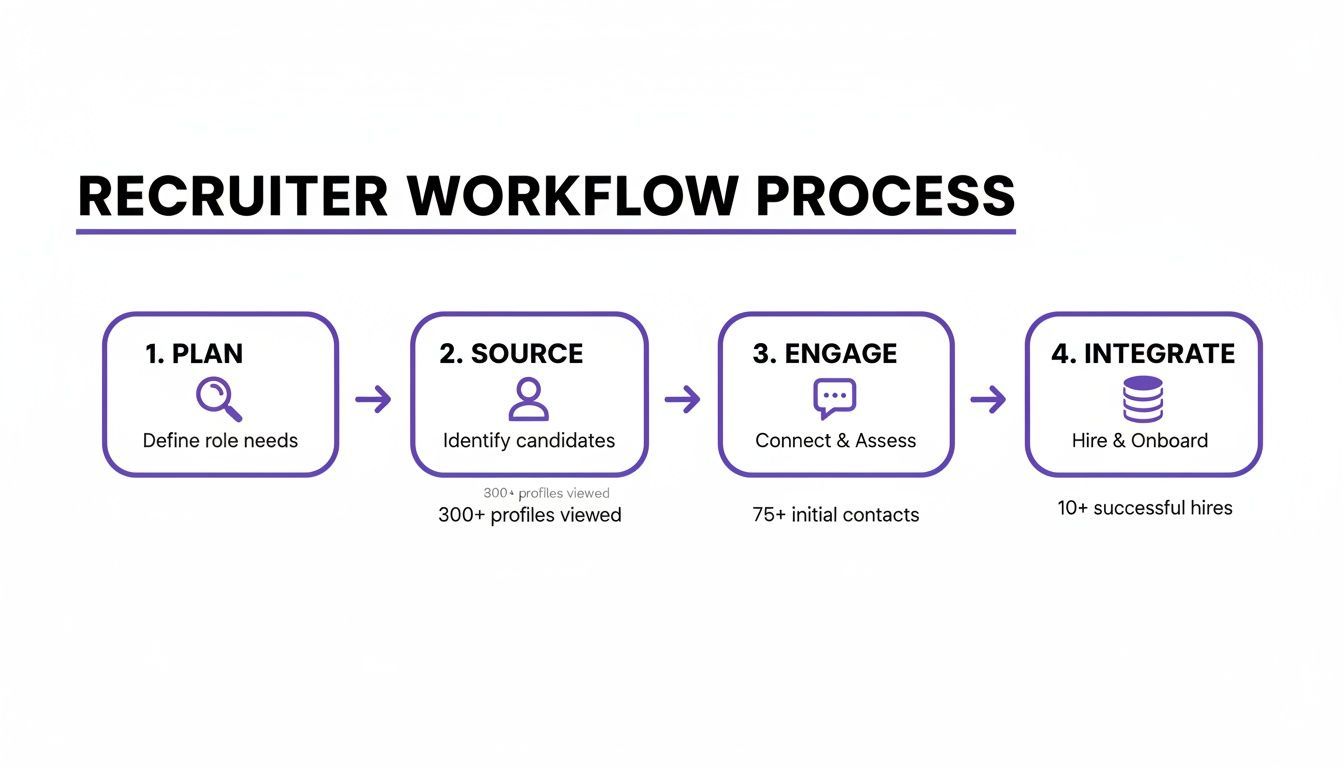
The real magic here is that it's a continuous loop. The insights you gain from the integration stage feed right back into your planning, making your sourcing smarter and more effective each time.
The Shift From Manual Grind to Automated Strategy
The biggest bottleneck for most recruiters is the sheer volume of manual work. Sifting through hundreds of applications when only 0.5% of applicants get hired is a brutal use of your time. A strategic workflow gets automation to do the heavy lifting, freeing you up to focus on what matters: building relationships.
The goal is to transform sourcing from a manual, data-entry chore into an efficient, quality-focused system. Automation is no longer a luxury; it's a necessity for survival and success in today's competitive hiring landscape.
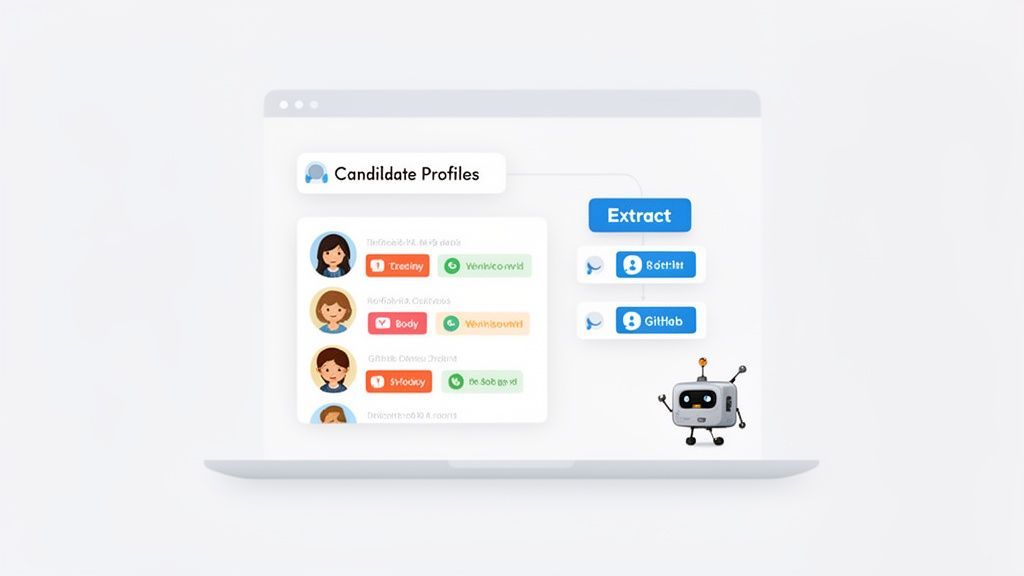
Tools like ProfileSpider are game-changers in this shift. Instead of manually copying and pasting profile after profile from LinkedIn or GitHub, you can extract up to 200 profiles in a single click.
This one-click extraction builds your candidate lists in an instant, letting you tag, organize, and enrich data without ever leaving your browser. By bringing tools like this into your workflow, you turn a tedious process into a powerful strategic advantage. For more ideas, check out our guide on recruiting process improvement.
Mastering Proactive Sourcing and Smart List Building
This is where a good sourcing workflow transforms into a great one. It’s the difference between waiting for candidates to find you and actively hunting for top talent—often before they even realize they're looking for a change. We're moving beyond the usual job boards and into the digital spaces where your ideal candidates live.
It all starts with a crystal-clear ideal candidate persona (ICP). This isn't just a laundry list of skills. It’s a detailed profile covering their likely job titles, the companies they respect, the online communities they’re part of, and even the professional events they might attend. A solid ICP is your treasure map, pointing you straight to talent hotspots like niche Slack channels, GitHub repositories, or your competitors' team pages.
From Manual Drudgery to Automated Precision
Let’s start with the traditional method. The old way of sourcing was a soul-crushing grind. You’d find a promising profile, then start the mind-numbing task of copying and pasting their name, title, company, and contact info into a giant, messy spreadsheet. It's slow, full of typos, and a massive waste of your most precious resource: time.
Modern sourcing workflows have thankfully left that behind. Instead of burning hours on data entry, you can now build organized, detailed candidate lists in minutes. This is where a no-code profile scraper becomes a game-changer in your toolkit.
A modern sourcing tool does more than just save time—it completely changes the game. It lets you shift your focus from tedious data collection to high-value work, like building genuine relationships and writing outreach that actually gets a response.
To see just how big the difference is, let's compare the two approaches side-by-side.
Manual Sourcing vs. Automated Sourcing with ProfileSpider
The old way of sourcing involved repetitive, manual tasks that were slow and prone to error. The new, automated approach with a tool like ProfileSpider eliminates that friction, letting you focus on strategy instead of spreadsheets.
| Sourcing Task | Traditional Manual Method (The Old Way) | Automated Method (The ProfileSpider Way) |
|---|---|---|
| Finding Profiles | Manually searching LinkedIn, company sites, and directories. | Navigate to any target page (social media, event lists, company directories). |
| Data Extraction | Tediously copy-pasting names, titles, companies, and social links one by one. | Click a button. The AI instantly extracts structured data from the entire page. |
| List Organization | Juggling multiple tabs to enter data into a separate spreadsheet or ATS. | Organize and tag profiles (Senior_DevOps, GitHub_Contributors) directly in the tool as you extract. |
| Data Enrichment | Manually searching for missing emails or phone numbers across different sites. | Use a one-click "Enrich" feature to automatically find and add missing contact details. |
| Time Investment | Hours per list. | Minutes per list. |
| Data Accuracy | High risk of typos, outdated info, and formatting errors. | Clean, structured, and consistent data every time. |
| Final Output | A messy spreadsheet that needs cleaning before it can be used. | A clean CSV or Excel file, ready to upload directly into your ATS or CRM. |
A Modern Workflow for Building Candidate Lists
With a tool like ProfileSpider, the entire process of building a candidate list becomes incredibly smooth. It’s built for recruiters and sales pros who need good data, fast, without having to mess with any code. Here's how ProfileSpider simplifies the traditional method into a one-click workflow:
- Find Your Target: Navigate to any website where your ideal candidates are listed—a LinkedIn search, a company "About Us" page, or an industry directory.
- Extract Profiles Instantly: Pop open the ProfileSpider extension and hit "Extract Profiles." Its AI scans the page and neatly pulls structured data for everyone it finds, including names, titles, company info, and social links.
- Organize on the Fly: As the profiles roll in, you can add them to custom lists right inside the extension. Tag them by role (
Senior_DevOps), source (GitHub_Contributors), or status (To_Contact) to keep things organized. - Fill in the Gaps: If a profile is missing a key detail like an email or phone number, the "Enrich" feature can automatically visit that person's other profiles to find and add the missing data.
- Export and Go: Once your list is ready, export the whole thing to a clean CSV or Excel file. It’s perfectly formatted and ready to be dropped into your Applicant Tracking System (ATS) or CRM.
This approach gives you a constant, flowing stream of high-quality, organized candidate data to feed the top of your funnel. To go even deeper on this, check out our guide on powerful list building strategies.
The impact here is massive. We know that 84% of organizations are using social media for recruiting, and LinkedIn alone influences the career decisions of 75% of job seekers. It's a goldmine. But with 90% of recruiters struggling with tight talent pools, speed is everything. Tools that let you instantly pull names, titles, and contact info from any site give you a serious edge, letting you build pipelines before your competitors even get started.
This automated process turns sourcing from a reactive chore into a proactive strategy, ensuring you're always connecting with top talent. If LinkedIn is one of your main sourcing channels, the ProfileSpider LinkedIn Search Builder can help you create cleaner searches before you extract candidates into your workflow.
Crafting Outreach That Actually Gets Replies
Finding a solid list of candidates is just the first step. The real magic happens when you turn that list into a pipeline of interested people, and that's all about your outreach. Generic, copy-paste messages are the fastest way to get your email deleted. To break through the noise, your communication has to be personalized and genuinely relevant.
All that research you did during the sourcing phase? That's your secret weapon. Every detail—a specific project on their GitHub, an article they shared, a conference they spoke at—is your chance to write a message that proves you’ve paid attention.
The goal isn't just to tell someone about a job. It's to start a real conversation. Your outreach needs to show you're interested in them and their unique skills, making them feel like an individual, not just another name on a spreadsheet.
Writing Subject Lines That Actually Get Opened
Your subject line is the gatekeeper. Ditch the generic stuff like "Job Opportunity" or "Exciting Role at [Company]." It just screams spam. Instead, go for something that’s both personal and piques their curiosity.
- Reference a mutual connection: "Jane Doe suggested I get in touch"
- Mention a specific achievement: "Your recent talk on Python at PyCon"
- Connect to their actual work: "Quick question about your project on GitHub"
Subject lines like these immediately show you’re not just blasting out a template. They create a personal hook that can dramatically boost your open rates.
Structuring Your Message for Maximum Impact
Okay, they opened it. Now you have maybe five seconds to grab their attention. A killer outreach message is short, respects their time, and focuses on them, not you. Here’s a simple, three-part structure that works:
- The Hook (Personalized Opener): Lead with the "why you." This is where your research shines. Something like, "I was seriously impressed with the UI/UX improvements you led on the recent [Product Name] launch."
- The Bridge (Connect Their Work to the Role): Briefly and clearly connect their expertise to your need. "That kind of design vision is exactly what we're looking for as we build out our new mobile platform."
- The Ask (Clear and Low-Effort): Make the next step incredibly easy. Don't ask for a resume or tell them to apply online. Instead, aim for a short, low-commitment chat. "Would you be open to a quick 15-minute call next week to hear a bit more?"
This approach flips the script from "I have a job for you" to "I see the great work you're doing and have an idea that might genuinely interest you." If you find your cold email lead lists are not converting, a lack of this kind of personalized framing is almost always the culprit.
Using a Multi-Channel Follow-Up Cadence
Not everyone is glued to their email. A smart sourcing workflow uses multiple channels to connect. The key is to be persistent without being pushy. Here’s a sample follow-up cadence that balances different touchpoints:
- Day 1: Send the initial personalized email.
- Day 3: Connect on LinkedIn. Add a short, personal note like, "Hi [Name], really enjoyed your recent post on [Topic]. Sending a request to follow your work."
- Day 5: Send a brief follow-up email. A simple, "Just wanted to bring this back to the top of your inbox" is often all you need.
- Day 8: Engage with their content. A thoughtful comment or like on a recent LinkedIn post keeps you on their radar without being intrusive.
- Day 12: Send a final, "break-up" email. "I'll assume now isn't the right time, but I'll definitely keep you in mind for future roles that align with your background."
This methodical approach dramatically increases your chances of getting a response by meeting candidates where they are.
Getting Your Sourced Data into Your ATS
A killer list of candidates is only half the battle. Your sourcing workflow doesn't end when you've found the perfect people. The magic really happens when you can get that rich, organized data into your main hiring pipeline without a hitch.
This is the critical handoff to your Applicant Tracking System (ATS). It’s where a static list of names transforms into a living, breathing talent pipeline. The goal is to bridge that gap without losing all the valuable context you've gathered. A clunky, manual transfer process is a recipe for disaster—it corrupts data, creates duplicate profiles, and makes getting accurate reports a nightmare.
From Raw Profiles to Actionable Intelligence
That list of candidates you sourced is packed with strategic information. Every profile holds clues about a person's skills, experience, and how they might fit into your company. If you lose that context during the transfer, you're starting from scratch.
This is why tools that let you organize as you source are so important.
When you're using something like ProfileSpider, you aren't just yanking data off a page. You're prepping it for its final destination. By adding custom tags (like Senior_DevOps, Competitor_Hire, or Conference_Speaker) and notes right inside the tool, you’re essentially pre-sorting your candidates before they even hit the ATS.
This prep work is a game-changer. It means that when you import your list, candidates are immediately searchable, sortable, and funneled into the right talent pools. It’s the difference between a clean, organized database and a digital junk drawer.
Prepping Your Data for a Perfect Import
Most modern hiring platforms are picky. They demand clean data, usually in a CSV or Excel format. If your spreadsheet is a mess with inconsistent formatting, your ATS will just spit it back out, leaving you to spend hours cleaning it up by hand.
The old way of doing this involved painstakingly copying and pasting data into a spreadsheet. It's tedious and full of opportunities for human error. The modern workflow scraps all that manual work.
With a one-click export, ProfileSpider creates a perfectly structured CSV for you. Every single data point—names, job titles, emails, social links, and all those custom tags you added—lands in the right column, ready for an immediate upload into any major ATS.
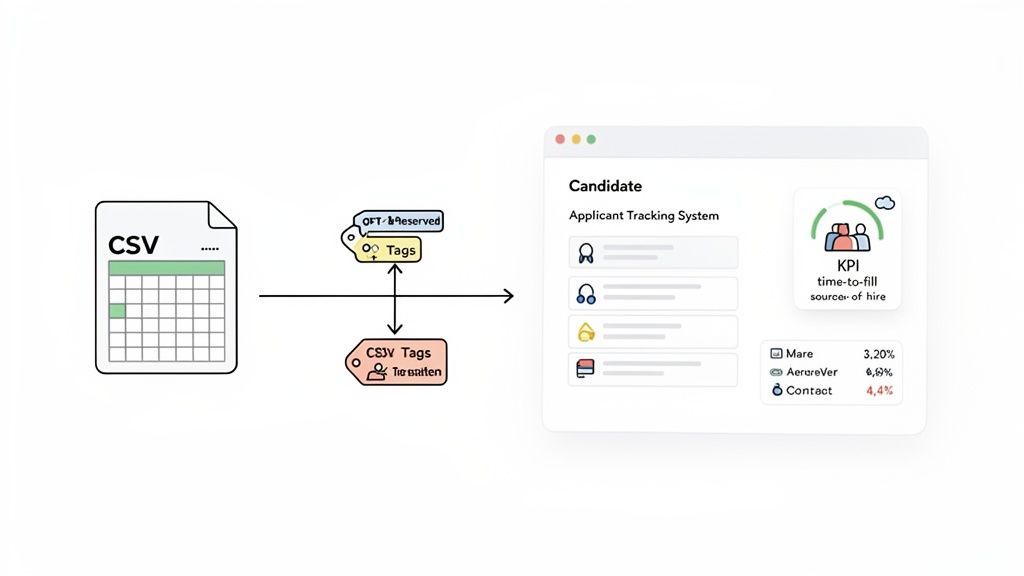
This automation doesn't just save time; it guarantees your data is accurate. When your data is clean from the very beginning, you can actually trust the reports and insights you pull from your ATS down the line.
Tracking the KPIs That Actually Matter
Once your sourced candidates are neatly filed in your ATS, you can start tracking the metrics that prove your work is paying off. And with clean, tagged data, your reporting will actually be accurate.
Here are the essential KPIs to keep your eyes on:
- Source of Hire: The ultimate report card for your sourcing channels. By tagging candidates with their source (
LinkedIn_Search,GitHub_Contributors, etc.), you can finally see which channels deliver people who actually get hired. - Time to Fill: How long does it take to get a role filled? Proactive sourcing and having a pipeline of tagged, pre-vetted candidates sitting in your ATS can slash this number.
- Cost per Hire: Efficient tools and workflows cut down on the hours spent hunting for talent. That time saved translates directly to a lower overall cost per hire.
- Offer Acceptance Rate: When you source high-quality candidates who are a great match from the start, they tend to be more engaged in the process and, ultimately, more likely to say "yes" to an offer.
An ATS is used by 67% of large companies compared to just 35% of small ones, and the payoff can be huge—think 2-3X improvements in hire quality and time-to-hire. As teams get leaner, building pipelines with clean, enriched data is no longer a luxury; it’s a competitive necessity.
A seamless connection between your sourcing tools and your ATS transforms the entire recruiting function. You shift from a reactive scramble to a proactive, data-driven strategy. This kind of data-first thinking is also crucial if you're looking to feed your sales pipeline automatically, as the core principles are exactly the same.
Real-World Sourcing Playbooks You Can Use Today
Theory is great, but a real recruiter sourcing workflow only shows its power when you're up against a tough hiring challenge. Let's walk through two different playbooks you can adapt for your own hard-to-fill roles.
Playbook 1: The Hard-to-Fill Technical Role
You’ve been tasked with finding a Senior DevOps Engineer. The best candidates aren't browsing job boards; they're neck-deep in code. A spray-and-pray approach is a waste of time.
Sourcing Channels to Prioritize
- GitHub: Hunt for contributors to specific, relevant open-source projects (e.g., Kubernetes, Terraform, or Ansible).
- Niche Tech Forums & Slack Communities: Find the watering holes dedicated to DevOps, SRE, or specific cloud platforms. Observe conversations to spot the experts.
- Conference Speaker Lists: Check past and upcoming speaker lists from events like KubeCon, AWS re:Invent, or local DevOpsDays.
Executing the Sourcing Workflow
The traditional method is painful: manually clicking through GitHub contributor lists, copying and pasting names into a spreadsheet.
Here's how ProfileSpider simplifies it. Navigate to the contributors page for a key project on GitHub. With a single click, ProfileSpider extracts the entire list, pulling names, profile links, and other public data into a clean, structured list. Just like that, you've got a targeted list of active, skilled engineers. Tag it GitHub_K8s_Contributors so you can find it later. You can do the exact same thing with those conference speaker pages, building out a rich, multi-source pipeline in minutes, not days.
Sample Outreach Message (Email Subject: Question about your talk on Terraform at DevOpsDays)
"Hi [Candidate Name],
I was really impressed with your recent talk on scalable infrastructure with Terraform. Your insights on managing state files for large teams were particularly sharp.
That kind of expertise is exactly what we're looking for as we build out the SRE function at [Your Company]. We're tackling some interesting challenges around multi-cloud orchestration.
Would you be open to a brief 15-minute chat next week to discuss what we're building? No strings attached."
Playbook 2: The Strategic Non-Technical Role
Now for a different challenge: a Director of Marketing. Here, you're hunting for strategic impact, industry presence, and proven leadership.
Sourcing Channels to Prioritize
- LinkedIn Advanced Search: Go beyond titles. Search for people who have spoken at major marketing conferences, published articles on industry blogs, or won awards.
- Industry Directories & Award Lists: Publications like Adweek or marketing associations often publish "40 Under 40" or "Top CMO" lists. These are curated lists of high-performers.
- Marketing Event Attendee/Speaker Pages: Find the lists from big events like INBOUND, MozCon, or Content Marketing World.
Executing the Sourcing Workflow
Manually scraping these sources could take a full day. The automated approach is far more effective. Find a "Top Marketers of 2024" listicle. Use ProfileSpider to instantly extract every profile on that page, grabbing their names, current companies, and links to their social profiles. Tag them Marketing_Leaders_Adweek and you're good to go.
Now, take that curated list and use the "Enrich" feature. ProfileSpider will then crawl their social profiles to find missing contact info, like a professional email address. This turns a simple list of names into a pipeline you can actually reach out to.
Sample Outreach Message (LinkedIn Connection Request)
"Hi [Candidate Name], I've been following your work on [Specific Campaign or Company Initiative] and was impressed with the results. I'm building a team focused on a similar challenge and would love to connect and follow your insights."
To make strategies like these fly, it helps to know about the best tools for recruiters on the market. Integrating the right automation makes these playbooks—and your entire workflow—infinitely more powerful.