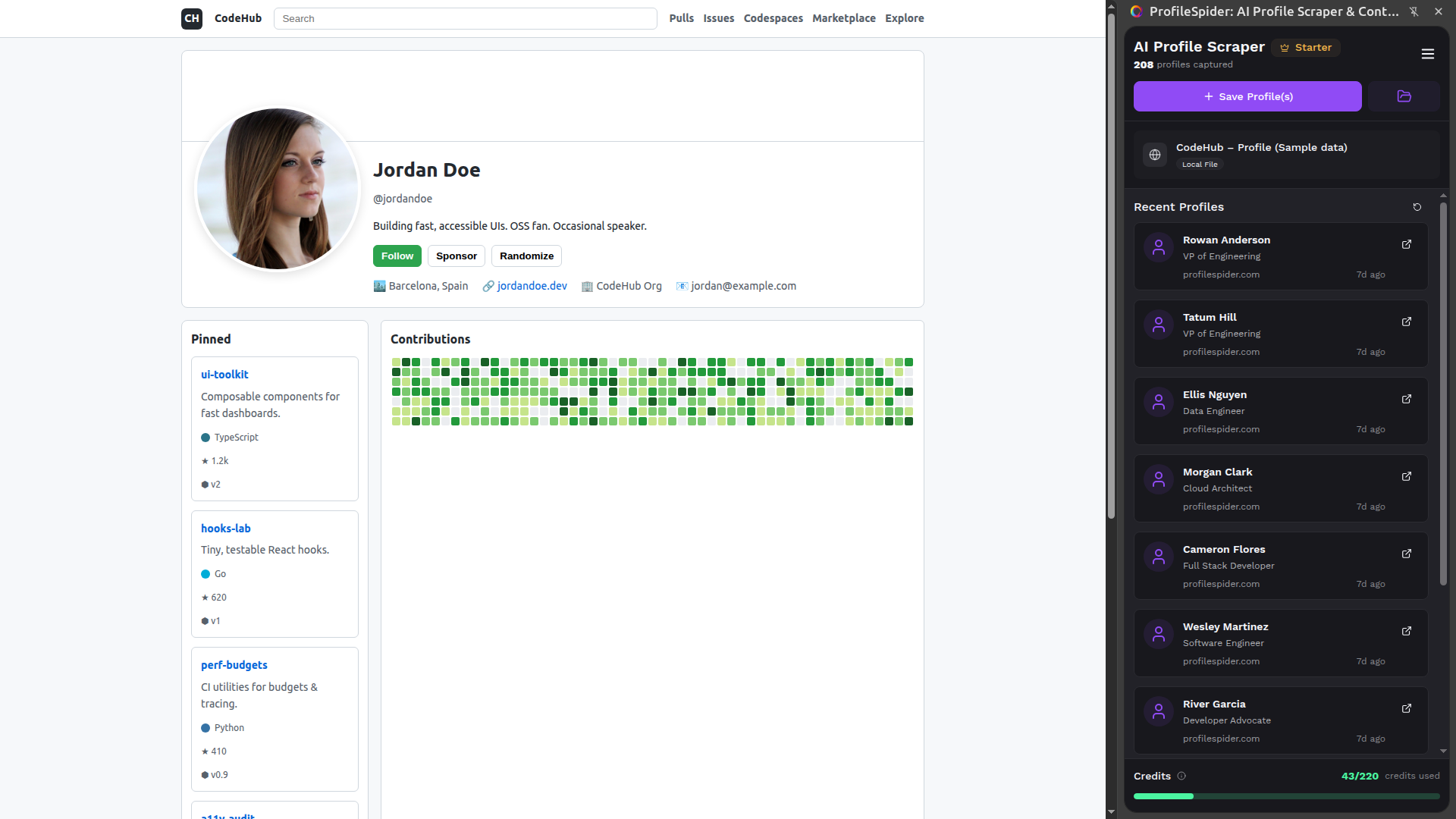
Extract people and company profiles from any website

Search results, directories, company websites, and more. One-click extraction. Data stays local.

Free starter plan

Why Teams Choose ProfileSpider

Built for professionals who value their time. Extract clean profiles faster, with less manual work.

Save Hours Every Day

Extract 1-200 profiles in seconds instead of spending 3-5 minutes per prospect.

Works Everywhere

Extract from LinkedIn, Twitter, GitHub, company sites, and any website with profiles.

AI-Powered Accuracy

Smart AI classifies people and company profiles and extracts structured data from any website.

People & Company Profiles in One Tool

Use one extension to capture both individual contacts and company records.

Complete Data Control

All data stored locally in your browser. GDPR-friendly with zero tracking.

Organize & Qualify Leads

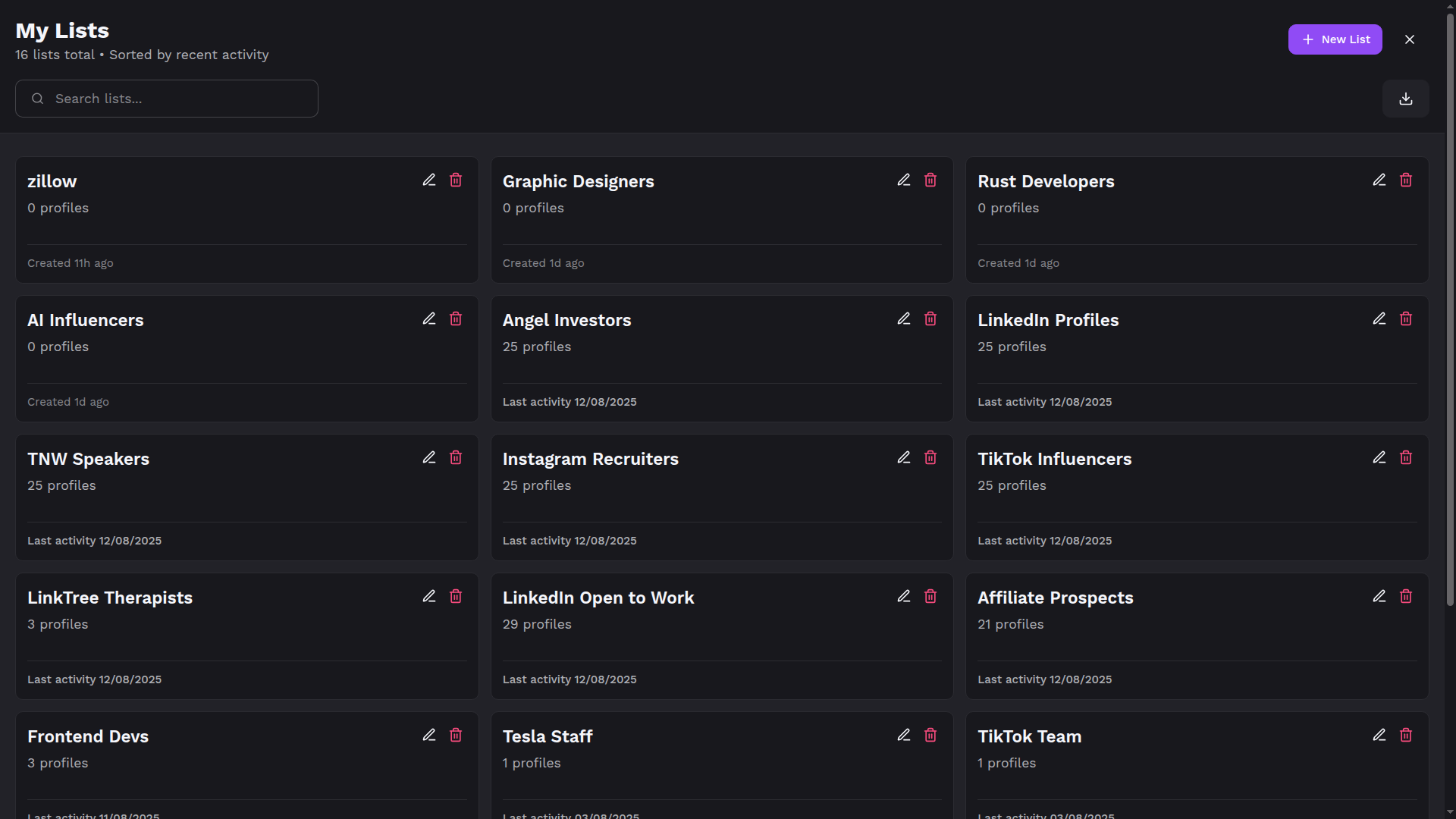
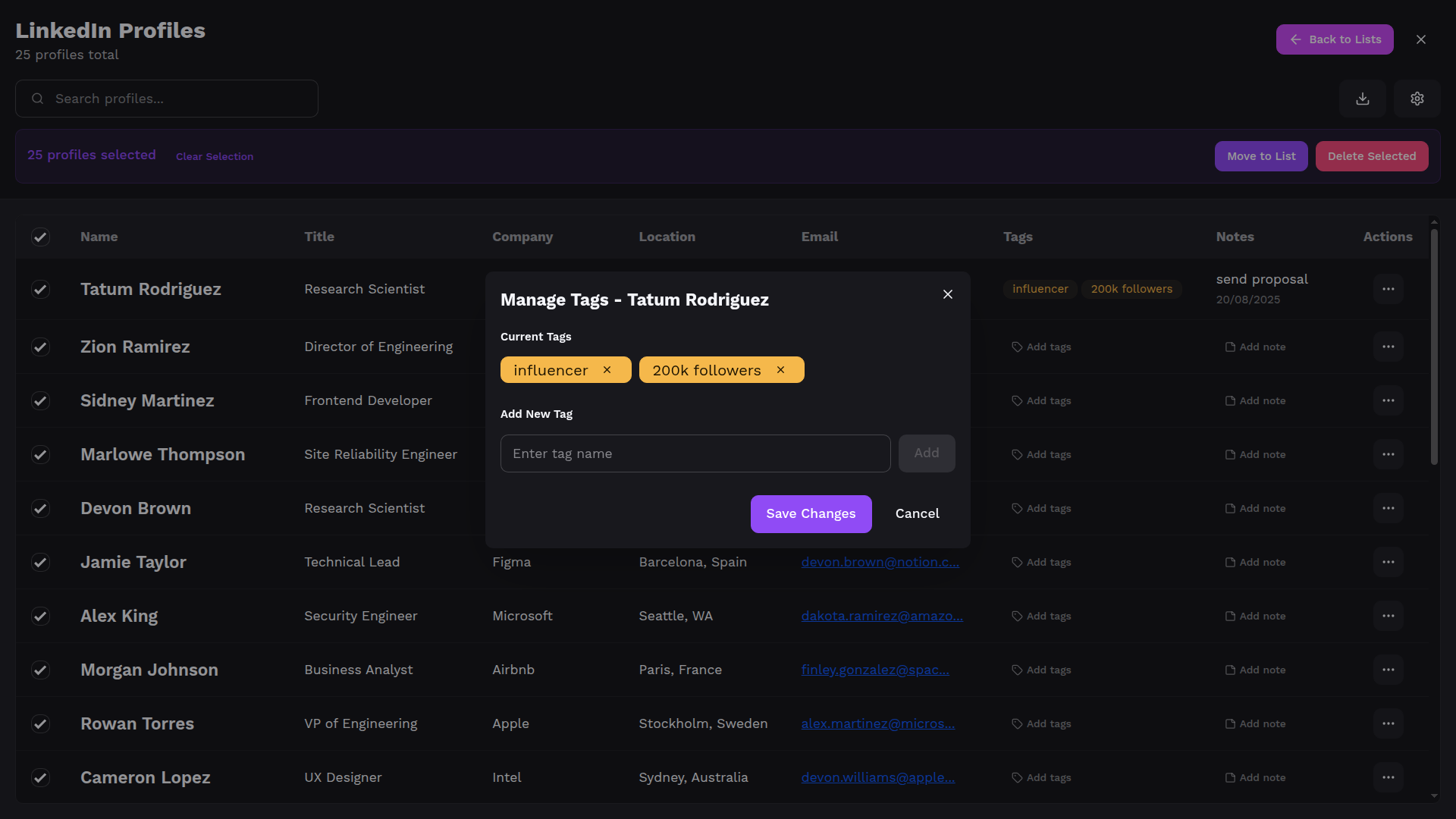
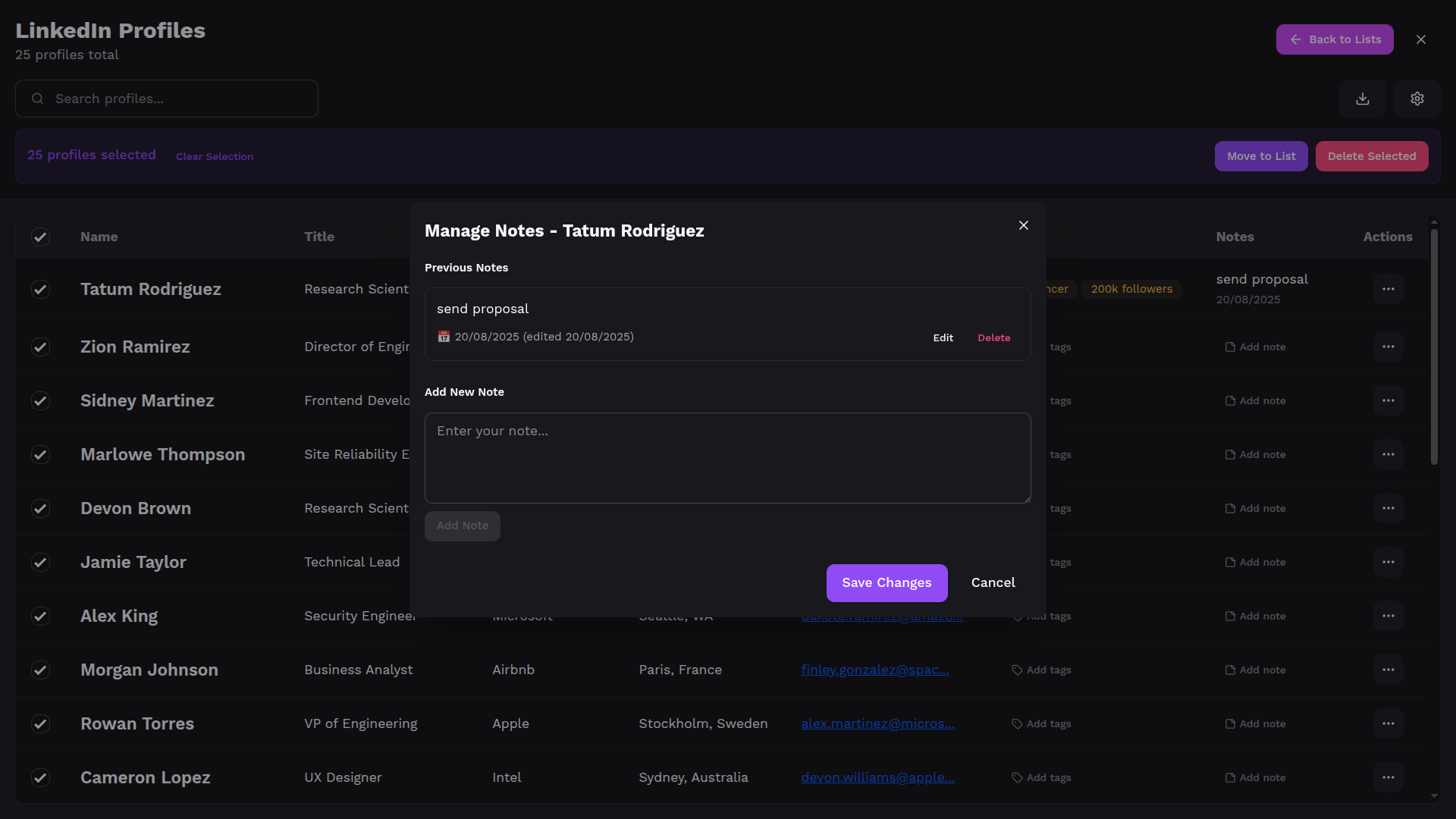
Create unlimited lists, add custom tags and notes, and search instantly.

Seamless CRM Integration

Export to CSV, JSON, or Excel and import directly into any CRM.

Up to 200x More Cost-Effective

One credit extracts up to 200 profiles per page, not per profile.

Zero Technical Setup

No coding required. Install and start extracting immediately.

What People Say

Real results from sales, recruiting, marketing, and research teams.

“The AI extraction works smoothly, it picks up people and company details from almost any site I try, and the list management + export to CSV/Excel makes it super practical for real lead gen and outreach.”

Liran Blumenberg

Liran Blumenberg

Sales Representative · Clal Insurance & Finance

“I started to use this extension for my prospecting and it works wonderful and is very accurate and fast!”

Radka Tomanová

Radka Tomanová

Business Development Representative · Autodesk

“Insanely useful! One click to scrape profiles from any site — accurate, fast, and privacy-focused. A must-have for recruiters and sales pros.”

Kristian Diana

Kristian Diana

Software Engineer · GCT Maintenance Solutions Inc.

“I've been testing ProfileSpider, and it's genuinely impressive how it simplifies a task that usually requires coding skills or manual effort.”

Scout Forge

Scout Forge

B2B technology scouting

“This is such a fantastic tool! It'll be incredibly helpful for gathering user information, especially for building sales leads.”

Ran Luo

Ran Luo

Product Manager · Capalyze

“The local data storage is genius—no more worrying about where my info goes. Making copy-paste extinct, fr.”

Cruise Chen

Cruise Chen

Agnes AI

How ProfileSpider Works

Built for professionals who value their time. Here's how ProfileSpider helps you work smarter.

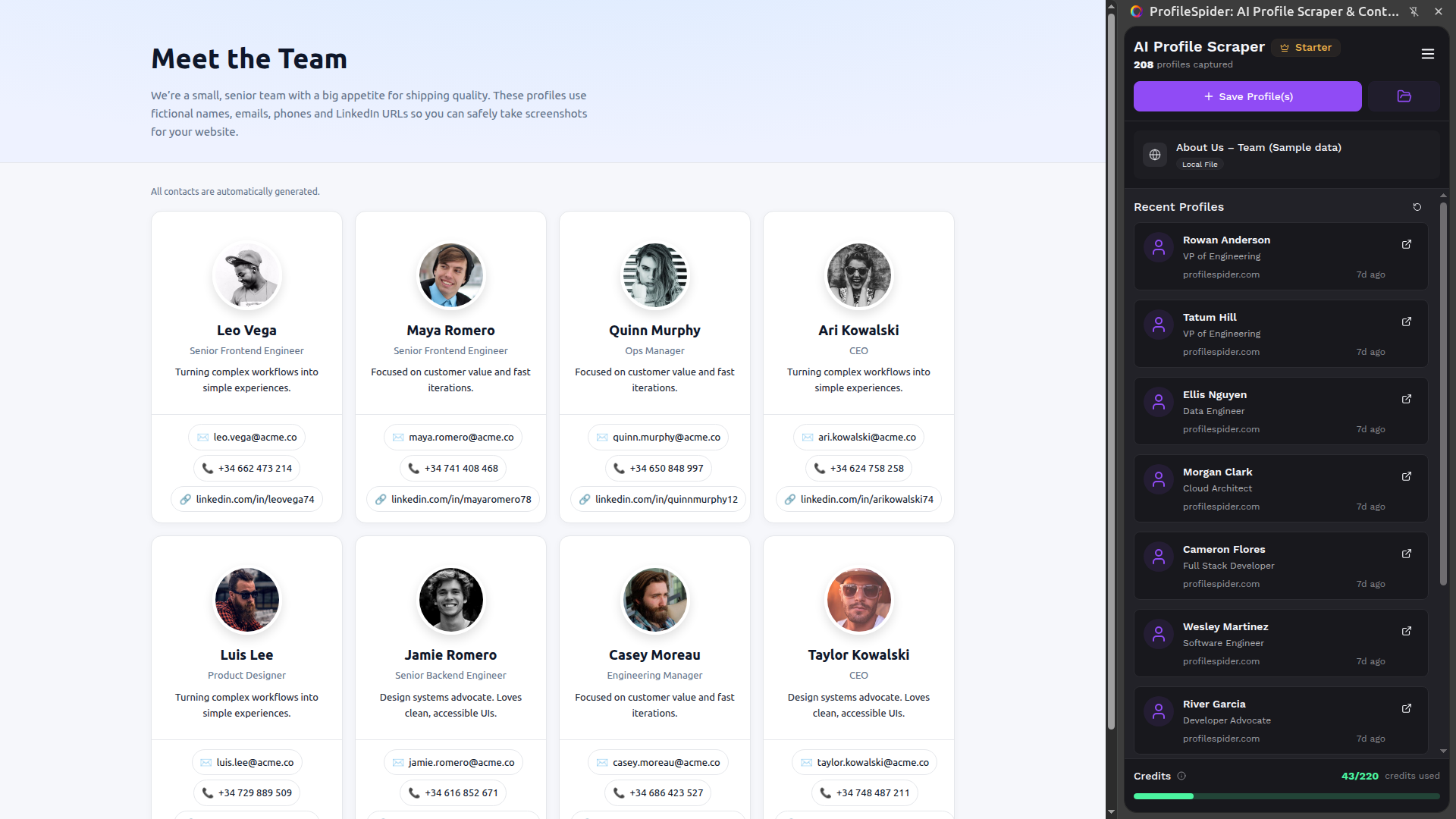
Scrape profiles from Team pages
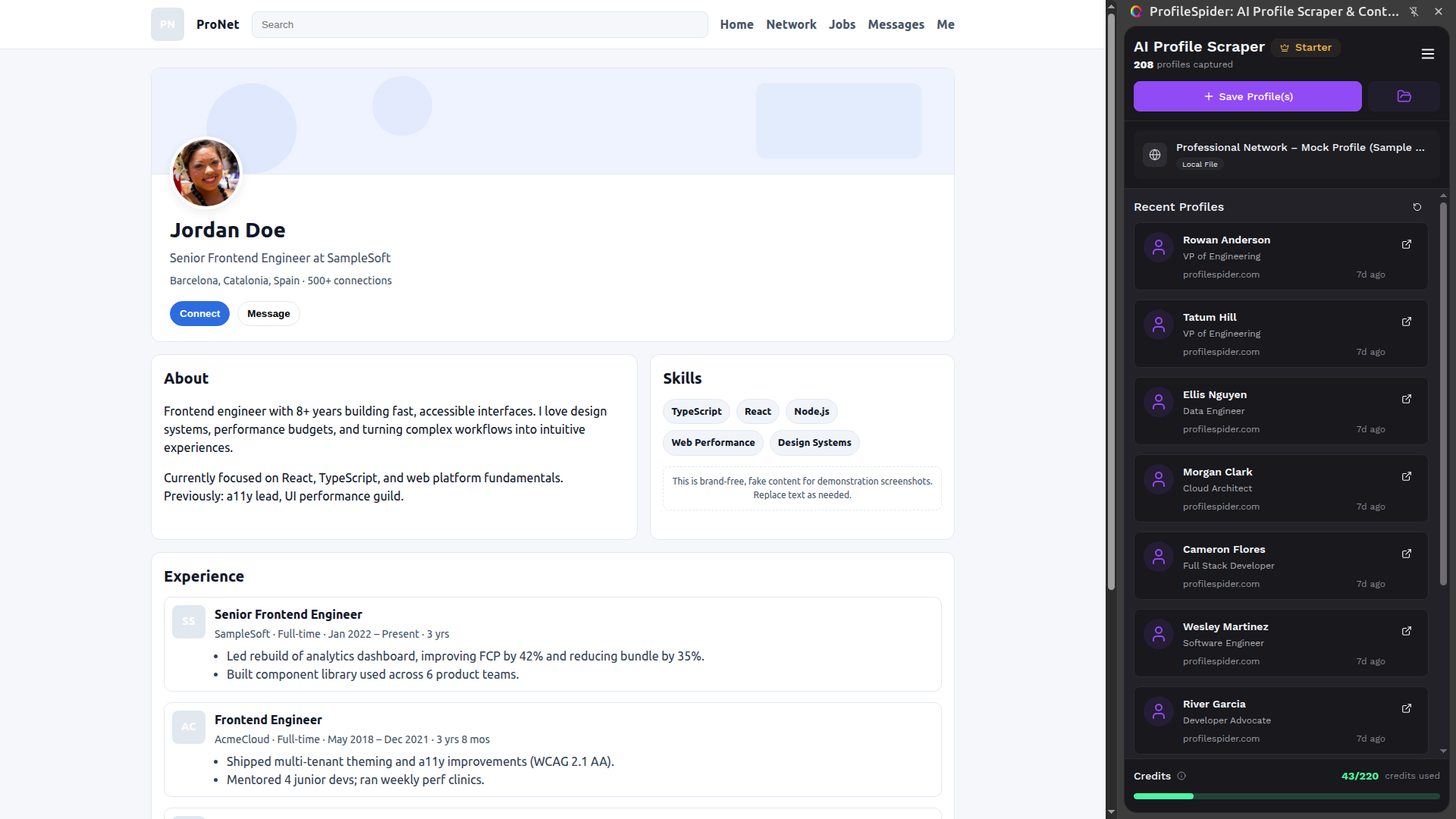
Scrape profiles from LinkedIn pages
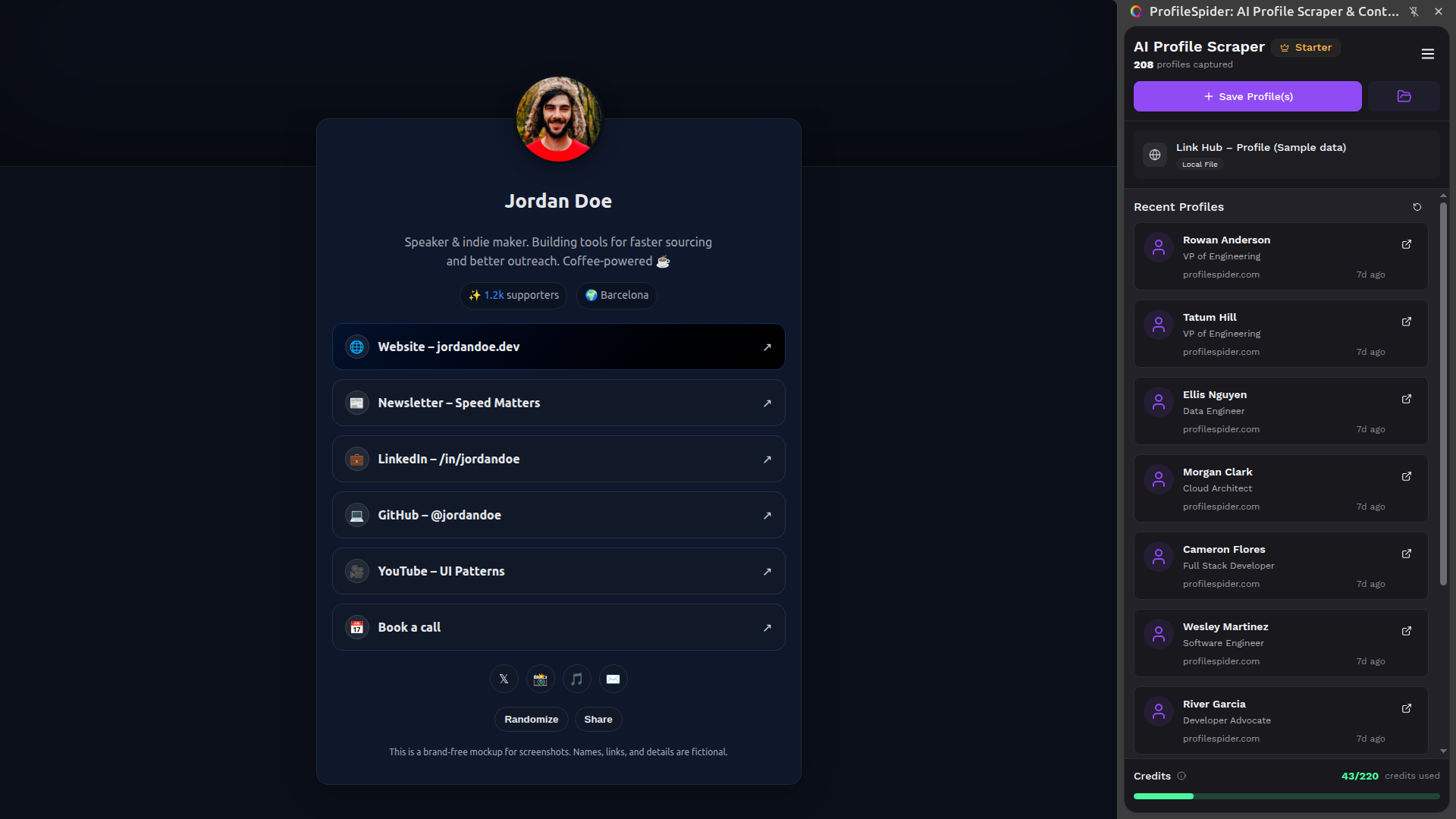
Scrape profiles from LinkTree pages
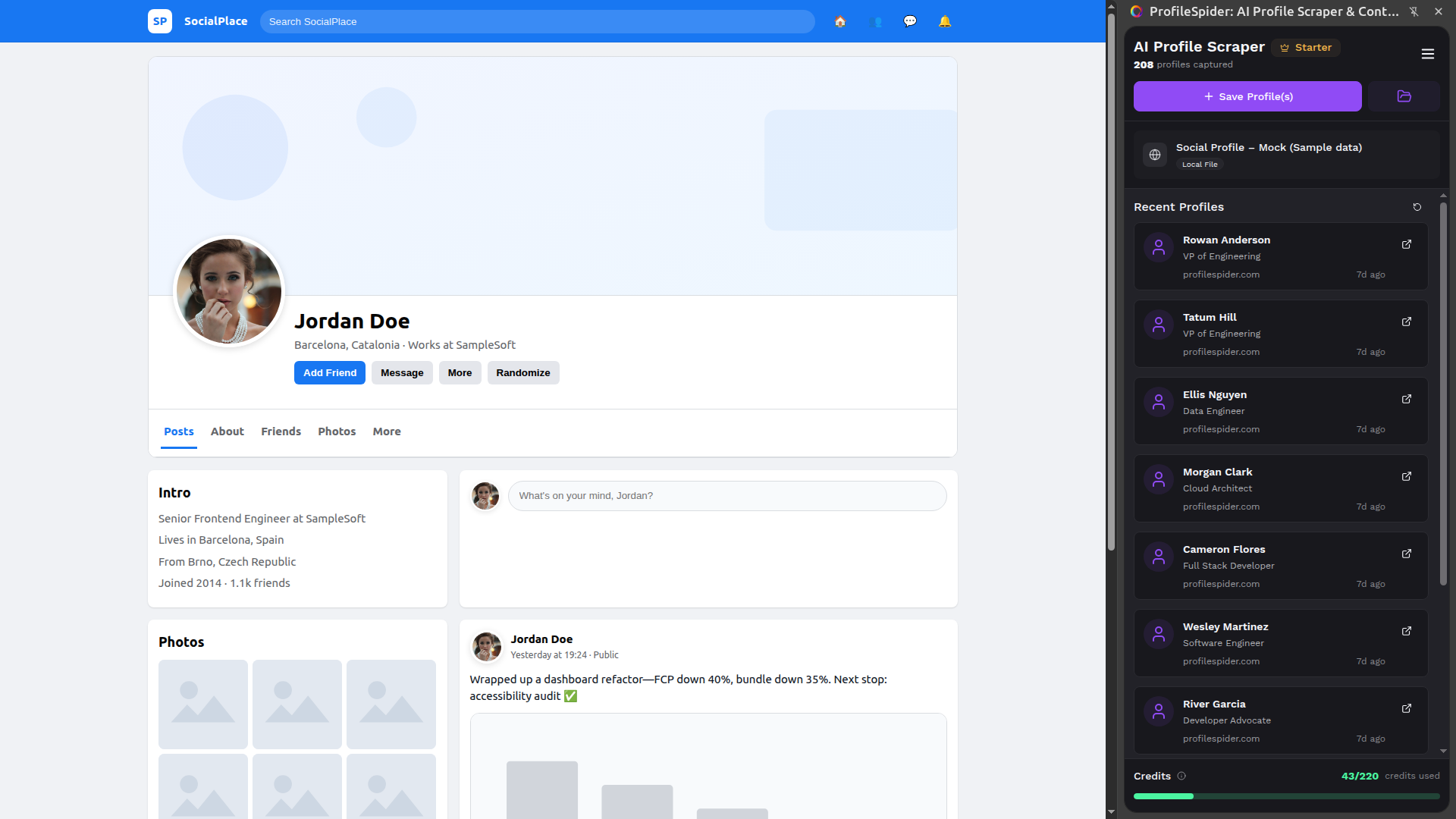
Scrape profiles from Facebook pages
Scrape profiles from GitHub pages
Step 1 · Capture

One-Click Single & Bulk Scraping

Capture one profile or up to 200 at once from search results, directories, team pages, and any website with profiles with a single click, without scripts or setup.

Start For Free
Step 2 · Organize

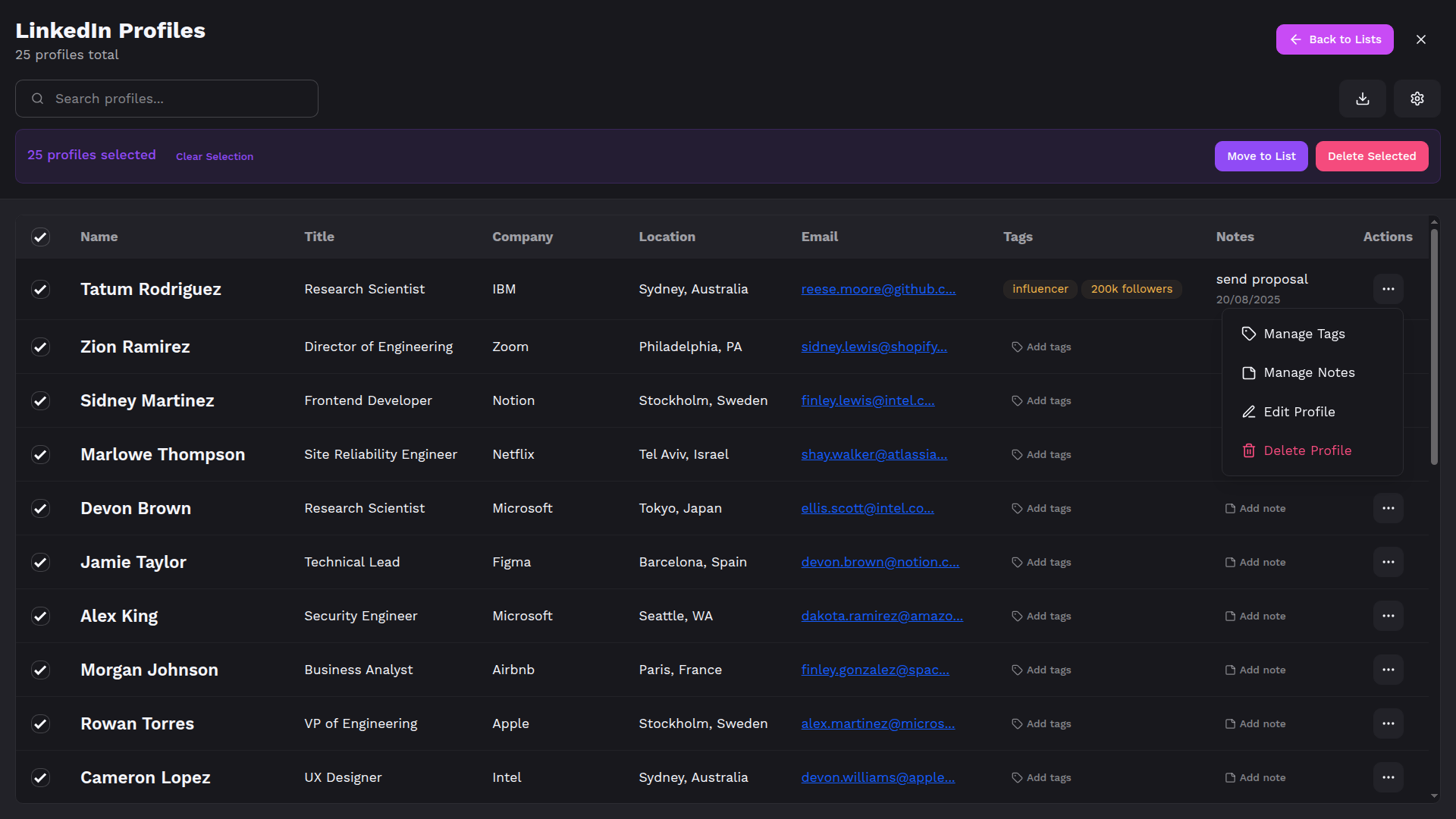
Organize Profiles in Lists

Send everything you capture straight into clear, searchable lists with tags and notes, so you always know where each prospect, candidate, or company belongs.

Start For Free
Profile List Manager
Profile Tagging View
Profile Notes View
Profile List View
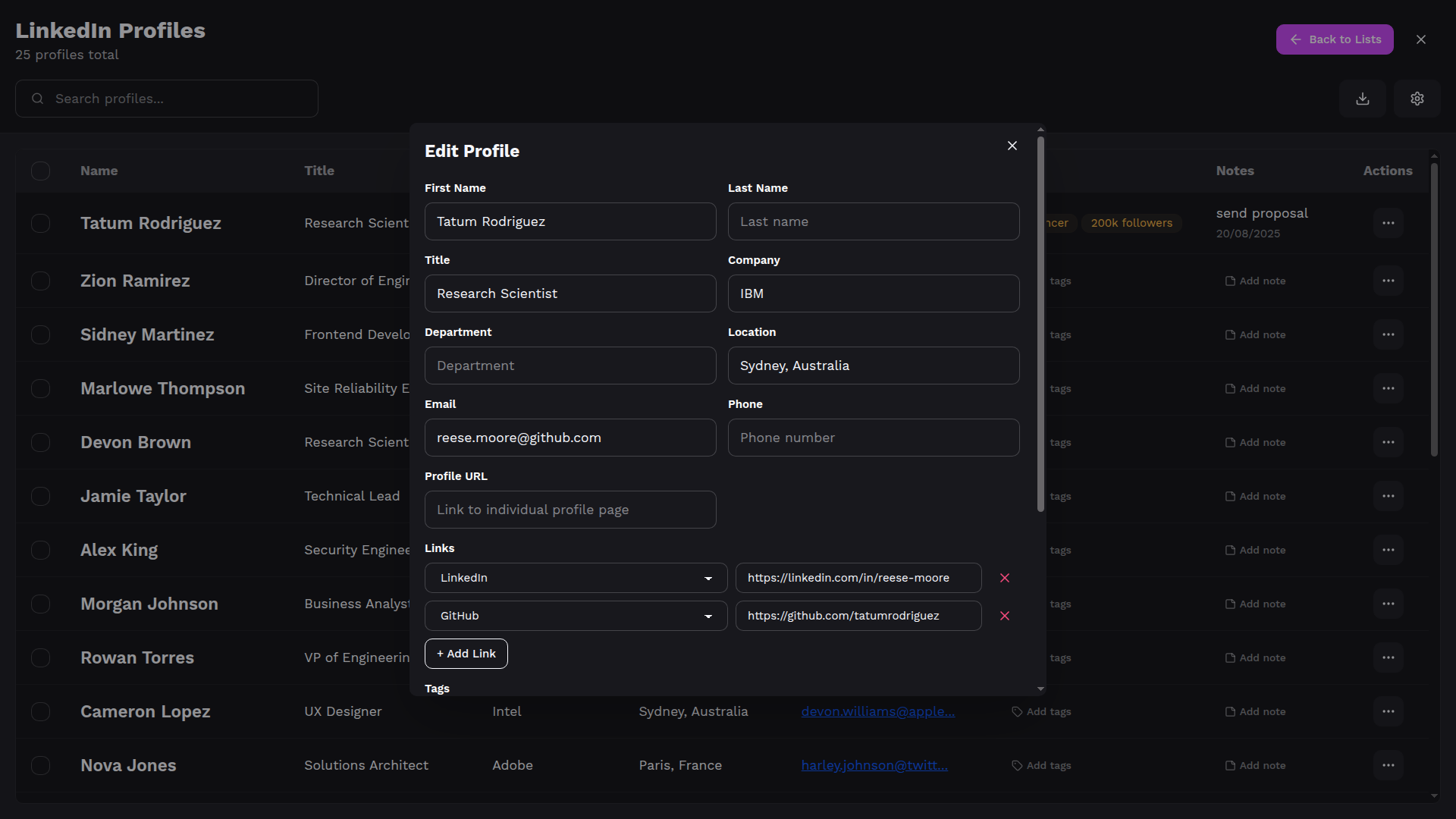
Profile Editing View
Step 3 · Enrich

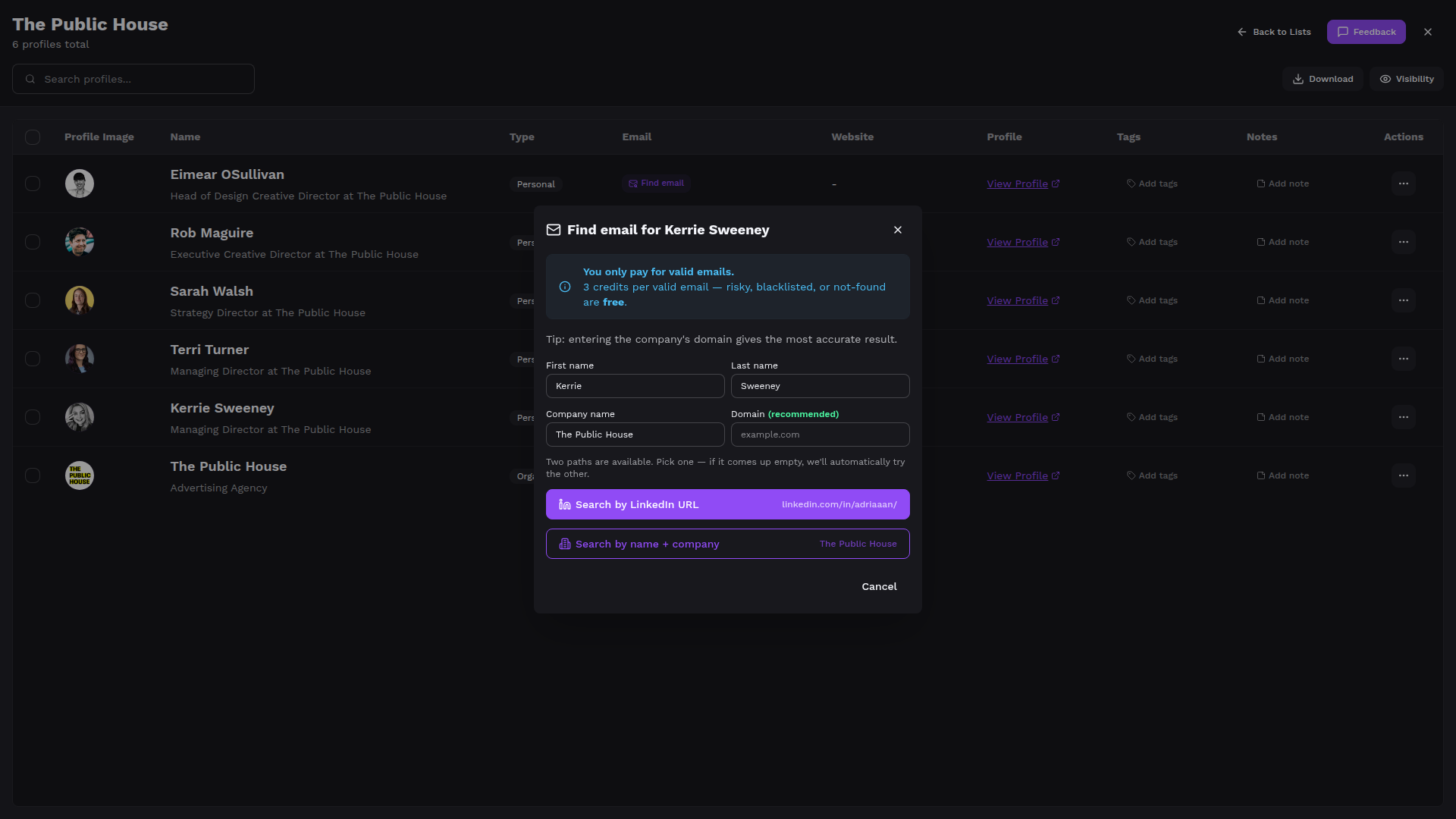
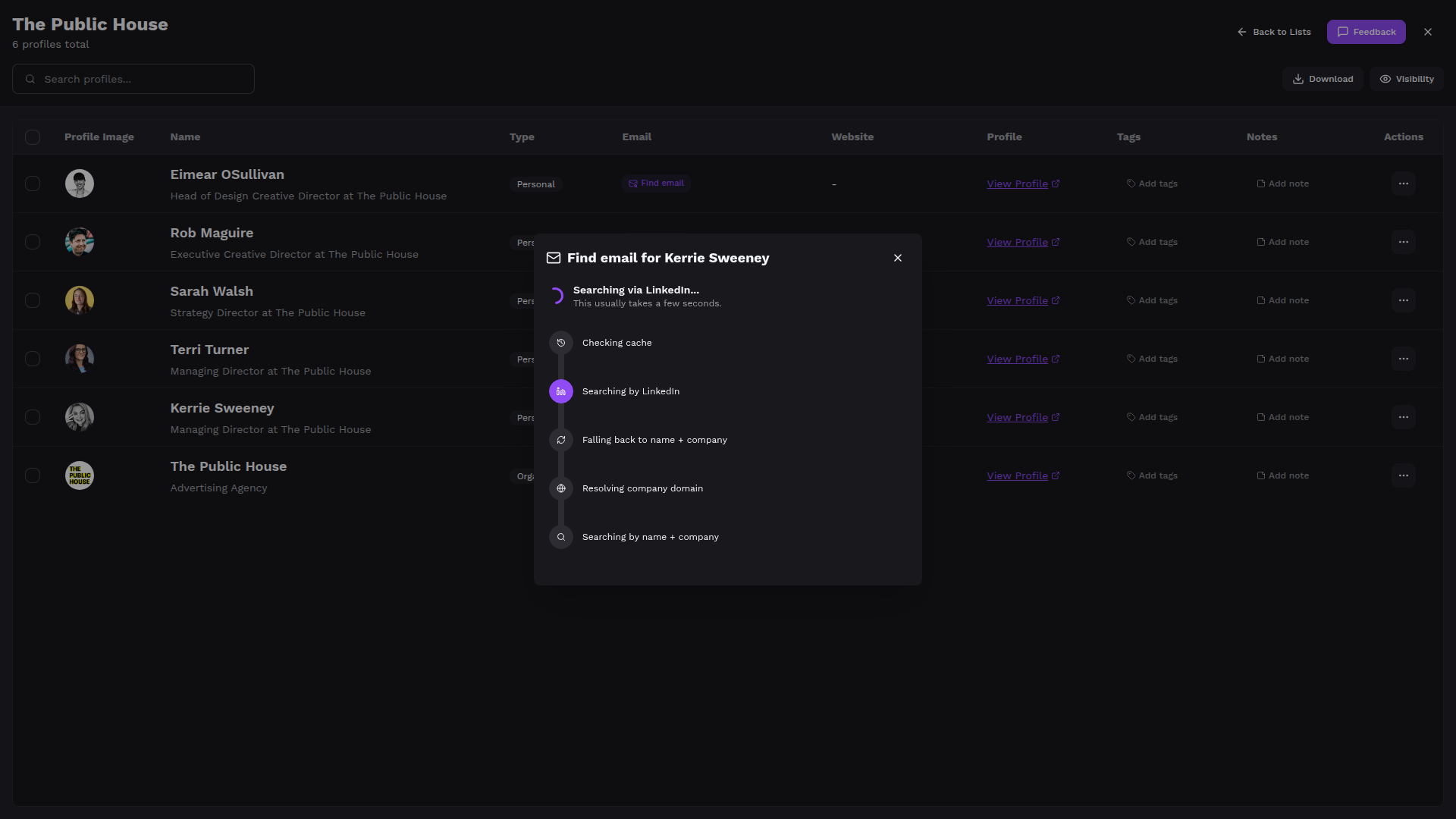
Enrich Saved Profiles (Optional)

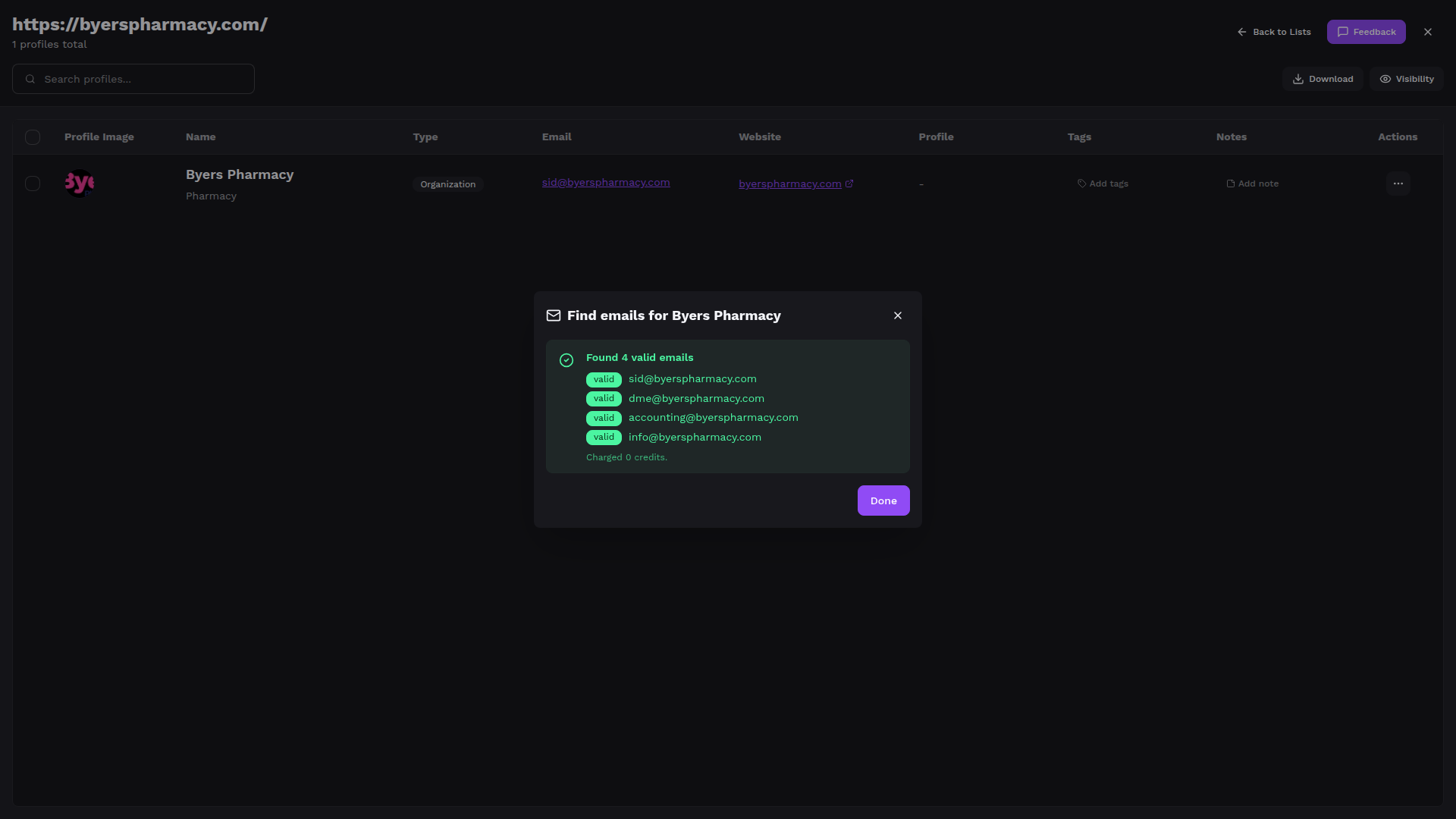
Use sub-page scraping to follow the profile URL or website linked on a saved profile, extract additional structured data, and merge it automatically. Enrich one profile or many in the background while you keep working.

Start For Free
Step 4 · Export

Export to Your Tools

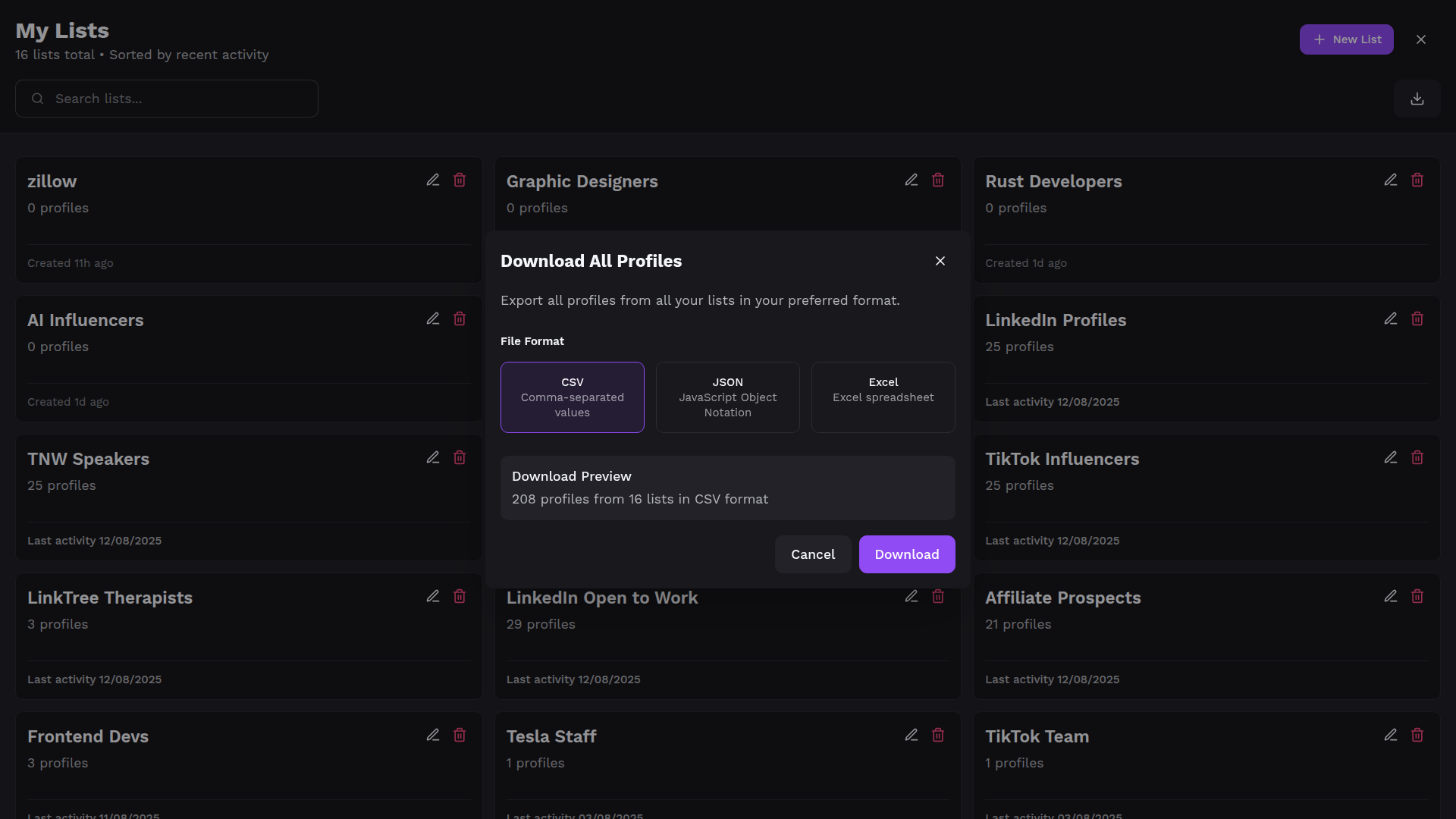
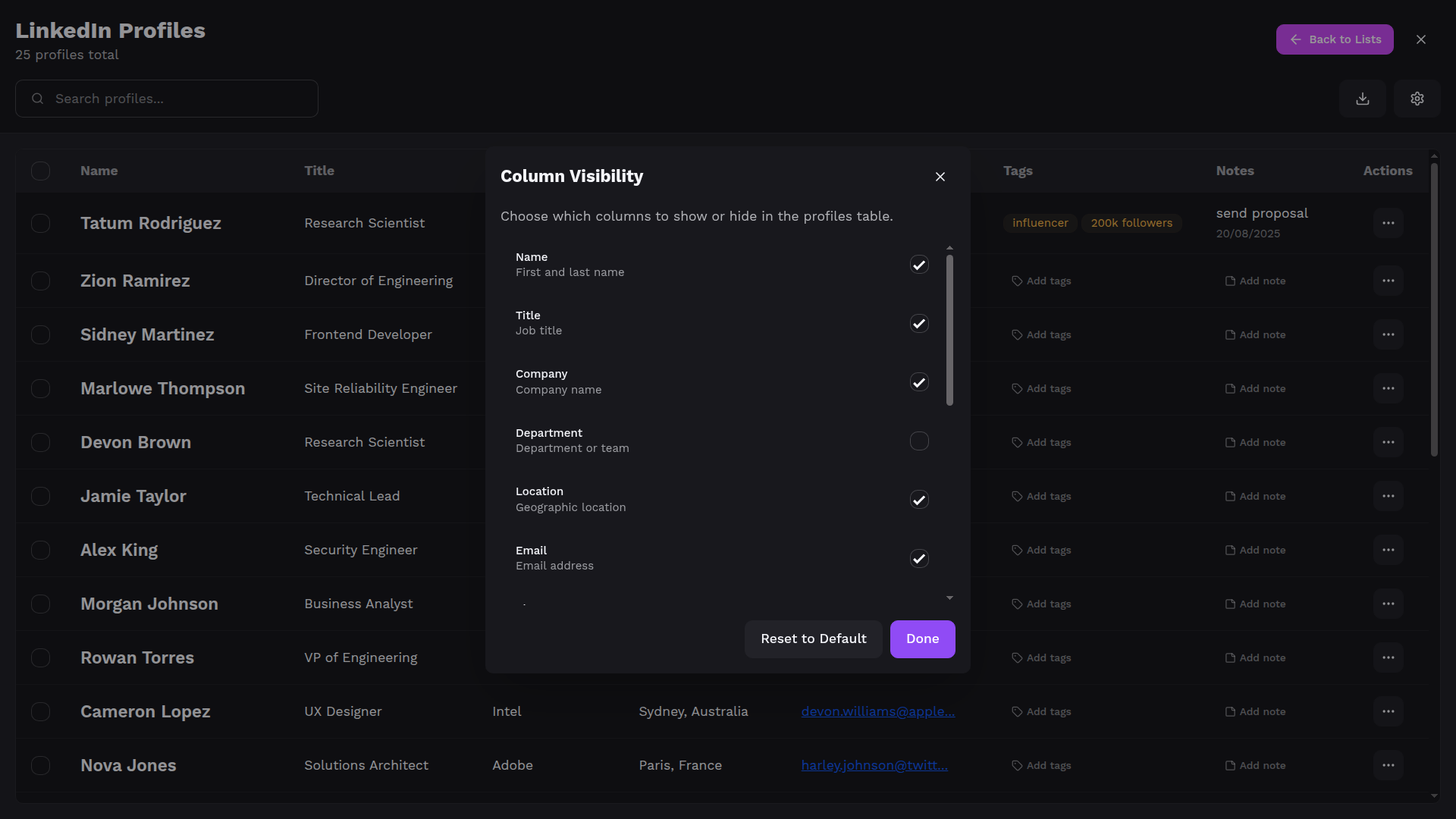
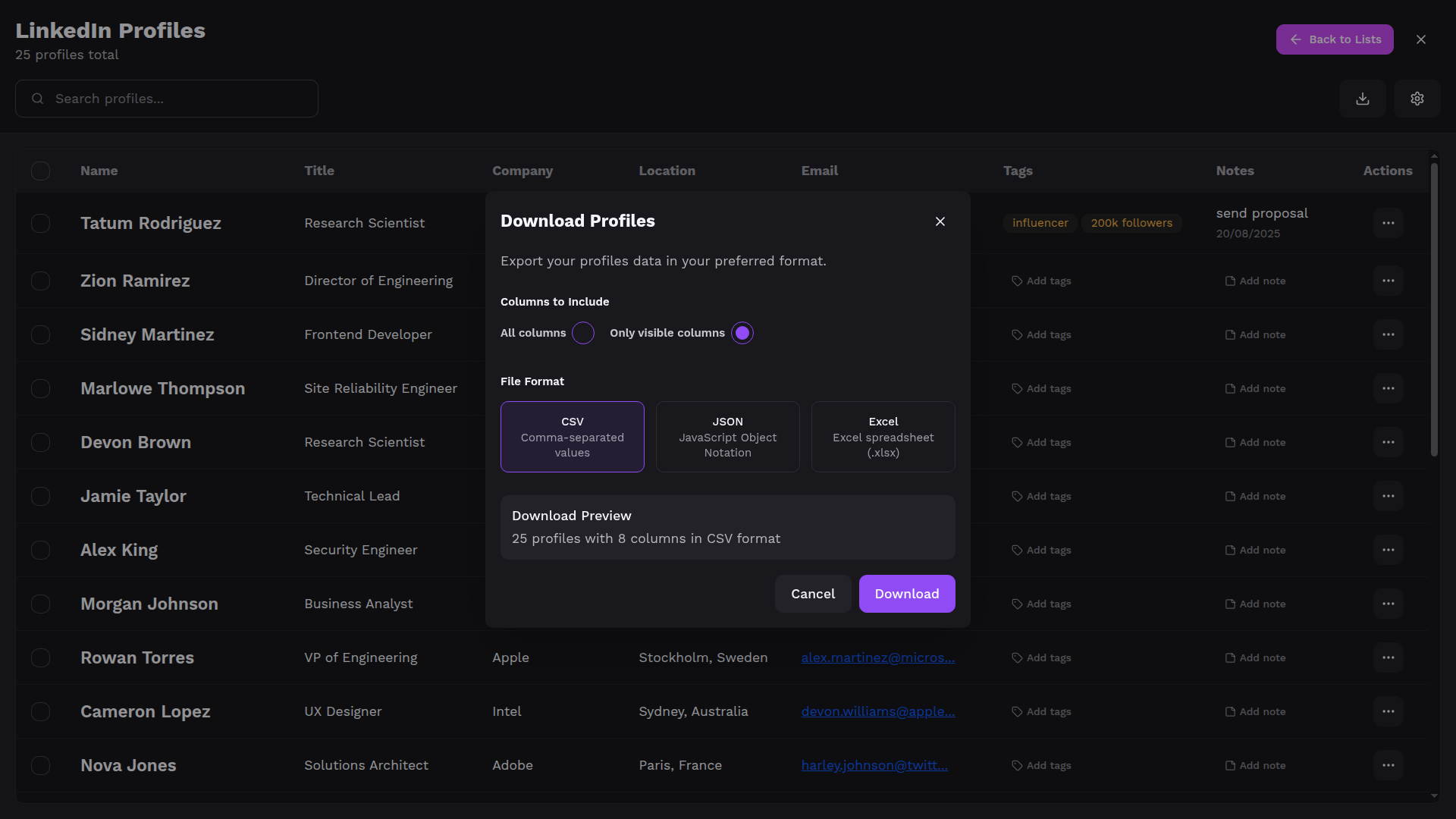
Export clean lists to CSV, Excel, or JSON whenever you are ready. Choose your columns and move data straight into your CRM, ATS, or outreach tools.

Start For Free
Export All Lists
Profile Columns Selection
Profiles Export

Workflows for Every Professional

See how ProfileSpider streamlines your workflow. Choose your role to see step-by-step use cases.

Step 1

Scrape Prospect Pages

Browse LinkedIn search results, company team pages, or business directories. Open ProfileSpider and click "Scrape Profiles".

Step 2

Save to Campaign Lists

Select the profiles you want and save them to a list, e.g. "Q1 SaaS Outreach" or "NYC Founders". Create as many lists as you need.

Step 3

Tag, Note & Enrich

Add tags like "decision-maker" or "warm lead", write qualification notes, and re-scrape profiles to pull in additional info.

Step 4

Export to Your CRM

Export your lists as CSV, Excel, or JSON with the columns you need. Import directly into HubSpot, Mailchimp, or any outreach tool.

Frequently Asked Questions

Everything you need to know about ProfileSpider's one-click profile scraping.

How is ProfileSpider different from other tools?

ProfileSpider requires zero setup and works on any website instantly. While competitors require hours of configuration (writing CSS selectors, XPath expressions, API setup), ProfileSpider just works with one click. Our AI understands any website structure automatically, extracting 1-250 profiles in seconds vs. hours of manual configuration with traditional tools.

How does ProfileSpider's AI scraping work?

ProfileSpider uses advanced AI to intelligently understand webpage content and structure. Unlike simple scraping tools, our AI contextually identifies profile information, correctly maps fields like titles and companies, and can scrape up to 200 profiles from a single page with intelligent relationship detection.

Is my data private and secure?

Yes! ProfileSpider stores all extracted data locally in your browser using secure IndexedDB storage. Your profile data never leaves your device unless you explicitly export it. We don't have access to your extracted profiles, and everything stays completely private under your control.

What platforms does ProfileSpider support?

ProfileSpider supports any website thanks to its AI-powered extraction. This includes social media platforms, professional networks, company websites, directories, and any page with profile information. Unlike competitors limited to specific sites, ProfileSpider's universal extraction capability adapts to any website structure.

How fast is ProfileSpider compared to other tools?

ProfileSpider extracts profiles in seconds, not hours. While competitors require extensive setup (writing CSS selectors, configuring XPath expressions), ProfileSpider just works instantly. One click extracts 1-250 profiles immediately. No waiting for configuration, no technical setup time.

What browsers does ProfileSpider support?

ProfileSpider is currently available as a Chrome extension and works on Chrome and Chromium-based browsers (like Edge, Brave, and Opera). You'll need Chrome version 114 or higher to install and use ProfileSpider.

How do I organize and manage extracted profiles?

ProfileSpider lets you organize profiles into custom lists for different projects or clients. You can add notes and tags to profiles, edit information, move profiles between lists, and export your organized data to CSV, JSON, or Excel formats for use in other tools.

When exactly are credits consumed?

Credits are consumed when:
• You process a page successfully, regardless of how many profiles are found (even if zero profiles are found)
• The AI service analyzes the page content and returns a response

Credits are NOT consumed when:
• Technical errors occur (API failures, network issues, authentication problems)
• Page content cannot be accessed or read
• The extraction fails before reaching the AI service

This ensures you only pay for actual AI processing, not for technical issues outside your control.

What do you save for person profiles?

For individuals, contacts, and team members we extract: first and last name, job title, company, department, location, email, phone, profile URL, profile image, and links (LinkedIn, GitHub, social, website, etc.). Fields are filled when available on the page.

What do you save for company profiles?

For organizations and businesses we extract: company name, industry, employee count, founded year, description, location, email, phone, profile URL, profile image, and links (social, website, etc.). Fields are filled when visible on the page.

Is there a free plan?

Yes. ProfileSpider includes a free starter plan so you can try one-click profile scraping before upgrading. You can install the extension, start extracting profiles, and only upgrade when you need higher limits or more credits.

How do I install ProfileSpider?

Install ProfileSpider from the Chrome Web Store, then pin the extension to your browser toolbar. Once installed, open any page with profiles, click the ProfileSpider icon, and start extracting with one click.

Who is responsible for how I use the data?

ProfileSpider stores data locally on your device and gives you tools to extract and organize it. You are responsible for using that data in line with local laws (like GDPR) and the terms of the websites you visit. We don't provide legal advice, so always check your own compliance requirements.

What is profile enrichment?

Enrichment lets you use the URLs already saved on your profiles (like profile links or websites) to re-scrape and pull in fresh data. You can enrich a single profile or many at once while you keep working.

Why did a page return no or few profiles?

Some pages have no recognizable profiles, hide profiles behind logins or infinite scroll, or limit what is visible. ProfileSpider can only extract what it can see in your browser, so make sure you're logged in, have loaded the full list, and are within your plan's per-page profile limits.

Ready to Save Profiles with One Click?

Start for free and see how easy profile collection can be.

Get started for free!