

Want more LinkedIn connections? The first step isn’t sending a single request. It's turning your profile from a dusty old resume into a magnet for the exact people you want to meet. A fully dialed-in profile with a value-packed headline, compelling summary, professional headshot, and the right skills makes people want to connect with you before you even have to ask.
This guide will walk you through the essential steps, from optimizing your profile to scaling your outreach with smart, no-code tools.
Step 1: Build a Profile That Invites Connections
Before you even think about outreach, your LinkedIn profile has to do the heavy lifting for you. Think of it as your digital handshake—and a weak one gets completely ignored. Many professionals treat their profile like a boring list of old jobs, which fails to grab attention or build trust.
Your goal is to tell a dynamic, compelling professional story. This transformation begins with the very first things people see: your photo, your headline, and your summary. These elements work together to either pull someone in or make them click away in seconds.
The image below shows how these different pieces of your profile—like your headline and skills—can act as a magnet, drawing in the right professional connections.
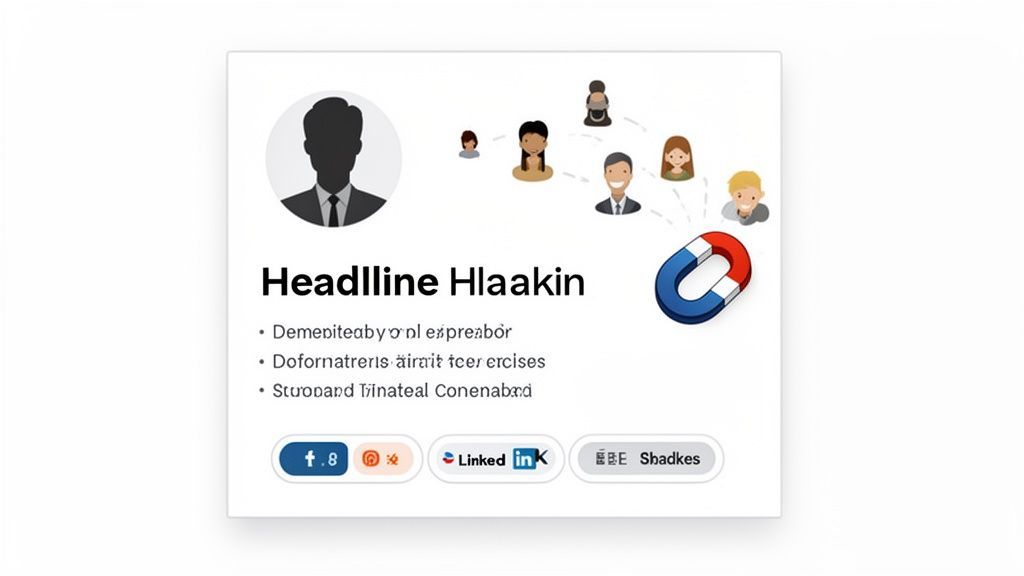
Nailing these sections signals to both the LinkedIn algorithm and human visitors that you're an active, valuable person worth knowing.
Craft Your Headline and Summary
Your headline is much more than your job title; it needs to communicate the value you provide. Instead of just "Sales Manager," try something like "Sales Manager | Helping SaaS Companies Reduce Churn by 15%." The difference is immediate—it tells prospects and recruiters what you can do for them.
Your summary should do the same. Don't just list tasks; tell a story. Use that space to talk about your professional journey, what you stand for, and what gets you excited about your work. This personal touch makes you far more relatable and approachable. For recruiters, a sharp profile is an absolute must-have; our guide on recruiter LinkedIn tricks dives deep into optimizing your presence to source top talent.
Your LinkedIn profile is your 24/7 digital representative. It should be working to build your network even when you're not actively sending requests. A strong profile makes your outreach efforts exponentially more effective.
Optimize Your Visuals and Skills
A professional headshot is non-negotiable. It’s the fastest way to build initial trust. Profiles with a high-quality photo get dramatically more views and connection requests. For some practical advice on getting it right, check out these essential LinkedIn profile picture tips.
Just as important is your skills section. LinkedIn's own data shows that members with 5 or more skills listed get up to 17x more profile views. This isn't just about stuffing in keywords; it's about validating your expertise and making sure you show up when people search for what you do.
Step 2: Find the Right People to Connect With
Connecting with everyone on LinkedIn is a great strategy if you love noise. It’s a terrible one if you want to build a valuable network for lead generation or recruiting.
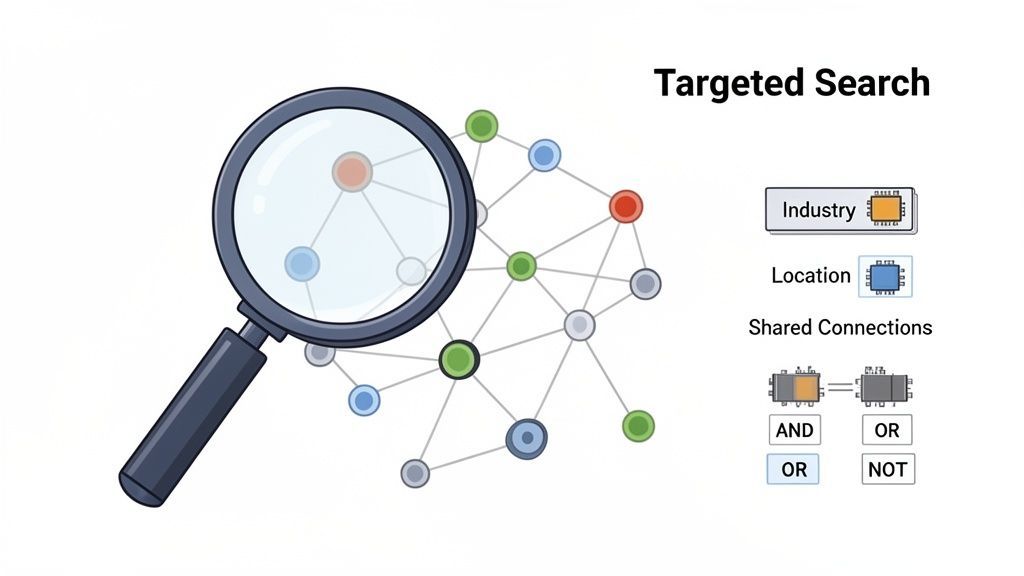
To get the right connections, you have to stop casting a wide net and start using a spear. Precision targeting is everything. It’s what ensures every connection request you send has the potential to become a meaningful professional relationship. This process starts with LinkedIn’s own search filters, which are surprisingly powerful. By layering filters like industry, location, current company, and even shared connections, you can create a highly focused list of prospects.
For example, a sales professional could search for "Marketing Managers" in "New York City" who work in the "Financial Services" industry. That simple tweak instantly cuts the field from millions down to a manageable, much more relevant group.
The Traditional Method: Mastering Advanced Search
To get truly specific, you need to use Boolean search operators. These are simple commands—AND, OR, NOT—that give you incredible control over your search results.
- AND: Narrows your search.
“Sales” AND “SaaS”will only show profiles containing both terms. - OR: Broadens your search.
“Founder” OR “CEO”will find profiles with either title. - NOT: Excludes specific keywords.
“Developer” NOT “Intern”helps filter out junior roles.
By stringing these operators together, you can build sophisticated search queries that pinpoint your ideal connections. If you want to go even deeper, our guide to mastering LinkedIn's advanced search has more powerful techniques.
If you do not want to build every Boolean string manually, the ProfileSpider LinkedIn Search Builder can help you turn titles, skills, locations, and exclusions into cleaner LinkedIn search queries before you start sending connection requests.
The Problem: Manual Data Extraction is a Grind
Now, here’s where most sales and recruiting teams get stuck. The traditional way of building a prospect list from these searches is a mind-numbing grind. You run a search, open dozens of profiles, and manually copy-paste names, titles, and companies into a spreadsheet. Building a list of just 50 relevant contacts this way can burn hours of valuable time.
This manual process is a major bottleneck that kills productivity and slows down your entire lead generation or recruitment pipeline.
The goal isn't just to find the right people; it's to get their information into an actionable format as quickly as possible. Manual copy-pasting is a bottleneck that kills productivity for sales and recruiting teams.
The Modern Solution: One-Click List Building with ProfileSpider
This is where a modern, no-code workflow changes the game. Instead of manual data entry, you can use an AI-powered scraping tool like ProfileSpider to automate the entire process. The workflow is almost laughably simple:
- Run your hyper-targeted Boolean search on LinkedIn.
- Open the ProfileSpider browser extension.
- Click one button to extract all profiles from the search results page.
The tool instantly pulls everyone from the page—names, titles, companies, profile URLs—and organizes them into a clean, structured list.
This turns what used to be hours of manual labor into a one-click action. You get a perfectly organized CSV or Excel file, ready to plug into your outreach campaigns, freeing you up to focus on what actually matters: personalizing your connection requests and building relationships.
Step 3: Write Connection Requests People Actually Accept
The default "I'd like to add you to my professional network on LinkedIn" message is the digital equivalent of a limp handshake. It’s lazy, forgettable, and screams zero effort. If you want to build a network of people who actually matter, you have to do better.
An effective request has a genuine hook, offers a clear reason why connecting makes sense, and ends with a simple, no-pressure call to action. This simple shift turns a cold request into a warm introduction, flipping the script from "What can you do for me?" to "Here's why we should know each other."
The Anatomy of a High-Impact Request
You don't need to write a novel. Short and sweet is the name of the game. The goal is to be personal, relevant, and respectful of their time.
Here’s a quick breakdown of the magic formula:
- The Hook: Mention something specific. Did you see them speak at an event? Love a recent article they wrote? Notice you're both in the same niche LinkedIn group? This proves you're not a bot.
- The "Why": Briefly explain the mutual benefit. Maybe you're both in the same industry tackling similar challenges. Make the connection obvious.
- The Call to Action (CTA): Keep it casual. "Would be great to connect and follow your work," is often all you need.
Sending a personalized note isn't just good manners—it’s a killer strategy. Data shows that including a message with your request can lead to a 45% average acceptance rate. That’s nearly half of your targeted outreach succeeding.
This high success rate makes perfect sense. A LinkedIn request provides immediate context—your face, title, and shared connections—building a foundation of trust before they even read your note. In fact, research shows LinkedIn messages get an 85% average reply rate, which is a staggering three times higher than email. The full LinkedIn outreach stats from SalesBread drive the point home: a few thoughtful sentences can completely change your networking game.
Connection Request Templates for Different Scenarios
| Scenario | Generic (Low-Impact) Message | Personalized (High-Impact) Message |
|---|---|---|
| Connecting after a conference | "Hi, I'd like to add you to my network." | "Hi Sarah, loved your session on AI in marketing at the Inbound conference. Your point about predictive analytics really stuck with me. Would be great to connect." |
| Connecting with an author | "Hi, I'd like to connect." | "Hi David, just finished your book 'The Growth Mindset' and found Chapter 3 on team culture incredibly insightful. I'm implementing some of your ideas now. Would love to follow your work." |
| Shared LinkedIn Group | "I'd like to add you to my network." | "Hi Maria, I saw your comment in the 'SaaS Founders' group about scaling customer support. We're facing similar challenges at my startup. Would be great to connect with a fellow operator." |
| Mutual Connection | "Hi, I see we know John Smith." | "Hi Alex, I see we both know John Smith from our time at Acme Inc. He always spoke highly of your team's work. I'm also in the B2B tech space and would love to connect." |
The difference is night and day. One feels like an automated script, while the other feels like the start of a genuine professional relationship.
Step 4: Turn a New Connection Into a Real Conversation
Getting someone to accept your connection request is the starting line, not the finish. So many people drop the ball here. The point isn't to rack up a vanity metric; it's to build a real professional relationship, and that process starts the second they hit "Accept."
Your very next move should be a simple, non-salesy follow-up. This is not a pitch. A straightforward, "Thanks for connecting, [Name]. Looking forward to seeing your work in my feed," works perfectly to open the door for later.
Give Value Before You Ask for Anything
Patience is the name of the game. The strongest professional networks are built on giving value, not just asking for things. Your immediate goal should be to contribute, not to extract.
Here are a few simple ways to do it:
- Engage with their posts: Leave a thoughtful comment that adds to the conversation.
- Share a great resource: If you find an article or report that seems up their alley, send it over with a quick note.
- Offer a quick insight: Did you notice something interesting about their company's latest announcement? Share it, no strings attached.
This mindset shift is crucial. You're trying to become a trusted, familiar contact in their network, not just another random connection. When you get that right, everything else follows.
From Conversation to Contact List
As you build rapport, you might want to move the conversation to email or organize their details for later. Our guide on how to find someone's email on LinkedIn breaks down how to do that effectively.
This whole approach is about playing the long game. By consistently showing up with value, you transform a digital handshake into a professional alliance. Then, when the time is right to ask for an introduction or float a business idea, you're not coming out of the blue. You're reaching out from a foundation of trust, which makes a "yes" infinitely more likely.
Step 5: Scale Your Networking With Smart Automation
Personalization is king, but manual prospecting, data entry, and individual outreach don't scale. To see serious growth in your network, you have to blend a smart, human-first strategy with the right no-code tools. The old-school approach is a recipe for burnout and a massive bottleneck for sales and recruiting teams.
Once you make that initial connection, the real work of relationship-building begins. It’s a simple, three-part flow.
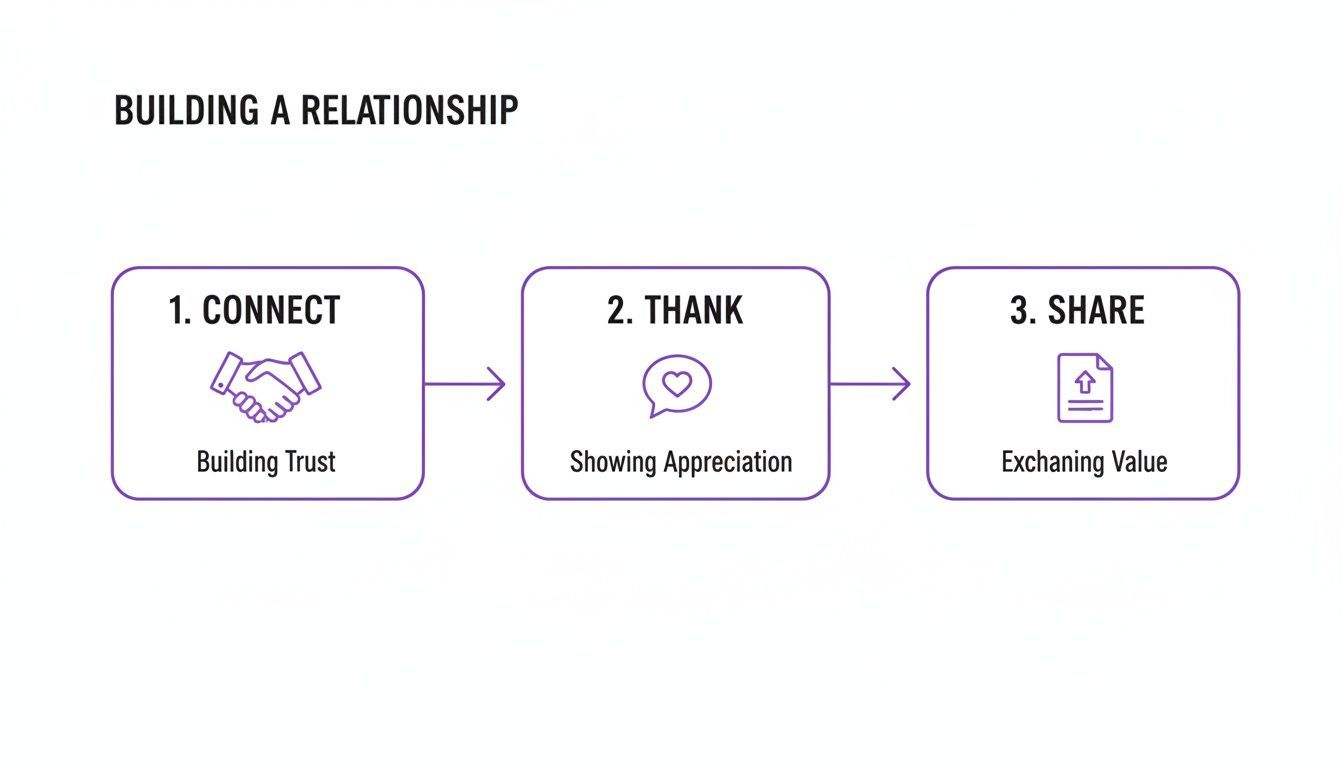
This flow underscores a critical point: the connection request is just the starting line. Automation helps you get to this stage faster.
The Manual Method vs. The One-Click Alternative
Imagine you’re a recruiter trying to find 50 software engineers at a specific company.
- The Manual Way: Go to the company’s "People" tab and start the copy-paste marathon. This could easily eat up an entire afternoon—time you should be spending crafting great messages.
- The One-Click Way: Use a profile extractor like ProfileSpider. With a single click, you can grab all the profiles on that page and export them to a clean list. What previously took hours is now done in seconds. You can see the full process in our guide on how to export LinkedIn profiles.
The difference this makes is night and day. Take a look at the time saved on a simple list-building task.
Manual vs. Automated Prospecting Workflow
| Task | Manual Method (Time per 100 Profiles) | Automated Method with ProfileSpider |
|---|---|---|
| Search & Filter | 10-15 minutes (Running multiple searches, adjusting filters) | 2 minutes (One targeted search) |
| Open Profiles | 15-20 minutes (Opening each profile in a new tab) | N/A (Tool handles this in the background) |
| Copy & Paste Data | 45-60 minutes (Copying name, title, company, URL to spreadsheet) | N/A (Data extracted automatically) |
| Data Cleaning | 10 minutes (Fixing formatting errors, duplicates) | N/A (Clean, structured output) |
| Total Time | 80-105 minutes | ~5 minutes (Including export) |
As you can see, the time savings are massive.
This is the key takeaway: automation isn't about removing the human touch. It's about eliminating the manual drudgery so you have more time to be personal and strategic.
This efficiency has a real, measurable impact. For example, one study found that users running automated connector campaigns hit an average 29.61% connection approval rate. If you’re ready to seriously scale your networking, explore the best LinkedIn automation tools. Pairing a list-building tool like ProfileSpider with a smart outreach platform creates a powerful, scalable system for network growth.