


Finding, qualifying, and gathering contact information for potential customers is tedious work. Traditionally, it meant hours of manual research, copying and pasting data into spreadsheets, and dealing with inevitable human error. AI lead sourcing changes the game by using artificial intelligence to automate this grunt work, transforming a slow, manual process into a smart, data-driven workflow that builds high-quality lead lists faster and at scale.
The Old Playbook vs. The New: Why AI Changes Everything
We’ve all been there: staring at a spreadsheet, manually copying and pasting contact details one by one. This slow, error-prone reality has defined traditional prospecting for years. It’s a reactive grind that wastes hours on low-value tasks, leads to stale data, and makes it impossible to scale outreach effectively. Even the best sales and recruiting teams get held back by this manual bottleneck.

This is where AI lead sourcing comes in, offering a complete strategic shift. It automates the most time-consuming parts of the job, allowing AI to do the heavy lifting so your team can focus on what matters: building relationships and closing deals.
Beyond Manual Data Entry
Imagine an intelligent system that can look at any webpage, instantly recognize what a person's profile looks like, and extract the relevant data. That's the core of modern AI sourcing. It automates the entire sequence: identifying profiles, pulling key information, and even enriching that data with missing details it finds from other public sources.
This isn’t just theory; it delivers measurable business results.
Manual vs. AI Lead Sourcing: A Performance Snapshot
Here’s a look at how performance metrics changed for a B2B SaaS company after they switched from manual methods to an AI-powered approach. The difference is stark.
| Metric | Manual Sourcing (Before AI) | AI Sourcing (After AI) | Improvement |
|---|---|---|---|
| Qualified Leads per Month | 200 | 1,200 | +500% |
| Conversion Rate | 3.2% | 8.7% | +172% |
| Cost Per Lead | $45 | $15 | -66% |
| Team Hours Spent Sourcing | 160 hours/month | 20 hours/month | -87.5% |
As the table shows, the team went from scraping together 200 qualified leads a month to pulling in 1,200—a 6x increase. At the same time, their conversion rate more than doubled to 8.7%, and they slashed their cost per lead by 66%. It’s a total transformation in efficiency and effectiveness.
The real magic of AI here is its ability to turn the messy, unstructured chaos of the web into a clean, structured, and actionable database. It’s like having a research assistant who never sleeps and can read, understand, and organize information in a split second.
The Power of No-Code Accessibility
Not long ago, this kind of automation was only accessible to those who could code. It often required a suite of AI social listening tools to make sense of the data. However, a new generation of no-code solutions has made this power available to everyone on the team, regardless of their technical skills. You can get a great primer on the fundamentals in our guide to AI lead generation.
No-code tools are at the heart of this new playbook. They empower any sales rep, recruiter, or marketer to run sophisticated sourcing campaigns.
Here’s what that really means for your business:
- Speed at Scale: Forget spending a whole day building a list of 50 prospects. Now you can generate a list of 200 high-quality contacts in minutes.
- Enhanced Accuracy: Automation eliminates the typos and copy-paste errors that plague manual data entry, resulting in cleaner, more reliable data from the start.
- Strategic Focus: By offloading repetitive tasks, your team can spend more time on high-value activities like personalizing outreach, building relationships, and closing deals.
With a no-code tool like ProfileSpider, a task that once took hours of manual work becomes a one-click process. This accessibility is what truly makes AI-powered prospecting a game-changer, turning any webpage full of profiles into a goldmine of opportunity.
Finding Your Best Lead Sourcing Channels
Effective AI lead sourcing starts with a simple question: where do your ideal prospects spend their time online? Answering this means looking beyond the usual suspects. While a platform like LinkedIn is a crucial part of any B2B strategy, a real competitive edge often comes from uncovering high-value, untapped digital channels.
Think of it like fishing. You can cast a wide net in the ocean and catch a lot, but if you're after a specific type of fish, you need to find the exact stream where they swim. The same logic applies to sourcing top-tier leads.
Moving Beyond the Obvious Platforms
A truly powerful AI sourcing tool isn’t limited to just one or two major networks. Its strength lies in its versatility—the ability to turn almost any webpage with profile data into a structured list of leads. This unlocks a world of possibilities that your competitors are likely ignoring.
Let's explore some of these less-obvious but incredibly valuable channels:
- Professional and Creative Networks: For technical roles, sites like GitHub and Stack Overflow are goldmines. Hunting for designers? Platforms like Dribbble or Behance are overflowing with talent. These are communities where expertise is actively demonstrated.
- Niche Industry Directories: Nearly every industry has specialized directories, from legal associations to marketing tech listings. These are essentially pre-curated lists of professionals in a specific field, offering hyper-targeted prospects.
- Event Attendee and Speaker Lists: Conferences, webinars, and trade shows often publish lists of their speakers and sometimes even attendees. These individuals are active, engaged experts in their domain—precisely the kind of people you want to connect with.
- Private Online Communities: Platforms like Slack or Discord host vibrant, focused communities built around specific interests or professions. Sourcing here requires a delicate touch, but the lead quality can be exceptional.
The goal isn't just to find names; it's to find prospects in their natural habitat. When you source leads from a channel they trust and actively participate in, your outreach immediately becomes more relevant and contextual.
Applying Strategy to Your Channel Selection
The key is to match the channel to the persona you're targeting. A generic, one-size-fits-all approach no longer cuts it. You have to think like your prospect.
Let’s walk through a couple of real-world scenarios.
Scenario 1: A Recruiter Hunting for Senior Software Engineers
Instead of just searching keywords on LinkedIn, a savvy recruiter could get more specific. They might navigate to the speaker list for a major developer conference like AWS re:Invent. There, they'll find a list of proven experts and recognized leaders in their field.
With a tool like ProfileSpider, they can use the one-click "Extract Profiles" feature directly on that webpage. The AI instantly parses the page, pulling names, titles, companies, and links to social profiles into an organized list. This delivers a pre-vetted list of high-caliber candidates in minutes, not hours.
Scenario 2: A Sales Rep Targeting FinTech Executives
A sales professional trying to connect with decision-makers in financial technology could look beyond standard B2B databases. They might find a niche online publication that recently published its annual "Top 50 Innovators in FinTech" list.
This article is a curated collection of prime prospects. Rather than manually copying each name and then hunting down their details, the sales rep can use an AI profile extractor to capture the entire list instantly. The result is a clean, actionable database ready for enrichment and outreach, saving significant time while ensuring data accuracy. To dig deeper into selecting the right avenues, you can explore our guide on the best lead generation channels for B2B.
This strategic, channel-focused approach to AI lead sourcing transforms the process from a numbers game into a precision-driven operation. By identifying the right ponds to fish in, you dramatically increase the quality of your catch.
How to Build Your AI Sourcing Workflow
An effective lead sourcing workflow is all about eliminating manual work. To understand why this is so transformative, let's first look at the traditional method.
The Old Way: The Manual Grind
The old way is a total grind. You find a valuable webpage, like a list of speakers at an industry conference. Then the slow, painful work begins: highlight a name, copy, switch to your spreadsheet, paste. Highlight a title, copy, switch, paste. Company, copy, switch, paste. Over and over.
This process isn’t just slow; it’s prone to errors. One slip of the mouse or a paste into the wrong cell can mess up your entire list. Scaling this process is impossible. Every minute spent on data entry is a minute you’re not building relationships or talking to potential customers.
The New Way: One-Click AI Extraction
Now, let's see how a modern, AI-powered approach simplifies this. That entire copy-paste nightmare becomes a single click, which is where a no-code tool like ProfileSpider completely changes the game.
You land on that same conference speaker page, but instead of starting the manual marathon, you just open the ProfileSpider extension and click one button: ‘Extract Profiles.’
The AI scans the page, instantly understands its structure, and identifies every person listed. It knows the difference between a name, a job title, a company, and a social media link. Within seconds, it pulls all those contacts into a perfectly organized table right inside the tool.
You can apply this one-click process to all sorts of high-value sources.
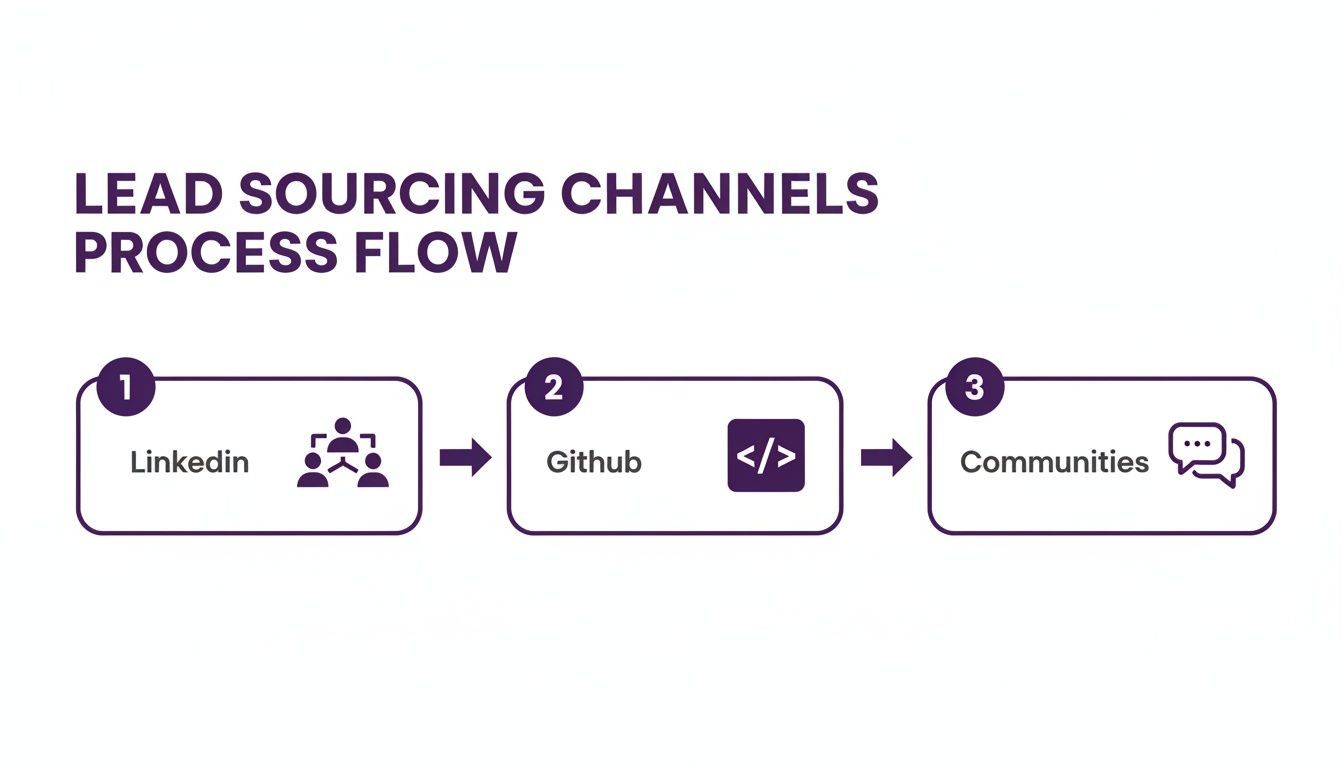
The key takeaway is that AI can analyze messy, unstructured webpages from anywhere and instantly turn them into clean, standardized data—no manual labor required.
From a Raw List to a Rich Database
Extracting the initial list is a huge win, but the best AI lead sourcing workflows go a step further. Your initial data might have gaps. That speaker list, for instance, probably doesn't include direct email addresses. This is where data enrichment comes in.
This used to be another highly manual task. You'd have to click on each person's profile, hunt for their contact info, and manually add it to your spreadsheet. Not anymore.
A great AI sourcing tool doesn’t just grab what’s on the surface; it intelligently follows the digital breadcrumbs to build a complete profile. This enrichment phase is what turns a simple list of names into a rich, multi-dimensional database you can actually use.
With a built-in enrichment feature, the AI automatically visits the profile URLs it just scraped (like a LinkedIn profile or a company bio page). It then scans those pages for extra details—emails, phone numbers, and other social links—and appends them to the right contact in your list.
This process happens behind the scenes, ensuring your data is as complete as possible before you even begin outreach. To see this workflow broken down in more detail, check out our guide on building a modern lead scraping workflow.
What was once a multi-hour project is now a two-step automated sequence that takes just a few minutes. The AI handles both extraction and enrichment, freeing you to focus on strategy and engaging with prospects.
Keeping Your Lead Data Clean and Organized
An AI lead sourcing tool can fill your pipeline with contacts at incredible speed, but this can create a new problem: data chaos. A messy, disorganized lead list sabotages your outreach before it even starts, leaving you with duplicate entries, stale information, and inconsistent formatting.
The true power of AI isn't just finding leads—it's managing them efficiently from the start. The key is to build good data hygiene habits directly inside your sourcing tool, treating it as a command center for your entire prospecting workflow.
The Problem with a ‘Dump and Run’ Approach
The old-school method involves extracting a massive list of contacts and immediately dumping it into a CSV file. This "dump and run" approach just postpones the organizational headache, moving the mess to your CRM or spreadsheet, where it’s much harder to fix.
A smarter workflow is to organize your contacts before exporting them. By using the management features built into a tool like ProfileSpider, you create a mini-CRM for your freshly sourced leads. This ensures that the data flowing into your main systems is clean, segmented, and ready for action.
Using Tags for Smart Segmentation
One of the most effective ways to organize contacts is with tags. Think of them as flexible labels you can apply to profiles to segment them based on criteria relevant to your campaign, turning a flat list into a dynamic, searchable database.
Here are a few ways teams use tags:
- For Recruiters: Tags like
Senior-Dev,Python-Expert, orOpen-To-Relocatelet you instantly filter candidates by skills and availability. - For Sales Teams: Use tags like
Hot-Lead,Q3-Follow-Up, orDecision-Makerto prioritize outreach and track prospects through the funnel. - For Marketers: Segment contacts with tags like
Webinar-AttendeeorCompetitor-Userto craft highly relevant messaging for specific audiences.
This level of organization allows you to run hyper-targeted campaigns. Instead of sending a generic message to everyone, you can tailor your outreach for each segment, dramatically boosting response rates. For a deeper dive, our article on how to clean lead lists covers even more strategies.
Merging Duplicates and Adding Context
Duplicate profiles are a common issue in lead sourcing. The same person might appear on a conference speaker list and a company's team page. A robust AI lead sourcing tool should make it simple to merge these duplicates, combining all their information into a single, comprehensive profile.
A clean, de-duplicated list is the bedrock of effective outreach. Merging duplicates ensures you have a single source of truth for each contact, which prevents embarrassing mistakes—like three different people on your team sending the same person an intro email.
Beyond merging, adding notes is crucial for context. A quick note like "Met at the SaaS conference" or "Connected via a mutual contact on LinkedIn" is invaluable. It personalizes your follow-up and reminds you how the relationship started, making your outreach feel far more genuine. By handling these organizational tasks upfront, you’re not just cleaning a list; you’re building a pristine contact database that drives results.
Sourcing Leads While Respecting Privacy
The speed and volume of AI lead sourcing come with a critical responsibility: respecting people's privacy. With regulations like GDPR and CCPA setting strict standards, building an ethical and compliant process is essential for protecting your business from hefty fines and reputational damage.
The core principle is simple: focus on publicly available information. This is data people have knowingly shared on professional networks, company websites, or in speaker bios. You must avoid sourcing data from private, protected, or illegally obtained databases.
Public vs. Private Data: A Clear Distinction
Knowing the difference between public and private data is your first line of defense.
- Public Data: This is information someone has willingly shared in a public forum, such as a LinkedIn profile, a corporate "About Us" page, or a published list of conference speakers. This is generally considered fair game for professional outreach.
- Private Data: This is any information not intended for public consumption. It includes data behind a login, private social media accounts, or information from a hacked database. Accessing or using this is a major compliance risk.
Ethical AI lead sourcing is about efficiently gathering and organizing public data, not digging up private details.
The Power of Local-First Privacy
One of the biggest privacy risks comes from how tools handle your data. Many cloud-based platforms store scraped information on their own servers, creating a central point of failure. If their servers are breached, your sourced lead data could be exposed.
This is where a "local-first" architecture changes the game for privacy-conscious teams.
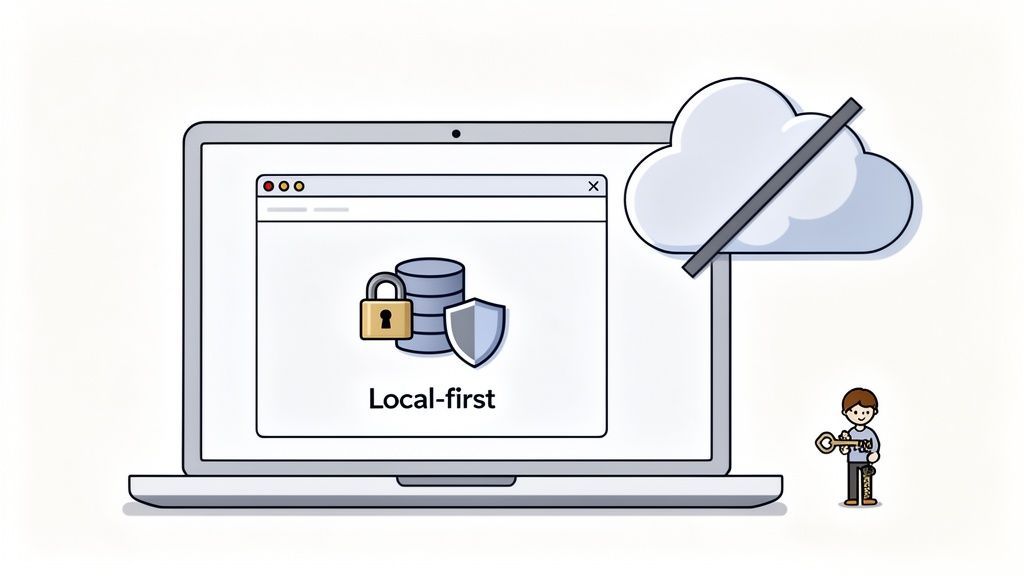
A local-first model means that all the data you extract is stored directly and exclusively in your own browser's secure storage. It never touches a third-party server, giving you complete control and ownership of the information you collect.
Tools like ProfileSpider are built on this principle. When you extract profiles, the data saves locally to your computer. This approach offers significant advantages:
- You Own Your Data: The information is yours, period. You decide when to export it, where to keep it, and when to delete it.
- Reduced Risk of Breaches: Since your data isn't stored on an external cloud server, you eliminate the risk of it being compromised in a third-party data breach.
- Compliance by Design: This model aligns with privacy-by-design principles, making it much easier to comply with regulations that emphasize data control.
By choosing tools with a local-first model, you can leverage the power of AI lead sourcing without compromising on security or ethics.
Getting Your Leads Where They Need to Go (and Proving It Worked)
Sourcing a high-quality list of leads with AI is a huge win, but it's only the first step. The real value is realized when that data is integrated into your team's workflow and you can measure the results of your efforts. This final step is about moving curated leads into your CRM and using data to prove the ROI of your sourcing activities.
This is where the upfront work of cleaning and organizing your list pays off. Instead of dumping a messy CSV into your CRM, you’re providing a segmented, de-duplicated, and valuable database that’s ready for immediate outreach.
From Sourcing Tool to CRM
The goal is to get fresh contacts to your sales or recruiting teams without friction. A modern AI lead sourcing tool should make this handoff seamless. With a tool like ProfileSpider, you can export your custom-built lists into universal formats like CSV or Excel in just a couple of clicks.
This simple export capability is crucial. It means your data can flow directly into almost any CRM or Applicant Tracking System (ATS), including major platforms:
- Salesforce: Map your exported columns to Salesforce fields for a quick, painless import.
- HubSpot: Upload your CSV to add new contacts or update existing records with fresh information.
- Zoho CRM: Use their import wizard to pull in new leads without manual data entry.
Because you’ve already handled data hygiene—tagging, merging duplicates, and adding notes—the data entering your CRM is clean from the start. This solves the "garbage in, garbage out" problem that plagues many sales and recruiting operations.
Moving Beyond Vanity Metrics
Once your leads are in the CRM, the focus shifts to measurement. How do you prove that AI sourcing is making a difference? It's tempting to report on vanity metrics like "number of contacts sourced," but that tells you very little. A list of 10,000 contacts is worthless if none of them are a good fit.
To demonstrate real ROI, you must connect your sourcing activities to tangible business outcomes.
The best KPIs for AI lead sourcing don't just count what you did; they measure the impact of what you did. They answer the only question that matters: "Are these leads actually turning into sales conversations or qualified candidates?"
Key Performance Indicators That Actually Matter
Here’s a simple framework for tracking the metrics that matter. This isn't about creating a complex dashboard; it's about getting a clear, data-backed picture of your performance so you can optimize your process.
| KPI Category | Specific Metric to Track | Why It Matters |
|---|---|---|
| Quality & Relevance | Qualified Leads Sourced | This is the true test of your sourcing strategy. It measures how many contacts actually fit your Ideal Customer Profile (ICP) or candidate persona. |
| Efficiency & Cost | Cost Per Qualified Lead (CPQL) | Divide the total cost (tools + time) by the number of qualified leads. This number puts a real dollar value on the efficiency of your AI-powered approach. |
| Conversion & Impact | Sourced Lead Conversion Rate | What percentage of sourced leads actually moved to the next step? (e.g., booked a meeting, passed a screening). This is the clearest sign of lead quality. |
| Speed & Velocity | Time to First Engagement | How fast is your team making meaningful contact with a sourced lead? A shorter time here almost always leads to higher conversion rates. |
By tracking these metrics, you can identify which sourcing channels are your goldmines and make smarter, data-driven decisions. This framework turns your AI lead sourcing from a hopeful experiment into a predictable, measurable engine for growth.