

Your B2B contact list has a silent killer, and it’s eating away at your sales and marketing efforts. It’s called email decay, and on average, it wipes out at least 22.5% of your contact data every single year.
Think about that for a second. A perfectly good lead list today could be nearly a quarter useless in just twelve months. That’s a fast track to bounced emails, wasted marketing spend, and a whole lot of missed opportunities. This guide breaks down what B2B email decay is, why it matters, and how you can overcome it.
What Is B2B Email Decay and Why It Matters
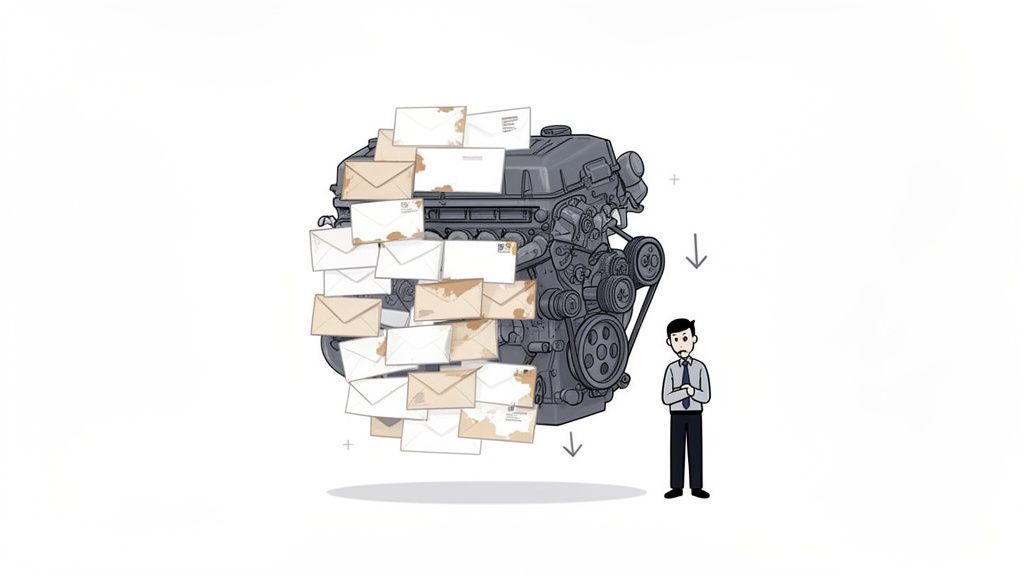
Picture your B2B contact database as the high-performance engine that powers your company’s growth. B2B email decay is the natural wear-and-tear that engine goes through over time. It’s the unavoidable process where the contact information sitting in your CRM or marketing platform becomes inaccurate, outdated, and pretty much obsolete.
This isn't just some minor technical glitch; it's a critical business problem that quietly sabotages your bottom line. Every single decayed contact represents a broken line of communication to a potential customer, a valuable partner, or a key decision-maker.
The Constant Erosion of Your Data
The professional world never stands still. People get promoted, switch jobs, move to new companies, or just abandon old email addresses they never liked anyway. Every one of these changes chips away at the quality of your database.
Just how fast does this happen? B2B email databases can degrade anywhere from 22.5% to a staggering 70.3% per year, depending on the industry and how the data is managed. This decay isn't a once-a-year event; it's a steady drip, happening at a rate of roughly 2.1% every month. This creates a continuous erosion that demands ongoing attention, not just a sporadic cleanup.
At its core, B2B email decay is the gap between the data you have and the reality of your prospects' professional lives. The wider this gap becomes, the less effective your outreach will be.
Ignoring this steady degradation is like trying to drive a car while the engine slowly falls apart. Sooner or later, your campaigns will stall, your sales team will be running on fumes, and your entire growth machine will grind to a halt.
The Root Causes of B2B Contact Data Decay
To really get a handle on email decay, you need to know where it comes from. It’s not just one thing, but a collection of natural changes in the business world. Here’s a quick breakdown of the primary drivers.
| Cause of Decay | Description | Impact on Data |
|---|---|---|
| Job Changes | Professionals switch companies, leading to new email addresses and phone numbers. | The old contact info becomes invalid, causing hard bounces. |
| Promotions & Role Changes | An employee moves to a new department or gets a promotion within the same company. | Their job title, responsibilities, and sometimes email address change, making segmentation inaccurate. |
| Company Mergers & Acquisitions | Companies are bought, sold, or merged, resulting in domain name changes (e.g., @oldcompany.com becomes @newcompany.com). |
All emails associated with the old domain become obsolete overnight. |
| Company Name Changes | A business rebrands and updates its domain name to reflect the new brand. | Similar to M&A, this invalidates all previous email addresses. |
| Data Entry Errors | Simple typos and mistakes made when manually entering contact information into a system. | Creates invalid contacts from the very beginning. |
| Abandoned Email Accounts | Users stop using an old email address (e.g., a generic info@ address) without deactivating it. |
Emails sent to these addresses may not bounce immediately but are never seen. |
| Company Closures | Businesses shut down, and their domains and email servers are deactivated. | Leads to hard bounces and a permanent loss of contact. |
Understanding these root causes is the first step. It shows that data decay isn't a failure, but a natural business cycle you have to prepare for.
How Decay Directly Impacts Business Performance
A high B2B email decay rate creates a domino effect that hits nearly every part of your revenue operations. It’s more than just an inconvenience—it’s a direct threat to your efficiency and profitability. If you're curious, we did a deep dive on why you need to be maintaining lead data freshness.
This decay translates directly into tangible problems:
- Wasted Marketing Spend: Every single email sent to a dead address is money and effort thrown into a black hole. It absolutely tanks your campaign ROI.
- Damaged Sender Reputation: High bounce rates are a huge red flag for email providers like Gmail and Outlook. They see you as a low-quality sender, which dramatically increases the chances your valid emails land in spam folders.
- Inefficient Sales Teams: Your sales reps waste countless hours chasing ghosts, trying to connect with contacts who simply aren't there anymore. It's frustrating and a massive drain on productivity.
- Inaccurate Business Intelligence: When your data is garbage, your decisions will be too. Flawed data leads to skewed analytics, misguided strategies, and bad business calls.
Ultimately, getting proactive about managing your email decay rate isn't just about "data hygiene." It's about building a reliable, predictable foundation for growth.
How to Calculate Your B2B Email Decay Rate
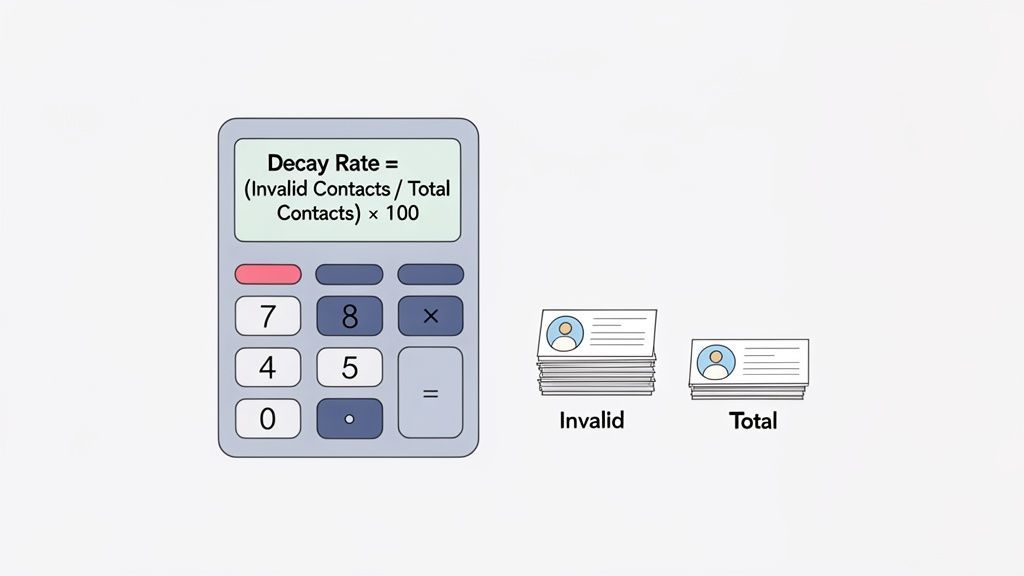
Knowing your B2B email list is decaying is one thing, but actually measuring it is a whole different ballgame. You can't fix a problem you can't quantify. This is where we move from theory to practice.
Calculating your email decay rate isn't about getting lost in complex math. It's about turning a vague concern into a hard number your team can track, benchmark, and actually do something about. This is your first real step toward a proactive data hygiene strategy that stops you from wasting money.
The formula itself is refreshingly simple.
Decay Rate (%) = (Total Invalid Contacts / Total Contacts in List) x 100
Think of this as a health score for your contact list. It gives you a clear percentage that shows how much of your database has become useless over a certain period.
Finding the Right Data Points
To actually use this formula, you need to pull two key numbers from your CRM or email marketing platform.
Total Contacts in Your List: This one's easy. It’s simply the total number of contacts in the list or segment you're measuring at the start of your chosen time frame (like the beginning of a quarter).
Total Invalid Contacts: This requires a little more digging. This is the grand total of all the contacts that have either become undeliverable or have actively opted out during that same period.
You'll find your invalid contacts by looking at the results of your email campaigns and tallying up a few specific things:
- Hard Bounces: These are permanent delivery failures. The email address is flat-out invalid, doesn't exist anymore, or a server has blocked you. This is the clearest sign of decay.
- Unsubscribes: While the email address might still be valid, an unsubscribe means that contact is off-limits for marketing. They are, for all practical purposes, gone from your active list.
- Spam Complaints: When someone marks your email as spam, it’s a dead end. Count them as invalid for any future campaigns to protect your sender reputation.
Add up your hard bounces, unsubscribes, and spam complaints, and you've got your "Total Invalid Contacts." For a deeper dive, it's worth exploring other crucial B2B lead generation metrics to watch.
Putting the Formula into Action
Let's walk through a real-world example. Say you're the marketing manager for a SaaS company and you want to figure out your decay rate for the last quarter.
On January 1st, your prospect list had 50,000 contacts. Over the next three months, you ran a few campaigns. After checking the reports, you found:
- 1,850 hard bounces
- 600 contacts unsubscribed
- 50 spam complaints
First, let's find your total number of invalid contacts: 1,850 (bounces) + 600 (unsubscribes) + 50 (spam complaints) = 2,500 invalid contacts.
Now, just plug those numbers into the formula: Decay Rate (%) = (2,500 / 50,000) * 100 = 5%
Just like that, you know your list suffered a 5% decay rate in a single quarter. Now you have a concrete number—a benchmark—to measure against next quarter as you start putting your data cleanup efforts into practice.
The True Business Cost of Ignoring Data Decay
Ignoring your B2B email decay rate is like having a small, invisible leak in your company's revenue pipeline. At first, it’s just a few drips—a bounced email here, a missed connection there. But over time, that leak widens, silently draining your resources and damaging your reputation in ways that go far beyond a few undelivered messages.
The most obvious damage hits your budget. Every single email sent to a dead address is wasted marketing spend. When a chunk of your list is stale, you're literally paying for campaigns that have zero chance of success. This directly crushes your ROI and inflates your customer acquisition costs for no good reason.
Damaged Sender Reputation: The Silent Campaign Killer
Here’s where it gets really ugly. Perhaps the most severe cost of a high email decay rate is the damage to your sender reputation. When email service providers like Google and Microsoft see your campaigns hitting a wall with high bounce rates, they start to flag your domain as a low-quality, or even spammy, sender.
This triggers a devastating ripple effect. All of a sudden, your legitimate, carefully crafted emails to perfectly valid prospects start getting routed straight to the spam folder. Your open rates plummet, not because your content is bad, but because your audience never even sees it.
This is the ultimate hidden cost of data decay: it punishes your good data because of your bad data. Your healthy leads suffer because you failed to remove the dead ones.
Demoralized Teams and Flawed Strategies
The damage doesn't stop at your campaigns; it seeps deep into your organization, hitting both morale and strategy.
Imagine you’re a sales development representative (SDR). You spend your days grinding through CRM leads, only to discover a third of them are ghosts who left their jobs six months ago. It’s not just inefficient—it's profoundly demoralizing. This wasted effort burns out your best people and creates a culture of frustration.
At the same time, this bad data completely skews your performance analytics. High bounce rates are a clear red flag, but they also drag down your open rates, click-throughs, and conversions across the board. When you're wasting resources on contacts who don't exist, your metrics become unreliable, leading to flawed business strategies built on a foundation of bad information.
The Six-Figure Loss from One Bad Record
Let's make this tangible. Consider a high-value account your team has been nurturing for months. The key decision-maker—your champion—changes jobs. Your CRM, however, still has their old email. When your team launches the final proposal campaign, the email to that key contact hard bounces.
Because you ignored data decay, you didn't just miss an email; you lost the entire deal.
The competition, working with fresh contact info, reached the decision-maker at their new company and closed the six-figure contract. This single instance shows the catastrophic potential of one bad record. Investing in proactive data management isn't an expense; it’s insurance against these totally preventable losses. If your team is struggling to keep data fresh, it's worth understanding the common reasons why your lead enrichment is failing.
Ultimately, the cost of ignoring your email decay rate b2b is a tax on your entire growth engine, slowing you down and making every effort more expensive and less effective.
Proactive Strategies to Combat Email Decay
Knowing what email decay is is one thing; building a system to fight it is another. A high email decay rate b2b isn't some unavoidable fate—it's a problem you can absolutely get under control with a consistent, two-pronged approach. Winning this battle means mixing proactive defenses to keep bad data out with reactive cleanups to fix the decay that’s already happened.
This isn't about some massive, dreaded data purge you do once a year. It's about building a continuous "data health" workflow that makes maintenance a regular process, not a painful project. The end goal is a resilient, accurate database that actually fuels your growth instead of dragging it down.
Adopt Proactive Data Hygiene
Hands down, the best way to deal with email decay is to stop bad data from getting into your system in the first place. Think of proactive data hygiene as a bouncer at the door of your CRM, making sure only high-quality contacts get on the list.
Here are the essential tactics to put in place:
- Real-Time Email Verification: Use a tool that checks an email address the second it's submitted on a form. This one simple step blocks typos and fake emails right away, ensuring every new lead is valid from the get-go.
- Standardized Data Entry: Set up and enforce consistent formatting rules in your CRM. This could be as simple as requiring fields like job title or using dropdown menus instead of letting people type whatever they want, which cuts down on human error.
- Regular User Training: Make sure your sales and marketing teams actually understand why data quality matters. A little training on proper data entry and the real-world business impact of a clean list goes a long way.
This flowchart shows exactly how unchecked email decay snowballs into wasted marketing dollars, a damaged sender reputation, and a sales team spinning its wheels.
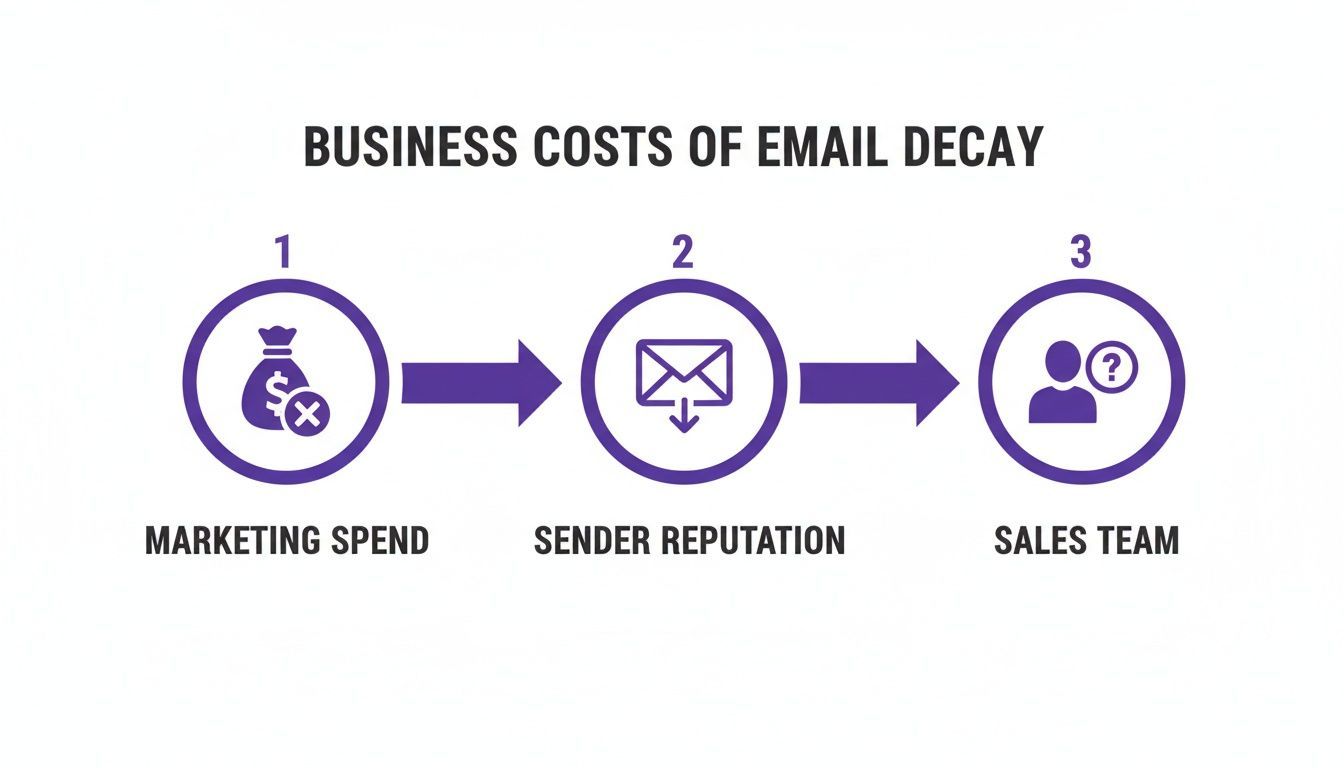
As you can see, bad data isn't just a messy database problem; it's a direct threat to your entire revenue engine.
Implement Reactive Data Cleansing
Even with the best security at the door, some decay is going to slip through. People change jobs, it's a fact of life. Reactive strategies are your cleanup crew, designed to periodically find, fix, and even improve the records you already have. Applying strong content marketing best practices is a core part of this, keeping your audience engaged and your data fresh.
Think of it this way: proactive hygiene is your daily diet and exercise, while reactive cleansing is your regular health check-up. You need both to stay in top shape.
Key reactive methods include:
Periodic List Cleaning: At least once a quarter, run your entire email list through a bulk verification service. It will scan for and flag invalid, risky, or abandoned email addresses so you can safely pull them from your active campaigns.
Data Enrichment: When a contact goes stale, don't just hit delete. Use data enrichment to find their new, current details. If you know a key prospect left their company, a quick search can often reveal their new role, letting you update their record instead of losing them forever.
Re-engagement Campaigns: For contacts who haven't opened an email in over 90 days, send them a targeted re-engagement campaign. This gives them a chance to raise their hand and say they're still interested. The ones who don't respond can be moved to a suppression list, protecting your sender score. This entire process is a crucial part of effective lead list maintenance.
To help you decide which approach to prioritize, here’s a quick breakdown of proactive versus reactive strategies.
Proactive vs Reactive Data Hygiene Strategies
| Strategy Type | Examples | When to Use | Key Benefit |
|---|---|---|---|
| Proactive (Prevention) | Real-time form verification, standardized CRM fields, team training. | Continuously, at every point of data entry. | Stops bad data at the source, maintaining high quality from day one. |
| Reactive (Repair) | Bulk list cleaning, data enrichment, re-engagement campaigns. | Periodically (quarterly or bi-annually) on your existing database. | Cleans and updates old data, recovering lost contacts and protecting deliverability. |
Ultimately, a blend of both proactive and reactive tactics is the most powerful way to keep your decay rate low. By preventing bad data from entering and regularly cleaning what's already there, you can maintain a database that is both accurate and incredibly effective.
How to Refresh and Enrich Decaying Lists
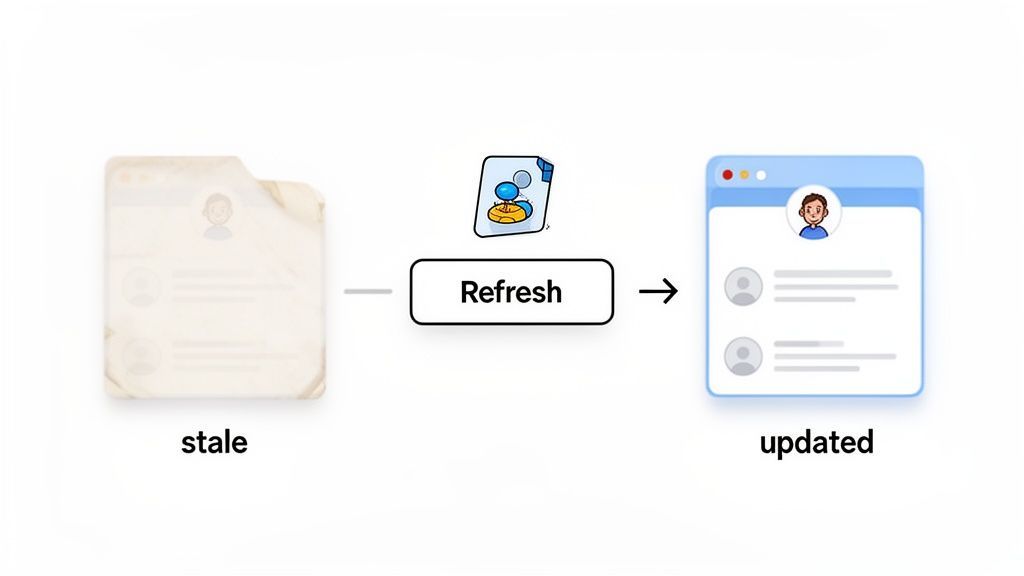
When you're staring down a high B2B email decay rate, your first instinct might be to just clean house. But simply deleting every bad contact is an old-school move. Today's workflows are all about reviving them.
Think about it: a stale record isn't usually a lost cause. More often than not, it's just an outdated snapshot of a valuable professional who's moved on to a new role. The goal isn't just to delete a dead lead, but to bring it back to life as a high-value, actionable contact. This means finding their new digital footprint and getting your records up to date. This is a crucial part of a bigger strategy to proactively improve data quality across your entire database.
The Modern Data Refresh Workflow
Imagine your sales team flags a chunk of your CRM that's suddenly riddled with bounced emails. The old way? Bulk-delete everything to protect your sender score. But a smarter approach turns this cleanup chore into a massive opportunity.
The traditional method involves using the data you already have—a name, an old company, maybe a LinkedIn profile URL—as a starting point. A sales rep would then have to manually search for that person's new job, copy their new title and company, and paste it back into the CRM. For a list of hundreds, this is a soul-crushing, error-prone task.
The One-Click Workflow with ProfileSpider
This is where modern, no-code scraping tools completely change the game. Instead of endless manual updates, a tool like ProfileSpider simplifies the entire process into a one-click workflow. Once you've tracked down the contact's new public profile—whether it's on LinkedIn, a company "About Us" page, or a professional directory—the process becomes laughably simple.
With the new profile page open in your browser, the workflow is literally one click:
- Locate the New Profile: Use your old data to find the contact’s current professional page.
- Activate ProfileSpider: Open the browser extension on that page.
- Click "Extract Profiles": The tool instantly scans the page and pulls all the structured data it can find.
This one-click action does way more than just scrape a name. It grabs the new job title, current company, location, and often uncovers updated contact details like a new work email or social media handles. It transforms a stale record into an enriched one, instantly.
Rebuilding Likely Emails from Fresh Company Data
Sometimes enrichment gives you a new company and domain, but not a direct email address. That does not mean the lead is lost. In many B2B teams, the next step is to infer likely email formats from the person’s name and current company domain, then verify the best candidates before outreach.
This is where the ProfileSpider Email Pattern Generator fits naturally into the refresh workflow. If you know the person’s full name and new company domain, it can generate common professional email patterns such as first.last@company.com, first@company.com, and f.last@company.com. From there, you can run those options through an email verification service and keep only the valid result.
The smart workflow is not to guess and blast. It is to generate likely patterns, verify them, and only contact addresses that pass validation.
This helps you recover value from decayed records without relying on random guessing or manual pattern building in spreadsheets. It is especially useful when key contacts move to new companies, when domains change after mergers, or when older records have names and companies but no usable email address.
Turning Decayed Data into New Opportunities
This workflow gives you a tangible, step-by-step method to not only fix decayed data but to make it better than it was before. What started as a dead end—a bounced email—can become a high-value contact with fresh, relevant information.
Just think about the business value here:
- Recovered Leads: You're salvaging contacts that would have otherwise been deleted forever.
- Enriched Data: The new record is often more complete than the original, with current titles and company info.
- New Account Opportunities: If a key contact moved to a new company, you now have a warm entry point into a brand-new target account.
- Rebuilt Contact Paths: When you have a fresh name and domain, email pattern generation plus verification can help you create a new outreach path.
By using a no-code scraping tool, you turn the frustrating reality of B2B email decay into a strategic process for revitalizing your lists. You’re not just cleaning house; you're actively discovering and qualifying new opportunities that were hiding in your old data all along.
Your B2B Database Isn't Set in Stone—It's a Living Thing
Let's be honest: email decay in the B2B world is going to happen. It's a natural force, like erosion, but that doesn't mean you're powerless against it. The biggest mistake is treating your B2B database like a static file you can set and forget. It's not. It’s a living, breathing asset that needs regular care to stay valuable. Letting decay run wild is like letting your most powerful engine rust from the inside out.
By this point, you see why calculating your decay rate is so important. It's not just some vanity metric for a report. It's a vital KPI that gives you an unflinching look at the health of your data. That one number drags the fuzzy concept of "bad data" into the light, showing you the real-world costs in bounced emails, dead-end sales calls, and missed opportunities.
Shifting from Damage Control to a Growth Mindset
A solid data hygiene plan is what turns a decaying list into a profitable one. This means getting proactive with things like real-time verification and staying on top of reactive tasks like periodic list cleaning and enrichment. The real goal here is to completely shift your perspective.
Stop seeing data management as a chore or a cost center. Start treating it as a strategic driver for revenue and growth. Every contact you save from decay is a conversation you can still have, an opportunity you can revive, and one more step toward building a more resilient business.
This mindset changes everything. Your database transforms from a simple address book into an intelligent resource that powers your entire go-to-market strategy. A healthy list means better campaign ROI, a more efficient sales team, and business forecasts you can actually trust.
It's time to get your hands dirty. Dig into your own data decay and stop letting outdated contacts sabotage your success. With the right tools and a smart workflow, you can build a B2B database that isn't just clean, but is a reliable engine for predictable growth. Your first move? Figure out your current decay rate and build your plan from there.