Is Website Scraping Legal? A Practical Guide for Recruiters & Sales Teams
Is website scraping legal? Learn the key risks, privacy rules, court cases, and safer practices for recruiters and sales teams collecting public data.
by Adriaan 16 min read
Share
Adriaan
16 min read
Share this article
Is website scraping legal? For recruiters, sales professionals, marketers, and researchers, the practical answer is: it can be legal when done carefully. The risk depends on what you collect, where you collect it from, how you collect it, and what you do with the data afterward.
Scraping publicly available business information is usually lower risk than accessing data behind a login, bypassing technical barriers, copying protected content, or collecting personal data without a clear purpose. But “publicly visible” does not automatically mean “free to use however you want.” Website terms, privacy laws, copyright, platform rules, and ethical expectations still matter.
This guide explains website scraping legality in practical terms for recruiters and sales teams. It focuses on the real-world questions that matter when building candidate pipelines, prospect lists, outreach databases, or market research datasets from public web sources.
Not legal advice: This guide is for practical education only. If you are scraping at scale, collecting sensitive data, operating in regulated markets, or unsure about your obligations, speak with a qualified legal professional.
Your Guide to Safe and Legal Website Scraping
Navigating the rules of website scraping can feel like decoding a legal document. But most recruiters and sales teams are not trying to become lawyers. They want to know whether they can collect public profile, company, and contact data without creating unnecessary legal, compliance, or account risk.
The safest way to think about scraping is through the lens of responsible data collection. That means collecting only the data you need, avoiding private or restricted areas, respecting website rules, avoiding aggressive request patterns, and handling personal data carefully after collection.
Think of it like being a polite guest at a professional event. You can read name badges, remember job titles, and collect business cards from people who choose to share them. But you should not sneak into private rooms, copy confidential files, or overwhelm everyone with spam. Ethical website scraping follows the same logic.
Key Factors in Scraping Legality
The most important distinction is between public data and restricted data. Public data is information that can be viewed without logging in, bypassing access controls, or accepting special restrictions. Restricted data includes information behind a password wall, paywall, private API, account login, or technical barrier.
Here’s a practical summary for recruiters and sales teams.
Legal Factor
What It Means for Recruiters & Sales
Best Practice
Public vs. Restricted Data
Publicly visible information is generally lower risk than data behind a login, paywall, or technical barrier.
Focus on public-facing information. Avoid bypassing logins, CAPTCHAs, paywalls, or other access controls.
Terms of Service
A website may prohibit scraping even if the data is visible. Violating terms can lead to account bans, IP blocks, contract claims, or platform enforcement.
Review the site’s terms before scraping important sources, especially logged-in platforms and marketplaces.
Personal Data
Names, work emails, job titles, phone numbers, profiles, and employment history can be personal data under privacy laws.
Collect only what you need, define a lawful purpose, avoid sensitive data, and delete data when it is no longer needed.
Copyright and Database Rights
Facts are usually not copyrightable, but copying large portions of original text, images, or a protected database can create risk.
Extract discrete factual data points for internal workflows. Do not republish copied content or clone databases.
Technical Behavior
Aggressive scraping can trigger blocking, account restrictions, or claims that you disrupted a service.
Use controlled, low-volume, user-led workflows. Avoid hammering servers or running hidden background automation.
Respecting these factors helps make your data gathering safer, more useful, and more professional.
The Bottom Line: Public Does Not Mean Unlimited
The safest zone is public, factual, business-relevant data collected for a clear purpose, at a reasonable pace, without bypassing access controls or copying protected content.
For recruiters and sales teams, this usually means focusing on visible profile information, company names, job titles, websites, public social links, and business contact details where collection is proportionate and relevant. It does not mean scraping everything you can find and deciding later how to use it.
This is where controlled tools and disciplined workflows matter. A tool like ProfileSpider can help you extract visible profile data from pages you can access, organize leads into lists, enrich missing details where appropriate, and export when needed. It is still your responsibility to follow applicable laws, website rules, and privacy obligations, but a controlled browser-based workflow is safer than aggressive scraping scripts.
Decoding the Rules of Data Scraping
To scrape data responsibly, you need to understand the main legal and practical boundaries. These boundaries are not only about whether scraping is “legal” in the abstract. They are also about access, consent, contracts, privacy, copyright, and how your scraping affects the website you are visiting.
A website's Terms of Service acts like its digital rulebook. Some terms explicitly prohibit automated data collection, scraping, or use of the site through unauthorized tools. Ignoring those terms may not automatically create a criminal issue, but it can still lead to blocked access, account restrictions, cease-and-desist letters, or contract disputes.
The Bright Line Between Public and Restricted Data
One of the biggest legal questions is whether the data is public or protected by some form of authorization. Information that anyone can view without logging in is generally lower risk. Data behind a login, paywall, password wall, private API, or technical barrier is higher risk.
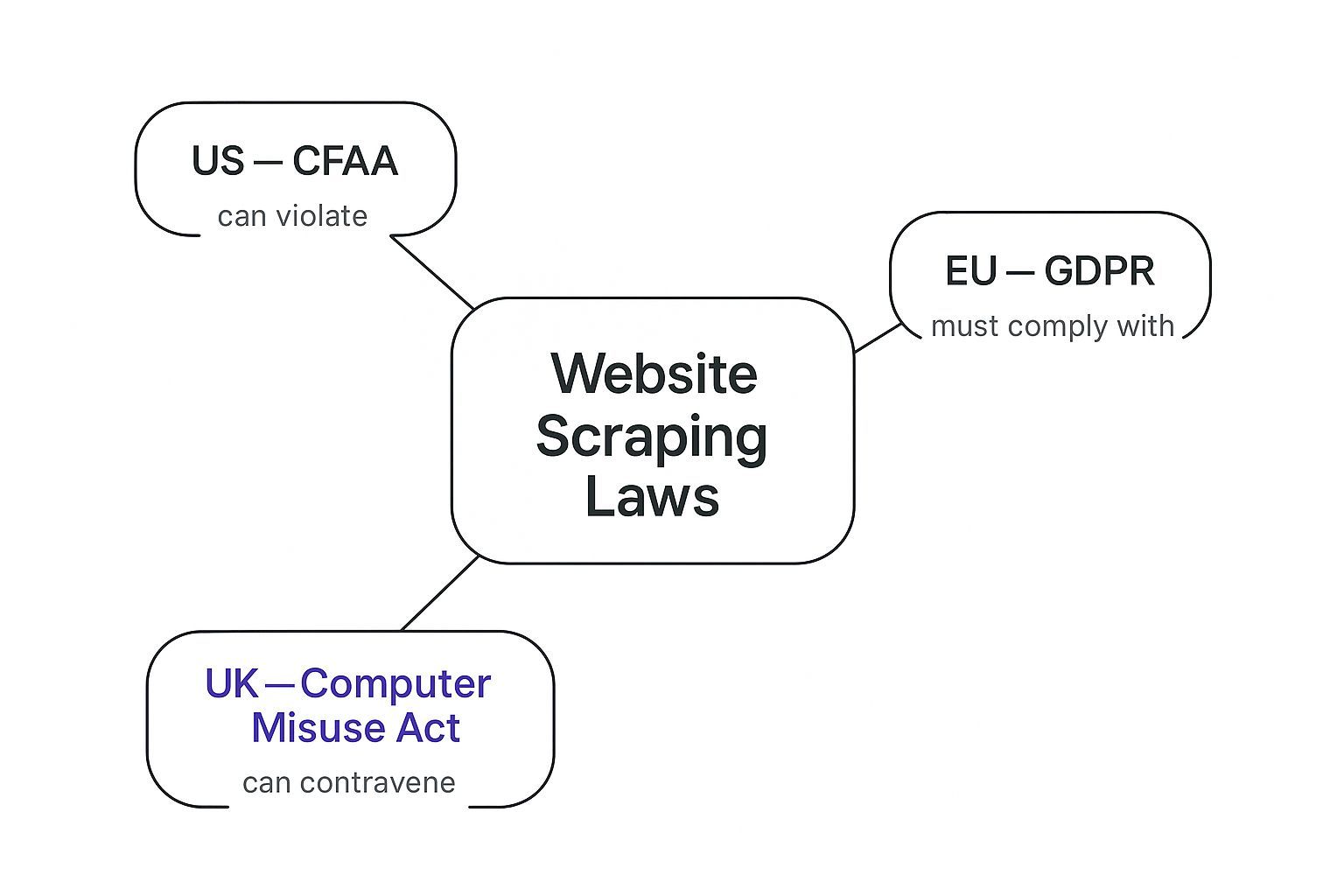
In the U.S., the Computer Fraud and Abuse Act is often discussed in scraping cases because it concerns unauthorized computer access. Courts have treated public web data differently from data that requires authorization, but the details depend on jurisdiction, facts, and claims involved.
In practical terms: if a page is public, you are usually in a lower-risk zone. If you need to log in, bypass a barrier, evade blocks, use fake accounts, or ignore a cease-and-desist letter, risk increases quickly.
This distinction matters for recruiters and sales teams. A public company team page, event speaker page, or business directory is very different from a private member area or platform where you agreed to terms that restrict scraping.
This infographic gives you a quick visual on the primary legal frameworks you'll encounter.
Copyright and How Data Is Organized
Copyright is another piece of the puzzle. Simple facts, such as a company name, job title, location, or public website URL, are usually not protected by copyright on their own. But the creative expression around those facts may be protected.
Individual facts: Extracting a name, role, company, or location is generally lower copyright risk.
Original content: Copying full bios, articles, descriptions, images, or creative copy can create copyright risk.
Database structure: Copying a database wholesale, including its selection, arrangement, or proprietary compilation, can create additional risk.
For lead generation, the safer approach is to collect discrete factual data points that help you identify and qualify prospects, not to republish another website’s content or clone its database.
How to Read Terms of Service
Terms of Service vary, but you should pay special attention to clauses about automation, scraping, bots, data extraction, commercial use, account access, and API restrictions.
Most website terms fall into two broad patterns:
Browsewrap terms: Terms linked in a footer or page that users are assumed to accept by using the website.
Clickwrap terms: Terms users actively accept by checking a box, creating an account, or clicking “I agree.”
Clickwrap agreements are usually more enforceable because the user took a clear action to accept them. This is one reason scraping behind a login or inside a platform account is riskier than collecting data from public pages.
ProfileSpider is designed for non-technical users who want controlled extraction from pages they can access. You can review our own Terms of Service and Privacy Policy to understand how we approach responsible use and data handling.
How Landmark Court Cases Affect You
Legal theory is useful, but court cases show how disputes actually play out. For recruiters, sales teams, and researchers, the main lesson is that scraping cases often turn on the specific facts: public versus restricted access, terms of service, technical barriers, privacy, and how the data is used.
The Big One: hiQ Labs vs. LinkedIn
The best-known U.S. scraping case is hiQ Labs vs. LinkedIn. HiQ scraped publicly available LinkedIn profile data for analytics products. LinkedIn sent a cease-and-desist letter and argued, among other things, that further access would violate the CFAA.
The Ninth Circuit held that hiQ had raised serious questions about whether scraping publicly available LinkedIn profiles violated the CFAA, especially because the profiles were not behind a password wall. After the Supreme Court vacated and remanded the earlier ruling in light of Van Buren v. United States, the Ninth Circuit again affirmed the preliminary injunction analysis in 2022.
The practical takeaway is not “all scraping is legal.” It is narrower: publicly accessible data is treated differently from data behind authorization barriers, and anti-hacking law is not always the right tool for stopping access to public pages.
However, hiQ is not a blanket permission slip. The later district court proceedings included contract issues around LinkedIn’s User Agreement, and the case ended with a consent judgment and permanent injunction. For business users, this is why Terms of Service still matter even when data is publicly visible.
When Scraping Crosses the Line
Scraping risk increases when you move beyond ordinary access to public information. Higher-risk behavior includes:
Bypassing logins, paywalls, CAPTCHAs, or technical barriers.
Using fake accounts or deceptive access methods.
Continuing after a clear cease-and-desist demand.
Ignoring platform terms you accepted through an account.
Copying copyrighted content or proprietary databases wholesale.
Collecting personal data without a lawful purpose or retention controls.
Recent cases involving major platforms and data scraping companies show that courts may reject broad attempts to control all public data access, but platforms can still bring contract, copyright, trespass, privacy, and other claims depending on the facts. The safest strategy is to avoid testing the boundaries with aggressive scraping.
What These Cases Mean for Your Workflow
For recruiters and sales professionals, the practical roadmap is simple:
Stay in the public-data lane: Prefer pages visible without login or circumvention.
Respect access controls: Do not bypass technical barriers or use deceptive accounts.
Read terms for important sources: Especially for platforms, directories, marketplaces, and communities.
Keep data use proportionate: Collect what you need for a specific recruiting, sales, or research purpose.
Use controlled tools: Avoid aggressive scripts that flood servers or operate in the background without oversight.
Your data collection does not happen in a vacuum. If you are a recruiter in the U.S. sourcing candidates in Germany, or a sales team in London targeting leads in California, you may need to consider privacy laws beyond your own country.
For business users, the most important lesson is that professional information can still be personal data. A person’s name, job title, profile URL, work email, phone number, employment history, location, and social profile can all relate to an identifiable individual.
What Counts as Personal Data
Personal data is information relating to an identified or identifiable individual. In recruiting and sales, that often includes names, titles, emails, phone numbers, profile links, company roles, and employment history.
This means that even if information is public, you still need to think about how you collect, store, enrich, share, and delete it. Public availability does not remove all privacy obligations.
Core Principles You Need to Know
You do not need a law degree to understand the core privacy principles that matter for lead and candidate collection:
Lawfulness, fairness, and transparency: Have a legitimate reason for collecting the data and be prepared to explain your use.
Purpose limitation: Collect data for a specific purpose, such as recruiting for a role or researching relevant prospects.
Data minimization: Do not collect everything just because it is visible. Collect the fields you actually need.
Accuracy: Keep data reasonably accurate and avoid using stale or misleading information.
Storage limitation: Do not keep personal data forever. Delete or refresh lists when they are no longer needed.
Security: Store lead and candidate data in tools you trust and restrict access where appropriate.
The old “scrape everything and sort it out later” approach is not a good fit for modern privacy rules. A safer workflow starts with a clear purpose and collects only the data needed for that purpose.
A privacy-conscious tool can help by giving users more control over what they collect and where it is stored. ProfileSpider is designed around controlled extraction and local lead management, so users can organize, review, export, and delete data more deliberately. You can also review our privacy policy for more detail.
Is Scraping Public Profile Data Legal?
This is the specific question recruiters and sales teams usually care about. Public profile data can often be collected legally, but the answer depends on the source, jurisdiction, website terms, data type, and use case.
Examples of lower-risk profile data include:
public names and job titles on company team pages
company names and websites from business directories
public speaker information from event pages
professional profile URLs found through public search results
non-sensitive business context such as industry, role, or seniority
Examples of higher-risk behavior include:
scraping data behind a login or private group
using automation to bypass access controls
collecting personal emails, phone numbers, or sensitive categories without a clear lawful basis
republishing scraped profiles or full bios
sending mass outreach without relevance, opt-out handling, or compliance review
For lead generation and recruiting, the safest approach is to use public sources, collect only relevant fields, keep records organized, avoid sensitive data, and use outreach responsibly. If your workflow includes email discovery, read our guide on how to find business email addresses.
A Practical Checklist for Ethical Scraping
Knowing the law is one thing. Building a responsible workflow is what matters day to day. Use this checklist before scraping leads, candidates, company data, or public profile information.
Checklist Item
Safe Practice
Risky Practice
Source
Use public pages that are visible without login or circumvention.
Scrape private areas, logged-in platforms, paywalled pages, or restricted groups.
Purpose
Define a clear recruiting, sales, research, or business purpose.
Collect data first and decide later what to do with it.
Data Minimization
Collect only fields you actually need.
Scrape every visible field, bio, image, post, and profile detail.
Technical Behavior
Use controlled, low-volume, user-led collection.
Run aggressive background crawlers or flood servers with requests.
Storage
Store data securely and delete outdated or unnecessary records.
Keep stale prospect or candidate data forever.
Outreach
Use relevant, respectful outreach and include opt-out handling where required.
Send mass irrelevant emails or messages to scraped contacts.
Check the Robots.txt File First
Before launching an automated crawler, check the website’s robots.txt file. This file tells automated agents which parts of a site the owner does or does not want crawled. It is not the same as a law, but respecting it is a common ethical scraping practice.
For simple browser-based lead collection, you may not be running a traditional crawler. Still, the principle is useful: respect the site’s stated boundaries and avoid areas that are clearly not intended for automated collection.
Scrape at a Reasonable Pace
Aggressive scraping creates technical and reputational risk. If your tool fires hundreds of requests in seconds, it can slow down a website, trigger anti-bot defenses, or cause your IP address to be blocked.
Responsible data collection is paced, targeted, and proportionate. This is especially important for recruiters and sales teams because getting blocked from a key source can disrupt sourcing and prospecting work. For more practical advice, read our guide on how to avoid getting blocked when scraping leads.
The goal is to collect useful data without disrupting the website, bypassing controls, or creating unnecessary privacy risk.
Use Tools That Support Responsible Workflows
If you build your own scraping scripts, the compliance burden falls on you. You need to manage access rules, request pacing, data minimization, storage, security, deduplication, deletion, and export workflows.
ProfileSpider is designed for a more controlled workflow. It helps users extract visible profile data from pages they can access, save leads into lists, enrich missing details, and export when needed. It does not remove your legal obligations, but it can make the workflow more deliberate than copy-paste work or uncontrolled scripts.
Focus on visible profile data: Build lists from pages you can access and review.
Controlled browser workflow: Extract data when you choose, instead of running hidden background crawlers.
List organization: Use lists, tags, notes, and deduplication to keep lead data cleaner.
Export when ready: Move curated data into CSV, Excel, JSON, CRMs, ATS tools, or outreach systems.
A Modern, Compliant Way to Scrape Data
For most recruiters and sales teams, the biggest problem is not whether scraping is theoretically possible. It is how to collect useful data without creating legal, technical, or operational risk.
Manual copy-paste is slow. Custom scripts require technical maintenance and legal awareness. Cloud scraping tools can create privacy and access-control questions. A modern workflow should be more controlled, more transparent, and easier to manage.
From Risky Scripts to a Controlled Workflow
A no-code browser tool like ProfileSpider helps reduce the complexity by focusing on visible profile extraction, list management, enrichment, and export.
The manual or coding method: You manage page access, request rates, extraction logic, storage, deduplication, and export yourself.
ProfileSpider's browser workflow: You navigate to a page with relevant profiles, review the source, extract visible data, save it into a list, enrich missing details where appropriate, and export when ready.
A responsible scraping workflow should give you control over what you collect, why you collect it, where it is stored, and when it should be deleted.
Built for Practical Lead and Candidate Collection
ProfileSpider is not a substitute for legal advice and does not make every scraping use case lawful. Instead, it is designed to support a more practical, user-controlled workflow for collecting visible profile data from pages you can access.
This is useful for:
recruiters sourcing candidates from public profile pages, company team pages, or niche directories
sales teams building prospect lists from business directories, event pages, or partner pages
marketers researching potential collaborators, creators, speakers, or companies
founders and agencies collecting focused lead lists without building custom scrapers
Even with a responsible strategy, you may still have questions. Here are direct answers to common concerns from recruiters, sales teams, and researchers.
Is It Illegal to Scrape LinkedIn or Facebook?
LinkedIn, Facebook, and similar platforms have strict Terms of Service that often restrict scraping, automation, and unauthorized data collection. Scraping public data may raise different legal questions than accessing private or logged-in data, but violating platform terms can still lead to account bans, IP blocks, cease-and-desist letters, or legal claims.
The safer approach is to avoid aggressive automation on logged-in platforms, respect account rules, and focus on public sources and controlled workflows. For more detail, read our guide on why Chrome extensions get blocked on LinkedIn.
Can I Scrape Public Profile Data for Recruiting?
Often, yes, but with limits. You should focus on public, relevant, non-sensitive professional information and use it for a specific recruiting purpose. Avoid collecting unnecessary personal data, avoid private or restricted pages, and delete candidate data when it is no longer needed.
If you are recruiting in Europe or collecting data about EU residents, remember that GDPR-style obligations may apply even when the profile information is publicly visible.
Can I Scrape Public Business Data for Sales?
Scraping public business data such as company names, websites, public roles, and business contact details is generally lower risk than scraping private personal data. But you should still check the source, respect terms where relevant, avoid excessive volume, and handle outreach responsibly.
For sales workflows, the safest approach is to build focused lists from relevant sources, enrich only what you need, and use respectful outreach rather than mass spam.
Can I Get in Trouble for Scraping a Competitor's Prices?
Scraping public pricing information is usually lower risk than scraping personal data because prices are business facts. However, risk increases if you overload servers, bypass access controls, copy large portions of a product database, or republish proprietary content.
The goal is respectful competitive analysis, not disruption, copying, or misuse.
What’s the Difference Between Data Scraping and Web Crawling?
These terms are related, but they describe different activities.
Web crawling: Broadly discovering and indexing pages across a website or the web, like search engines do.
Data scraping: Extracting specific structured fields from pages, such as names, job titles, company names, emails, prices, or profile URLs.
For sales, recruiting, and lead generation, you are usually doing data scraping. You are not trying to map the whole web. You are trying to turn relevant public information into a usable list.
What Is the Safest Way to Scrape Leads?
The safest workflow is targeted, proportionate, and purpose-driven:
Start with public sources relevant to your use case.
Collect only the fields you need.
Avoid restricted areas, logins, and technical circumvention.
Store data securely and delete stale records.
Use responsible outreach and respect opt-outs where required.
Review legal requirements if you operate at scale or across regulated regions.
If you want a controlled way to start, try ProfileSpider: open a page with relevant public profiles, extract visible data, save leads into lists, enrich missing details, and export when you are ready.