


Is Instant Data Scraper returning an empty table, missing records, failing to start, or displaying a message such as “Instant Data doesn’t support data extraction from this site yet”? The problem may be a temporary browser issue, content that has not loaded, an unsupported page structure, or a website that requires more interaction than the extension can handle.
Instant Data Scraper works best on pages with clearly repeated rows, cards, or tables. It may struggle when data loads through JavaScript, appears only after scrolling or clicking, sits behind a login, or changes based on filters, locations, and product variants.
This guide walks through the quickest fixes, explains why the “site not supported” message appears, and helps you decide whether to keep troubleshooting or switch to a different extraction method.
Quick Fix Checklist for Instant Data Scraper Issues
Start with the symptom you are seeing. Many Instant Data Scraper problems can be narrowed down without technical tools.
| Symptom | Likely Cause | First Action to Try |
|---|---|---|
| “Instant Data doesn’t support data extraction from this site yet” | The extension cannot identify a repeated data structure on the current page. | Confirm that the data is visible, scroll through the page, open required tabs or filters, and try again. |
| The extension opens but shows no table. | The page has not finished loading, the data is inside an iframe, or the content is rendered dynamically. | Wait for loading to finish, refresh the page, and manually reveal the content first. |
| Only the first few records are extracted. | The site uses infinite scroll, lazy loading, pagination, or a virtualized list. | Scroll through the required records or load the next page before extracting. |
| The table contains the wrong columns or jumbled fields. | The page contains several repeated structures or inconsistent cards. | Try another detected table or remove irrelevant columns before exporting. |
| The icon is greyed out or nothing happens. | The extension lacks access, has crashed, or conflicts with another browser extension. | Refresh the page, check Chrome extension permissions, and temporarily disable conflicting extensions. |
| The scraper misses prices, stock, or inventory changes. | The website updates data after selecting a variant, location, or filter, or the page is showing cached content. | Select the correct state, hard-refresh the page, and verify the live value before extracting. |
If these checks do not solve the problem, work through the diagnostic steps below.
Why Instant Data Scraper Says a Site Is Not Supported
The message “Instant Data doesn’t support data extraction from this site yet” usually means the extension could not find a sufficiently clear repeated pattern in the page document.
Instant Data Scraper automatically looks for repeated structures that resemble a table, list, or grid. A page may look structured to a person but still be difficult for the extension to interpret because:
- The records use inconsistent HTML: One card may contain a title and price, while another contains extra labels, badges, or nested sections.
- The content has not loaded yet: The visible page may still be waiting for JavaScript or an API response.
- The data is inside an iframe: Embedded content may belong to another document that the extension is not reading.
- The page uses a virtualized list: Only the records currently visible on screen exist in the document.
- The data appears after interaction: A location, filter, tab, button, or search form must be used first.
- The page is not a repeated dataset: Instant Data Scraper is designed for lists and tables, not every type of webpage.
The error does not necessarily mean the extension is broken. It often means the current page is outside the type of structure it can identify automatically.
Common Reasons Why Instant Data Scraper Fails

Instant Data Scraper is useful for quickly extracting simple tables, directories, and repeated cards. Problems usually appear when the target page is more dynamic or interactive than it first appears.
1. The Page Uses Dynamic JavaScript Content
Many modern websites load their data after the basic page has opened. Products, jobs, profiles, prices, and availability may arrive through JavaScript requests several seconds later.
If Instant Data Scraper analyzes the page before that content appears, it may return no table or only a partial dataset.
Try the following:
- Wait several seconds after the page appears complete.
- Scroll slowly through the results.
- Open relevant tabs or accordions.
- Apply required filters before starting the scraper.
- Confirm the expected records are visible in the browser.
2. Infinite Scroll or Lazy Loading Hides Records
On infinite-scroll pages, the website does not load every record at once. Additional results appear as you move down the page.
Instant Data Scraper cannot extract records that have not yet been loaded. Scroll through the required results before starting the extraction. On very long pages, pause periodically so the website has time to request and render the next batch.
Some websites use virtualized lists, which remove older records from the document as you scroll. In that case, simply reaching the bottom may not place every record in the page at the same time.
3. The Website Layout Changed
A website redesign can alter the way products, profiles, or listings are grouped. Even when the visual change is small, the underlying HTML may be completely different.
Instant Data Scraper may then:
- Detect the wrong repeated element
- Split one record across several rows
- Combine unrelated content
- Miss a field that previously appeared
- Stop detecting a table entirely
Refresh the page and check whether Instant Data Scraper offers another detected table. If the new layout no longer contains a consistent repeated structure, the extension may not be suitable for that page.
4. The Page Requires a Login or Active Session
If the website requires authentication, your session may have expired. The page can still look partially loaded while the underlying content has been replaced by a login prompt, access message, or incomplete public version.
Log out, sign in again, reload the target page, and confirm the data is visible before running the extension.
5. Filters, Variants, or Locations Change the Data
Product availability, prices, job listings, and local results often depend on a selected location, product variant, language, store, or date.
If your scraper misses inventory updates, confirm that:
- The correct location or store is selected.
- The relevant product variant is active.
- The page has finished updating after the selection.
- The live page actually shows the new value.
- The scraper is reading the correct table rather than a hidden or stale section.
A scraper cannot capture an update that the website has not yet shown in the current browser state.
6. The Website Is Limiting Automated Activity
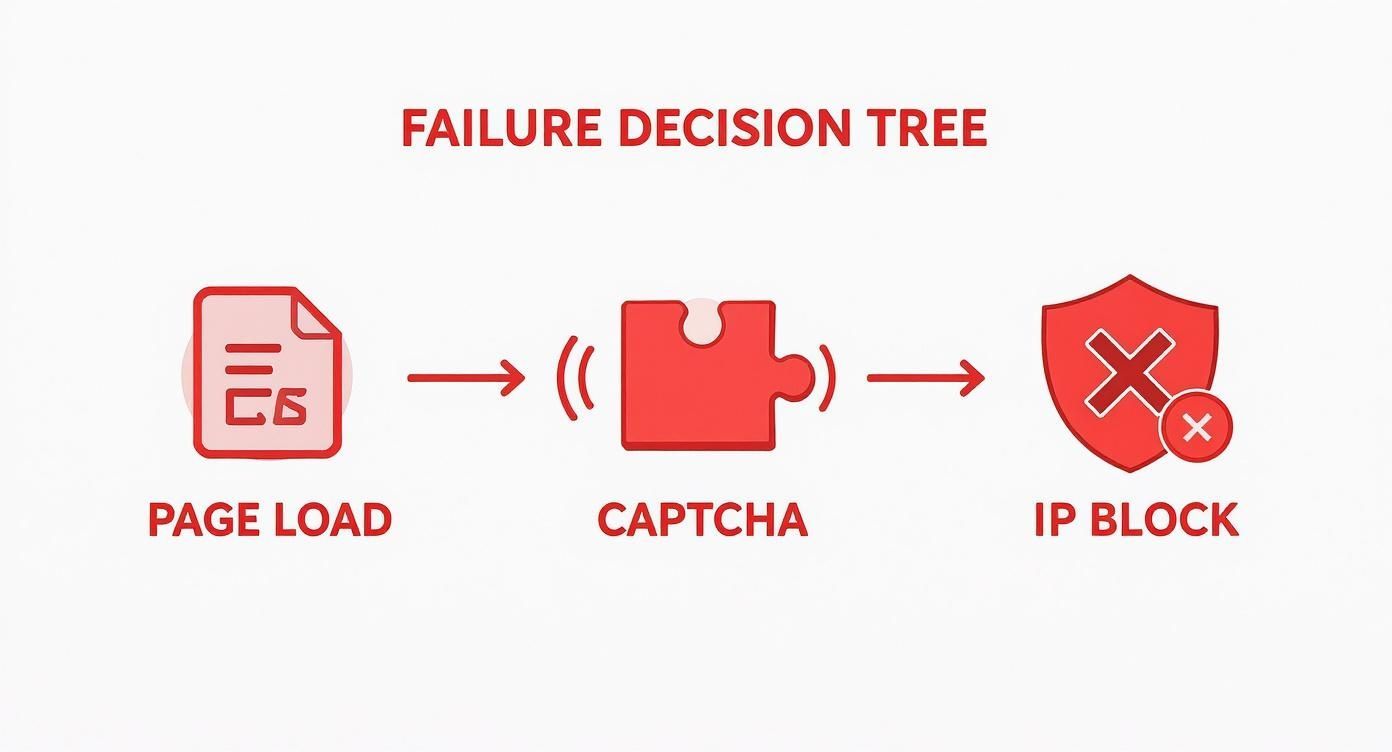
Some websites restrict rapid or repeated access. You may see a CAPTCHA, access-denied page, endlessly spinning loader, incomplete content, or temporary failure.
If that happens:
- Stop repeated retries.
- Wait before trying again.
- Reduce the number of pages or records.
- Use the website normally and confirm access has returned.
- Review whether the intended extraction is permitted.
Instant Data Scraper does not bypass CAPTCHAs, access controls, or website restrictions.
7. The Extension or Browser Has a Local Problem
The target website may not be the cause. The extension can also fail because of browser state, permissions, updates, or conflicts.
Common local issues include:
- An outdated extension version
- Chrome permission changes
- A corrupted extension state
- Conflicts with privacy or script-blocking extensions
- Cached page resources
- An unsupported browser
Instant Data Scraper is a Chrome extension. A query such as “Instant Data Scraper Safari” usually reflects a platform mismatch rather than a page error.
A Practical Diagnostic Workflow for Failed Scrapes
Use this process to determine whether the problem is your browser, the extension, or the target page.
Step 1: Confirm the Page Is Ready
Before opening the scraper:
- Make sure the expected data is visible.
- Wait for loading indicators to disappear.
- Scroll through lazy-loaded content.
- Open necessary filters, tabs, or sections.
- Dismiss cookie notices or overlays that block the page.
Step 2: Refresh the Page
Use a normal refresh first. If the page still appears stale, try a hard refresh:
- Windows or Linux:
Ctrl+Shift+R - macOS:
Cmd+Shift+R
A hard refresh forces the browser to request fresh page resources rather than relying only on cached versions.
Step 3: Check Chrome Extension Permissions
Open chrome://extensions/, find Instant Data Scraper, and confirm that:
- The extension is enabled.
- It has permission to access the target site.
- No error message appears on the extension card.
- The extension is running the latest available version.
If you use Incognito mode, you must explicitly allow the extension to run there.
Step 4: Test on a Simple Table
Open a simple static page containing a conventional HTML table, such as a Wikipedia list, and run Instant Data Scraper there.
- If it works: The extension and browser are probably functioning, and the original target page is the problem.
- If it fails: The extension, browser permissions, or another local setting may be responsible.
Key takeaway: Testing a simple page separates a site-specific compatibility issue from a general extension failure.
Step 5: Disable Potential Conflicts
Temporarily disable other browser extensions, especially:
- Ad blockers
- Script blockers
- Privacy extensions
- Security tools
- Other scraping extensions
Refresh the page after disabling them and test again.
Step 6: Reinstall Only as a Last Resort
Reinstalling can clear a corrupted extension state, but it can also remove saved local settings. Record or export anything important before removing the extension.
Troubleshooting Flowchart When Instant Data Scraper Fails
| Check | If It Works | If It Fails |
|---|---|---|
| Confirm the data is visible | Continue to loading and extraction checks. | Load, filter, scroll, or open the required content first. |
| Refresh or hard-refresh | The issue was temporary or cache-related. | Continue to extension checks. |
| Check extension permissions | Run the scraper again. | Enable access or update the extension. |
| Test on a simple table | The original website is likely unsupported or too dynamic. | The browser or extension setup is probably responsible. |
| Scroll or click “Load more” | Run the scraper after all required content loads. | The page may use virtualization or another unsupported interaction. |
| Check for a CAPTCHA or access warning | Stop and wait before trying again. | Review the page structure and detected tables. |
How to Use Instant Data Scraper Correctly
If you are new to the extension, follow this basic process:
- Open a webpage containing repeated rows, cards, or table records.
- Wait for the page and its data to finish loading.
- Scroll through any lazy-loaded results.
- Open Instant Data Scraper from the Chrome toolbar.
- Review the detected table and try alternative detected tables if available.
- Remove irrelevant columns and inspect several rows for accuracy.
- Use the extension’s pagination options only when the next-page control is detected correctly.
- Export the result and verify the row count and important fields.
For a more detailed overview, read our guide on how to use Instant Data Scraper.
When Instant Data Scraper Is the Wrong Tool
Instant Data Scraper is useful for one-off extraction from conventional tables and repeated page elements. It is less suitable when the workflow requires:
- Reliable extraction from inconsistent profile cards
- Understanding which fields represent names, roles, companies, or links
- Opening many detail pages for enrichment
- Scheduled recurring scraping
- Complex navigation or authentication
- Monitoring real-time inventory changes
- Stable extraction after frequent website redesigns
- Bypassing CAPTCHAs or access restrictions
No single scraper is best for every task. The correct alternative depends on whether you need a one-time page extraction, a profile-list workflow, a recurring crawler, or a custom data pipeline.
What to Use for Real-Time Updates
If your goal is to monitor product availability, prices, inventory, or other rapidly changing values, a manual browser extension may not be sufficient.
A reliable monitoring workflow usually needs:
- Scheduled checks
- Consistent page-state selection
- Change detection
- Timestamped results
- Failure alerts
- Retry controls
- Location and variant handling
- A stable data source or API where available
ProfileSpider is designed for extracting structured records from pages opened by the user. It is not a real-time monitoring system or scheduled inventory crawler.
When to Try ProfileSpider Instead
If Instant Data Scraper cannot identify the repeated profiles or listings on a page, ProfileSpider may be a better fit when your goal is to extract people, companies, products, or other repeated entities from the current webpage.
ProfileSpider uses AI to interpret the loaded page rather than requiring the page to look like a conventional table. It is designed for users who want to turn visible webpage information into structured rows without building selectors or scraping recipes.
Extract Structured Records From the Current Page
Open the target page in Chrome, load the records you need, and run ProfileSpider. Depending on the information available in the page document, it may extract fields such as:
- Name or title
- Job role
- Company
- Location
- Description
- Website
- Profile URL
- Visible email address
- Phone number
- Social links
- Source URL
ProfileSpider does not guarantee that every page can be extracted. It can only analyze content that the website has loaded into the page document, and it does not bypass CAPTCHAs, paywalls, access restrictions, or platform privacy controls.
Load Dynamic Content Before Extracting
ProfileSpider does not automatically click every “Load more” button, navigate every tab, or scroll through every page for you.
Before extracting:
- Scroll through infinite-scroll results.
- Click “Load more” where needed.
- Open tabs containing relevant data.
- Select the correct filters, variants, or locations.
- Confirm that the records are visible or loaded into the document.
Once the page contains the information, ProfileSpider can analyze and structure it.
Meet ProfileSpider: A Profile and List Extraction Workflow
ProfileSpider is a Chrome extension designed for extracting and organizing repeated profile and listing information from webpages. It is particularly useful for lead research, recruiting, market research, directory extraction, conference lists, company team pages, and similar workflows.

From Page Extraction to an Organized List
Instead of exporting every extraction immediately as a raw CSV, ProfileSpider allows you to save the resulting profiles or listings in the browser.
You can then:
- Create custom lists: Organize records by campaign, company, project, job opening, or research topic.
- Add tags and notes: Record context, qualification status, or follow-up information.
- Search and filter: Find saved records and narrow the displayed list.
- Review duplicates: Identify and merge matching profiles within your saved ProfileSpider data.
- Export data: Download the final list as CSV, Excel, or JSON.
Use Enrichment for Linked Detail Pages
If a saved record links to a detail page, website, professional profile, or another relevant URL, ProfileSpider can open selected URLs and extract additional information.
Enrichment may find extra biography information, website details, visible contact information, or social links when those details are publicly available on the selected page. It does not guarantee that every missing field will be found.
Each URL opened for enrichment uses one credit.
Understand the Page and Plan Limits
ProfileSpider charges one credit per page extraction, regardless of how many profiles are found on that page. The maximum number of profiles extracted from one page depends on the user’s plan:
- Free: Up to 10 profiles per page
- $19 plan: Up to 25 profiles per page
- $39 plan: Up to 100 profiles per page
For multi-page results, navigate to the next page and run a separate extraction. ProfileSpider does not automatically crawl every result page in the background.
Local-First Storage
Saved profiles, lists, tags, and notes are stored locally in the browser’s IndexedDB rather than in a cloud-hosted lead database.
Account, billing, credit, team, email-finding, and AI extraction functions still use ProfileSpider’s backend or relevant third-party services. Local-first storage does not mean the entire extension operates offline.
Because saved profile data is local, clearing browser data or uninstalling the extension can remove it. Export important lists regularly.
For a closer look at the product workflow, read the ProfileSpider deep-dive.
Instant Data Scraper vs. ProfileSpider
| Feature | Instant Data Scraper | ProfileSpider |
|---|---|---|
| Primary use | Detecting and exporting repeated tables or page elements | Extracting and organizing profiles, companies, products, and repeated listings |
| Extraction method | Automatic pattern and table detection | AI-assisted interpretation of the loaded page |
| Best page types | Simple tables, grids, and consistent repeated rows | Directories, team pages, speaker lists, search results, and profile-style cards |
| Dynamic content | Must be loaded into the page first | Must also be loaded into the page first |
| Pagination | Can detect some next-page patterns | User navigates to each page and runs a separate extraction |
| Scheduled monitoring | Not its primary use | Not supported |
| Organization | Primarily exports detected data | Lists, tags, notes, search, filters, and duplicate review |
| Export formats | CSV and spreadsheet-oriented export | CSV, Excel, and JSON |
| Access restrictions | Does not bypass CAPTCHAs or protected content | Does not bypass CAPTCHAs, paywalls, or protected content |
Is Instant Data Scraper Safe?
Instant Data Scraper is a browser extension, so its safety depends on the permissions it requests, the version installed, where it was installed from, and how it handles page data.
Before using any browser scraper:
- Install it from the official browser-extension listing.
- Review the requested permissions.
- Check the developer and update history.
- Avoid installing copies from unknown websites.
- Do not use it to collect sensitive or unnecessary personal information.
- Review the target website’s terms and applicable laws.
- Remove extensions you no longer use.
A technically safe extension can still be used in an inappropriate or non-compliant way. Tool safety and data-use compliance are separate questions.
Frequently Asked Questions
Why does Instant Data Scraper say the site is not supported?
The extension could not identify a clear repeated table or list in the current page document. Load the required content, scroll through the page, open relevant tabs or filters, and try again. The page may still be incompatible if it uses inconsistent, virtualized, embedded, or highly interactive content.
Why does Instant Data Scraper return no records?
The page may not have finished loading, your session may have expired, the data may be hidden behind an interaction, or the extension may not recognize the page structure.
How do I use Instant Data Scraper on infinite-scroll pages?
Scroll through the records before opening the scraper. Pause while new results load. Be aware that virtualized lists may remove previous records from the document, making complete extraction difficult.
Why is Instant Data Scraper missing inventory updates?
The page may require a location, store, product variant, or filter selection. It may also display cached or asynchronously loaded values. Confirm the current live value in the browser before extracting.
Can Instant Data Scraper scrape LinkedIn?
Results can be inconsistent because LinkedIn uses dynamic interfaces, login controls, platform restrictions, and changing page structures. Users must also comply with LinkedIn’s terms and applicable privacy requirements.
Does Instant Data Scraper work in Safari?
Instant Data Scraper is primarily distributed as a Chrome extension. Searching for a Safari version may lead to unrelated or unofficial products. Use the official listing and a supported Chromium-based browser.
Can ProfileSpider scrape every website?
No. ProfileSpider works best on pages containing repeated people, company, product, or listing information that has already loaded into the browser. It does not bypass CAPTCHAs, access restrictions, paywalls, or content that is not present in the loaded page.
Can ProfileSpider automatically scrape every results page?
No. ProfileSpider extracts the current page. Navigate to the next page and run another extraction when the results span multiple pages.
Should I switch tools immediately?
First determine whether the problem is a temporary loading, permission, session, or browser issue. Consider another tool when Instant Data Scraper consistently cannot interpret the page type or when your workflow requires organization, enrichment, scheduling, monitoring, or more advanced navigation.