

In the crowded B2B landscape, a predictable pipeline is the ultimate competitive advantage. While countless strategies exist, only a select few lead generation channels for B2B consistently deliver high-quality, high-intent prospects. Moving beyond generic advice, this guide provides a strategic blueprint for the top 10 channels defining B2B growth today. We are not just listing options; we are delivering a tactical playbook for each one.
This comprehensive roundup is designed for action. For each channel, you will find:
- Audience Fit: Pinpoint exactly who you can reach.
- KPI Benchmarks: Understand what success looks like with real numbers.
- Step-by-Step Actions: Follow a clear path from planning to execution.
- Implementation Tips: Learn how to optimize your efforts, including how a modern, no-code tool like ProfileSpider can accelerate prospect discovery and data enrichment.
We will dissect powerful outbound methods like targeted LinkedIn outreach and cold email campaigns, as well as inbound powerhouses such as SEO-driven content marketing and high-engagement webinars. Whether you're building a lead generation engine from scratch or refining an existing one, this article details the practical steps to turn these channels into a reliable source of revenue. For a deeper look at how these two acquisition models compare, read B2B Inbound vs Outbound Lead Generation: A Definitive Guide. For a deeper dive into foundational concepts, exploring effective strategies for generating business leads can provide valuable context before implementing the specific channels we cover. This guide is your roadmap to transforming lead generation from a guessing game into a repeatable, scalable system that fills your CRM and drives sustainable growth. Let's begin.
1. LinkedIn Sales Navigator & Outreach
For B2B professionals, LinkedIn is the ultimate professional network, making its premium offering, Sales Navigator, one of the most powerful lead generation channels available. It transforms the platform into a sophisticated prospecting tool, allowing you to move beyond basic search and into hyper-targeted lead identification. Sales Navigator provides advanced filters, real-time sales insights, and direct messaging capabilities (InMail) to connect with key decision-makers precisely when they are most receptive.
This channel is ideal for B2B companies with a clearly defined ideal customer profile (ICP). For instance, an enterprise SaaS provider can use it to build account-based marketing (ABM) lists targeting C-suite executives at Fortune 500 companies, while a marketing agency can identify Heads of Marketing in the fast-growing fintech sector.
How to Implement This Channel
- Define Your ICP: Start by clearly defining the job titles, company size, industry, and geographic location of your ideal prospects.
- Build Lead Lists: Use Sales Navigator’s advanced filters (like seniority level, years in current role, and company headcount growth) to build highly targeted lists of leads and accounts. Save these searches to receive alerts on new matching profiles.
- Extract & Organize: For more complex outreach workflows, use a tool like ProfileSpider to extract data from your saved lead lists in one click. This modern approach lets you organize prospects locally, enrich their data, and prepare for multi-channel campaigns without the traditional, tedious process of manual copy-pasting.
- Personalize Your Outreach: Craft personalized InMail messages. Reference a recent post they shared, a company announcement, or a mutual connection to stand out from generic sales pitches.
- Track & Refine: Monitor your InMail acceptance rates and response rates. Use these metrics to continuously refine your targeting criteria and messaging.
Pro Tip: Use the "TeamLink" feature to see if anyone in your organization is already connected to a prospect. A warm introduction is always more effective than a cold outreach. For a deeper dive into effective strategies, explore these tips for prospecting on LinkedIn.
2. Website Visitor Identification & Retargeting
Your website attracts prospects, but over 97% of them leave without ever identifying themselves. Website visitor identification tools turn this anonymous traffic into one of the most powerful lead generation channels for B2B by reverse-engineering IP addresses to reveal the companies visiting your site. This allows you to identify interested accounts, understand their behavior, and proactively engage them with targeted outreach and retargeting campaigns before they even fill out a form.
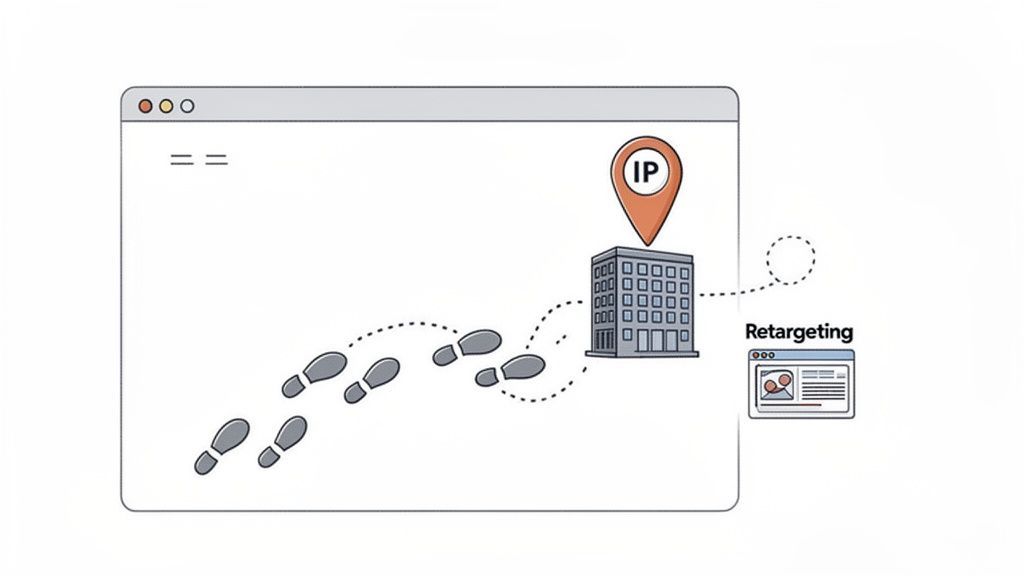
This channel is a game-changer for B2B companies with a strong inbound marketing presence. For example, a cybersecurity firm can identify that a large financial institution has been viewing its "breach prevention" solution pages. This insight allows the sales team to launch a highly relevant, account-based marketing (ABM) campaign directed at the institution's key security stakeholders.
How to Implement This Channel
- Install a Visitor ID Tool: Implement a solution like 6sense, Clearbit, or HubSpot’s tool on your website. These tools will start tracking and de-anonymizing your B2B visitor traffic, providing you with a list of companies showing interest.
- Set Up Intent Alerts: Configure alerts to notify your sales team when high-value accounts visit critical pages, such as your pricing, demo, or case study sections. This creates a real-time feed of warm leads.
- Identify Key Contacts: Once you know which company is interested, the next challenge is finding the right people. Instead of manual searching, use a tool like ProfileSpider to quickly extract a list of relevant decision-makers (e.g., VPs of IT, Heads of Security) from that company's LinkedIn page with a single click. If you need to find public social profiles connected to a target company or contact before outreach, the ProfileSpider Social Link Finder can help fill that gap.
- Launch Retargeting Campaigns: Use the identified company data to create targeted ad campaigns on platforms like LinkedIn. Serve ads specifically to employees at the visiting company, reinforcing your brand message and guiding them back to your site.
- Integrate and Nurture: Connect your visitor ID tool with your CRM. This allows you to automatically create or update account records with intent data, ensuring a seamless handoff to the sales team for personalized follow-up.
Pro Tip: Segment your retargeting audiences based on their on-site behavior. Visitors who viewed pricing pages should receive different ad creative than those who only read blog posts. This level of personalization dramatically improves conversion rates.
3. Email List Scraping & Cold Outreach
Email list scraping and cold outreach remain one of the most direct and scalable lead generation channels for B2B. This method involves extracting public contact information from online sources like company websites, professional directories, and industry databases to build a list of potential leads. When combined with a well-crafted cold email sequence, it allows businesses to connect directly with key decision-makers in their target accounts, bypassing traditional gatekeepers.
This channel is particularly effective for B2B companies with a high-value product or service, such as SaaS providers aiming to book demos with VPs of Engineering or recruitment agencies building a database of qualified candidates from job boards. The key to success lies in the quality of the list and the personalization of the outreach. Generic blasts are ineffective; targeted, value-driven communication is essential.
How to Implement This Channel
- Identify Your Data Sources: Pinpoint where your ideal prospects are online. This could be industry-specific directories, conference attendee lists, or the "About Us" and "Team" pages of target company websites.
- Extract Contact Information: Traditionally, this step involves complex coding or tedious manual work, both of which are common challenges. A modern, no-code tool like ProfileSpider overcomes this by efficiently extracting verified email addresses and other relevant data from these sources with one click, automating the process and ensuring data accuracy.
- Segment and Clean Your List: Once you have your raw data, segment your list by criteria like job function, industry, or company size. Use an email verification tool to clean the list, removing invalid addresses to protect your sender reputation.
- Craft Personalized Sequences: Develop a multi-touch email sequence using a platform like Lemlist or Outreach.io. Personalize each email beyond just the first name; reference a recent company achievement, a shared connection, or a relevant industry trend to show you’ve done your research.
- Ensure Technical Delivery: Implement proper email authentication protocols like SPF, DKIM, and DMARC. This signals to email providers that you are a legitimate sender, which is crucial for deliverability in cold outreach campaigns.
Pro Tip: Your sender reputation is paramount. Always warm up new email domains before launching a full-scale campaign and maintain meticulous list hygiene by immediately removing bounced emails and honoring unsubscribe requests. To master the first step of this process, see our guide on how to build email lists.
4. Content Marketing & Organic Search (SEO)
Content marketing is an inbound strategy focused on creating and distributing valuable, relevant content to attract and retain a clearly defined audience. When combined with Search Engine Optimization (SEO), it becomes one of the most sustainable lead generation channels for B2B. By ranking for keywords your ideal customers are searching for, you pull in prospects who are actively seeking solutions, establishing your brand as a trusted authority long before they ever speak to a salesperson.
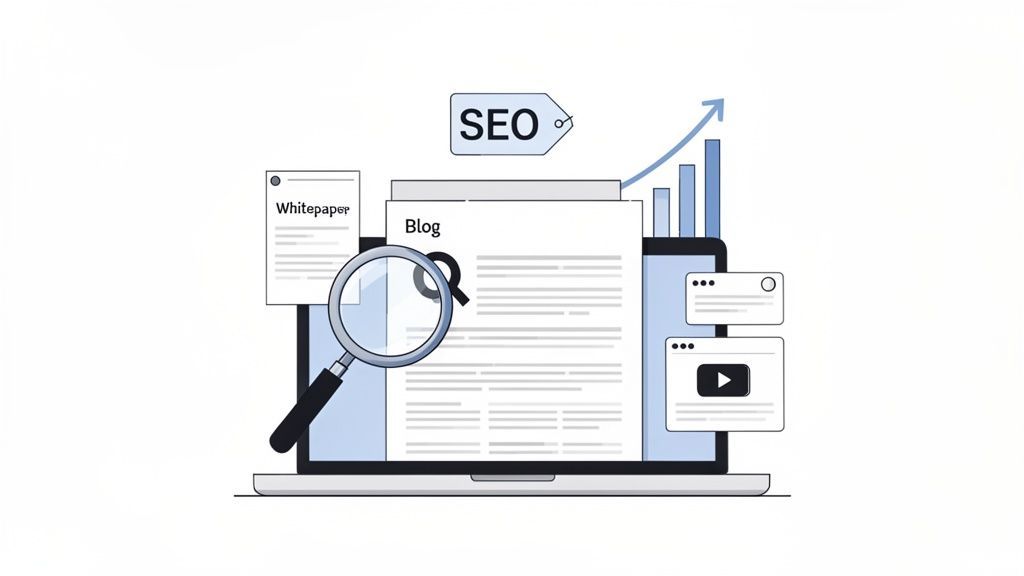
This channel is perfect for B2B companies with complex sales cycles where education and trust-building are critical. For example, a cybersecurity firm can create in-depth articles on "data breach prevention strategies," attracting IT managers actively researching security protocols. Similarly, HubSpot’s extensive blog on marketing and sales topics generates millions of qualified leads by answering the exact questions their potential customers have.
How to Implement This Channel
- Conduct Keyword Research: Identify high-intent keywords and questions your ICP is using to find solutions. Focus on "problem-aware" and "solution-aware" terms, not just top-of-funnel informational queries.
- Develop Pillar & Cluster Content: Create a comprehensive "pillar" page on a core topic (e.g., "The Ultimate Guide to B2B Lead Generation"). Support it with shorter "cluster" articles that dive into specific subtopics (like "LinkedIn Outreach Best Practices") and link back to the pillar page to build topical authority.
- Create Lead Magnets & CTAs: Embed clear calls-to-action (CTAs) within your content. Offer valuable gated resources like whitepapers, case studies, or webinar recordings in exchange for contact information, converting anonymous visitors into identifiable leads.
- Analyze and Enrich Inbound Leads: As leads come in, use a tool like ProfileSpider to enrich their data. By inputting their name and company, you can instantly find their LinkedIn profile and other professional details, helping your sales team understand their role and personalize follow-up communication effectively.
- Optimize & Track Performance: Continuously monitor which content pieces generate the most qualified leads. Use tools like Google Analytics and your CRM to track metrics such as organic traffic, conversion rates per article, and lead-to-customer conversion rates to refine your strategy.
Pro Tip: Optimize your content for Google's "featured snippets" by directly answering common questions in a clear, concise format. Securing this "position zero" spot can dramatically increase your visibility and click-through rate for key search terms.
5. Account-Based Marketing (ABM) & Multi-Channel Campaigns
Account-Based Marketing (ABM) is a strategic B2B approach that flips the traditional sales funnel on its head. Instead of casting a wide net, ABM focuses marketing and sales resources on a set of high-value target accounts, treating each one as a market of one. It orchestrates personalized, multi-channel campaigns to engage key decision-makers within these accounts, ensuring a coordinated and impactful message.
This channel is most effective for B2B companies with high-value deals and long sales cycles, where multiple stakeholders are involved in the buying decision. For example, a cybersecurity firm like Demandbase might use ABM to engage the CISO, CTO, and Head of Compliance at specific enterprise accounts. This highly focused strategy maximizes ROI by concentrating efforts where they matter most, making it one of the most powerful lead generation channels for B2B.
How to Implement This Channel
- Identify & Tier Your Target Accounts: Define your Ideal Customer Profile (ICP) and build a list of target accounts that fit it. Segment this list into tiers (e.g., Tier 1 for highest strategic value, Tier 2 for high potential) to allocate resources effectively.
- Map the Buying Committee: For each target account, identify all key stakeholders involved in the purchase decision. Use a no-code tool like ProfileSpider to extract contact details for the entire buying committee from their company website or LinkedIn, building a comprehensive contact list without manual data entry.
- Craft Account-Specific Content: Develop personalized messaging and content that speaks directly to the unique challenges and goals of each target account and the specific roles of its decision-makers.
- Orchestrate Multi-Channel Outreach: Launch coordinated campaigns across multiple touchpoints. This could include personalized emails, targeted LinkedIn ads, direct mail packages for C-level executives, and sales calls, all working in unison.
- Measure Account-Level Engagement: Track metrics at the account level, not just the individual lead level. Monitor things like account-wide email open rates, website visits from the target company, and meeting bookings to gauge overall progress.
Pro Tip: Use intent data from platforms like 6sense or Terminus to identify when a target account is actively researching solutions like yours. Timing your outreach with this buying signal significantly increases its effectiveness. Explore more ways to generate B2B leads through our comprehensive guide on b2b lead generation.
6. Industry & Trade Show Events
Despite the digital shift, B2B trade shows, conferences, and industry events remain one of the most effective lead generation channels for b2b. These gatherings bring a high concentration of qualified decision-makers and active buyers into one physical location, providing an unparalleled opportunity for face-to-face networking, live product demonstrations, and immediate lead capture. You can build relationships and trust much faster than you can through digital-only channels.
This channel is perfect for B2B companies with complex products or services that benefit from in-person demos, such as enterprise software or specialized manufacturing equipment. For example, events like Salesforce’s Dreamforce attract thousands of prospects actively evaluating CRM solutions, while industry-specific conferences like SuiteWorld for ERP systems offer a direct line to highly qualified leads with clear purchase intent.
How to Implement This Channel
- Pre-Event Prospecting: Obtain pre-event attendee lists when possible. Use a tool like ProfileSpider to research key prospects on platforms like LinkedIn, identifying their roles, recent activities, and potential pain points before you even arrive. This lets you prioritize your networking efforts.
- Design a Compelling Booth: Create an interactive booth experience that goes beyond a simple sales pitch. Offer live demos, run a contest, or host a mini-workshop to draw attendees in and create memorable interactions that generate interest.
- Capture & Qualify Leads: Use badge scanning technology to efficiently capture attendee contact information. Train your team to ask qualifying questions during conversations to gauge interest level, budget, and purchasing timeline, allowing you to segment leads for follow-up.
- Enrich & Organize: After the event, use ProfileSpider to enrich the captured data. You can find missing contact details, social media profiles, and company information to build a comprehensive prospect profile for personalized outreach.
- Follow-Up Immediately: Schedule your follow-up outreach within 24-48 hours while the event is still fresh in your prospect's mind. Reference your specific conversation to make the message more personal and relevant.
Pro Tip: Don't just rely on booth traffic. Actively schedule one-on-one meetings with your top-tier prospects before the event begins. Use your pre-event research to create a compelling reason for them to set aside 15 minutes to connect with you.
7. Partnerships & Referral Programs
Partnership and referral-based strategies are powerful B2B lead generation channels that leverage trust and existing relationships. Instead of reaching cold audiences, you tap into the customer base of complementary, non-competing businesses. When a trusted partner recommends your solution, the introduction is warm, pre-qualified, and often has a much higher conversion rate than traditional outbound efforts. This creates a mutually beneficial ecosystem where you and your partners drive growth together.
This channel is perfect for B2B companies whose products or services integrate with or complement others in the market. For instance, a project management software company can partner with marketing agencies who then recommend the tool to their clients. Similarly, a cybersecurity firm could partner with IT managed service providers (MSPs) to reach small businesses in need of enhanced protection. It transforms your network into a consistent source of high-quality leads.
How to Implement This Channel
- Identify Potential Partners: Begin by mapping out the technology and services your ideal customers already use. Look for companies that share your target audience but don't directly compete with you.
- Research and Qualify: Use a tool like ProfileSpider to research these potential partner companies and identify the key decision-makers, such as Heads of Partnerships or Business Development Managers. This allows you to quickly build a targeted outreach list for your partnership initiatives.
- Develop a Compelling Offer: Create a clear and attractive partnership structure. This could include referral fees, co-marketing opportunities, or tiered benefits. The value proposition must be clear and beneficial for both sides to ensure long-term success.
- Equip Partners for Success: Provide your partners with all the resources they need to succeed, such as one-pagers, slide decks, demo videos, and dedicated support contacts. Make it incredibly easy for them to refer business to you.
- Track and Nurture: Implement a system to track leads from each partner. Provide regular updates on the status of their referrals and promptly pay out any commissions to maintain a strong and transparent relationship.
Pro Tip: Don't limit your partnerships to just other software vendors. Think about industry influencers, consultants, and agencies who have the ear of your ideal customer. A recommendation from a respected consultant can be just as powerful as a direct software integration.
8. LinkedIn Ads & Sponsored Content
While organic outreach is powerful, LinkedIn’s advertising platform offers one of the most direct and scalable lead generation channels for B2B. It allows you to place sponsored content, lead generation forms, and direct messaging ads in front of highly specific professional audiences. This paid approach ensures your message reaches key decision-makers within their native professional environment, cutting through the noise with high-intent content.
This channel is particularly effective for B2B SaaS companies running account-based marketing (ABM) campaigns, enterprise software vendors targeting C-suite executives, and specialized service providers aiming to build brand awareness within niche industries. By leveraging LinkedIn's unparalleled professional data, you can bypass gatekeepers and engage prospects directly.
How to Implement This Channel
- Define Your Target Audience: Go beyond basic demographics. Use LinkedIn’s targeting options to zero in on job titles, seniority levels, company industries, company size, and specific skills. For even greater precision, create matched audiences by uploading lists of target accounts or contacts.
- Choose the Right Ad Format: Select an ad format that aligns with your campaign goal. Sponsored Content is excellent for thought leadership and brand awareness, while Conversation Ads are effective for driving direct engagement. For pure lead capture, LinkedIn Lead Gen Forms are unmatched.
- Craft Compelling Creatives: Develop ad copy and visuals that speak directly to your audience's pain points. A/B test different headlines, images, and calls-to-action (CTAs) to identify what resonates most and drives the highest engagement.
- Launch & Optimize: Start with a modest budget to test your campaigns. Closely monitor key metrics like click-through rate (CTR), cost per lead (CPL), and conversion rate. Use these insights to reallocate your budget to the best-performing ads and audiences.
- Analyze Lead Quality: Don't just track the volume of leads. Integrate your LinkedIn campaigns with your CRM to measure how many leads convert to sales-qualified leads (SQLs) and ultimately, to closed deals. This ensures your ad spend is driving real business revenue.
Pro Tip: Use LinkedIn Lead Gen Forms to dramatically increase conversion rates. By pre-filling forms with a user's profile data, you remove friction and can achieve 40-50% higher submission rates compared to sending traffic to an external landing page.
9. Industry Directories & Database Searches
Industry-specific directories and comprehensive business databases like ZoomInfo, Apollo.io, and Crunchbase serve as powerful, pre-compiled sources for B2B lead generation. These platforms provide extensive company firmographics and direct contact information, enabling sales and marketing teams to bypass initial discovery and move straight to targeted prospecting. They are designed for rapid list-building and outreach at scale.
This channel is particularly effective for teams that need to quickly build a large pipeline based on specific criteria like industry, company size, revenue, or technology stack. For instance, a cybersecurity firm can use a database like ZoomInfo to instantly generate a list of all CIOs at financial institutions with over 1,000 employees, while a marketing agency can use Apollo to find fast-growing startups that recently received funding.
How to Implement This Channel
- Select the Right Platform: Choose a directory that aligns with your ICP. Apollo and RocketReach are excellent for startup and SMB data, while ZoomInfo offers deep enterprise-level intelligence. Crunchbase is ideal for tracking funding and growth signals.
- Define and Filter: Use the platform's advanced filters to build a precise list of companies and contacts. Filter by job title, location, industry, employee count, and specific keywords to narrow down your search to the most relevant prospects.
- Export and Enrich: Export your segmented lists for use in your CRM or outreach tools. Since directory data can become outdated, use a tool like ProfileSpider to validate contact details and enrich profiles with the latest information from public sources, ensuring your outreach is based on accurate, up-to-date data.
- Segment for Personalization: Avoid a one-size-fits-all approach. Segment your exported lists based on unique attributes like company growth stage, specific technologies used, or recent news events to tailor your messaging for maximum impact.
- Launch & Measure: Execute your outreach campaigns via email or phone. Closely monitor key metrics like email bounce rate, open rate, and reply rate to gauge data quality and message resonance.
Pro Tip: Directory data is a starting point, not the final word. Cross-reference information from multiple sources and always verify email addresses before launching a large-scale campaign to protect your sender reputation. To understand how to enhance this data, learn more about the role of a B2B lead enrichment service with ProfileSpider.
10. Webinars & Virtual Events
Webinars and virtual events serve as powerful, educational lead generation channels for B2B, attracting prospects who are actively seeking solutions to their problems. By offering valuable insights, industry knowledge, or product deep-dives, you can capture a highly engaged audience, effectively turning attendees into warm, qualified leads ready for sales engagement. This format builds authority and trust by showcasing your expertise.
This channel is particularly effective for B2B companies with complex products or services that benefit from a detailed explanation or demonstration. For example, a cybersecurity firm can host a webinar on emerging threat landscapes to attract IT managers, while a MarTech company like Gong uses state-of-the-industry reports to draw thousands of sales leaders, generating immense brand awareness and high-quality leads.
How to Implement This Channel
- Select a High-Value Topic: Identify a specific pain point your ideal customer profile (ICP) faces and create a webinar topic that promises a clear solution or valuable insight. Use compelling titles focused on outcomes, not just product features.
- Promote Strategically: Begin promoting your event 2-4 weeks in advance across multiple channels, including email marketing to your existing list, social media promotion, and targeted ads.
- Target and Invite Decision-Makers: Use a tool like ProfileSpider to identify key decision-makers within your target accounts. You can then export this list to run highly targeted ad campaigns or personalized email invitations, ensuring the right people see your event.
- Deliver a Focused Presentation: Keep your webinar concise and engaging, aiming for a 30-45 minute runtime which is optimal for a B2B audience. Conclude with a clear call-to-action, such as an invitation to book a demo or a consultation.
- Follow Up and Nurture: Segment your follow-up communication based on engagement. Send different messages to those who attended, those who registered but didn't show, and those who asked questions. To maximize the potential of this channel, refer to a strategic guide to lead generation webinars specifically designed for B2B SaaS marketers.
Pro Tip: Don't let the value end when the live event does. Repurpose your webinar content into smaller, digestible assets like social media video clips, blog posts summarizing key takeaways, and infographics. This extends the ROI of your initial effort and fuels other content marketing channels.
10 B2B Lead-Gen Channels Compared
| Channel / Method | Implementation complexity 🔄 | Resource requirements ⚡ | Expected outcomes 📊 | Ideal use cases 💡 | Key advantages ⭐ |
|---|---|---|---|---|---|
| LinkedIn Sales Navigator & Outreach | Medium — platform learning and message sequencing | Paid subscription + sales time for personalization | Highly targeted B2B leads; strong engagement tracking | ABM, enterprise SaaS, recruiting | Direct access to verified profiles; high targeting precision |
| Website Visitor Identification & Retargeting | Medium — tracking, consent and integrations | Tracking scripts, analytics, ad budget | Warm, intent-driven account signals; improved retargeting ROI | ABM, retargeting interested visitors, demand capture | Reveals in-market accounts; behavior-based segmentation |
| Email List Scraping & Cold Outreach | Medium–High — scraping, deliverability & compliance work | Scrapers, verification tools, email platform | Scalable direct outreach; low response rates but measurable | Volume prospecting, SMB outreach, recruiting | Cost-effective scale; direct inbox reach; automation |
| Content Marketing & Organic Search (SEO) | High — strategy, content production, technical SEO | Content creators, SEO tools, time (months) | Sustainable organic traffic; high-quality inbound leads | Thought leadership, long-term inbound growth | Compounding traffic; authority; lower long-term CPL |
| Account-Based Marketing & Multi-Channel Campaigns | High — cross-team coordination and personalization | Multi-channel budget, intent data, sales-marketing alignment | Higher close rates and deal sizes; account-level ROI uplift | Enterprise deals, strategic target accounts | Personalized engagement; efficient spend on high-value accounts |
| Industry & Trade Show Events | Medium–High — logistics, staffing, event planning | Booth costs, travel, staff time, demos | High-intent face-to-face leads and networking opportunities | Product demos, partner recruitment, brand presence | Direct engagement; immediate product validation; quality leads |
| Partnerships & Referral Programs | Medium — partner selection and program setup | Time to onboard partners, incentives, co-marketing assets | Warm, high-conversion leads; scalable via partners | Channel expansion, SMB/enterprise partnerships | Lower CAC; trust via referrals; access to partner networks |
| LinkedIn Ads & Sponsored Content | Medium — targeting strategy and continuous optimization | Significant ad budget, creatives, campaign management | Fast, professional targeting; higher CPL but quick scale | ABM awareness, executive-targeted lead gen | Precise professional targeting; native lead gen forms |
| Industry Directories & Database Searches | Low–Medium — subscription and filtering work | Paid database access, exports, CRM integration | Rapid list building; variable accuracy (needs validation) | Quick prospecting, market research, list enrichment | Instant access to large contact datasets; efficient list building |
| Webinars & Virtual Events | Medium — content prep, platform setup, promotion | Host/presenter time, promotion budget, webinar tech | Scalable engagement and lead capture; repurposable content | Product education, lead nurturing, thought leadership | High-quality, self-selected leads; detailed engagement metrics |
Activating Your B2B Growth Strategy
We’ve explored a comprehensive landscape of the most effective lead generation channels for B2B success, from the high-intent nature of Content Marketing and SEO to the precision targeting of Account-Based Marketing and LinkedIn Sales Navigator. Each channel offers a unique pathway to connect with your Ideal Customer Profile (ICP), but the true power isn't found in using just one. The most resilient and scalable growth engines are built on a multi-channel foundation.
The path forward isn't about implementing all ten strategies at once. That’s a recipe for diluted effort and mediocre results. Instead, the goal is to build a strategic, integrated system where channels support and amplify one another. Your next steps are to move from theory to tactical execution, transforming this roundup into a personalized action plan.
From Insights to Impact: Your Action Plan
The difference between a list of ideas and a revenue-generating machine lies in disciplined action. Here’s how to translate the knowledge from this article into tangible business growth:
Conduct a Channel-ICP Alignment Audit: Revisit your Ideal Customer Profile. Where do they actually spend their time? Are they active on LinkedIn, responsive to cold email, or more likely to attend industry webinars? Score each channel discussed in this article from 1 to 5 based on its alignment with your target audience's behavior. Select the top 2-3 channels to prioritize for the next quarter.
Establish Your Data Foundation: Every single channel we've covered, from cold email outreach to ABM, relies on one critical asset: accurate contact and company data. Outdated or incomplete information is the number one reason campaigns fail. Before you launch any new initiative, ensure your data acquisition and enrichment process is solid. This is where a tool like ProfileSpider becomes a non-negotiable part of your tech stack. It allows your team to instantly extract verified, up-to-date professional profiles from any website, turning the web into your own private lead database. This one-click process eliminates manual prospecting and ensures your outreach is always built on a foundation of truth.
Create a 'Pilot and Scale' Roadmap: For your chosen primary channel, define a small-scale pilot campaign. For instance, if you choose cold email, don't build a list of 10,000 prospects. Start with a hyper-targeted list of 100, scraped and verified with a tool like ProfileSpider. Write three different email variations, define your key performance indicators (KPIs) like open rate, reply rate, and meetings booked, and execute. Analyze the results, iterate on what works, and only then scale your efforts.
Integrate and Automate: True lead generation mastery is about creating a system, not just running campaigns. How does a lead from a webinar get nurtured via email? How does data from LinkedIn Sales Navigator get enriched and synced with your CRM? Map out your lead flow from initial touchpoint to sales hand-off. A well-oiled machine ensures no lead falls through the cracks and your team operates with maximum efficiency.
Key Takeaway: Success in B2B lead generation is no longer just about the message or the offer; it's about the precision of your targeting and the quality of your data. Without a reliable way to identify and gather information on your prospects, even the most brilliant strategy will be delivered to the wrong audience, or to no one at all.
Ultimately, mastering the art of B2B lead generation is about building a predictable and sustainable pipeline that fuels your company's growth. The channels detailed here are your building blocks. By choosing wisely, executing with precision, and underpinning your entire strategy with a powerful data extraction tool like ProfileSpider, you move beyond sporadic wins. You begin to build a systematic, data-driven engine that consistently delivers qualified leads, empowering your sales team to close more deals and drive your business forward. The time to build is now.