

To scrape leads with AI, start from a public lead source such as a company directory, team page, event speaker list, LinkedIn-style profile page, Google Maps result, or niche database. An AI lead scraper scans the page, detects people or company profiles, extracts fields like names, job titles, companies, websites, locations, social profiles, and emails where available, then saves everything into a structured lead list you can review, enrich, and export.
The basic workflow is simple: find a relevant source, extract profiles, clean and tag the results, enrich missing fields, find verified emails where possible, and export the final list to CSV, Excel, JSON, or your CRM.
This article is part of our broader guide to lead scraping. If you want the complete end-to-end workflow—including lead sources, scraping methods, enrichment, data quality, CRM activation, and compliance—see: Lead Scraping Guide: How to Scrape, Enrich, and Convert Leads at Scale.
What Is AI Lead Scraping?
AI lead scraping is the process of using artificial intelligence to extract structured lead data from public webpages. Instead of manually copying names, titles, companies, and contact details into a spreadsheet, an AI scraper identifies repeated profile patterns on a page and turns them into usable rows of data.
For sales teams, this means turning public webpages into structured prospect lists. For recruiters, it means extracting candidate profiles from relevant sources. For marketers, it means building targeted lists from directories, communities, events, and company websites.
A modern lead scraping workflow is not just about collecting names from a webpage. It is a repeatable system for finding, extracting, organizing, enriching, qualifying, and activating lead data for sales, recruiting, and marketing.
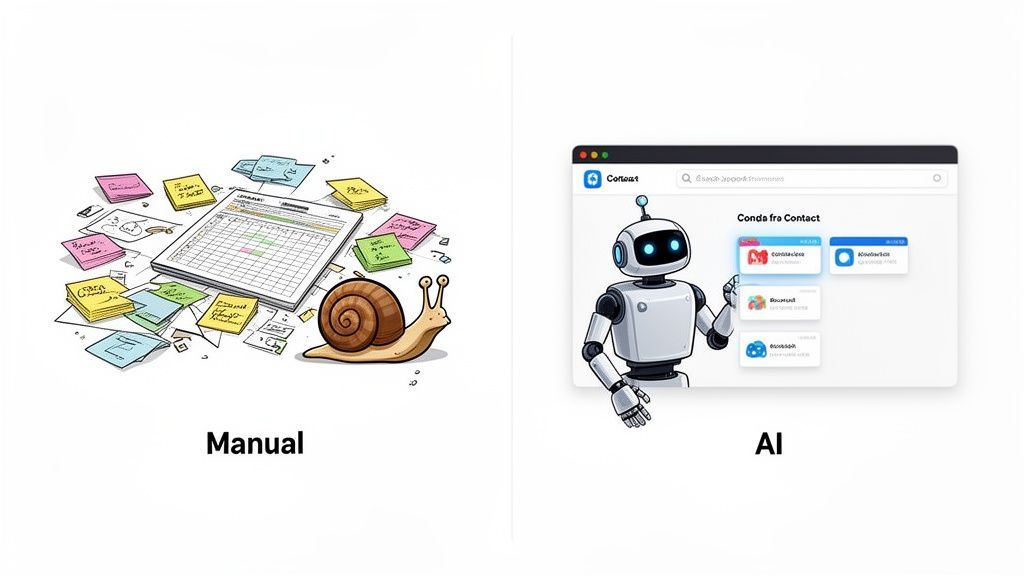
AI Lead Scraper vs Manual Lead Scraping
The traditional way of gathering leads is slow, repetitive, and prone to mistakes. Manually highlighting a name, copying it, pasting it into a spreadsheet, and repeating that process dozens or hundreds of times creates unnecessary friction for teams that need to move quickly.
An AI lead scraper is different. A traditional web scraper often depends on selectors, templates, XPath, or page-specific rules. An AI-powered lead scraper can interpret visible page content more flexibly and detect people, companies, job titles, websites, and contact fields even when every source has a different layout.
Why Manual Lead Collection Slows Teams Down
Building a lead list by hand is not just inefficient; it creates a bottleneck. Every minute spent on data entry is a minute not spent on outreach, research, qualification, or closing deals.
The limitations of manual lead collection are easy to see:
- It is slow: Copying and pasting 50 profiles from a directory can easily consume a large part of your day.
- It creates errors: Typos, inconsistent formatting, and missed details can affect data quality from the start.
- It does not scale: Building a targeted list of 1,000 prospects manually is difficult and inefficient.
- It is hard to repeat: Manual workflows often depend on individual effort instead of a clear process.
The goal today is speed, accuracy, and repeatability. AI helps automate the most time-consuming parts of prospecting so teams can focus on source selection, lead qualification, and outreach.
Manual Lead Scraping vs AI-Powered Scraping
| Feature | Manual Scraping | AI-Powered Scraping |
|---|---|---|
| Speed | Slow for larger lists | Fast extraction from a single page |
| Setup | Manual copy-paste or complex scraping rules | No-code extraction from visible page content |
| Accuracy | Prone to human error | Structured recognition reduces manual mistakes |
| Scalability | Difficult to scale | Better suited for repeatable lead-building workflows |
| Data Format | Often inconsistent and requires cleanup | Clean, structured, and export-ready |
| Focus | Data entry | Qualification, enrichment, outreach, and strategy |
AI-powered tools like ProfileSpider simplify this process. After installing a browser extension, you can navigate to a list of conference speakers, a company team page, a professional directory, or a public profile list and extract structured profile data in a few clicks.
These tools do not simply copy visible text. They help identify profile-level information, distinguish between people and companies, and organize the extracted data into a format that is easier to manage. For a deeper dive, check out our guide on the power of an AI scraper.
Best Places to Scrape Leads With AI
The quality of your scraped leads depends heavily on the quality of your source. The best pages already contain people, companies, or business profiles that match your target market.
| Lead Source | Best For | Example Fields to Extract |
|---|---|---|
| Company team pages | B2B sales, recruiting, partnerships | Name, role, company, profile URL, email where visible |
| Conference speaker pages | Expert leads, recruiters, niche outreach | Name, title, company, topic, social profile |
| Industry directories | Agencies, consultants, local businesses, certified professionals | Company, website, category, location, contact details |
| Google Maps-style listings | Local lead generation | Business name, website, phone, address, category |
| LinkedIn-style profile pages | Recruiting and sales research | Name, title, company, location, profile URL |
| “Best X companies” articles | Account list building | Company name, website, category, description |
| Niche communities and forums | Problem-aware prospects and specialist audiences | Name, handle, company, role, website, context |
The best lead sources are usually specific. A directory of “software companies in Germany,” a conference speaker list for cybersecurity leaders, or a team page for SaaS companies will usually produce cleaner leads than a broad, generic search result.
Step 1: Install Your AI Scraping Tool
Before you can start pulling in leads with AI, you need the right tool. The best modern AI scrapers are designed for speed and ease of use, usually as lightweight browser extensions that can be installed quickly.
We’ll use ProfileSpider as the main example here because it reflects the kind of no-code AI scraping workflow many sales teams, recruiters, founders, and marketers need.
Your One-Click Scraper Install
Most no-code scraping tools are available as Chrome extensions, which means there is no heavy software installation or technical setup.
The installation process is simple:
- Go to the tool’s page on the Chrome Web Store.
- Click Add to Chrome.
- Approve the requested permissions so the tool can read page content and extract profile data.
Once installed, your browser is ready to scan pages and extract leads from relevant sources.
A Quick Look at Your New Dashboard
After installation, the extension icon appears in your browser’s extension bar. The interface is designed to stay simple. In a tool like ProfileSpider, the main action is straightforward: Extract Profiles.
Older scraping workflows often required field mapping or page-specific configurations. AI-powered scrapers reduce that setup work by analyzing the page structure automatically and identifying which elements represent professional profiles.
Key takeaway: Your job is not to configure a complex extractor. Your job is to identify strong lead sources. The tool handles much of the extraction logic so you can focus on targeting, qualification, and outreach.
Before you begin, it helps to create your first contact list. These lists act like project folders for keeping campaigns organized. A recruiter might create lists like Senior Python Developers Q3 or UX Designers – Bay Area. A sales rep might create SaaS Founders – NYC or Marketing VPs – Prospect List.
Creating a list before extraction keeps new leads organized from the start and makes downstream filtering, tagging, enrichment, and exporting much easier.
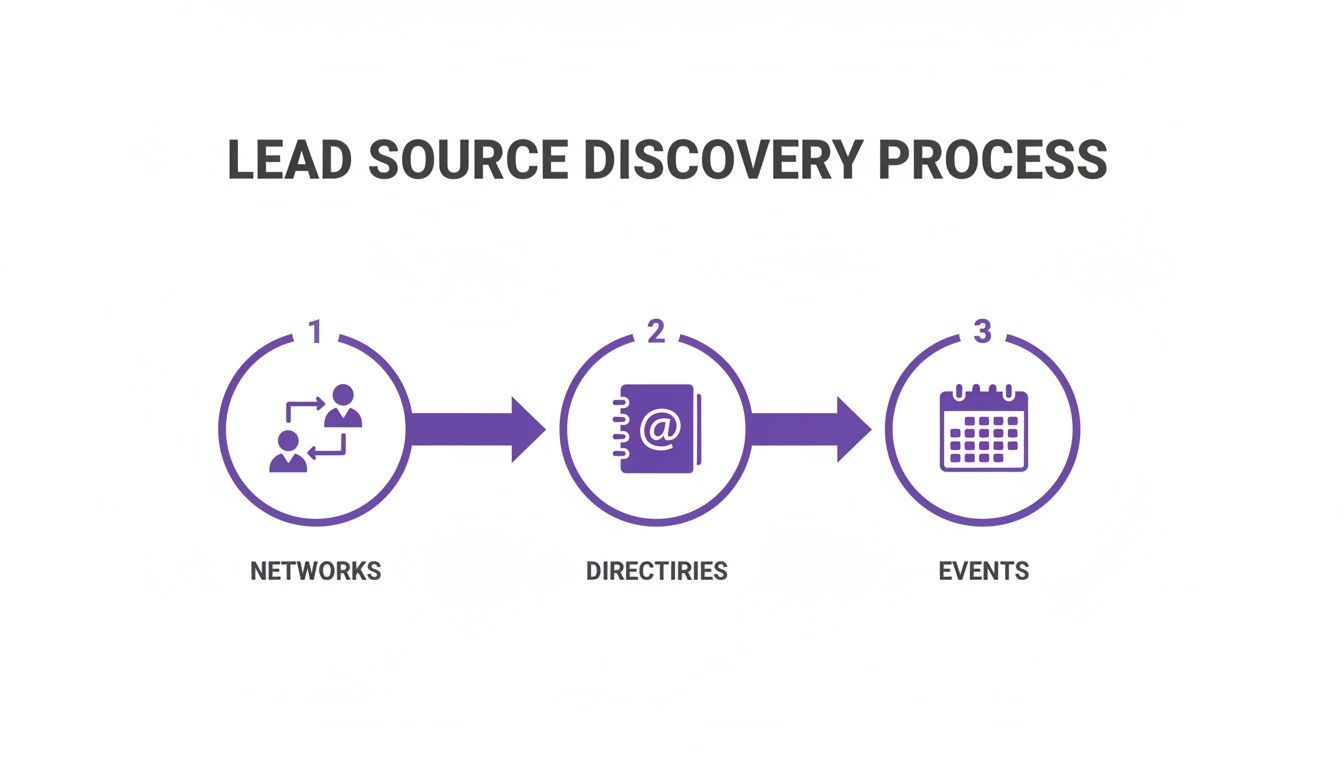
Step 2: Identify High-Value Lead Sources
Once the tool is ready, the next step is deciding where to use it. Your success comes from finding the websites where your ideal prospects, candidates, customers, or partners already appear.
LinkedIn is a common starting point, but your best leads are not only there. Many valuable prospects also appear in less crowded places across the public web. These sources often provide stronger context and lower competition than mainstream platforms alone.
Here are several high-value lead sources worth exploring:
- Industry-specific directories: Directories for consultants, agencies, specialists, software vendors, or certified professionals often contain highly relevant leads.
- Conference speaker and attendee pages: Event websites frequently publish speaker pages, sponsor lists, and exhibitor pages that surface active, engaged professionals.
- Company About Us and team pages: Company websites often list key people with exact titles, making them useful for account-based sales and targeted recruiting.
- Niche online communities and forums: Specialized communities can reveal people actively discussing the exact problems your product or service solves.
- Google Maps results: Local business searches can surface a clean set of companies for region-specific prospecting.
- Public “best tools” or “top companies” lists: These pages can be useful for building account lists before finding individual contacts.
By expanding beyond the most obvious platforms, you can uncover lead sources that are both relevant and underused.
Step 3: Run Your First AI Scraping Campaign
Once your tool is installed and your target sources are identified, you can move from planning to execution. This is where a simple webpage becomes a clean, actionable lead list.
Imagine you are an SDR building a prospect list for a project management tool aimed at decision-makers in fast-growing startups.
From Target Page to Instant List
Your first source is a public directory featuring promising startups and leadership teams. Instead of manually copying details one by one, you navigate to the page, open the ProfileSpider extension, and select the contact list you created earlier.
Then you click Extract Profiles.
The tool scans the page, detects the profile structure, and organizes the extracted data into a list that may include names, roles, companies, websites, social links, locations, and related details.
In many cases, the goal is not just to find one person. Extracting multiple profiles from the same company, event, or directory can help you map an account more effectively by identifying decision-makers, influencers, and other relevant stakeholders.
This turns source discovery into a repeatable workflow: find a relevant page, extract the profiles, review the results, and continue building the list.
Refining Your Data for Outreach
Raw extraction is a starting point. The next step is turning that list into something your team can actually use.
Begin by applying useful tags. In the SDR example, strong tags might include:
- Decision-Maker for VP- and C-level contacts
- Q4-Prospect for campaign planning
- Top-100-Startup to track the source
- Conference-Speaker to preserve context
- Needs-Enrichment for profiles missing important fields
Tagging makes it easier to segment leads later for outreach, assignment, enrichment, or export.
You can also add notes to preserve context. Notes like Met their CEO at SaaSCon or Company recently raised Series B make future outreach more informed and less generic.
Structured extraction also helps with qualification. Once names, titles, companies, locations, and source URLs are captured in a consistent format, teams can quickly assess whether a lead matches their ideal customer profile before investing more time in research or outreach.
Pro tip: Run a duplicate check as you build lists from multiple sources. Merging duplicates early keeps your dataset cleaner and reduces the risk of repeated outreach.
Example AI Lead Scraping Workflows
AI lead scraping works best when you use it for a clear workflow instead of randomly collecting contacts. Here are a few practical examples.
Workflow 1: Scrape Conference Speakers
A recruiter needs to find senior backend engineers with Go experience. Instead of relying only on LinkedIn searches, she opens a developer conference website and visits the Speakers page.
That page already contains a concentrated list of relevant professionals, including names, companies, titles, and talk topics. She opens the extension, clicks Extract Profiles, and saves the results into a list for review.
She can then tag those leads with labels such as GoCon-Speaker, Senior-Engineer, or Backend, making future filtering easier.
In a few minutes, she has a focused sourcing list built from a highly relevant public source that would have taken much longer to compile manually.
Workflow 2: Scrape Company Team Pages
An SDR is selling an analytics platform to marketing leaders at B2B SaaS companies. Instead of relying on a single database, he searches for SaaS company websites and opens team or leadership pages.
When he finds a page listing marketing, growth, and revenue leaders, he uses ProfileSpider to extract names, job titles, companies, and profile URLs into a structured list.
Because the data is organized from the start, he can review which contacts align with his ideal customer profile and prepare more relevant outreach.
Workflow 3: Scrape Local Business Leads
A local agency wants to find businesses in a specific city that may need website, SEO, or marketing services. The team searches for local business directories, Google Maps-style results, and niche directories by category.
An AI scraper can extract business names, websites, locations, categories, and visible contact details from those pages. The team can then enrich missing websites, tag companies by niche, and export the list for outreach.
Workflow 4: Build Account Lists From “Best Company” Articles
Many sales teams start with accounts before contacts. A “best cybersecurity companies in Europe” article, a SaaS award list, or a startup ranking can be a useful source for building an initial company list.
After scraping the company names and websites, the next step is to enrich each account, identify relevant decision-makers, and find verified business emails where possible.
This is one of the practical advantages of scraping leads with AI: sourcing becomes more contextual, and outreach becomes easier to personalize.
Step 4: Enrich and Manage Your Scraped Leads
Extracting a list of names and companies is useful, but it is only the first step. To scrape leads with AI effectively, you need to improve the quality of the data and manage it in a way that supports outreach and follow-up.
Many raw lead lists are incomplete. You may have a name and title but no email, or a company and location but no direct contact path. Enrichment helps fill in those gaps.
From Raw Data to Enriched Profiles
Modern AI scraping tools are built to support this workflow. With a tool like ProfileSpider, enrichment can be used when a profile is missing important details such as an email address, website, social profile, or company context.
Instead of manually opening each result and researching it one by one, you can use enrichment to scan the source more deeply and append missing data where available.
This makes the workflow more efficient by reducing the gap between extraction and outreach preparation.
Find Verified Emails Where Possible
For many sales and recruiting workflows, a lead list becomes more useful when it includes a reliable contact path. If an email is not visible on the original page, email finding can help complete the profile where enough public information is available.
A practical workflow might look like this:
- Scrape names, job titles, companies, and profile URLs from a relevant source.
- Review the extracted leads and remove obvious mismatches.
- Enrich missing company or profile information.
- Find verified business emails where possible.
- Export only the leads that are relevant enough for outreach.
This keeps the process focused. You are not collecting data for its own sake; you are turning public source pages into qualified, usable lead lists.
Smart Contact Management Techniques
As lists grow, organization becomes essential. One large spreadsheet is difficult to maintain, segment, and act on. Managing contacts inside the scraping tool helps keep campaigns structured from the beginning.
Instead of storing everything in one place, create dedicated lists for each use case.
- For sales: Lists such as Q4 Enterprise Prospects, SMB Decision-Makers, or SaaS Conference Attendees
- For recruiting: Lists such as Senior Java Developers – NYC, UX/UI Designers – Remote, or Candidates from Competitors
- For agencies: Lists such as Local Dentists – Barcelona, Shopify Stores – UK, or B2B SaaS Leads – Germany
This kind of segmentation makes it easier to apply tags, move contacts between workflows, and prepare lists for specific campaigns.
Using AI to Qualify, Enrich, and Score Scraped Leads
Scraping is only the first layer. Once a lead list is extracted, AI can help qualify the results by checking whether each person or company matches your ideal customer profile.
For example, you can score leads based on job title, department, seniority, industry, company size, location, or whether the company appears to be hiring, expanding, using relevant technologies, or showing other buying signals.
| Lead Scoring Signal | Example | Why It Matters |
|---|---|---|
| Job title | IT Manager, VP Engineering, Head of Security | Helps identify role fit |
| Seniority | Manager, Director, VP, Founder, C-level | Helps prioritize decision-makers |
| Department | IT, Sales, HR, Engineering, Marketing | Helps match the lead to your offer |
| Company context | SaaS company, agency, manufacturer, local business | Helps qualify account relevance |
| Buying signal | Hiring, recently funded, attending an event, using relevant tech | Helps prioritize outreach timing |
| Location | Germany, Netherlands, London, New York | Helps segment by region or market |
This is where AI lead scraping becomes more powerful than simple data extraction. The goal is not just to scrape more leads. The goal is to build a cleaner list of leads that are more likely to be relevant.
For example, instead of exporting every person from a company directory, you might prioritize leads with titles like IT Manager, Director of Operations, VP Sales, Head of Growth, or Founder, depending on your campaign.
Step 5: Export Scraped Leads to CSV, Excel, JSON, or CRM
The real value of scraping is not just collecting data. It is moving accurate, organized leads into your CRM or outreach workflow quickly enough to act on them while the information is still relevant.
The final step is activation. Once lead data is structured, enriched, and organized, it should move quickly into your CRM, ATS, spreadsheet, or outreach workflow.
With ProfileSpider, you can export an entire list—or a filtered subset—into a CSV, Excel, or JSON file. That makes it easier to import your data into common platforms such as Salesforce, HubSpot, Zoho, an ATS, or a cold outreach tool.
You can also choose which columns to export so the file better matches your destination system’s import format. This reduces cleanup work and helps preserve data integrity.
To see how this workflow fits into a broader sales process, check out our guide on automating your sales pipeline by connecting web scraping with your CRM.
By following a workflow of extract, enrich, organize, qualify, and export, you turn public web data into qualified leads that are easier to activate.
Best Practices for Ethical and Compliant Scraping
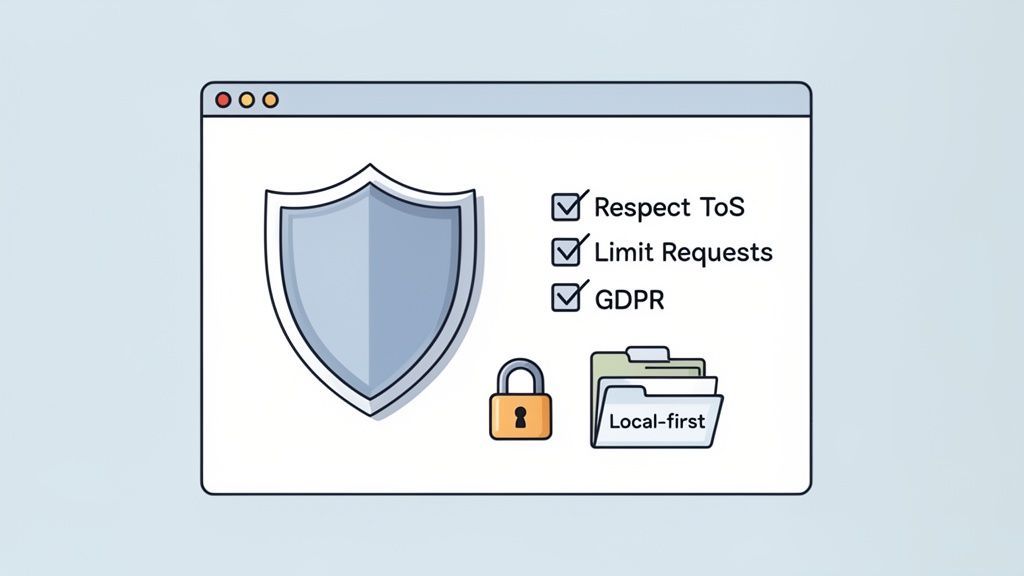
Using AI to scrape leads can make prospecting more efficient, but it should be done responsibly. That means respecting the websites you use as sources, handling data carefully, and staying aware of applicable laws, platform rules, and outreach requirements.
The goal is to collect publicly available business information in a practical, measured, and responsible way.
Respect the Source Website
A good rule is to treat source websites responsibly. Review their terms of service, avoid aggressive behavior that could strain their systems, and use the collected information appropriately.
Some core practices include:
- Check the
robots.txtfile: It helps indicate which areas of a site are intended for automated access restrictions. - Keep a reasonable pace: Avoid excessive request behavior that could disrupt the source website.
- Use data appropriately: Collected lead data should support relevant sales, recruiting, or research workflows rather than spam or misuse.
- Review before outreach: Do not blindly send campaigns to every scraped record. Filter for relevance first.
For a deeper discussion of the topic, see our guide on whether website scraping is legal.
Prioritize Data Privacy and Compliance
Privacy and compliance should be part of the workflow from the beginning. Tools that give users more control over how extracted data is stored can help reduce unnecessary exposure.
A local-first approach can simplify data handling by keeping extracted profiles under the user’s control instead of routing saved lead lists through an external cloud workflow by default.
ProfileSpider is designed around this principle. Saved profiles, lists, tags, and notes are stored locally in the browser’s local storage layer (IndexedDB), which gives users direct control over their lists, notes, and exports.
That does not remove the need to follow applicable laws, platform terms, and outreach rules, but it does give users tighter control over the data they collect and manage.
How to Improve Future Lead Scraping Campaigns
Lead scraping becomes more effective over time when you treat it as a feedback loop. If certain job titles, industries, company sizes, or sources consistently produce better results, those patterns can help refine which pages you target and which leads you prioritize in future campaigns.
One of the most effective ways to improve lead quality is to use CRM outcomes as feedback. If certain prospect profiles repeatedly convert into meetings, opportunities, customers, or hires, those signals can guide future source selection and qualification criteria.
For example, you may discover that conference speaker pages produce better replies than generic directories, or that founder-led companies in a specific niche convert better than large enterprise accounts. Those insights should influence your next scraping campaign.
This helps turn lead scraping from a one-time tactic into a system that improves with each campaign.
Turn Public Webpages Into Clean Lead Lists
AI lead scraping helps you move faster than manual prospecting. Instead of copying contacts one by one, you can extract structured profile data from directories, event pages, team pages, public profiles, and other lead sources in minutes.
The strongest workflow is simple: choose a relevant source, extract profiles, review the data, enrich missing fields, qualify the results, and export the list into your sales, recruiting, or marketing workflow.
Try it on your next lead source: open a directory, team page, event speaker list, or company website and use ProfileSpider to extract the visible leads into a clean list. Start free, review the extracted profiles, and export to CSV, Excel, or JSON when you are ready.