

B2B lead scraping is the process of collecting publicly available professional and company data from relevant web sources so teams can identify accounts, map decision-makers, and build targeted prospect lists faster. The real value is not simply collecting names. It is finding the right companies, the right roles, and the right context for sales, marketing, or recruiting outreach.
For B2B teams, that makes lead scraping less about raw volume and more about qualification. A useful B2B list should help you answer practical questions like: Which companies fit our market? Which stakeholders are likely involved? Which contacts belong in outreach first? This guide focuses on that workflow.
Why Generic Lead Collection Is Not Enough for B2B

In B2B, a list of random professional contacts is rarely useful on its own. Most outreach depends on account fit, role relevance, company context, and timing. That means the challenge is not just to collect contacts, but to collect contacts that make sense inside a business buying process.
Traditional approaches often fail here. Manual copy-paste workflows produce slow, inconsistent records, while generic scraping workflows can generate contact volume without helping teams identify which companies and stakeholders actually matter.
The B2B Problem Is Usually Qualification, Not Collection
A general lead list might contain thousands of names, but B2B teams usually need something narrower and more structured. They need to know:
- which companies fit the target segment
- which roles are relevant to the buying process
- which departments should be prioritized
- which stakeholders belong to the same account
Without that structure, list building becomes a volume exercise instead of a prospecting asset.
Why Manual Methods Break Down in B2B Workflows
Manual B2B prospecting usually means switching between LinkedIn, company websites, directories, spreadsheets, and CRM tabs. Even when the research is good, the process is too slow for teams that need to work across multiple accounts or campaigns.
Common weaknesses include:
- poor account context: you collect one contact but miss the wider stakeholder group
- inconsistent firmographic data: company size, industry, and website fields are not captured uniformly
- weak decision-maker targeting: titles are collected, but not prioritized
- delayed CRM readiness: the list still needs major cleanup before anyone can use it
In B2B, the most valuable lead list is not the biggest one. It is the list that helps your team identify the right accounts and the right people inside those accounts with the least amount of rework.
A Better Approach for B2B Teams
A modern B2B scraping workflow is designed to support qualification from the start. Instead of collecting contacts first and figuring out their relevance later, teams can scrape from sources that already contain useful business context, then organize those leads around account fit, role fit, and campaign goals.
This is where a tool like ProfileSpider is useful. It helps teams extract public profile data directly from relevant web pages and turn that into organized lead lists without needing a script-heavy workflow. For a closer comparison of browser-based collection and traditional scraper models, read our browser-based vs. scraper comparison.
Where the Best B2B Leads Usually Come From
Good B2B sourcing starts with choosing the right type of source. The strongest lead sources are usually the ones that already reveal something useful about the company, the person’s role, or the business context around them.
Company Team Pages and Leadership Pages
These are some of the best sources for B2B prospecting because they reveal organizational structure directly. Instead of finding one contact in isolation, you can often identify multiple stakeholders inside the same company.
This is especially useful for:
- account-based prospecting
- stakeholder mapping
- multi-threaded outreach
- department-level targeting
Professional Networks
Platforms like LinkedIn remain important because they make it possible to search by role, industry, location, and company attributes. For B2B prospecting, these filters are useful when the goal is role-based targeting across a segment.
The value is not just in finding one person. It is in repeatedly finding the same types of people across many target accounts.
Industry Directories and Review Platforms
Directories such as Clutch and similar category-specific sites can be useful because they often pre-group businesses by market, service type, or vertical. That makes them valuable for identifying account lists before going deeper into stakeholder discovery.
Conference, Webinar, and Event Pages
Speaker lists, sponsor pages, and event directories can be strong B2B sources because they surface companies and people actively participating in a market. These sources are useful when you want to build lists around industry relevance, thought leadership, or active commercial presence.
Niche Communities and Public Technical Hubs
Depending on the role you are targeting, public communities can help surface highly relevant professionals. For example, a technical recruiter might look at GitHub, while a specialist outreach campaign could draw from industry forums or curated membership pages.
The key is to match the source to the business objective rather than relying on one platform for every use case.
Choose Sources Based on the Buying Motion
The best source depends on what kind of B2B motion you are running:
- For outbound sales: target account pages, directories, and professional networks
- For recruiting: focus on public skill- or role-based communities
- For partner or co-marketing outreach: event pages, speaker lists, and niche industry ecosystems
- For ABM research: prioritize company pages and sources that reveal multiple stakeholders
A source is strong when it gives you useful business context, not just a large number of names.
How to Think About B2B Lead Quality Before You Scrape
In B2B, lead quality usually depends on qualification criteria that go beyond the individual person. Before scraping, it helps to define what “good” looks like at both the company level and the contact level.
Start With Firmographic Fit
Firmographic data is often the first layer of B2B qualification. Before targeting people, define the kinds of companies you actually want.
Common filters include:
- industry
- company size
- region
- business model
- technology stack
- service category or market segment
This keeps your lead scraping focused on accounts that have a realistic chance of fitting your offer.
Then Define Role Relevance
Once the account profile is clear, define the types of contacts you need inside those companies. For B2B outreach, not every job title matters equally. Some roles own budgets, some influence decisions, and some are end users or operational stakeholders.
Examples of role-based filters include:
- decision-makers: VP, Head, Director, Founder
- influencers: managers, functional leads, technical evaluators
- operational contacts: specialists, team leads, project owners
The more clearly this is defined in advance, the more useful the scraped list becomes later.
Map the Account, Not Just the Contact
One of the biggest advantages of B2B scraping is that it can reveal multiple stakeholders from the same company in one workflow. That matters because most B2B deals involve more than one person.
Rather than treating every lead as an isolated contact, a better workflow asks:
- Who owns the decision?
- Who influences it?
- Who sits closest to the operational problem?
- Which people belong to the same account?
This makes the output far more useful for account-based sales and more realistic outreach planning.
Comparing B2B Lead Collection Approaches
| Method | Company Context | Role Relevance | Scalability | Best For |
|---|---|---|---|---|
| Manual Prospecting | Often partial or inconsistent | Depends on manual review | Low | Small one-off research tasks |
| AI-Powered B2B Scraping | Can preserve account and source context | Better when paired with defined targeting rules | High | Structured account and stakeholder list building |
The point is not just automation. It is better alignment between the lead data you collect and the B2B decisions you need to support.
Putting B2B Scraping into Action
Once you know which accounts and roles matter, the workflow becomes much more practical. The objective is to extract relevant company and contact data from source pages, then organize it in a way that supports follow-up, qualification, and routing.
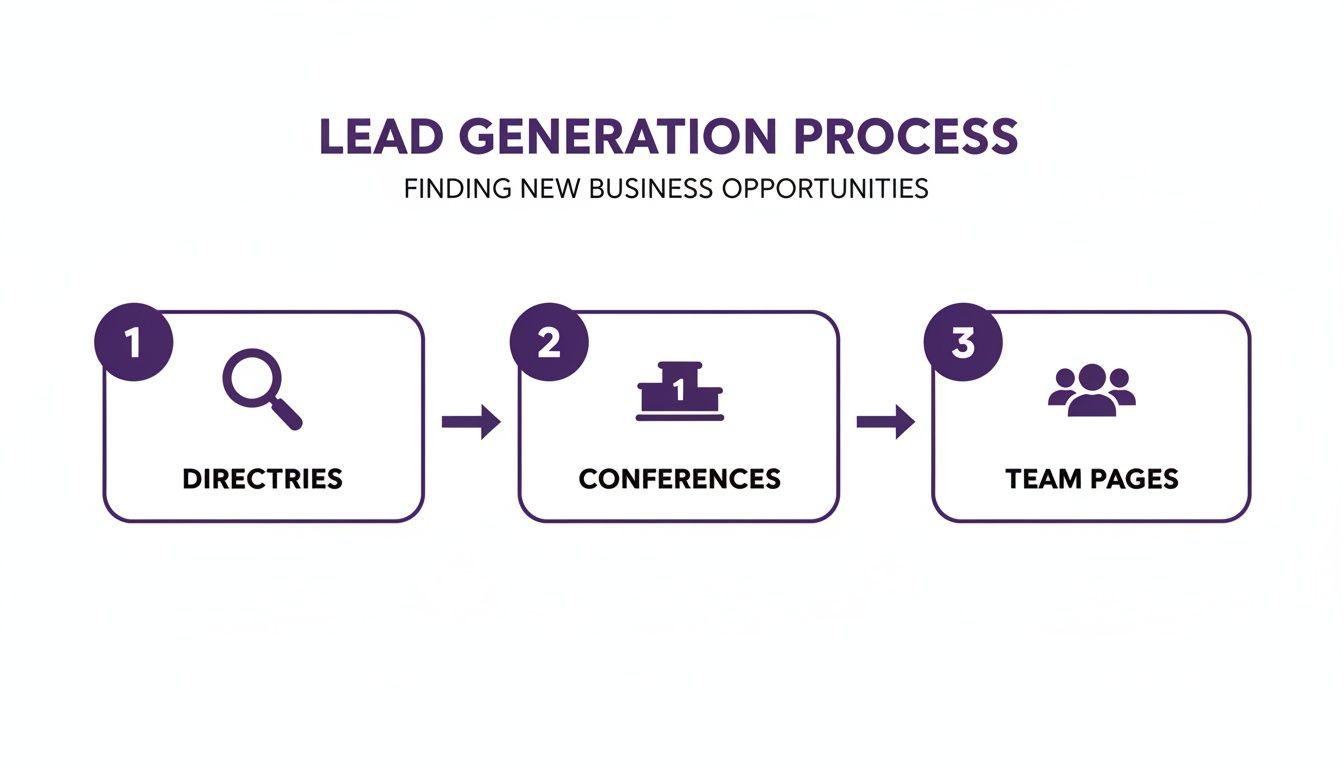
This image still fits the section because the article continues to focus on the same kinds of B2B lead sources: directories, event pages, and company team pages.
A Practical B2B Workflow
A typical workflow looks like this:
- Choose a target source based on account fit or role fit
- Extract public profile and company data into a working list
- Group leads by account, campaign, or segment
- Tag stakeholders by relevance such as decision-maker, influencer, or recruiter target
- Review for duplicates and missing context
- Export only the fields needed for CRM, ATS, or outreach workflows
This is where a no-code browser tool helps reduce the friction. Instead of opening each profile manually or building scripts, a user can capture structured data directly from the relevant page and immediately start organizing it.
Use Lists That Reflect the B2B Motion
A generic export file is rarely enough. In B2B, it is usually better to organize lead lists around real commercial use cases, for example:
- ABM – FinTech Priority Accounts
- Q4 SaaS Decision-Makers
- Target Agencies – Partnerships
- Healthcare IT Buyer Committee
This turns scraping into a qualification workflow instead of a one-time data dump.
Tag the Stakeholders Before Export
Where possible, apply tags that preserve the role each lead plays inside the account or workflow. Useful examples include:
#decision-maker#influencer#technical-evaluator#founder#priority-account#event-source
That kind of structure makes the downstream CRM or outreach workflow more usable because the account context does not disappear after export.
Turning B2B Lead Data Into a Usable Prospecting Asset
Once the data is collected, the next challenge is making it useful. In B2B, the value of a list increases when the data is organized around how the team actually works.
Enrich the Leads That Matter Most
Not every scraped contact needs the same level of enrichment. In many B2B workflows, it makes more sense to prioritize the highest-fit accounts or the most important stakeholders first.
For example, if a list includes 200 contacts but only 40 belong to strong-fit accounts, those are often the best candidates for deeper enrichment or closer review.
If you are evaluating tools for that next layer, see our guide to the best data enrichment tools.
Keep the Data Structured by Account
Many B2B workflows become weaker after export because company-level context is lost. If several contacts belong to the same account, that relationship should remain visible in the data. Company name, website, source page, and segment labels all help preserve that structure.
Good B2B lead management is about making the list usable for account-level decisions, not just person-level outreach.
Prepare the Data for CRM or ATS Use
Before import, decide which fields actually matter for the downstream system. Typical export fields include:
- full name
- job title
- company name
- company domain
- LinkedIn URL or public profile URL
- source list
- stakeholder tag
The goal is to export records that are clean, structured, and already useful for routing or outreach.
Getting Scraped B2B Leads Into Your Workflow
Scraped B2B lead data becomes valuable when it enters the systems your team already uses, whether that is a CRM, outreach platform, spreadsheet workflow, or ATS.
Choose the Right Export Format
The most common options are:
- CSV: useful for CRM and spreadsheet workflows
- Excel: useful for review, filtering, and collaboration
- JSON: useful for technical integrations or custom workflows
In most B2B use cases, CSV or Excel will be enough.
Match the Export to the Destination
If the next step is CRM import, include only the fields needed for account and contact creation. If the next step is recruiting or outreach, the export may be simpler. The important part is that the destination still receives enough business context to make the list useful.
That means preserving things like:
- source type
- account segment
- stakeholder role
- campaign grouping
When that structure is preserved, the receiving team does not need to reconstruct the logic behind the list later.
Best Practices for Ethical B2B Scraping
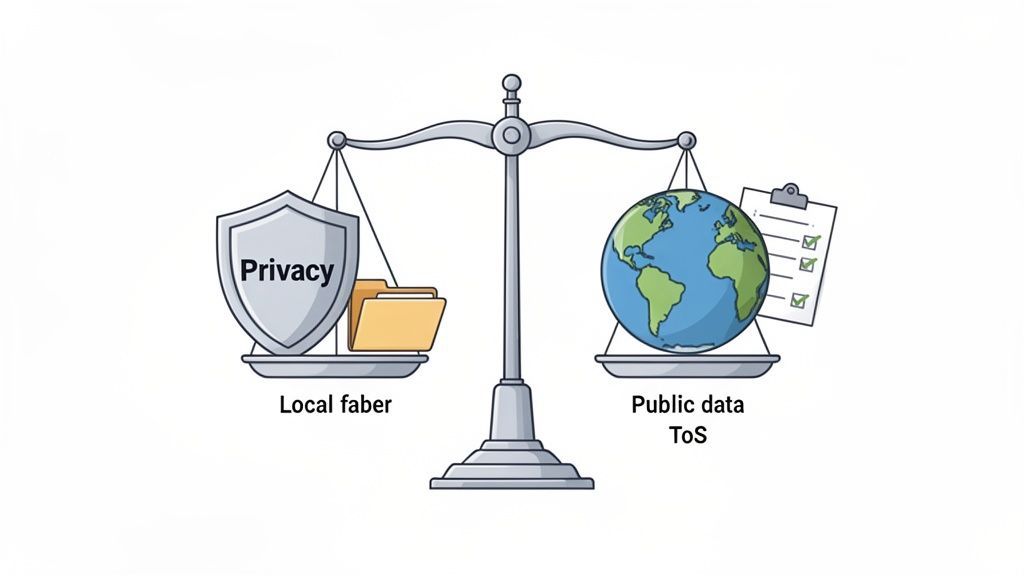
This image still fits well because the section remains focused on the balance between public professional data, privacy, and platform rules.
Ethical B2B scraping starts with a simple principle: collect only publicly available professional information that is relevant to a legitimate business workflow. The goal is to support sales, recruiting, or marketing activity without drifting into private or sensitive territory.
Stay Focused on Public Professional Data
Examples of acceptable professional data often include:
- name
- job title
- company
- public company page details
- professional profile links
- publicly listed business contact information
The workflow should not rely on bypassing login restrictions, scraping private areas, or collecting sensitive personal information.
Respect Source Websites and Platform Rules
Review relevant platform terms where appropriate, avoid aggressive behavior, and stay aware of the source website’s expectations around automated access. For a deeper discussion, read our guide on the legalities of website scraping.
Use a Privacy-Aware Tooling Model
A local-first workflow can help reduce unnecessary exposure during collection. With ProfileSpider, extracted lead data is stored locally in the browser rather than being routed automatically through a cloud-based storage layer.
That does not remove legal obligations, but it does give teams more direct control over how collected data is managed, reviewed, and exported.