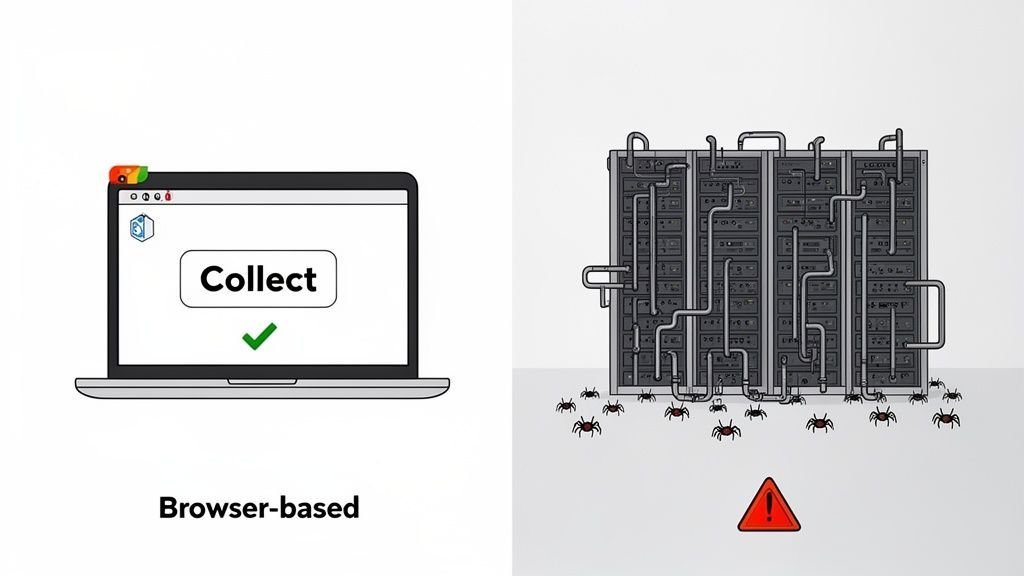
The difference between browser-based lead collection and traditional scrapers comes down to this: browser-based tools are like a skilled surgeon, operating locally on your machine for targeted, compliant data extraction. Traditional scrapers, on the other hand, are like a dragnet, built for massive, automated data harvesting from remote servers.
Your choice depends on your goal—building a high-quality, precise list for outreach or conducting large-scale market analysis. For sales, recruiting, and marketing professionals, understanding this distinction is key to building an efficient and effective lead generation process.
This article is part of our broader guide to lead scraping. If you want the complete end-to-end workflow—including lead sources, scraping methods, enrichment, data quality, CRM activation, and compliance—see: Lead Scraping Guide: How to Scrape, Enrich, and Convert Leads at Scale.
Choosing Your Data Strategy: Browser-Based Tools vs. Scrapers
For anyone in sales, recruiting, or marketing, selecting a data collection method is a strategic decision, not just a technical one. The debate between browser-based tools and traditional scrapers highlights two different philosophies for building lead lists and gathering intelligence.
Traditional web scrapers are workhorses built for sheer volume. They operate from remote servers, deploying automated bots to parse the raw HTML of countless pages. This approach is powerful for gathering anonymous market data, tracking competitor pricing, or feeding large datasets into AI models. However, it almost always requires significant technical oversight—developers to write and maintain scripts, and complex proxy networks to avoid being blocked.
In contrast, modern browser-based tools represent a shift toward precision and ease of use. A no-code browser extension like ProfileSpider works directly inside your browser, viewing a website exactly as you do. This "local-first" method offers critical advantages for business professionals:
- It’s Simple: It turns data extraction into a one-click workflow, eliminating the need for coding.
- It’s Accurate: It captures data from the fully rendered page, avoiding errors common with scrapers on dynamic, JavaScript-heavy sites.
- It’s Compliant: All data is processed and stored on your own computer, reducing the privacy risks associated with third-party servers.
Before committing to a method, it’s helpful to understand the fundamentals of how to find email addresses online. This context makes it easier to appreciate the differences between these tools. As you weigh your options, exploring the landscape of available lead scraping software can provide a clearer picture.
At-a-Glance Comparison: Browser-Based Extractor vs. Traditional Scraper
To simplify the choice, here’s a quick breakdown of how these two approaches stack up in real-world scenarios.
| Criterion | Browser-Based Extractor | Traditional Web Scraper |
|---|---|---|
| Primary Use Case | Targeted lead generation, recruiting, sales prospecting | Large-scale market research, price monitoring, data aggregation |
| Technical Skill | No-code, one-click operation | Requires developers and ongoing maintenance |
| Operational Mode | Runs locally in your browser | Runs on remote servers (cloud-based) |
| Data Privacy | High (data stays on your machine) | Lower (data processed on third-party servers) |
| Accuracy | Very high on dynamic, complex websites | Can struggle with JavaScript-heavy pages |
| Cost Structure | Predictable subscription or credit-based model | High total cost (developers, proxies, maintenance) |
Ultimately, the right tool depends on your specific goals, team skills, and budget. One is designed for surgical precision for sales and outreach; the other is built for industrial-scale data harvesting for market intelligence.
How They Work: The Technical and Workflow Differences
To understand the practical difference between browser-based lead collection and traditional scrapers, you have to look at their core mechanics. Their operational methods are worlds apart, affecting everything from your team's efficiency to your budget. These aren't just different tools; they are fundamentally different approaches to gathering information.
A traditional web scraper is an automated bot running on a remote server. Its job is to send a request to a website, receive the raw HTML code, and parse that code to find specific information. This server-side approach is built for collecting massive amounts of data, but it creates significant challenges for lead generation:
- IP Blocks: Websites can easily detect a flood of requests from a single server IP, flagging it as a bot and blocking access.
- CAPTCHA Walls: To stop automated bots, sites use CAPTCHAs, which are designed to halt scripts in their tracks.
- Dynamic Content Problem: Modern websites use JavaScript to load content as you scroll or interact. A basic scraper that only reads the initial HTML will miss this crucial data, resulting in incomplete profiles.
This technical complexity is why server-side scraping remains in the hands of developers. It requires constant script maintenance, expensive rotating proxies to avoid IP bans, and CAPTCHA-solving services, creating a significant operational burden.
The Modern Browser-Based Workflow
Now, consider a browser-based tool like ProfileSpider. It operates on a completely different principle. Instead of sending requests from an anonymous server, it functions as an extension within your own web browser. For any sales, recruiting, or marketing professional who isn't a coder, this is a game-changer.
The tool works with your existing, logged-in session on a site like LinkedIn. Since you are logged in as a real, authenticated user, the website displays the fully loaded, dynamic page—exactly what you see on your screen. The extension then intelligently scans this visible content, not the raw code, to identify and extract profile information.
This approach neatly solves the major problems of traditional scraping:
- It uses your own user session, so there is no suspicious server activity, dramatically reducing the risk of being flagged or blocked.
- It sees the final, rendered page, ensuring it captures all dynamically loaded data with high accuracy.
- It requires zero technical setup. No proxies to manage, no servers to maintain, and no code to write.
This simple shift transforms a complex engineering task into a one-click workflow. You navigate to a page, click a button, and the AI extracts the structured data you need. If you're new to this concept, a guide on automating web scraping with no-code tools is a great starting point. The browser-based workflow is built for business outcomes, not engineering projects, making it a perfect fit for professionals who need quality leads without the technical overhead.
Data Accuracy and Lead Quality: Why It Matters
For anyone in sales or recruiting, lead quality is everything. A contact list filled with inaccurate data is more than an annoyance; it’s a direct hit to your bottom line, leading to bounced emails, wasted calls, and missed opportunities. This is where the difference between browser-based collection and traditional scrapers becomes crystal clear.
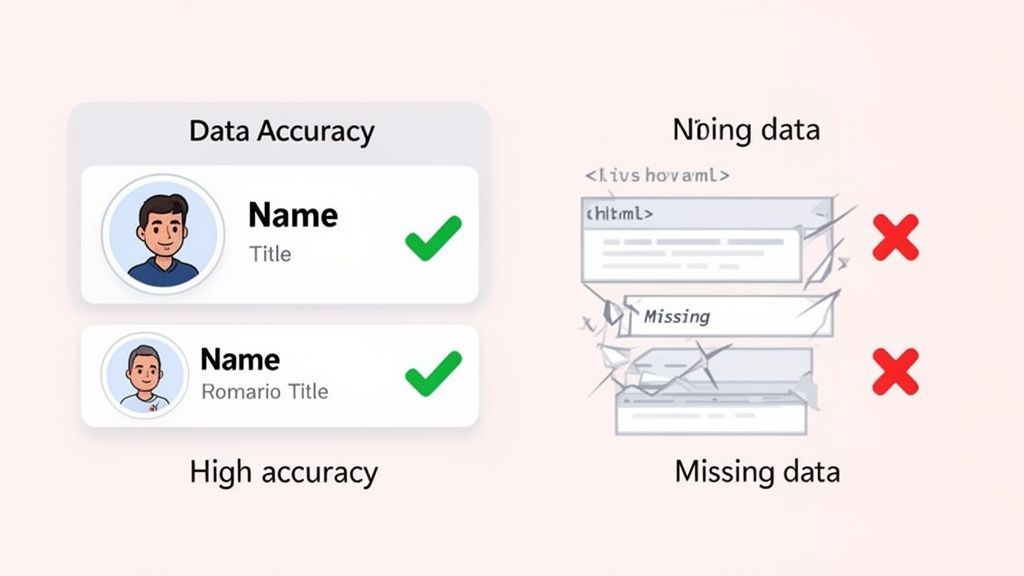
Traditional scrapers operate from the server-side, parsing a website's raw HTML. While this works for simple, static websites, it fails on the modern, dynamic platforms where your best leads are found. Sites like LinkedIn, industry directories, and interactive company pages all rely heavily on JavaScript to load content as you scroll and interact.
A server-side scraper often misses this dynamic content. It might capture a name but fail to extract the job title that appears a second later. It may not pull contact details hidden behind a "show info" button. The result is a dataset full of gaps, forcing your team to waste valuable time manually cleaning and completing profiles.
The Browser-Based Advantage in Data Fidelity
This is precisely the problem that browser-based tools like ProfileSpider were designed to solve. Because they operate as an extension inside your browser, they see the webpage exactly as you do: fully rendered, interactive, and complete.
This method ensures that all JavaScript has finished executing and every piece of dynamic content is visible before the tool begins its work. The AI analyzes the final visual layout of the page to identify and extract the data that matters.
- Names and Titles: It extracts exactly what is displayed, avoiding errors from messy source code.
- Contact Details: It captures information from pop-ups or interactive elements that traditional scrapers cannot see.
- Company Information: It pulls accurate firmographics from fully loaded company profiles.
The key takeaway is simple: browser-based tools process the final version of a webpage, not the initial blueprint. This results in near-perfect data extraction, ensuring the leads you collect are immediately usable for outreach campaigns.
This difference has a huge impact. As more websites rely on client-side rendering, AI-powered, browser-based methods deliver far superior results. Reported accuracy rates for these tools on JavaScript-heavy sites can reach 99%. This is a world away from simple scrapers that don't execute page scripts. The tradeoff is clear: large-scale cloud scrapers offer volume at the cost of accuracy, while browser-based tools provide unmatched rendering fidelity, making them ideal for prospecting where every lead must be correct.
Mitigating Outdated and Incomplete Data
Another challenge to lead quality is outdated information. Traditional scraping often pulls from cached page versions, and their enrichment processes can be unreliable. This is why you might end up with leads who left their job six months ago. We wrote a guide explaining why enrichment APIs often return outdated leads.
Because browser-based tools capture data in real-time from a live webpage, you are guaranteed to get the most current information available. When you’re building a reliable pipeline, knowing how to evaluate information sources is crucial. By working with the live, rendered version of a site, browser-based tools provide a foundation of trust for all your sales and recruiting efforts.
Privacy, Security, and Compliance Considerations
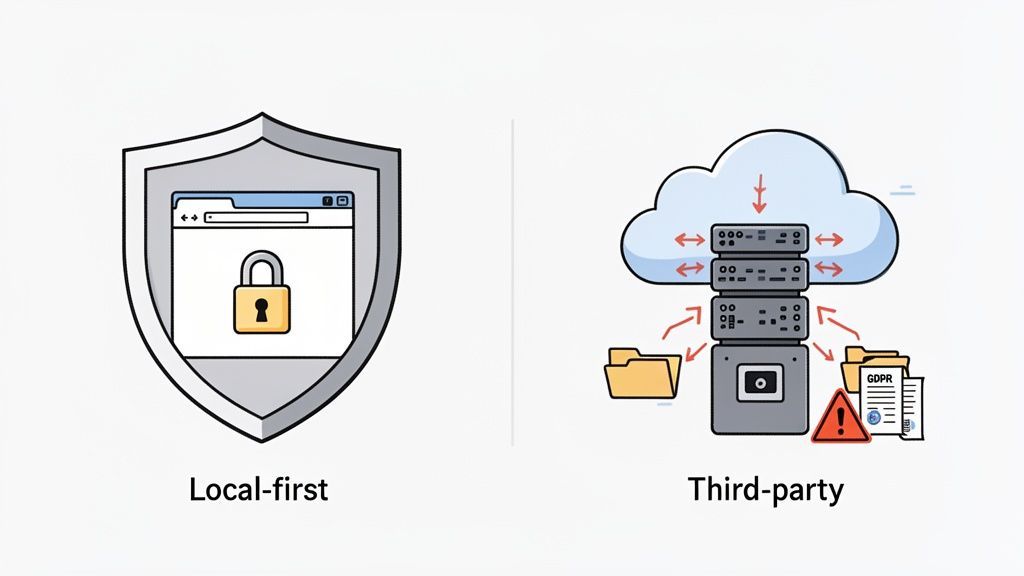
When gathering contact information for sales or recruiting, privacy is not just a checkbox—it's a major business risk. How your tool handles Personally Identifiable Information (PII) is directly linked to your compliance with regulations like GDPR and CCPA. This is one of the biggest dividing lines between browser-based tools and traditional scrapers.
Traditional web scrapers almost always operate on a server-side model. When you initiate a scraping job, data travels from the target website to a third-party server for processing before it reaches your computer. This immediately introduces a security vulnerability. Your prospect data—names, emails, work history—sits on infrastructure you don't control, creating a potential compliance nightmare.
The Server-Side Data Liability
Sending PII to a third-party server complicates your data governance strategy. You become responsible for the security practices of a vendor. If their servers are breached, it’s your data that’s exposed, potentially leading to significant fines and damage to your reputation. This model forces you to place a great deal of trust in someone else's security measures.
For anyone handling sensitive contact information, understanding the legalities is non-negotiable. We break down many of these nuances in our guide on whether website scraping is legal. The core problem remains: routing data through external servers creates a chain-of-custody risk.
The moment lead data leaves your local machine, you lose direct control. This fundamental privacy gap is pushing many organizations away from traditional scraping, especially for workflows involving sensitive PII.
Embracing a Local-First Privacy Model
Modern browser-based tools like ProfileSpider are built differently, using a "local-first" privacy model. This approach completely avoids the third-party server risk. When you extract a profile, all processing and storage happen within your own browser's secure environment.
The security guarantee is simple yet powerful: your data never leaves your machine.
- 100% Data Control: You are the sole custodian of the information you collect. It is stored in your browser's local database and never uploaded to an external cloud.
- Reduced Compliance Burden: By keeping PII on your device, you significantly reduce your compliance surface area under GDPR and CCPA.
- Enhanced Security: The data is protected by your own system's security, eliminating the risk of a third-party data breach.
This privacy-first approach is becoming the standard that regulators and customers expect. From a compliance perspective, tools that keep extracted data in the user’s browser reduce the legal complexities of third-party cloud storage. This is a significant advantage for sales and recruiting teams, allowing them to collect leads confidently and ethically.
Cost, Scale, and Operational Efficiency
When comparing a browser-based tool to a traditional scraper, the conversation often turns to cost and scale. However, looking only at a monthly subscription fee is like judging an iceberg by its tip. The real story lies in the Total Cost of Ownership (TCO) and the daily operational workload each method imposes on your team.
Traditional web scrapers may seem scalable, but they come with a long chain of hidden costs. These server-side systems are resource-intensive and require a technical team to keep them running.
The Hidden Price Tag of Traditional Scraping
The financial reality of traditional scraping is complex and unpredictable. The initial software license is just the beginning. To run a scraper for any serious lead generation, you need to budget for much more:
- Developer Salaries: You need skilled engineers to write, debug, and constantly update scripts every time a target website changes its layout.
- Proxy Management: To avoid having your IP address banned, you need a large pool of residential or rotating proxies, which can cost hundreds or even thousands of dollars per month.
- CAPTCHA-Solving Services: As more sites implement anti-bot measures, you will find yourself paying recurring fees to third-party services just to solve CAPTCHAs.
- Server & Infrastructure Costs: Running scrapers 24/7 means paying for cloud hosting. As your data needs grow, so does this bill, often unpredictably.
This all adds up to a massive operational headache. Your team's focus shifts from finding leads to managing a complex tech stack. For sales, recruiting, and marketing professionals, this is a distraction from their core responsibilities.
The real cost of traditional scraping isn't just financial. It's the operational drag. It turns a simple lead generation task into a never-ending engineering project filled with maintenance and troubleshooting.
The Simpler Path with Browser-Based Tools
Browser-based tools like ProfileSpider offer a different, more transparent cost structure. Because they run locally on your machine, they don't require the expensive infrastructure that makes traditional scrapers so burdensome. This makes them a more sensible and cost-effective choice for professionals who need to find targeted leads.
The commercial web-scraping market is a billion-dollar industry for a reason—it’s fueled by a constant battle between scrapers and websites. With nearly half of all enterprise sites now using sophisticated anti-bot defenses like CAPTCHAs and device fingerprinting, traditional scrapers are trapped in an expensive arms race. They are forced to buy costly proxies and navigate a minefield of compliance issues.
In contrast, browser-based tools that operate in a real user environment bypass most of these blockers, keep your data local, and eliminate the need for an expensive proxy fleet. You can explore these industry trends in the 2025 state of web scraping report.
Breaking Down Scale and Cost-Effectiveness
This brings us to a crucial difference in how each approach scales. Traditional scrapers are built for volume scalability—scraping millions of anonymous data points from across the web. But that scale comes at a high operational cost for every page you process.
Browser-based tools, on the other hand, are designed for workflow scalability. They empower one person to efficiently collect thousands of high-quality, targeted leads without any technical drama. The cost is tied directly to usage (e.g., credits per page processed), which keeps everything predictable and under control.
A Quick Cost-Benefit Breakdown
| Cost Factor | Traditional Scraper | Browser-Based Tool (e.g., ProfileSpider) |
|---|---|---|
| Primary Expense | Developer salaries, proxies, servers | A predictable subscription or credit plan |
| Infrastructure | Needs dedicated servers and proxy networks | None; runs on your computer |
| Maintenance | Constant script updates and troubleshooting | Handled by the tool's provider |
| Operational Burden | High; requires a dedicated technical team | Low; built for non-technical users |
If your goal is to build a targeted list of 5,000 qualified prospects, not scrape 5 million random product pages, the browser-based model is far more cost-effective. It removes the financial and operational barriers, allowing sales and recruiting professionals to focus on what they do best: connecting with great leads.
Matching the Right Tool to Your Business Goal
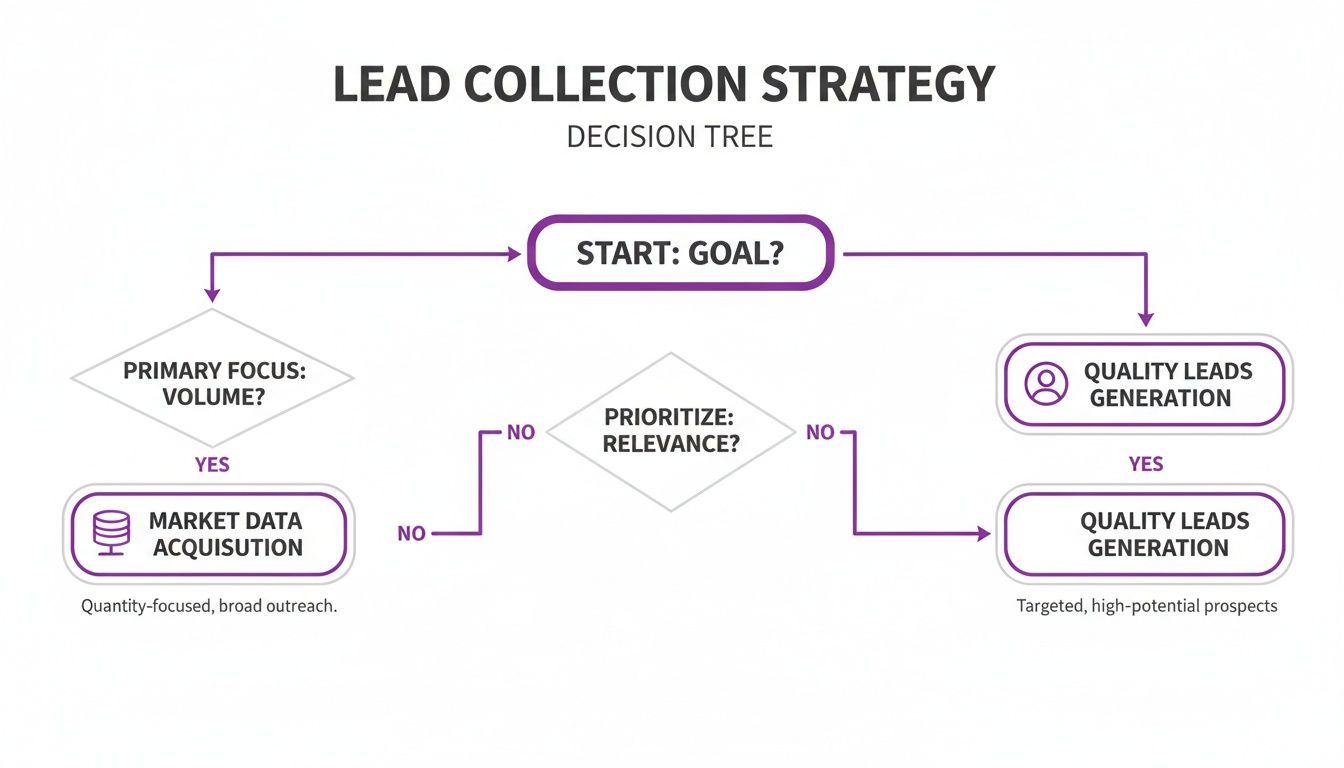
Deciding between a browser-based extractor and a traditional scraper is a business decision, not just a technical one. The right tool depends on your end goal, your budget, and the type of data you need. One approach delivers massive, anonymous datasets, while the other provides surgical, high-quality contact lists ready for immediate outreach.
Your decision should be guided by a single question: are you conducting broad market research, or are you building a precise list of decision-makers for a sales campaign? Once you answer that, the choice becomes clear.
When to Use Traditional Scrapers
Traditional, server-side scrapers are the heavyweights for large-scale, anonymous data harvesting. Their ability to operate at a massive scale makes them the go-to solution for specific, data-intensive tasks where the volume of information is more important than any single data point.
A traditional scraper is the right choice if your primary goal is:
- Market Research: Gathering thousands of product listings, pricing data, or public reviews from across the web.
- AI Model Training: Collecting large, unstructured text or image datasets to feed machine learning algorithms.
- Price Monitoring: Continuously tracking competitor prices on e-commerce sites to inform your strategy.
For these jobs, the operational complexity and cost are justified because you need data in bulk. The focus is on quantity, not the quality of individual profiles.
Why Browser-Based Extractors Are the Modern Choice for Leads
For anyone in sales, recruiting, marketing, or research, the objective is different. Success is not measured in terabytes; it's measured by the quality and accuracy of a targeted contact list. This is where browser-based tools have a clear and decisive advantage.
For any workflow that prioritizes accuracy, privacy, and simplicity, a one-click, local-first browser extension like ProfileSpider is the superior modern solution for building valuable lead lists. It's built for professionals who need actionable intelligence, not just raw data.
A browser-based tool like ProfileSpider is the ideal choice when your objective is more specific:
- Targeted Sales Prospecting: Building a clean list of decision-makers from a particular industry or company.
- Recruiting and Sourcing: Finding and collecting profiles of qualified candidates from professional networks.
- Building a CRM Database: Quickly populating your CRM with accurate and complete contact information.
This method prioritizes data quality and user privacy, ensuring the leads you collect are both reliable and gathered responsibly. By removing the technical barriers and high costs of traditional scraping, modern browser tools allow business professionals to focus on what they do best: connecting with people.
Which Data Collection Tool Is Right For You?
Still undecided? Your daily tasks and ultimate goal are the best guide. This table breaks down common professional scenarios to help you choose the right approach.
| Your Primary Goal | Recommended Approach | Key Reason |
|---|---|---|
| Build a Targeted Sales or Recruiting List | Browser-Based Extractor | Delivers high-accuracy, compliant leads with a simple, no-code workflow. |
| Gather Large-Scale Anonymous Data | Traditional Web Scraper | Optimized for massive data volume needed for market research or AI training. |
| Ensure Maximum Data Privacy and Control | Browser-Based Extractor | The local-first model keeps all sensitive data securely on your machine. |
| Avoid Technical Overhead and Hidden Costs | Browser-Based Extractor | Eliminates the need for developers, proxies, and server maintenance. |
Ultimately, the best tool is the one that aligns with your specific mission. For targeted, human-centric outreach, a browser-based extractor is the clear winner. For vast, impersonal data lakes, traditional scrapers still have their place.