


Lead list maintenance isn’t a one-off chore—it’s an ongoing commitment to keeping your contacts accurate, relevant, and organized. Think of it as the backbone of your revenue engine: clean data fuels better campaigns, higher response rates, and happier teams. When your lead list is healthy, your sales and marketing efforts can finally operate at peak efficiency.
The High Cost Of Ignoring Your Lead List
That trusty spreadsheet you’ve been guarding? It’s leaking value every single day. When contact details go stale, you’re not just dealing with an administrative annoyance—you’re watching potential revenue slip through your fingers. Research shows B2B data decays at a rate of over 20% per year, meaning a quarter of your list could be out of date within months.
Real-World Consequences Of Data Decay
When data hygiene falls by the wayside, it sparks a chain reaction of wasted time, money, and morale. These are common, preventable problems that directly impact business growth:
- Damaged Sender Reputation: Every bounced email chips away at your sender score. A simple way to avoid this is to verify emails and protect your sender score before you hit send.
- Wasted Ad Spend: Your ad dollars vanish into thin air when campaigns target contacts who have left the company or switched roles.
- Sales Team Burnout: Imagine your sales reps spending their day dialing dead-end numbers or chasing inboxes that simply don’t exist anymore. It’s disheartening and deeply unproductive.
- Missed Opportunities: Recruiters can’t connect with top-tier candidates and sales professionals miss out on ideal prospects when their contact info is outdated.
Common Pitfall: A B2B SaaS team once sent a product announcement to their full list, only to find 40% of the contacts had moved on. The result? A failed launch, wasted marketing budget, and a deflated team.
Shifting From Reactive Cleanup To Proactive Hygiene
Scrubbing your list once a year won’t cut it anymore. High-performing teams build systems that guard data integrity from the very first touchpoint. Here’s what that looks like in practice:
- Integrate validation tools at form submission points
- Automate deduplication and enrichment workflows
- Tag new leads immediately based on firmographics and behavior
- Run routine compliance and privacy audits
By embedding these checks into your daily processes, you prevent bad data from ever polluting your CRM. When your team can trust the accuracy of each record, outreach efficiency skyrockets—no more wasted calls, no more missed deals. Mastering this proactive approach is what separates the best from the rest.
Time for a Foundational Lead List Health Audit
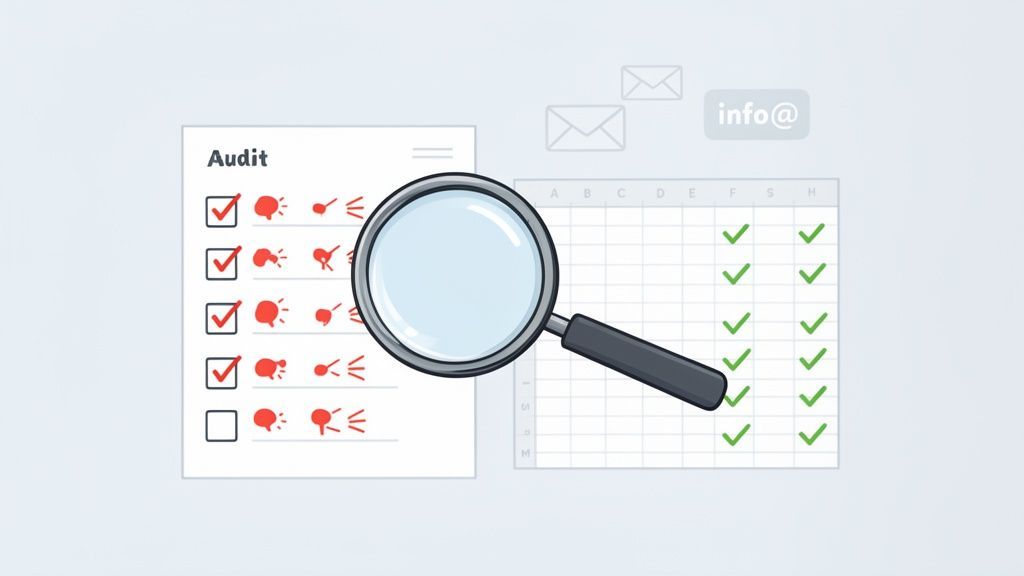
Before you can fix anything, you have to know what's broken. Trying to clean up a lead list without first running a full diagnostic is like a mechanic swapping out engine parts at random. A proper health audit is your diagnostic tool—it gives you a clear, data-backed baseline that will steer your entire lead list maintenance strategy. This isn't just about glancing at bounce rates; it's a comprehensive review to uncover the subtle issues torpedoing your outreach.
Identifying The Usual Suspects: Common Data Issues
Your first move is to hunt for the most common culprits of data decay. Poor data quality is a silent killer for businesses, and with around 40% of professionals changing jobs annually, a once-solid list can quickly become a ghost town.
To get started, use this checklist to spot the symptoms:
- High Email Bounce Rates: This is your canary in the coal mine. If your hard bounce rate is creeping over 2-3%, you've got serious data rot.
- Inconsistent Formatting: Scan for messy data. Job titles like "VP Sales," "Sales VP," and "Vice President of Sales" all mean the same thing but wreak havoc on segmentation. The same goes for company names ("Acme Inc.," "Acme," "Acme Corporation") and jumbled location data.
- Missing Critical Data: What percentage of your leads are missing a phone number, job title, or company size? These gaps make real personalization impossible.
- Generic Email Addresses: A list littered with
info@,contact@, orsales@addresses is a sure sign of low-quality lead sources. - Low Engagement Metrics: Pull a list of contacts who haven't opened an email or clicked a link in the last 6-12 months. These "ghost" leads take up space and drag down your metrics.
Establishing Your Data Quality Baseline
Once you’ve spotted these issues, it's time to quantify them. Don’t just settle for, "Yeah, we have some bad data." Create a simple report that puts hard numbers to your observations. This baseline is your starting line; it’s how you'll measure the success of all your cleanup efforts.
Pro Tip: Create a "Data Completeness Score." For instance, if a "complete" record needs a name, email, job title, and company, what percentage of your list meets that standard? Your goal should be to increase this score with every maintenance cycle.
Your audit might reveal that 30% of your contacts have outdated job titles or that 15% are duplicates. Don't see this as a failure—it's a treasure map showing you exactly where to dig. Getting a handle on typical Apollo lead data accuracy problems and similar issues is a common challenge, but having a clear picture is the first step to fixing it.
From Diagnosis to Action Plan
With your baseline in hand, you can build a targeted action plan. The audit naturally points you toward a prioritized to-do list. For example, if a high bounce rate is your biggest headache, then email verification shoots to the top of your list. If inconsistent job titles are messing up your segmentation, data standardization becomes your priority.
This diagnostic phase is the most crucial step in the process. It turns an overwhelming spreadsheet into a series of clear, manageable tasks, each tied to a specific, measurable outcome. You’re no longer just "cleaning a list"—you're strategically restoring a valuable business asset.
Cleaning and Deduplicating Data Without Losing Your Mind
After auditing your list, it's time to roll up your sleeves and clean it. This is where many teams get bogged down by falling back on the traditional method: manually combing through spreadsheets. Let's be honest, trying to clean thousands of contacts by hand is slow, tedious, and guarantees human error. One wrong filter or misplaced copy-paste can corrupt good data, making the problem even worse.
A Smarter Workflow for Data Hygiene
Instead of brute-forcing it in Excel, a modern, tool-assisted approach breaks the process into manageable steps. This strategy not only saves time but also delivers far more accurate results, forming a critical part of any effective lead list maintenance plan.
Your first move should be to attack the most damaging issues your audit uncovered:
- Remove Hard Bounces Immediately: These are dead ends. They're invalid email addresses that will never convert and actively harm your sender reputation. Get them out.
- Correct Invalid Formatting: Scan for obvious errors—emails missing the "@" symbol, phone numbers with the wrong number of digits, or malformed website URLs.
- Flag Inactive Contacts: Find contacts who haven't engaged in over a year. You don't have to delete them, but they should be moved to a "re-engagement" or "archive" list so they stop skewing your active campaign metrics.
Contact data gets stale fast, and its decay directly impacts sales and marketing effectiveness, wasting budget and tanking morale.
Lead Data Decay Rates and Business Impact
| Data Point | Annual Decay Rate | Primary Business Impact |
|---|---|---|
| Email Address | 37% | Sky-high bounce rates, damaged sender reputation. |
| Phone Number | 30% | Wasted time for sales reps, missed connection opportunities. |
| Job Title/Role | 65.8% | Irrelevant messaging, personalization failures, lost deals. |
| Company Change | 34.2% | Outreach to the wrong company, missed upsell/cross-sell signals. |
The numbers don't lie. Without a plan, you're fighting a losing battle. This is why standardizing your fields and handling duplicates proactively is non-negotiable.
Standardizing Data Fields for Consistency
Inconsistent data is the silent killer of good segmentation. If "VP of Sales," "Sales VP," and "Vice President, Sales" are treated as different job titles, you can't reliably target the decision-makers you need. Standardization is all about creating a uniform format for key data fields. For instance, decide that all job titles will be written out in full (e.g., "Vice President" instead of "VP") and all state names will use the two-letter abbreviation. This ensures your data is clean, organized, and ready for precision targeting. If you're curious about how this fits into a larger strategy, you can explore some of the best contact management software on the market.
Merging Duplicates Without Losing Context
Duplicates are more than an annoyance—they shatter your view of a lead. Imagine a sales rep reaching out to a prospect, unaware that a marketing colleague had a great interaction with that same person (under a duplicate record) last week. The goal isn't just to delete duplicates but to merge them intelligently, preserving the complete interaction history. A good deduplication tool will let you:
- Identify duplicates using multiple criteria (like email, or name + company).
- Choose a "master" record to keep.
- Merge the activity history, notes, and tags into that master record.
A proactive approach is always better. Instead of cleaning duplicates after they're in your system, stop them from getting there in the first place.
This is where a tool built for clean data capture really shines. When you use a modern profile scraper like ProfileSpider, for example, its local-first design automatically flags potential duplicates as you extract them. If you scrape a profile that already exists in one of your lists, it tells you right away. This simple feature lets you manage duplicates at the point of entry, ensuring only clean, unique data makes it into your CRM and saving your team from massive cleanup headaches.
Enriching and Segmenting for Smarter Outreach
Getting your list clean is a huge first step, but the real magic happens when you strategically enrich and segment it. This is where a simple contact list transforms into a powerhouse business asset. You're turning basic data into actionable intelligence, fueling campaigns that are hyper-personalized and far more effective. Without this step, even the cleanest list is just a collection of names and emails. Enrichment adds the why, and segmentation tells you who to talk to and what to say.
Filling in the Gaps with Data Enrichment
Data enrichment is the process of adding missing information to your lead records. You might have a name and an email, but what about a direct-dial phone number, a professional profile link, or firmographic data like company size and industry? These details are the key to unlocking true personalization.
The traditional method for this was painful: find a prospect, open a dozen tabs to hunt for their details, and painstakingly copy-paste everything back into your spreadsheet. It was slow, tedious, and a recipe for errors.
Modern, no-code tools solve this problem. Take ProfileSpider's 'Enrich' feature, for instance. It was built for this exact workflow. If you have a list of profiles missing key info, you just visit their profile pages. The extension then automatically finds and fills in the blanks—emails, phone numbers, social links—with a single click. No more manual data entry.
Here's what that looks like in action. ProfileSpider neatly organizes all the extracted profile data, ready for you to manage and export.
This visual approach lets you see what you have, tag contacts on the fly, and manage your lists right inside your browser.
Moving Beyond Basic Demographics
Once your data is complete, it's time to segment it. Many teams stop at the basics—grouping by job title or industry. That’s a decent start, but it's only scratching the surface. To create campaigns that genuinely connect, you must segment based on more nuanced criteria to solve specific problems for specific groups of people.
The goal of advanced segmentation isn't just to group similar people. It's to group people with a similar need or intent, allowing you to speak directly to their immediate challenges.
Advanced Segmentation Strategies That Convert
Think beyond the "who" and start segmenting by the "why" and the "when." This approach creates timely, relevant outreach that feels helpful, not intrusive. For a deeper dive, check out our guide to the best data enrichment tools on the market.
Here are a few advanced segmentation strategies to implement right away:
- Behavioral Segmentation: Group leads based on what they do. Create a segment for leads who opened every email in your last sequence but never clicked, or prospects who visited your pricing page three times this week. This lets you tailor your follow-up based on their demonstrated interest.
- Technographic Segmentation: Identify and group companies based on the technology they use. Are they using a competitor’s software? Do they use a tool that integrates perfectly with your product? This information is a powerful hook for personalized outreach.
- Trigger-Based Segmentation: Create segments based on recent events. A classic example is targeting decision-makers at companies that just announced a new round of funding or posted a relevant job opening. These triggers signal an immediate need you might be able to solve.
- Needs-Based Segmentation: Go beyond job titles and segment by the core problem your prospects are trying to solve. A "Head of Sales" at a startup building a pipeline from scratch has different needs than one at an enterprise company focused on optimizing an existing process.
By implementing these tactics, you elevate your lead list maintenance from a cleanup chore to a core strategic function. You’re no longer just managing data; you’re building a system that powers smarter, more effective outreach.
Automating Your Maintenance for Long-Term Success
Manually cleaning lead lists is a losing battle. Data decay is a relentless force, and trying to keep up by hand is like trying to empty the ocean with a bucket—you'll burn out long before you make a dent. The only way to win is to embrace automation. This means building a system that works for you in the background, keeping your lead data healthy without daily manual effort.
Making the shift from reactive, painful cleanups to proactive, automated maintenance is the single most important thing you can do. It's about setting up workflows that stop bad data at the source and automatically flag problems the moment they appear.
Building Simple Automation Workflows
You don't need to be an automation expert to get started. Most modern CRM tools for lead management let you set up simple "if-then" rules that handle the heavy lifting.
Here are a few foundational workflows you can set up this afternoon:
- Flag Inactive Contacts: Create a rule that automatically tags any contact as "Inactive" if they haven't opened an email or logged any activity in the last 180 days. This doesn’t delete them; it just lets you easily filter them out of active campaigns.
- Trigger Data Verification: If an email to a contact hard bounces, set up a workflow that automatically creates a task for a team member to verify that contact's details. This turns a data problem into an immediate, actionable task.
- Standardize Job Titles: Use an automation to scan for common variations (like "VP," "V.P.," and "Vice President") and standardize them to a single format when you import a new list.
The goal is to clean things up before you ever hit send.
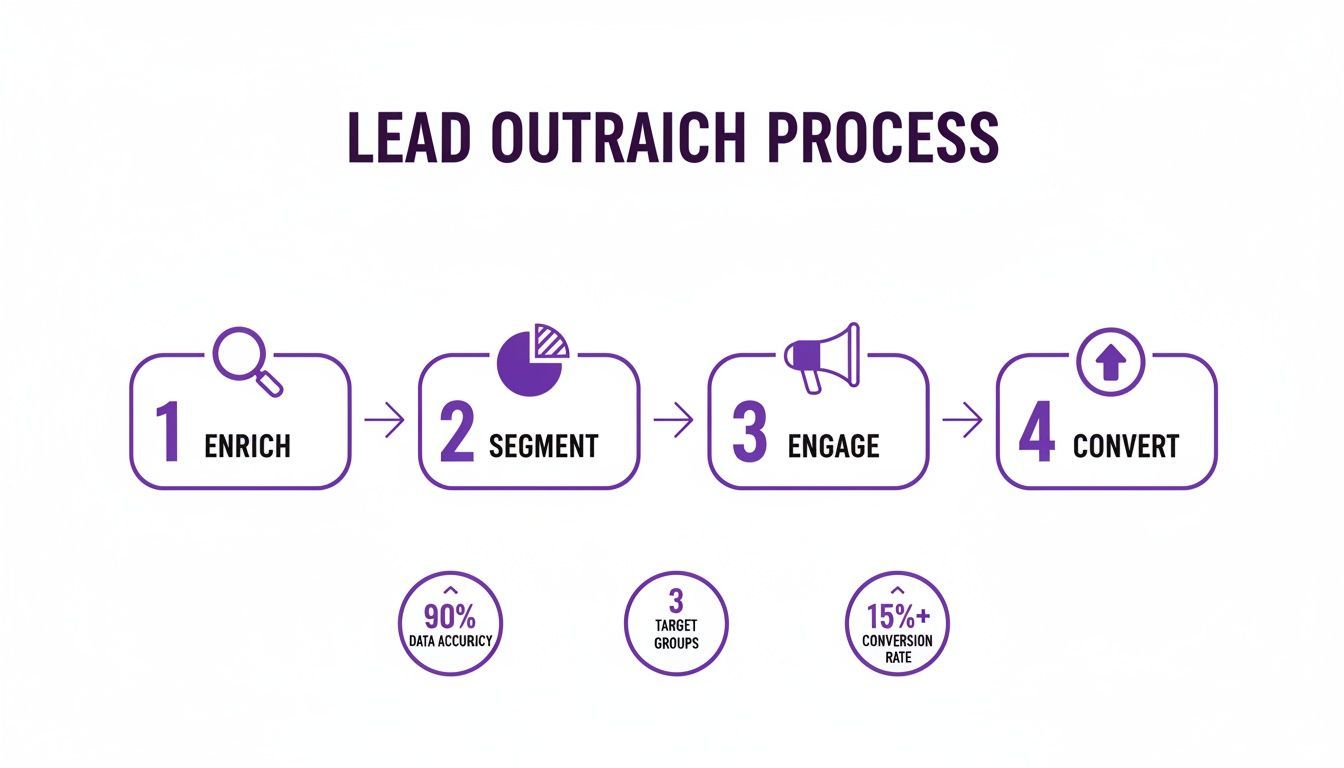
When you automate enrichment and segmentation upfront, your sales team only ever engages with well-qualified, relevant leads, which makes a massive difference in their efficiency and morale.
Creating a Single Source of Truth
A key piece of automation is getting all your tools to talk to each other. When your sales platform, marketing software, and enrichment tools are integrated, you eliminate data silos that create duplicates and conflicting information. You create one single source of truth.
Instead of reacting to data decay, automation allows you to be proactive. The goal is to ensure data is clean, accurate, and properly tagged from the moment it’s captured.
A tool built for clean data entry is your best friend here. For instance, a sales rep can use ProfileSpider to extract a list of attendees from an online event. They can instantly tag these new contacts with "Webinar Attendee" right inside the extension and then export that clean, tagged list directly to their CRM. This one-click workflow bypasses clumsy, error-prone manual data entry and ensures every new lead hits your system correctly formatted and tagged.
By focusing on clean data capture at the source, you eliminate the need for those massive, soul-crushing cleanup projects down the line. If you're looking to build systems like this, check out these real-world lead generation automation workflows that actually convert. This proactive approach is the foundation of a healthy, high-performing lead database.