

You already know the painful version of lead building. Too many tabs open. A spreadsheet full of half-finished rows. Someone on the team copying names, titles, companies, and phone numbers from directories one record at a time.
That approach breaks down fast. It is slow, inconsistent, and hard to repeat when you need another list next week.
If you want to learn how to scrape online directories for leads, the useful question is not “how do I grab more data?” It is “how do I collect the right data, clean it quickly, and turn it into outreach-ready records without creating a technical project or a compliance problem?” That is the workflow that matters.
Why Directory Scraping is a Lead Gen Superpower
Manual prospecting wastes time in the least valuable part of the process. Sales teams should spend their energy qualifying, messaging, and following up. They should not spend their afternoons copying profile URLs into cells.

Directory scraping fixes that by turning public listings into structured lead data. Instead of collecting one record at a time, you pull names, companies, titles, contact details, and source URLs in batches from places where your target buyers already appear.
That matters because the category is no longer niche. The global web scraping market was valued at USD 754.17 million in 2024 and is projected to reach USD 2,870.33 million by 2034, with a 14.30% CAGR, driven by demand for automated data extraction in sales and marketing, according to Market.us research on the web scraping market.
What makes directories so useful
Directories solve the hardest part of list building. They gather similar companies or people in one place.
Common examples include:
- Professional networks: role, company, and profile context
- Review sites: vendor category and market positioning
- Local business directories: location, phone, website, and category
- Industry directories: niche relevance that generic databases often miss
A good scraping workflow also fits into a broader stack. If you are comparing systems for list building, enrichment, and follow-up, this guide to automated lead generation software gives useful context on where scraping fits versus CRMs, enrichment tools, and outbound platforms.
Key takeaway: Scraping is not a replacement for targeting. It is a force multiplier for teams that already know who they want to reach.
The key advantage
The biggest win is not volume. It is speed to a usable list.
When a recruiter needs candidates from a speakers page, or a sales rep needs agencies in a city, or a marketer needs companies from a G2 category, a scraping workflow cuts out the repetitive collection step. That makes campaign launch faster, and it keeps the dataset tied to a real audience instead of a random pile of contacts.
Choosing Targets and Understanding the Methods
Most bad lead scraping starts with the wrong instinct. People look for a tool before they define the target.
Start with the audience instead. If your ideal lead is “operations managers at mid-market logistics firms,” that immediately narrows the kinds of directories worth scraping. If your target is “B2B SaaS agencies in a specific city,” your source pages will be very different.
Pick directories where your market already appears
A small shortlist beats browsing aimlessly. Useful targets usually fall into a few buckets:
- LinkedIn: title-based and company-based prospecting
- G2 and Clutch: vendor and category research
- Google Maps and Yellow Pages: local business outreach
- Crunchbase: company discovery
- Niche directories: trade associations, partner lists, event sites, member directories
If your workflow starts with company discovery before extraction, the ProfileSpider Company Finder can help you find relevant companies first, then use those sources as the basis for a cleaner directory scraping workflow.
LinkedIn is especially important for B2B prospecting. It has become an “ocean of leads,” with over 900 million users by 2026, and businesses extract qualified profiles daily from it for names, titles, and company details, as described in Scrapingdog’s guide to web scraping for lead generation.
A practical way to decide is simple:
- Write your ICP in one sentence
- List the sites where those people or companies gather
- Choose pages that already group similar records
- Prioritize sources with clear business context
If your targets are companies rather than individual people, this breakdown of https://profilespider.com/blog/scraping-companies-vs-people is worth reading because company-page scraping and people-page scraping create different downstream workflows.
Two paths to the same destination
Once you know the source pages, you still need to choose how to extract the data.
| Factor | Traditional Scraping (Code/Manual) | AI-Powered Tool (ProfileSpider) |
|---|---|---|
| Setup | Manual copy-paste or custom selectors | Browser-based extraction |
| Skill required | Comfortable with page structure and debugging | Geared toward non-developers |
| Maintenance | Breaks when site layout changes | Tool handles page interpretation |
| Speed | Slower, especially across many pages | Faster on repeated list building |
| Scale | Possible, but more operational overhead | Better fit for quick campaign workflows |
| Privacy handling | Depends on your stack | Local-first workflow can reduce exposure |
What usually works better
Traditional scraping gives more control if you have developer time and a stable source. It is still valid for complex projects.
Most recruiters, marketers, and sales teams do not need that. They need a repeatable browser workflow that lets them collect, review, and export leads without writing scripts or maintaining selectors every time a directory changes its layout.
The Traditional Path and Its Many Pitfalls
The old-school route sounds straightforward until you do it.
You open a directory page, inspect the HTML, find the element that holds the name, title, or company, and start building a script around those selectors. On paper, that feels manageable. In practice, it becomes a maintenance job.
Why manual and coded scraping often goes sideways
A few problems show up repeatedly:
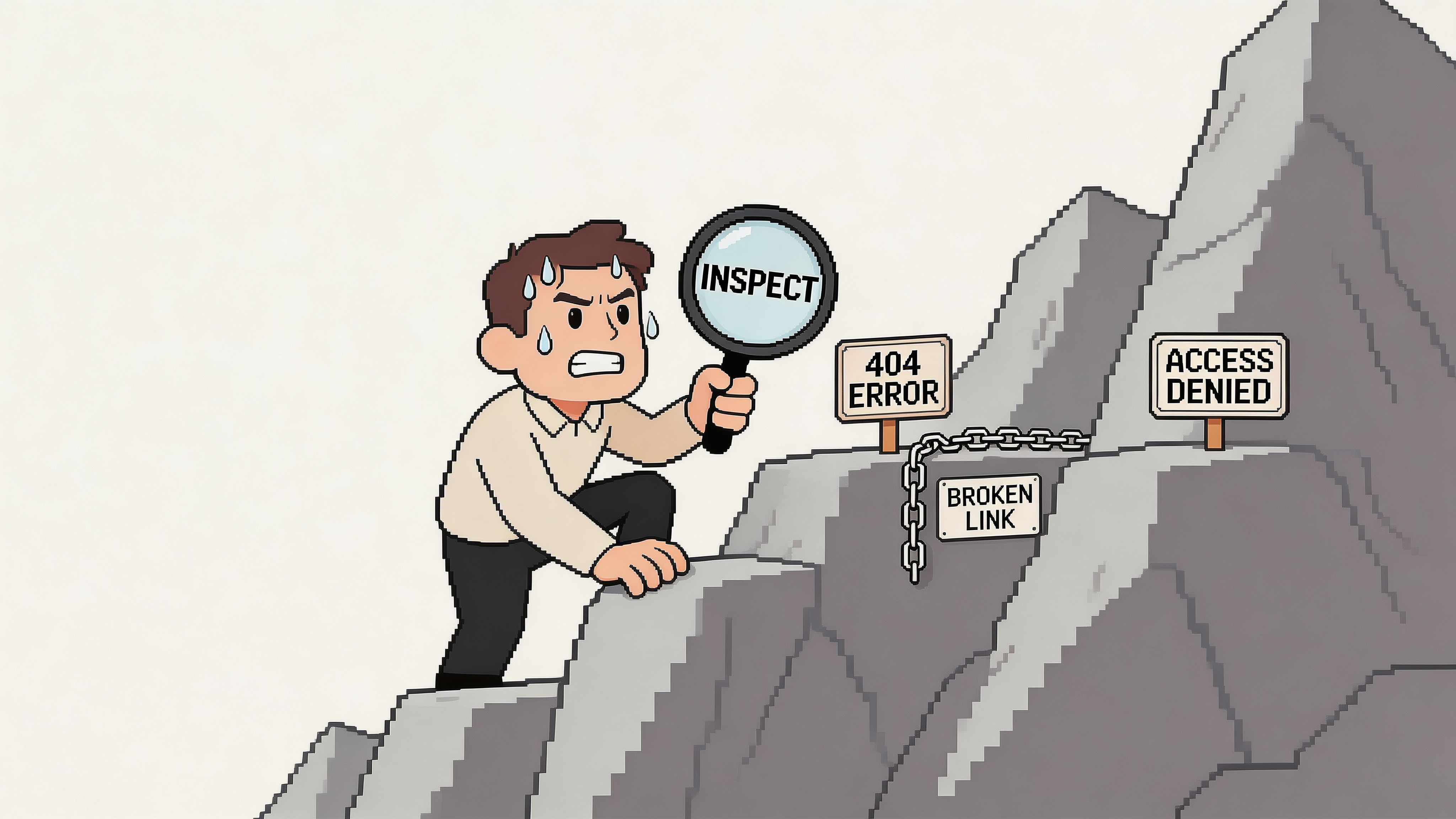
- Layouts change: your selectors stop matching after a redesign
- JavaScript hides the data: the content is not in the raw page source
- Pagination gets messy: lead lists span multiple result pages
- Bot defenses trigger: rate limiting and anti-automation systems block access
- Exports need cleanup: the output is often messy before it hits your CRM
The proxy problem alone pushes many non-technical teams off this path. According to Leads-Sniper’s guide to scraping leads, unproxied scraping attempts fail 70-90% of the time on rate-limited sites, and that failure rate drops to under 10% only with a more complex setup using rotating residential proxies.
That is a major trade-off. You are no longer collecting leads; you are managing scraper reliability.
What this means for business users
Sales reps and recruiters rarely want to troubleshoot blocked requests or rebuild extraction rules after a site update. They want a list.
That is why so many teams try manual workarounds instead. They copy visible fields, skip the missing ones, and tell themselves they will clean the file later. Usually, later means never.
Practical reality: If your workflow depends on inspecting page elements, buying proxies, and rechecking every export by hand, it is not a simple lead gen workflow. It is an engineering task.
If you have lived through that frustration, this piece on https://profilespider.com/blog/what-sales-tools-dont-tell-you-about-lead-scraping captures the operational gap between what scraping tools promise and what business users deal with.
The One-Click Workflow with ProfileSpider
The simpler workflow starts inside the browser, on the page that already contains your targets.
Instead of mapping fields manually, you let an AI-driven extractor detect profiles, collect the visible data, and package it into a list you can review before export.
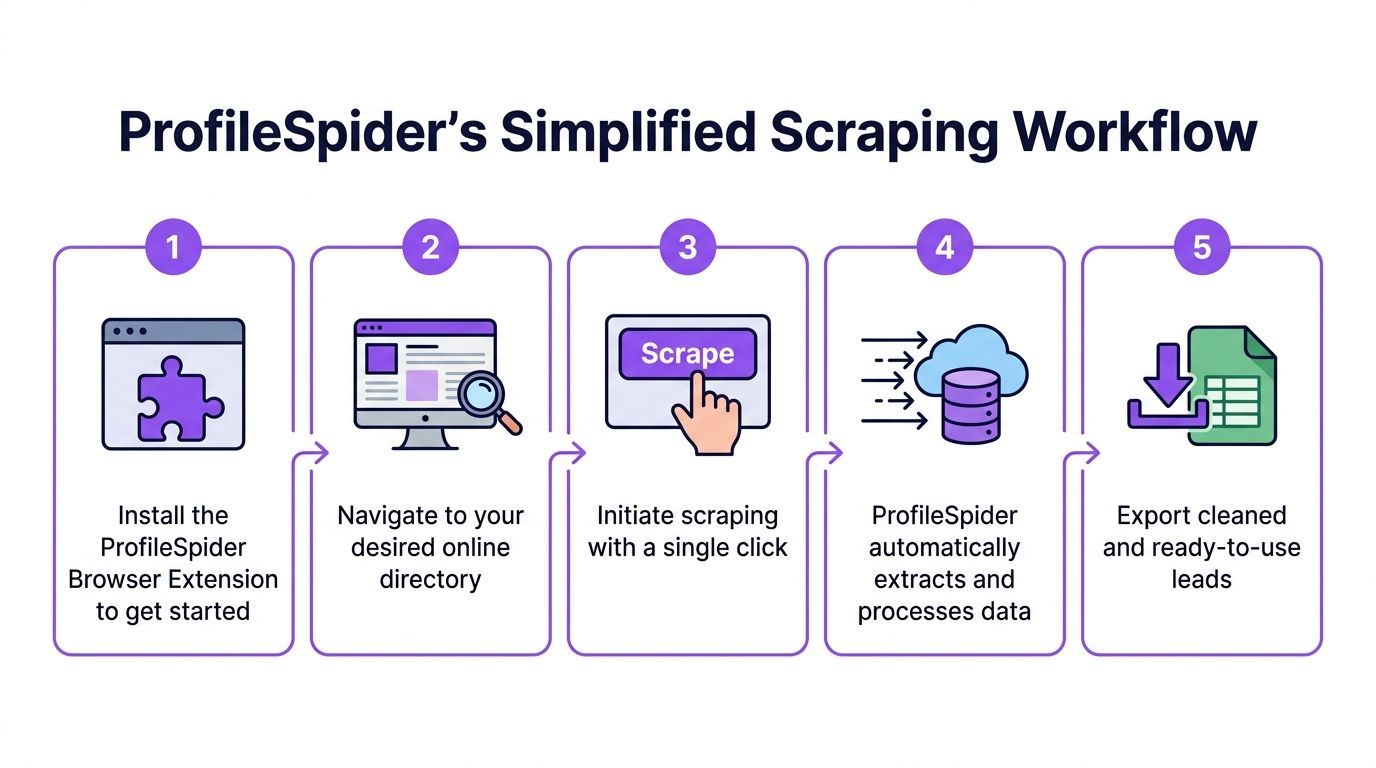
Step 1 Install the extension and open the target page
Go to the directory, search results page, company listing, or profile collection page you want to mine.
This matters more than people think. The best source page is not the biggest page. It is the page with the most consistent relevance to your audience.
Examples:
- a Google Maps results page for agencies in one city
- a Clutch category page
- a conference speakers page
- a company team page
- a LinkedIn search results page
Step 2 Run extraction
Open ProfileSpider and click Extract Profiles. The tool scans the page and identifies the profile blocks it can turn into structured records.
This is the main difference from manual scraping. You are not telling it which <div> contains the job title. The system interprets the page structure and returns usable fields.
According to Datablist’s guide to scraping a directory, AI agents like ProfileSpider can process up to 200 profiles per page, achieve over 92% profile detection accuracy on diverse sites, reach a 75% fill rate for missing emails and phones through sub-page enrichment, and work at 3x the speed of traditional XPath tools.
Step 3 Review the extracted records
Do not export immediately.
Scan the list inside the tool and look for obvious issues:
- wrong profile type
- duplicate entities
- empty records
- category mismatches
- pages that mix people and companies
This review step is where good lead builders separate themselves from people who chase raw volume.
Tip: A smaller list that matches your ICP tightly is more useful than a larger export full of marginal records.
Step 4 Enrich missing details
A lot of directories only expose partial information on the listing page. You might get a company and title but no contact field. Or a person and company without a usable detail page field.
That is where enrichment helps. The extension can visit linked detail pages and pull additional public information that was not visible in the initial results grid.
This is especially useful on:
- team pages with fuller bios
- directories with hidden detail views
- listings where contact info appears on subpages
Step 5 Organize before export
This is the step many people skip and regret later.
Before exporting, group the leads by campaign or source. Add notes or tags that preserve context, such as the directory used, the city, the niche, or the outreach angle. If the tool supports deduplication, run that before your file reaches a CRM.
For a deeper product walkthrough, the best internal reference is https://profilespider.com/blog/profilespider-deepdive.
Step 6 Export in the format your stack needs
Export to CSV, Excel, or JSON depending on where the data goes next.
If the next destination is a CRM, use the field names your CRM expects. If the file is headed to a recruiter or SDR, keep it readable and lean. Good exports save time twice. Once during import, and again when someone starts outreach.
Preparing Your Scraped Data for Outreach
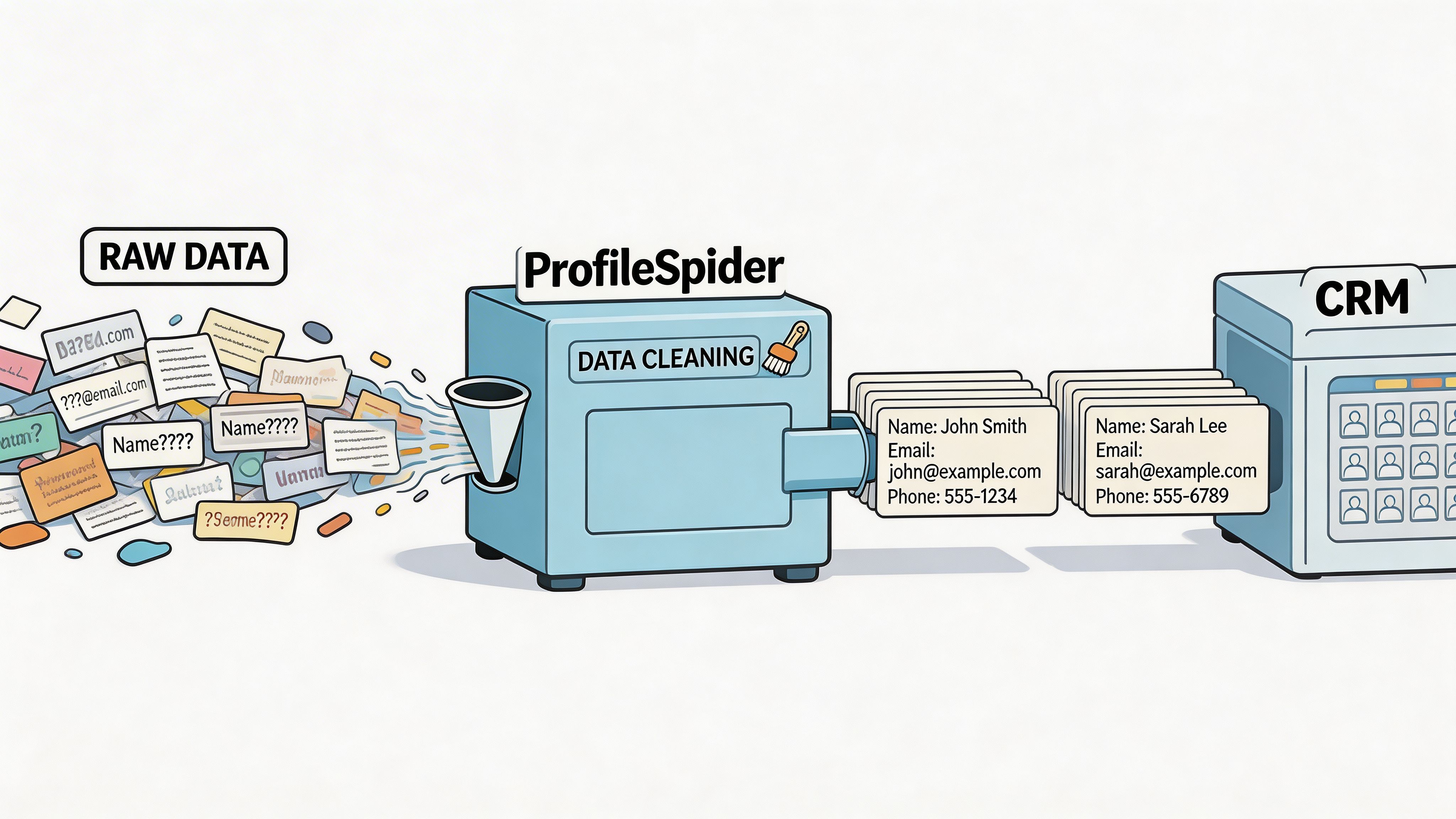
A scrape is not a lead list yet. It is raw material.
The last mile is what determines whether your outreach runs smoothly or creates a mess inside your CRM. Even strong extraction can still leave you with inconsistent company names, duplicate contacts, and source-specific formatting problems.
Clean the basics first
Open the export in Google Sheets or Excel and do a quick pass before import.
Focus on the boring issues first:
- Duplicates: merge or remove repeated records
- Blank critical fields: flag rows missing the fields your workflow requires
- Title cleanup: standardize obvious variations
- Company normalization: make naming consistent
- Source retention: keep the original source URL if possible
Add campaign context
Raw lead data is harder to use than tagged lead data.
Create columns for things your outreach team will need, such as:
- campaign name
- segment
- priority
- territory
- persona
- source type
That context makes the list usable without another round of research.
Build import-ready structure
Most CRM mistakes happen because the export was technically valid but operationally unclear.
A clean import file usually has:
| Field | Why it matters |
|---|---|
| Name | Basic contact identification |
| Job title | Messaging and segmentation |
| Company | Account matching |
| Email or phone | Contact path |
| Source URL | Audit trail |
| Campaign tag | Routing and reporting |
Useful habit: Keep one master cleanup template in Sheets or Excel so every scraped file goes through the same checks before import.
This step is not glamorous, but it protects everything downstream. Good messaging cannot rescue a list that was imported with duplicates, broken columns, and no source context.
Staying Compliant Legal and Ethical Guardrails
Most tutorials spend too much time on extraction and almost none on risk. That is backwards.
The first compliance check should happen before you scrape. Review the directory’s Terms of Service. Check its robots.txt. Understand whether the page contains public professional information, personal data, or a mix of both. Then decide whether your intended use is appropriate for your market and outreach channel.
Where the primary risk sits
The legal exposure is not theoretical. A 2025 EU report cited 1,247 scraping-related fines totaling €450M under GDPR, with 68% targeting data extraction from directories that lacked explicit public data clauses in their terms of service, as discussed in this write-up on directory lead scraping and compliance.
That changes the conversation. The question is not only whether a page is public. The question is whether your collection, storage, and outreach process is defensible.
Practical guardrails that reduce risk
Use a cautious workflow:
- Read the terms: if automated access is prohibited, treat that seriously
- Minimize collection: gather fields you will use
- Store carefully: avoid unnecessary third-party exposure
- Keep source context: preserve the URL and collection reason
- Respect outreach rules: the channel matters as much as the scrape
If your follow-up includes SMS or regulated contact channels, understanding consent standards matters. This explanation of express written consent is a useful primer before you use scraped contact data in those workflows.
A privacy-first setup also helps. Local-first tools reduce risk because your extracted data stays on your machine instead of being stored by another vendor by default. For a practical checklist, use https://profilespider.com/blog/lead-scraping-compliance-checklist.
Compliance does not make lead generation slower. It makes it sustainable. Teams that ignore this part often end up losing access to sources, damaging sender reputation, or creating legal exposure that outweighs the value of the list.
Learning how to scrape online directories for leads comes down to a simple shift. Stop treating scraping as a technical stunt, and treat it as an operational workflow.
Choose the right directories. Extract only what fits your ICP. Clean the file before outreach. Keep source context. Respect terms and privacy rules. Do that consistently, and directory scraping becomes one of the fastest ways to build targeted lead lists without drowning in manual research.