

![How to Scrape a Staff Directory From a Website [Step-by-Step Guide]](/_ipx/w_1792&f_webp&q_80/strapi/uploads/large_scrape_staff_directory_from_website_data_scraping_25ddf07e3d.jpg)
If you need to get a list of employees from a company's website, you have a few options. You could manually copy and paste every name and title, which is slow and prone to errors. You could try to write custom code, but that requires technical skills and constant maintenance. For most recruiters, sales pros, and marketers, the fastest and easiest method is to use a no-code scraping tool. A one-click tool like ProfileSpider can extract names, job titles, and contact details into an organized spreadsheet in minutes, not hours.
This guide will walk you through the old, inefficient methods and then show you the modern, one-click workflow that professionals use to build accurate contact lists quickly.
The Old Way: Manual Work and Coding Headaches
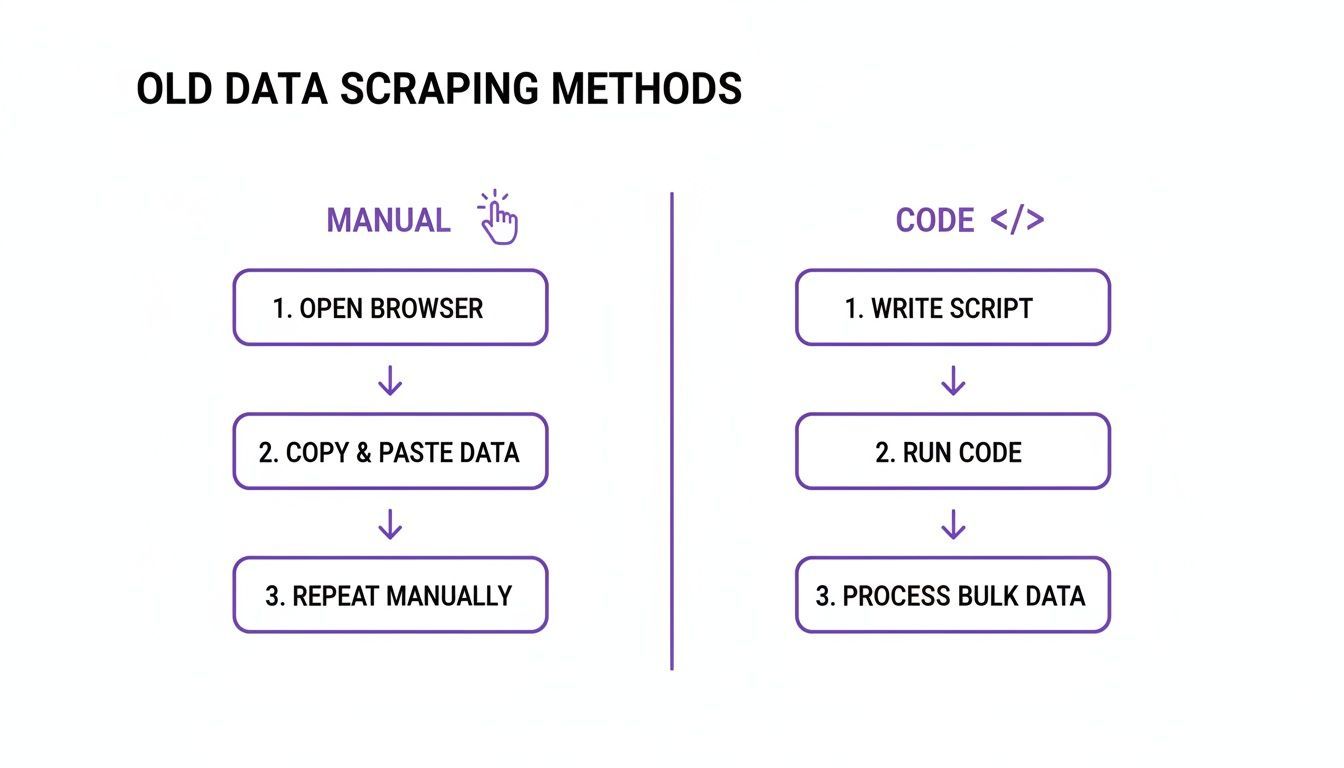
Before modern no-code tools, getting data from a staff directory meant choosing between two frustrating options: mind-numbing manual copy-pasting or wrestling with complex code. Both paths were slow and pulled you away from your real job: connecting with people.
The Manual Method: Copy-and-Paste
The old-school approach was pure brute force. You’d land on a company’s “About Us” page, open a spreadsheet, and start the soul-crushing cycle: highlight a name, copy, switch tabs, paste. Go back for the title. Back again for the LinkedIn URL. It’s digital ditch-digging.
This method isn’t just slow; it’s a magnet for mistakes. One slip of the mouse and you grab half a name or the wrong job title. The sheer monotony guarantees errors will creep in, ruining the quality of your list and making your outreach look sloppy.
- Mind-Numbingly Slow: Building a list of just 100 contacts can easily consume an entire afternoon.
- High Error Rate: Typos and formatting mistakes are inevitable, leading to bounced emails and embarrassing personalization fails.
- Zero Scalability: It’s impossible to build the large, comprehensive lists needed for serious lead generation or talent sourcing.
The real cost of manual data entry isn’t just the time you lose; it’s the opportunity cost. Every hour you spend copy-pasting is an hour you’re not selling, recruiting, or building relationships.
The Technical Method: Code-Based Scraping
The other route was writing your own scraper with a language like Python. While more powerful, this path creates its own massive headaches, especially if you’re not a developer. You either had to hire someone expensive or try to learn a complex new skill from scratch.
Even for those with technical skills, it’s a constant battle. You have to inspect a website’s HTML to find the specific elements holding the data. If you’re curious what that involves, you can see a breakdown in our guide on how to build a simple web scraper with Python.
The real nightmare is the maintenance. Websites change layouts all the time. One small design tweak can break your script, sending you back to the code to fix it. You also have to deal with anti-scraping measures and pages that load content dynamically. It’s a never-ending, time-consuming chore.
These frustrating realities paved the way for the no-code tools we have today. For sales, recruiting, and marketing professionals, the old methods created more problems than they solved.
The Modern Way: One-Click Scraping with ProfileSpider
The old ways of gathering staff directory data were a total grind. The modern way to scrape a staff directory from a website needs to be fast, intuitive, and built for people who need results, not a coding project. This is exactly why we built ProfileSpider: to turn any company's team page into a qualified contact list with a single click.
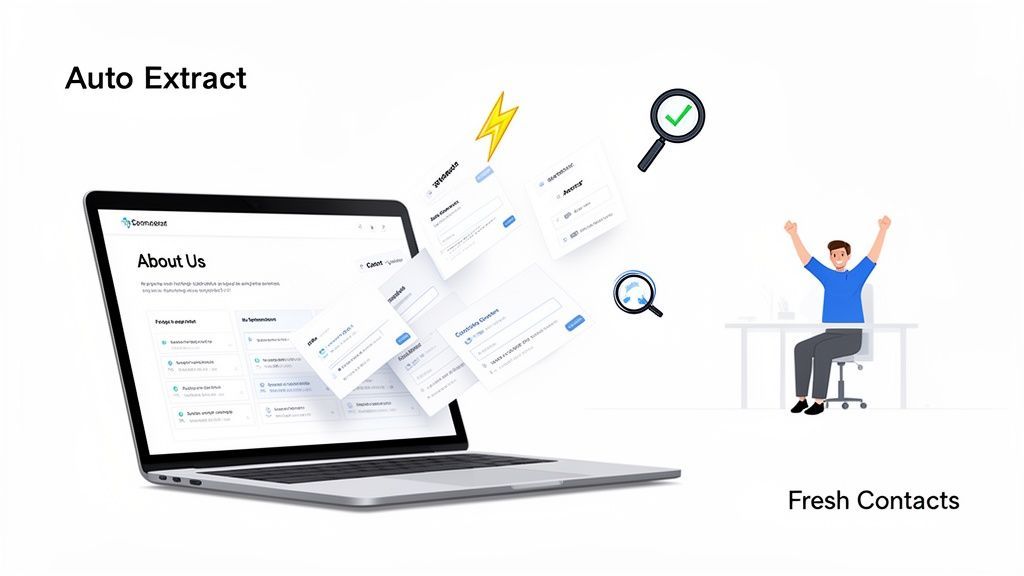
Step 1: Find the Staff Directory and Click "Extract"
Using ProfileSpider is designed to be as easy as browsing the web. Here’s the simple, three-step workflow. If you are still looking for the right people pages to start from, the ProfileSpider People Finder can help you find relevant people before you extract and organize them from a staff directory.
- Install the Extension: Add the ProfileSpider Chrome Extension to your browser. The setup takes less than a minute.
- Navigate to the Page: Go to the company's "About Us," "Team," or "Directory" page—wherever they list their employees.
- Click to Scrape: Open the ProfileSpider extension and click the "Extract Profiles" button. That’s it. Our AI instantly scans the page, identifies all visible profiles, and captures the data.
In one click, you’ve pulled all the core professional data from the page. No manual work, no coding, and no complicated setup. All the information is neatly structured and ready for the next step.
Step 2: Organize Your Data with Lists and Tags
Extracting data is just the start. Organizing it is what makes it truly valuable. As soon as the profiles are scraped, ProfileSpider acts as a mini-CRM right inside your browser, allowing you to manage your new contacts.
The goal isn't just data extraction—it's building an actionable list. Organizing contacts with tags and notes directly in the tool saves you from wrestling with messy spreadsheets later.
You can immediately start sorting your new list:
- Create Custom Lists: Group contacts by company, seniority, or campaign (e.g., "Q4 SaaS Prospects").
- Add Tags and Notes: Label high-priority leads with a tag like ‘Tier 1 Prospect’ or add notes like "Met at conference" for crucial context.
- Merge Duplicates: If you scrape multiple pages from the same company, the tool helps you quickly clean your list by merging duplicate profiles.
Step 3: Find Missing Contact Details with Enrichment
Staff directories rarely list direct email addresses. This is where the Enrich feature becomes essential. If a profile you've scraped includes a social media link (like LinkedIn), ProfileSpider can automatically visit that page in the background to find publicly available contact information.
This two-step process—scrape first, enrich second—is incredibly effective. It lets you build a complete roster of team members and then cherry-pick the most relevant people to find contact details for, saving you time and resources.
For a more detailed look at how this works, check out our deep-dive into ProfileSpider's features.
Step 4: Export Your List to CSV or Excel
Once your list is curated and enriched, the final step is to export it to your CRM, applicant tracking system (ATS), or email outreach tool. ProfileSpider lets you export your list to a clean CSV or Excel file.
You have full control over the export, choosing exactly which columns to include—from name and title to email, social links, and your own notes. The file comes out perfectly formatted and ready to upload, turning a once-tedious task into a strategic advantage. This simplified workflow is part of a larger trend where AI is transforming candidate sourcing and other data-heavy tasks.
Putting Your Scraped Data to Work
A freshly scraped contact list is just a file full of potential. The real magic happens when you turn that raw data into results. The biggest advantage you have is freshness. Unlike stale, purchased lists, the data you just gathered reflects a company's team structure today. That accuracy is the foundation for smarter outreach.
For Sales Professionals: Hyper-Targeted Outreach
For any sales team, a fresh staff directory is a goldmine for account-based marketing (ABM) and sales development. You can stop guessing and start pinpointing the exact decision-makers.
- Map the Org Chart: Understand who reports to whom and build a multi-threaded outreach strategy that engages several stakeholders at once.
- Personalize at Scale: Go beyond
{{first_name}}. Reference specific team structures or departments to show you’ve done your homework. - Find the Real Decision-Makers: A full directory helps you navigate internal hierarchies to find the person with actual buying power.
A scraped list isn't just a list of names; it's an organizational map. Use it to navigate internal politics, find the true shot-callers, and tailor your pitch to solve their specific problems.
For Recruiters: Strategic Talent Mapping
For recruiters, scraping staff directories is a game-changer for proactive talent sourcing and competitive intelligence.
- Build Proactive Pipelines: Scrape directories from key competitors to build deep pipelines of passive candidates with the exact skills you’ll need in the future.
- Monitor Competitor Growth: Is a rival company rapidly expanding its engineering team? That’s a signal about their strategic priorities and should inform your own talent strategy.
- Spot Opportunities: If you notice senior talent leaving a competitor, it might be the perfect time to reach out to others on that team.
You can feed this high-quality contact info directly into your systems for tasks like automated candidate screening, giving you a massive head start with self-sourced, accurate data.
How to Scrape Ethically and Effectively
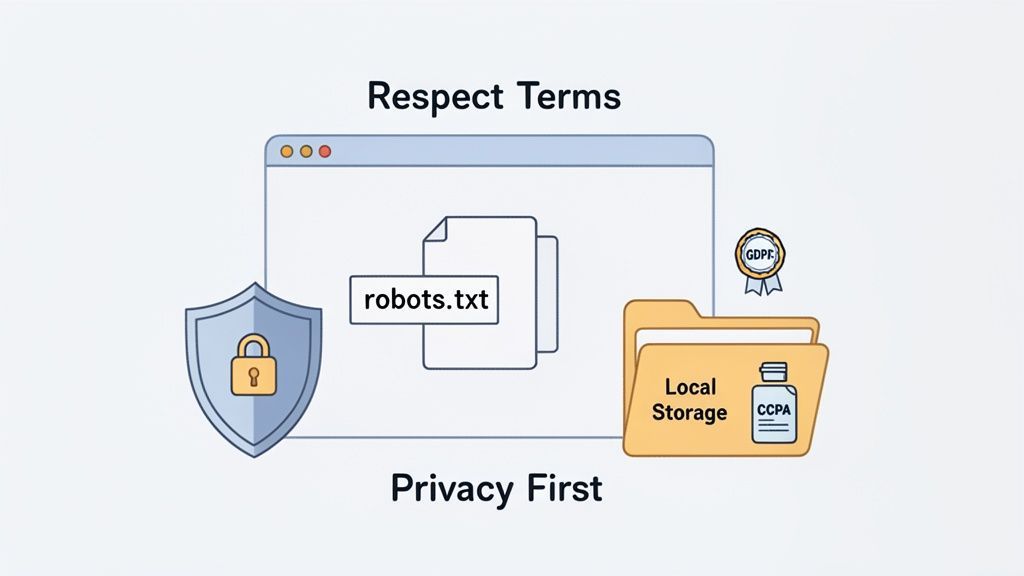
Using a powerful tool comes with the responsibility to use it well. Ethical scraping ensures your methods are sustainable, compliant, and won't get you blocked.
Respect Website Rules
Before you start, check the site’s ground rules. This means looking at the robots.txt file and the Terms of Service. A site’s Terms of Service (ToS) will often state their policy on automated data collection. While robots.txt is mainly for search engines, respecting it is a core tenet of ethical scraping.
Key Takeaway: Think of it like being a polite guest. Respecting a site's explicit rules keeps the internet friendly and ensures your access isn't cut off.
Avoid Overloading Servers
Hammering a website with too many requests too quickly can slow it down or even crash it, which is the fastest way to get your IP address banned. A well-designed tool like ProfileSpider handles this automatically by pacing its requests to mimic human behavior, ensuring the scraping process is efficient without being disruptive.
Understand Data Privacy and Local-First Scraping
When you scrape professional contact information, you must comply with privacy laws like GDPR and CCPA. Generally, scraping publicly available business contact information for a legitimate business purpose (like B2B sales or recruiting) is permissible, but compliance is your responsibility. For more details, read about the legal considerations of web scraping.
Many cloud-based tools store your scraped data on their servers, creating a gray area around data ownership. ProfileSpider was built with a "local-first" privacy model. When you scrape profiles, all data is saved directly to your computer.
- You Own Your Data: The information never touches our servers. It lives on your machine, giving you 100% control.
- Enhanced Security: This drastically reduces the risk of data breaches common with centralized cloud storage.
This approach empowers you to be an effective and compliant data professional, getting all the benefits of a powerful tool without sacrificing control.
Troubleshooting Common Scraping Issues
Even with the best tools, you can run into issues. Most problems fall into a few common categories. Here’s how to solve them without needing to be a developer.
The Scraper Isn't Finding Any Profiles
If you click "Extract" and nothing happens, it's likely because the website uses JavaScript to load content dynamically. The profiles you see aren't in the initial page code.
Solution: Before scraping, scroll all the way to the bottom of the page. This simple action forces the website to load all profiles, making them visible to your tool.
The Extracted Data Is Messy or Incomplete
If you get jumbled data, it's often due to a complex website layout. An AI-powered tool like ProfileSpider is designed to understand context and differentiate between a profile and other page elements. If key data like an email address isn't on the page, you'll need to enrich it. The economics of web scraping have fundamentally transformed B2B lead generation, as fresh data provides a critical competitive advantage. To learn more, see this B2B lead scraping guide.
Solution: After scraping the basic profile, use an enrichment feature to automatically find missing details like emails from associated social profiles.
The Directory is on Multiple Pages (Pagination)
Many directories are split across multiple pages.
Solution: Scrape the first page and add the results to a list in your tool. Then, navigate to the next page, run the scraper again, and add the new profiles to the same list. Repeat for all pages to create a single, consolidated file.
If you're still stuck, check our guide on what to do when your web scraper is not working as expected.