


At its core, social media scraping is the automated process of gathering public data from platforms like LinkedIn, X, Facebook, Instagram, GitHub, YouTube, and company websites. For recruiters, sales professionals, and marketers, the goal is usually simple: find the right people, identify their public social profiles, and organize that information into a usable list.
But there is a common problem. Manually searching for someone’s LinkedIn, X, GitHub, YouTube, or company profile is painfully slow. You open Google, try different name and company combinations, click through results, copy links into a spreadsheet, and repeat the same process again and again.
That is where a social link finder becomes useful. Instead of manually hunting for every public profile, a tool like ProfileSpider Social Link Finder helps you find social media links for a person, company, or prospect faster, turning scattered public profiles into structured research you can actually use.
If you are choosing a broader scraping tool, start with our comparison of the best social media scrapers.
What Is Social Media Scraping and Why It Matters
Let’s get practical. Say you’re a recruiter who needs to find 50 qualified software engineers. You do not just want their names. You want their LinkedIn profiles, GitHub accounts, personal websites, maybe even X profiles where they share technical ideas.
The old workflow looks like this:
- Search the person’s name on Google.
- Add their company name to narrow the results.
- Open possible LinkedIn or GitHub matches.
- Check whether the profile is actually the right person.
- Copy the link into a spreadsheet.
- Repeat the entire process for every lead or candidate.
It works, but it does not scale. It is slow, repetitive, and easy to get wrong.
Social media scraping and social profile discovery tools automate parts of that workflow. Instead of treating each profile search as a manual research project, you use software to find, extract, structure, and organize public profile information faster.
The Core Business Advantage
The point of social media scraping is not to hoard data. The point is to turn public online information into useful business intelligence.
For recruiters, that means finding better candidates. For sales teams, it means identifying decision-makers and researching them before outreach. For marketers, it means finding influencers, creators, partners, and people talking about a specific topic.
Social media scraping is often the first step in a broader social media analytics workflow, helping teams uncover trends, relationships, and opportunities that would otherwise stay hidden in plain sight.
Here is what that means in practice:
- Speed: Find and organize public profile links faster than manual search.
- Scale: Research many people, companies, or creators without opening endless tabs.
- Better context: Use public social profiles to understand a person’s role, interests, work, and online presence.
- More relevant outreach: Personalize messages using current, visible information instead of stale database records.
- Cleaner workflows: Move from scattered browser research to structured lists your team can use.
In essence, social media scraping closes the gap between the ocean of public data online and your ability to use it. A social link finder goes one step further by helping you connect scattered public identities across different platforms.
Where Recruiters, Sales Pros, and Marketers Use Social Link Finding

The real value of social media scraping is not the technology itself. It is the business problem it solves: helping you find the right people faster.
Recruiters, sales teams, and marketers all face the same basic challenge. They know the people they want are out there, but the relevant public profiles are scattered across platforms. A no-code tool like Social Link Finder helps connect those dots faster.
For Recruiters: Build Better Candidate Profiles
Imagine you are hiring a senior backend engineer. A LinkedIn profile gives you one view of the candidate, but it may not show their actual technical work. Their GitHub profile, personal website, Stack Overflow activity, or conference speaker page might reveal far more.
The manual workflow is painful. You search their name, open multiple possible results, verify whether each profile is the right person, and paste the links into your ATS or spreadsheet.
A social link finder helps speed up that research. You can search for public social profiles connected to a person or company and build a richer candidate profile before outreach.
Recruiters can use this workflow to:
- Find public GitHub profiles for technical candidates.
- Locate LinkedIn profiles from names, companies, or websites.
- Discover personal sites and portfolios for designers, engineers, writers, and product people.
- Cross-check candidate identity before adding someone to a pipeline.
- Personalize outreach based on visible projects, posts, or public work.
The goal is not just to find a profile. The goal is to understand the person behind the profile well enough to write outreach that feels relevant.
For Sales Teams: Research Decision-Makers Faster
Sales teams often start with a company name and need to find the right person to contact. Maybe you know the account, but not the decision-maker. Or maybe you have a name from a conference list and need to find their public LinkedIn, X, or company bio.
Doing that manually for 50 or 100 accounts eats up hours.
A social link finder helps sales teams quickly locate public profiles associated with a prospect. That gives reps more context before they send a message or make a call.
Sales teams can use it to:
- Find LinkedIn profiles for decision-makers.
- Locate X or other social profiles where prospects discuss industry topics.
- Find company bio pages that confirm title and role.
- Research shared interests or recent activity before outreach.
- Build richer CRM records with public profile URLs.
This is especially useful when combined with a broader fast people search workflow. Instead of relying only on email addresses or generic company data, reps can understand who they are contacting and why the message should matter.
For Marketers: Find Creators, Influencers, and Public Voices
Marketers often need to find people who are publicly active in a niche. That could mean creators talking about AI, founders posting about SaaS growth, YouTubers reviewing tools, or consultants active on LinkedIn and X.
Manual influencer research gets messy fast. You search hashtags, open profiles, copy URLs, check engagement, and try to organize everything into a list.
A social link finder can help marketers discover and organize public social profiles connected to creators, brands, and topics.
Marketers can use it for:
- Influencer discovery: Find creators and public profiles in a niche.
- Partner research: Locate founders, consultants, agencies, or community operators.
- Brand monitoring: Identify people publicly discussing your brand or category.
- Audience research: Understand where your target audience is active online.
- Campaign planning: Build outreach lists for partnerships, podcasts, webinars, or content collaborations.
For marketers, social links are not just URLs. They are context. They help you understand a person’s audience, tone, interests, and relevance before you reach out.
The Old Way vs. The New Way
Before no-code tools became common, finding social links usually meant choosing between two bad options: manual search or custom scraping.
The manual method is familiar. You search Google, LinkedIn, X, GitHub, YouTube, and company websites one by one. You open possible matches, verify them, and copy URLs into a spreadsheet. It is fine for five people. It is painful for 50. It is completely inefficient for hundreds.
The Pitfalls of Manual Social Profile Research
Manual research creates several problems:
- It is slow: Finding social links for one person can take several minutes.
- It is inconsistent: Different team members search differently and collect different fields.
- It is error-prone: It is easy to copy the wrong URL or confuse people with similar names.
- It is hard to scale: The more people you research, the more admin work you create.
- It creates messy spreadsheets: Links, notes, tags, and verification status quickly become hard to manage.
This infographic shows the basic problem with outdated manual data collection.
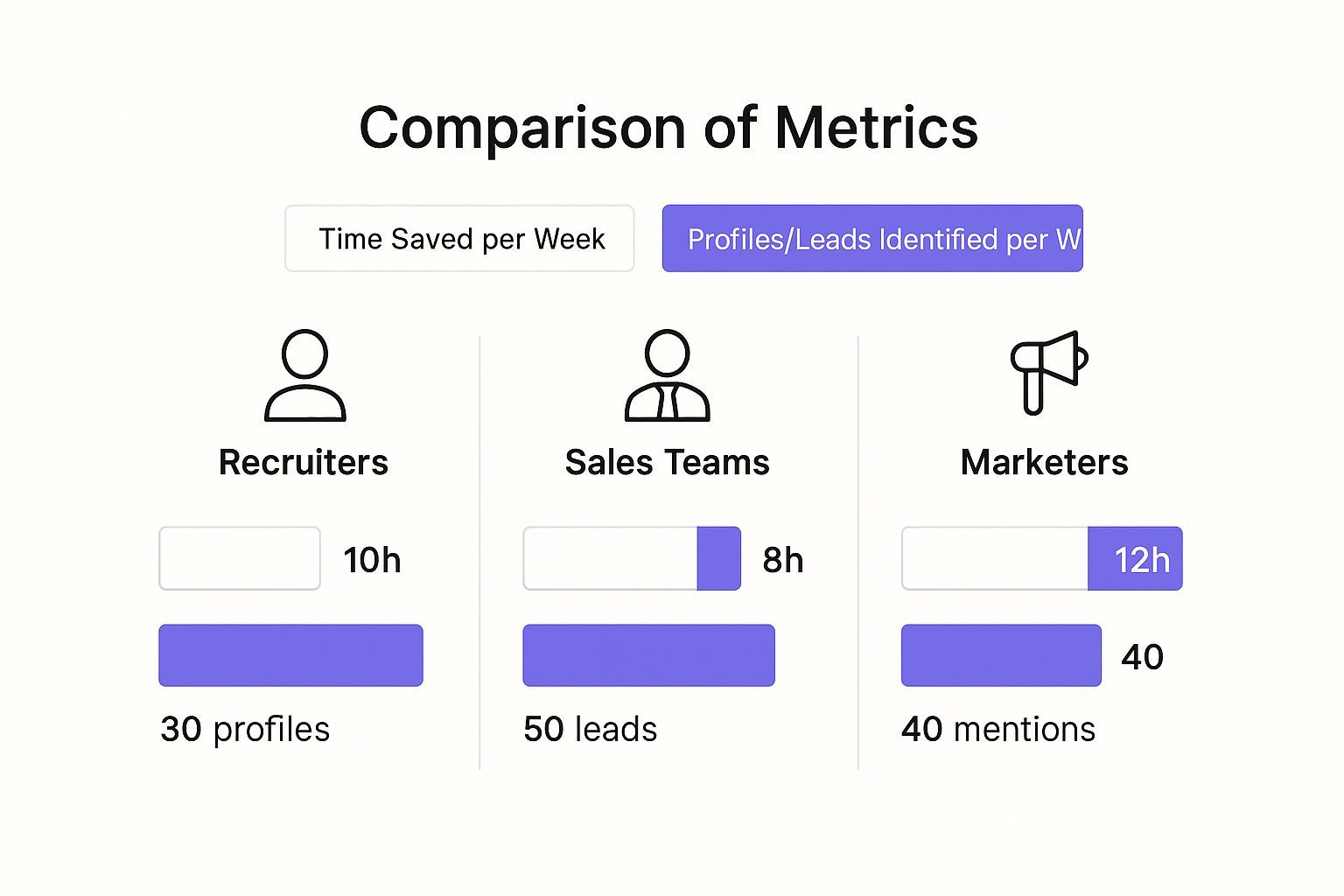
Manual research feels productive because rows are being added to a spreadsheet. But in reality, your team is spending valuable time on repetitive work that software can assist with.
The Headaches of Custom Coding
The other option is custom scraping. A developer can write a script to search, parse pages, and extract profile links. That can work for complex projects, but it creates a new set of problems.
Custom scraping often requires:
- Programming knowledge.
- Ongoing maintenance.
- Handling layout changes.
- Managing rate limits and errors.
- Checking legal and platform boundaries.
- Cleaning and formatting the output.
Even if you have the technical skills, you are now managing a scraping project instead of doing recruiting, sales, or marketing work.
Building a scraper is one thing. Keeping it accurate, compliant, and useful over time is another. For most business users, custom code is overkill for everyday social profile discovery.
A Better Way to Find Social Links
A modern no-code workflow gives you a simpler path. Instead of copy-pasting links manually or building custom scripts, you use a focused tool that helps you find public social profiles quickly.
| Method | Effort Required | Technical Skill | Maintenance | Best For |
|---|---|---|---|---|
| Manual Search | High | None | N/A | Very small one-off research tasks |
| Custom Scraping | High | Expert | High and ongoing | Large technical projects with developer support |
| No-Code Social Link Finder | Low | None | Low | Recruiters, sales teams, and marketers who need fast profile discovery |
This is the gap that ProfileSpider Social Link Finder is designed to fill. It helps non-technical users find public social media links without turning research into a coding project.
The Modern Solution: No-Code Social Link Finding

There is a large gap between manual social profile hunting and technical scraping. Modern no-code tools sit right in the middle. They give business users the speed of automation without requiring them to write scripts or maintain infrastructure.
The Social Link Finder is built for exactly that use case. You enter a person, company, website, or search context, and the tool helps locate relevant public social links faster than a manual search workflow.
What a Social Link Finder Should Help You Find
A useful social link finder should help discover public profile links across the platforms that matter most for professional research.
Depending on the target and available public information, this can include:
- LinkedIn profiles for professional identity and role context.
- X profiles for public posts, opinions, and activity.
- GitHub profiles for technical work and open-source contributions.
- YouTube channels for creators, educators, and public experts.
- Instagram or TikTok profiles for creators and consumer-facing brands.
- Company websites and team pages for verified role context.
- Personal websites or portfolios for deeper professional background.
The value is not just in finding links. The value is in connecting the right links to the right person, company, or research task.
How AI-Powered Profile Discovery Helps
The best modern tools do more than search for text. They help interpret context.
For example, if you are looking for “Sarah Johnson” at a specific SaaS company, a useful workflow should help distinguish that Sarah from dozens of unrelated people with the same name. Context like company, location, role, website, or industry makes a huge difference.
AI-powered profile discovery can help by:
- Recognizing relevant profile patterns across different websites.
- Matching names with company or role context where public information allows.
- Reducing irrelevant results compared with broad manual search.
- Organizing discovered links into a cleaner research workflow.
The goal is to make profile discovery less like detective work and more like a repeatable research workflow.
Universal Research Across the Web
The best prospects, candidates, and creators are not always on one platform. Recruiters may find engineers on GitHub, designers on Behance, marketers on LinkedIn, and founders on X or company pages.
That is why universal compatibility matters. A useful social link workflow should support research across many public sources, including:
- X
- GitHub
- YouTube
- Company websites
- Event speaker pages
- Professional directories
- Portfolio websites
- Niche communities and forums
This matters because modern sourcing and prospecting are multi-channel. If you only look in one place, you miss important context.
Using Social Links for Better Outreach
Finding social links is only useful if you use them well. A list of URLs sitting in a spreadsheet does not create pipeline by itself. The real value comes from turning those links into better segmentation, research, and outreach.
Use Social Links to Verify Identity
Before you contact someone, you want to be reasonably confident you have the right person. This is especially important when names are common.
Social links help you verify:
- Current employer.
- Current job title.
- Location.
- Public professional activity.
- Portfolio or project history.
For recruiters, this reduces wasted outreach to wrong or outdated profiles. For sales teams, it helps avoid embarrassing personalization mistakes.
Use Social Links to Personalize Messages
Generic outreach fails because it gives the recipient no reason to care. Public social profiles can give you the context you need to write something specific.
For example:
- A GitHub project can inform a technical recruiting message.
- A LinkedIn post can give you a relevant opening line.
- A YouTube video can help you understand a creator’s audience.
- A company bio can confirm the person’s current responsibilities.
Instead of writing, “I saw your profile and wanted to connect,” you can reference something real and current.
Social links turn cold outreach into context-aware outreach. That does not guarantee a reply, but it gives your message a much better starting point.
Use Social Links to Build Better Lists
Social links also help with segmentation. You can group people based on where they are active, what type of public presence they have, or what kind of outreach makes sense.
Examples:
- GitHub-active engineers for technical recruiting.
- LinkedIn-active founders for B2B outbound.
- YouTube creators for partnership campaigns.
- X-active industry voices for influencer research.
- Portfolio-based designers for creative hiring.
This creates more useful lists than a flat export of names and emails.
Managing the Social Links You Collect
Finding social links is only the first step. The next challenge is keeping them organized.
A messy spreadsheet full of URLs gets hard to use quickly. You need a system that lets you group, tag, review, and export the data in a way your team can actually act on.
Create Focused Lists
Do not put every discovered social profile into one giant file. Organize links by campaign, role, market, or use case.
Examples:
- Senior Java Candidates - Germany
- Founder Prospects - B2B SaaS
- AI Creators - YouTube Outreach
- Agency Partners - LinkedIn and X
- GitHub Contributors - DevOps Tools
This keeps your research connected to action.
Add Notes and Tags
Tags and notes make social links more useful. They preserve the reason you collected a profile in the first place.
Useful tags might include:
#DecisionMaker#GitHubActive#Founder#Creator#RecruitingTarget#FollowUp
Useful notes might include:
- “Posted about hiring SDRs last week.”
- “Maintains open-source project relevant to role.”
- “Potential podcast guest.”
- “Looks like current Head of Growth based on company page.”
These small details make a big difference when you revisit a list weeks later.
Export to Your Workflow
Once your links are organized, export them into the system your team uses next.
Common destinations include:
- CRM systems
- Applicant Tracking Systems
- Google Sheets
- Excel
- Outreach tools
- Influencer campaign trackers
CSV and Excel are usually best for business workflows. JSON is useful for developer workflows or custom databases.
Navigating Privacy and Compliance Responsibly
The power of social media scraping and social link discovery comes with responsibility. Just because information is visible online does not mean you should collect everything indiscriminately or use it without thought.
The basic rule is simple: focus on public, professional, relevant data that supports a clear business purpose.
Understand the Rules of the Road
Responsible social link discovery requires attention to two main areas: platform rules and privacy laws.
- Terms of Service: Every platform has its own rules about automated access and data use. Review them before collecting at scale.
- Privacy regulations: Laws like GDPR and CCPA affect how personal data can be collected, stored, and used.
- Data minimization: Collect only the information you actually need.
- Purpose limitation: Use collected data only for a legitimate and relevant purpose.
- Opt-out respect: If someone asks not to be contacted, honor that immediately.
For a deeper breakdown, read our guide to website scraping legality.
Why Local Data Control Matters
Data storage matters. Some tools process or store your collected data on third-party servers. That can create unnecessary exposure, especially if you are handling candidate, prospect, or creator research.
A local-first workflow reduces that risk by keeping collected data under your control.
The more control you have over where your data is stored, reviewed, exported, and deleted, the easier it is to build a responsible research process.
When choosing any data tool, review the provider’s privacy policy carefully. Understand what data is collected, where it is stored, and whether it is shared with third parties.
Best Practices for Social Link Discovery
To get the best results from a social link finder, do not treat it as a bulk collection tool. Treat it as a research accelerator.
Start With a Clear Target
Before searching, define exactly who you are trying to find.
For example:
- “Senior backend engineers at fintech companies in Berlin.”
- “Marketing leaders at B2B SaaS companies with 50-500 employees.”
- “YouTube creators covering sales automation.”
- “GitHub contributors to open-source DevOps tools.”
A clear target makes the search cleaner and the results more useful.
Use Context to Improve Accuracy
Names alone are often not enough. Add context wherever possible.
Useful context includes:
- Company name
- Job title
- Location
- Website domain
- Industry
- Known profile URL
This helps reduce false matches and makes the final list more reliable.
Review Before Outreach
Do not blindly export and contact everyone. Review the links first.
Check whether:
- The profile appears to match the person or company.
- The role is current.
- The profile is relevant to your campaign.
- The outreach channel is appropriate.
- The data is professional rather than personal or sensitive.
This short review step protects your brand and improves outreach quality.
Frequently Asked Questions
What is a social link finder?
A social link finder is a tool that helps locate public social media profiles associated with a person, company, creator, or website. It can help find LinkedIn, X, GitHub, YouTube, Instagram, personal websites, and other public profile links depending on the available information.
Who should use a social link finder?
Recruiters use social link finders to build richer candidate profiles. Sales teams use them to research decision-makers before outreach. Marketers use them to find creators, influencers, partners, and public voices in a niche.
Is finding public social links legal?
Finding publicly available social links is generally a standard research activity. However, how you collect, store, and use that data matters. Always respect platform terms, privacy laws, and opt-out requests. Avoid collecting sensitive or unnecessary personal information.
Do I need to be technical to use a social link finder?
No. A no-code tool like ProfileSpider Social Link Finder is designed for business users, including recruiters, sales professionals, marketers, founders, and researchers. You do not need to write scripts or configure scraping infrastructure.
Can I use social links in my CRM or ATS?
Yes. Social links can be added to CRM or ATS records to give sales reps and recruiters more context. LinkedIn URLs, GitHub links, portfolio sites, and company bio pages can all help with verification, segmentation, and personalization.
What is the difference between a social link finder and a social media scraper?
A social media scraper usually extracts structured data from social platforms or profile pages. A social link finder focuses more specifically on discovering the public social profile URLs connected to a person, company, or research target. In practice, the two workflows often work together.
Build Better Lists With Less Manual Research
Social media scraping and social link discovery are no longer just technical workflows for developers. They are practical research tools for recruiters, sales teams, marketers, and founders who need to find the right people faster.
The old way—manual search, endless tabs, and copy-paste spreadsheets—is too slow for modern outreach. The better approach is to define your target, find the relevant public social links, organize them into focused lists, and use that context to make better decisions.
With a no-code tool like ProfileSpider Social Link Finder, you can move faster from scattered public profiles to structured, usable research. That means less time hunting for links and more time building relationships, starting conversations, and turning research into results.