

If LinkedIn has restricted your account after detecting scraping, automation, or unusual activity, stop using all third-party tools connected to LinkedIn immediately. Do not continue testing extensions, create another account, or try to bypass the restriction.
LinkedIn’s official policies prohibit third-party software—including crawlers, bots, browser plug-ins, and browser extensions—that scrapes, modifies, or automates activity on its website. Depending on the severity or repetition of the activity, LinkedIn may apply a temporary or permanent restriction.
This guide explains what to do immediately, how to review the possible cause, how to submit a professional appeal, and how to change your research workflow after access is restored.
Your Immediate Action Plan for a Restricted LinkedIn Account
A restriction can interrupt recruiting, sales, networking, and professional communication. Your first objective should be to stabilize the account rather than test how much access remains.
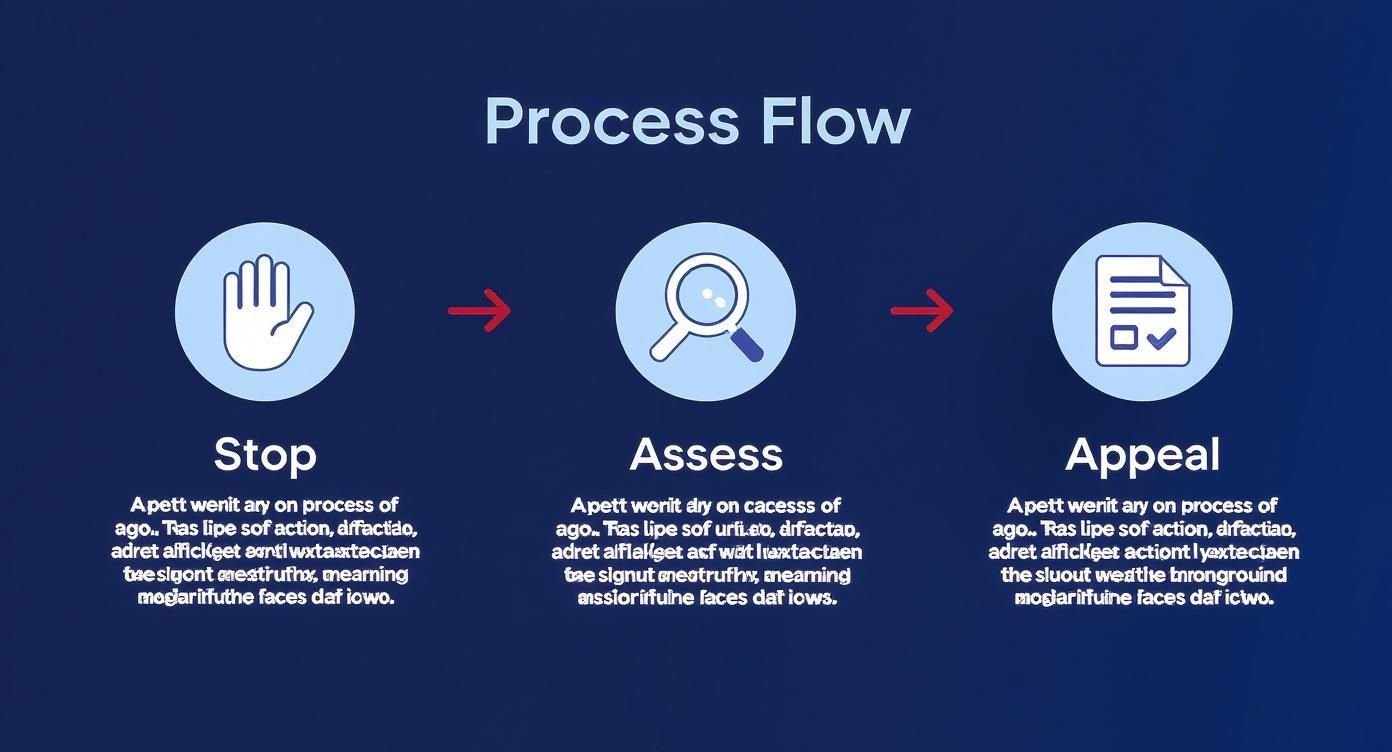
Use this sequence:
- Stop all scraping and automation.
- Remove or disable tools connected to LinkedIn.
- Secure the account.
- Read the restriction notice carefully.
- Complete any verification requested by LinkedIn.
- Submit one clear appeal when an appeal option is available.
First: Stop All Automated Activity
Disable any tool that performs actions on LinkedIn, including tools that:
- Extract profile or search-result data
- Visit profiles automatically
- Send connection requests or messages
- Automatically apply for jobs
- Modify the LinkedIn interface
- Schedule or simulate LinkedIn activity
- Use your LinkedIn session, cookies, or credentials
Do not assume that a browser extension is permitted simply because it runs on your computer. LinkedIn’s policy explicitly includes browser extensions that scrape or automate activity.
Second: Review the Restriction Notice
LinkedIn may display messages referring to:
- Unusual activity
- Automated activity
- Prohibited software
- A possible User Agreement violation
- Identity verification
- A temporary restriction period
- A permanent account restriction
Save a screenshot of the notice and any related email. Record when the issue began and which tools were active shortly before the restriction.
Do not assume scraping was definitely the cause unless LinkedIn says so. Restrictions can also involve identity concerns, compromised accounts, spam, excessive invitations, content violations, or other policy issues.
Third: Secure the Account
If there is any possibility that someone else accessed your account:
- Change your LinkedIn password.
- Change the password of the associated email account if necessary.
- Enable two-step verification.
- Review active sessions and sign out unfamiliar devices.
- Remove unauthorized connected applications.
- Report the account as compromised through LinkedIn’s official support process.
A compromised account requires a different response from an account restricted because of activity you initiated yourself.
Immediate Response Checklist
| Action | Why It Matters |
|---|---|
| Stop scraping and automation | Continuing the same activity can lead to further enforcement. |
| Disable related browser extensions | LinkedIn specifically prohibits extensions that scrape or automate its website. |
| Review the notice | The required recovery step depends on whether the restriction concerns automation, identity, security, or another policy. |
| Secure your account | This rules out unauthorized access and protects your account during recovery. |
| Complete identity verification | LinkedIn may require verification before restoring access. |
| Use the official appeal process | Only LinkedIn can review or remove the restriction. |
| Do not create a replacement account | LinkedIn requires members to maintain one genuine account and may restrict duplicate or evasive accounts. |
Important: Do not use another account, VPN, proxy, altered browser fingerprint, or new automation tool to bypass the restriction. Focus on account recovery and future compliance.
Why LinkedIn Restricts Accounts for Scraping and Automation
LinkedIn states that it does not allow third-party software or browser extensions that scrape, automate activity, or modify the appearance of its website. Its User Agreement also restricts the use of automated methods to access the service, copy profiles, or collect data without permission.
Activities That May Lead to a Restriction
LinkedIn does not publish a complete list of its detection signals or numerical thresholds. However, activities associated with restrictions may include:
- Using a scraper or browser extension on LinkedIn: The tool may extract profiles, search results, contact information, or other LinkedIn data.
- Automated profile viewing: Software opens or visits profiles without each action being performed manually.
- Automated connection requests: A tool sends invitations according to a sequence or daily limit.
- Automated messaging: Messages or follow-ups are sent through scripts, extensions, or external platforms.
- High-volume repetitive actions: Large numbers of similar searches, views, invitations, or messages occur in a short period.
- Using prohibited plug-ins or interface modifications: An extension inserts controls, extracts data, or changes LinkedIn’s interface.
- Suspicious access patterns: Rapidly changing locations, unfamiliar sessions, or compromised credentials can also trigger security measures.
You should not rely on unofficial “safe limits.” An action can violate LinkedIn’s rules even when performed slowly or in small quantities.
LinkedIn’s Policy on Automated Access
LinkedIn’s policies distinguish between normal manual use, approved integrations, and unapproved automated access.
In practical terms:
- Manual use of LinkedIn does not authorize automated extraction.
- Public visibility does not necessarily authorize scraping under the User Agreement.
- A locally installed extension is still third-party software.
- Using your normal IP address does not make scraping permitted.
- Adding delays does not convert prohibited automation into approved activity.
- LinkedIn APIs and approved partner programs are separate from unauthorized scraping.
Key distinction: “Less detectable” and “permitted” are not the same thing. A workflow may appear human-like and still violate LinkedIn’s rules.
Temporary vs. Permanent LinkedIn Restrictions
The recovery process depends on the restriction type.
Temporary Restriction
A temporary restriction may prevent you from accessing LinkedIn for a defined period. LinkedIn may require you to wait, verify your identity, review its policies, or agree to comply before restoring access.
In some cases, LinkedIn may offer another opportunity to regain access after a waiting period. Additional violations after reinstatement can result in permanent restriction.
Feature-Level Restriction
LinkedIn may limit a particular feature, such as invitations, messaging, search, or profile viewing, without completely disabling the account.
Stop the activity associated with the feature and follow the instructions shown in the account.
Permanent Restriction
A permanent restriction blocks access to the account and its features. Other members may no longer be able to find or message the restricted profile.
If LinkedIn provides a review or contact option, use that official channel. Do not attempt to circumvent the restriction by creating another account.
How to Appeal a LinkedIn Account Restriction
LinkedIn may present an appeal, verification, or contact option in the restriction notice or Help Center. Follow that process rather than sending repeated messages through unrelated support forms.
Before Submitting the Appeal
- Disable the relevant tools.
- Remove unauthorized applications or extensions.
- Secure the account.
- Read the User Agreement and prohibited-software guidance.
- Gather screenshots and relevant dates.
- Be prepared to verify your identity.
What to Include
A useful appeal should:
- Identify the restricted account.
- State that you are requesting a review.
- Describe the activity briefly and honestly.
- Explain whether a third-party tool was involved.
- Confirm that the tool has been disabled or removed.
- Confirm that you have reviewed LinkedIn’s rules.
- Commit to using LinkedIn without prohibited automation.
- Ask what additional verification or remediation is required.
Appeal Template
Subject: Request for Review of Restricted LinkedIn Account
Dear LinkedIn Support Team,
I am requesting a review of the restriction placed on my LinkedIn account.
I understand that activity associated with my account may have violated LinkedIn’s User Agreement or policies concerning third-party software and automated activity. I have stopped the activity and disabled the relevant tool or browser extension.
I use LinkedIn for [briefly describe your legitimate professional use]. I have reviewed LinkedIn’s User Agreement and guidance on prohibited software and understand that third-party tools that scrape or automate LinkedIn are not permitted.
I am committed to complying with these requirements going forward. Please let me know whether I need to complete identity verification or provide any additional information for the review.
Thank you for your consideration.
Sincerely,
[Full name]
[Email associated with the account]
[LinkedIn profile URL, if known]
If You Believe the Restriction Was a Mistake
Do not admit to activity you did not perform. Instead:
- State that you do not recognize the activity.
- Explain any evidence of unauthorized access.
- Confirm that you changed your password and secured the account.
- Ask LinkedIn to review the access history.
- Use the compromised-account process when appropriate.
What to Avoid in the Appeal
- Do not threaten support staff.
- Do not submit invented explanations.
- Do not claim a tool was compliant simply because it was local or slow.
- Do not blame LinkedIn’s detection system.
- Do not send many duplicate appeals.
- Do not promise compliance while continuing to use the tool.
- Do not ask for instructions to avoid detection.
No appeal wording can guarantee reinstatement. The decision belongs to LinkedIn and depends on the account history, severity of the issue, and information available to its review team.
How Long Does a LinkedIn Restriction or Appeal Take?
There is no universal response time for an appeal. The account interface may show a fixed waiting period for some temporary restrictions, while other cases require identity verification or manual review.
LinkedIn documents at least one recovery path in which eligible members must wait 48 hours and then agree to comply with its Professional Community Policies. That does not mean every restriction lasts 48 hours.
Follow the timeframe shown in your account and avoid repeated submissions unless LinkedIn requests additional information.
What to Do After LinkedIn Restores Your Account
Regaining access is the point to change the workflow, not resume the same tool at a lower speed.
Remove Prohibited LinkedIn Automation
Do not continue using software that:
- Scrapes LinkedIn profiles or search results
- Automates profile visits
- Sends invitations or messages
- Collects data through your LinkedIn session
- Modifies LinkedIn’s interface
- Automates job applications
Random delays, smaller batches, local execution, and human-like browsing patterns do not change LinkedIn’s stated prohibition.
Use LinkedIn’s Native Features
Depending on your role and subscription, alternatives may include:
- Manual LinkedIn search
- Sales Navigator
- LinkedIn Recruiter
- Saved searches and alerts
- Manual profile review
- Approved LinkedIn integrations
- LinkedIn APIs where access and use are authorized
Build Lists From Non-LinkedIn Sources
You can also research professionals and companies through sources outside LinkedIn, including:
- Company leadership and team pages
- Public business directories
- Association member directories
- Conference speaker and attendee pages
- University staff directories
- Portfolio websites
- Public government and licensing databases
- Company press releases and newsrooms
Each website has its own terms, technical restrictions, and legal considerations. Review those before extracting or reusing data.
Using ProfileSpider After a LinkedIn Restriction
ProfileSpider is a browser extension that extracts and organizes information from webpages. However, its local-first design does not override the rules of the website on which it is used.
LinkedIn states that browser extensions that scrape or automate its website are prohibited. Therefore, you should not present ProfileSpider—or any other scraping extension—as a guaranteed safe or compliant method for extracting LinkedIn data.
Where ProfileSpider Is Better Positioned
ProfileSpider can be used for appropriate research on other public webpages, subject to the target website’s rules and applicable law. Examples include:
- Company team pages
- Public directories
- Conference speaker pages
- Association listings
- Agency and portfolio pages
- Public supplier directories
- Company and product listings
Depending on the page, ProfileSpider may extract names, titles, companies, websites, profile URLs, descriptions, visible contact details, and source URLs.
Local-First Storage
Saved profiles, lists, tags, and notes are stored locally in the browser’s IndexedDB. Account, billing, credits, team functions, AI extraction, enrichment, and email finding still use ProfileSpider’s backend or relevant third-party services.
Local storage provides more control over saved lists, but it does not determine whether extraction from a particular website is permitted.
Important: A tool’s architecture affects data handling and privacy. It does not grant permission to scrape a platform that prohibits scraping.
For no-code extraction from other public websites, see our guide to no-code web scraping.
Do Not Try to Avoid LinkedIn Detection
After a restriction, it may be tempting to search for a “safer” threshold, VPN, proxy, residential IP address, different browser profile, or random delay pattern.
These approaches do not solve the underlying policy issue. They can introduce additional security signals and may be interpreted as attempts to evade enforcement.

A sustainable approach is to stop prohibited LinkedIn automation and move data collection to permitted tools, approved integrations, manual research, and alternative public sources.
Protect Your LinkedIn Account and Professional Network
Your LinkedIn account may contain years of connections, messages, content, recommendations, and professional history. Treat it as an important business asset.
Practical precautions include:
- Enable two-step verification.
- Use a unique password.
- Review active sessions regularly.
- Remove unused browser extensions.
- Review third-party application access.
- Export your own LinkedIn account data periodically while you have access.
- Avoid sharing login credentials with automation services.
- Use only tools and integrations authorized for the intended purpose.
Frequently Asked Questions About LinkedIn Restrictions
Why did LinkedIn restrict my account?
Possible reasons include prohibited automation, scraping, excessive invitations, spam-like activity, identity concerns, compromised credentials, content violations, or other breaches of LinkedIn’s policies. Review the exact notice before assuming the cause.
Does LinkedIn prohibit scraping?
LinkedIn’s User Agreement, crawling terms, and Help Center prohibit unauthorized automated scraping and the use of third-party software or browser extensions that scrape or automate activity on LinkedIn.
Can a browser extension cause a LinkedIn restriction?
Yes. LinkedIn explicitly includes browser plug-ins and extensions in its prohibited-software guidance when they scrape, automate activity, or modify the website.
Does running a scraper locally make it safe?
No. Local execution may change where data is processed and stored, but it does not make scraping permitted under LinkedIn’s User Agreement.
Can I avoid a restriction by scraping slowly?
Slower activity may reduce volume, but it does not change LinkedIn’s prohibition on unauthorized scraping or automated access.
Should I use a VPN after being restricted?
No. A VPN does not make prohibited activity compliant and changing locations or IP addresses may create additional security concerns.
Can I create another LinkedIn account?
Creating another account to bypass a restriction can violate LinkedIn’s requirement that members maintain one genuine account and may lead to further enforcement.
How long does a LinkedIn restriction last?
It depends on the restriction. Some temporary recovery paths include a defined waiting period, while other cases require identity verification or manual review. Permanent restrictions may not expire automatically.
How do I appeal a LinkedIn restriction?
Use the review, verification, or contact option provided in the restriction notice or LinkedIn Help Center. Explain the situation honestly, confirm that prohibited tools have been removed, and complete any requested identity verification.
Can I download my LinkedIn data while restricted?
Access may be limited during a restriction. When your account is available, periodically downloading your own account archive can reduce the risk of losing access to important personal account information later.
Can I use ProfileSpider on LinkedIn?
LinkedIn states that third-party browser extensions that scrape its website are prohibited. ProfileSpider’s local-first design does not override that policy. Consider using ProfileSpider on other public websites where the intended extraction is permitted.
What are safer alternatives to LinkedIn scraping?
Use LinkedIn manually, use authorized LinkedIn products and integrations, or build research lists from company websites, directories, event pages, association sites, and other permitted public sources.