A solid B2B lead generation workflow is more than a series of steps; it's a repeatable, predictable engine for growth. It’s how you move beyond sporadic tactics and build a system that consistently identifies, attracts, and converts potential customers into qualified leads. This guide breaks down how to combine a deep understanding of your ideal customer with targeted discovery, enrichment, and outreach to build a workflow that keeps your sales pipeline full.
Building Your Foundation: An Unbreakable B2B Lead Generation Workflow
Before sending a single email, you must lay the groundwork. This initial stage is the most critical part of the entire B2B lead generation workflow. If you get this wrong, every subsequent step will be less effective, and you'll waste time and money chasing prospects who were never going to convert.
The goal is to shift from guesswork to a data-driven strategy. This process starts by analyzing your best existing customers. Who are they? What do they have in common? By answering these questions, you can reverse-engineer a detailed Ideal Customer Profile (ICP) that serves as the blueprint for all your prospecting efforts.
Defining Your Ideal Customer Profile
An effective ICP isn't a vague description; it’s a specific, multi-layered document that gives your entire team a crystal-clear picture of a perfect-fit account. It should be built on three core pillars of data.
- Firmographics: These are the company-level basics. You need quantifiable data like industry, company size (employee count and annual revenue), and location. For instance, your sweet spot might be a SaaS company with 50-200 employees headquartered in North America.
- Technographics: This layer reveals the technology stack a company uses. Knowing if a prospect runs on HubSpot, Salesforce, or AWS can indicate their operational maturity and potential need for your solution.
- Psychographics: This is the human element. What are their biggest business goals? What challenges are keeping their leadership up at night? What motivates them to seek a new solution? This information is crucial for crafting messaging that resonates.
A well-defined ICP is your north star. It ensures that everyone on your team—from marketing to sales—is aligned on who you're targeting, why you're targeting them, and what message will connect with them most effectively.
This foundational process boils down to three key actions: profiling your ideal customer, identifying the right accounts and decision-makers, and mapping their specific roles.
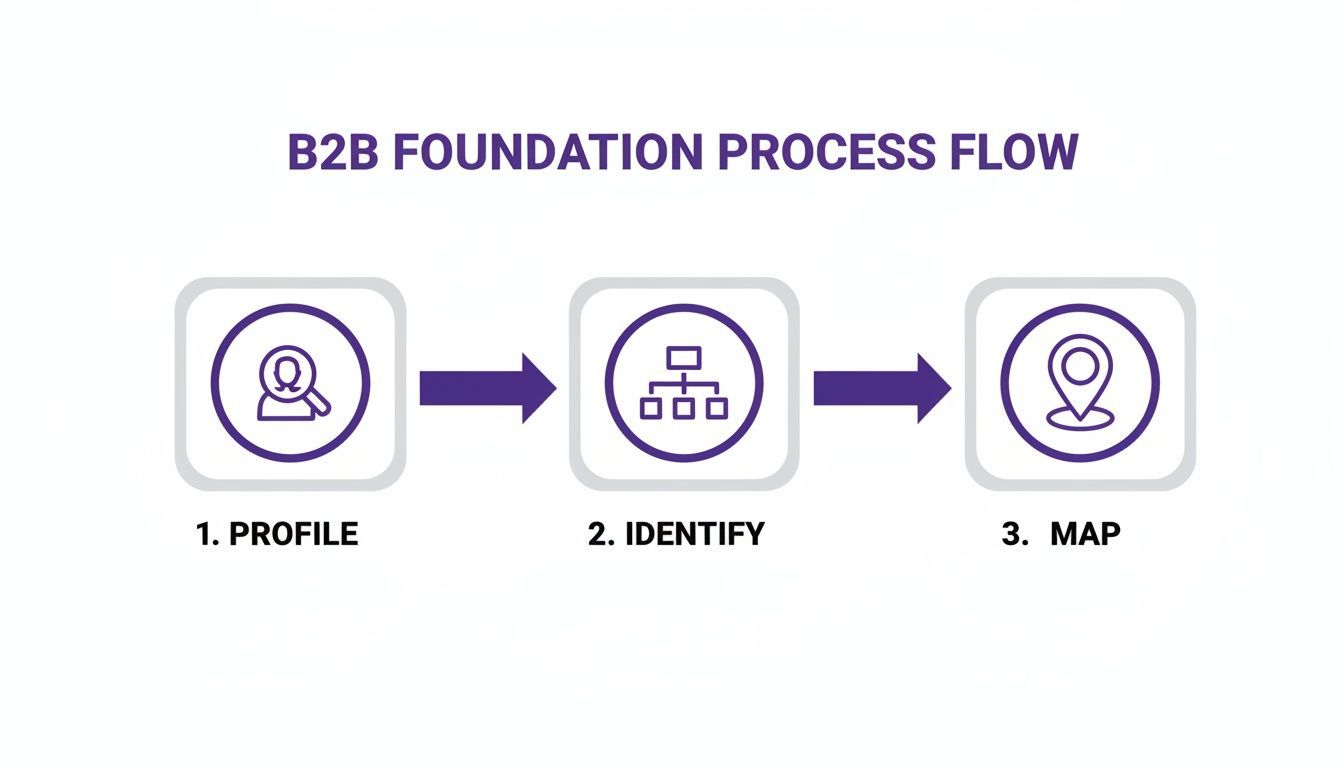
This visual reinforces the point: a successful workflow always starts with deep analysis before any outreach is made, ensuring you only spend energy on high-potential targets.
Mapping Key Players Within Target Accounts
Once you’ve defined your ICP, the next step is identifying the buying committee within those target companies. A B2B purchase decision is rarely made by one person. To get this right, it helps to stay current on the 8 B2B Lead Generation Best Practices that shape modern prospecting.
You need to identify and map the key roles that influence the deal:
- Decision-Makers: These are the people with the final say, like a VP of Sales or a Chief Marketing Officer, who hold the budget and give the ultimate approval.
- Influencers: These are team members whose opinions carry significant weight, such as a Senior Account Executive or a Marketing Ops Manager whose daily work will be directly impacted.
- Blockers: These are individuals who can stop a deal, often from departments like IT or finance, raising concerns about budget, security, or integrations.
Mapping this internal landscape allows you to tailor your messaging for each contact. By mastering this foundational stage, you’re creating a scalable system for a high-converting pipeline.
For more on how to organize this data, check out our guide on building a powerful prospect database.
How To Discover And Extract High-Quality Leads At Scale
So, you've defined your Ideal Customer Profile. Now the real work begins: finding those individuals and getting their details into your system efficiently.
The traditional method for this was painful. It involved hours of manually copying and pasting names, titles, and company info from LinkedIn into a messy spreadsheet. This soul-crushing grind was not only slow but also prone to typos and bad data. For sales and marketing teams, this manual approach is a dead end. You can't scale a business when your team spends half their time on data entry instead of selling. It’s a massive bottleneck that kills momentum.
Shifting To A Modern, One-Click Workflow
Thankfully, modern workflows replace manual labor with automated, one-click extraction. Smart tools do the heavy lifting, turning prospecting from a tedious chore into a strategic advantage.
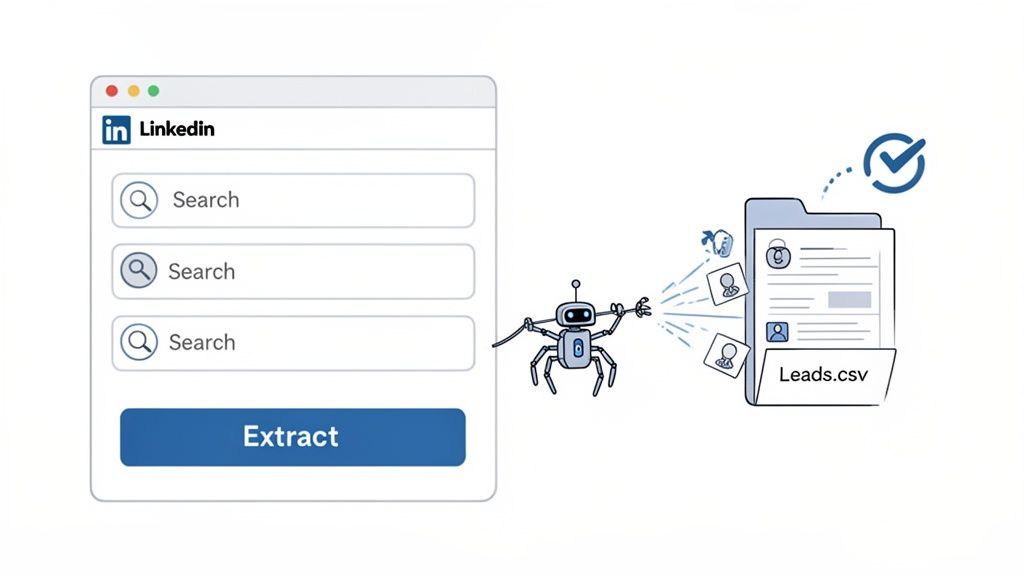
Instead of scraping profiles one by one, you can go to any web page—a LinkedIn search result, a company’s team page, a list of conference speakers—and pull all relevant data instantly. It’s about achieving speed, precision, and volume. For example, a no-code tool like ProfileSpider lets you extract up to 200 complete profiles from a single page with one click. It grabs names, job titles, companies, and contact details, instantly converting a web page into a clean, organized lead list.
The big idea here is to turn any website into a high-quality lead source. Your team can build hyper-targeted lists in minutes, not days, freeing them up to focus on what actually moves the needle: building relationships and closing deals.
For B2B teams, this is a game-changer, especially on platforms like LinkedIn where their best customers are active. Over half (53%) of B2B marketers use it to find prospects, and data shows it is 277% more effective for lead generation than platforms like Facebook or X, with 40% of B2B marketers calling it their top channel for quality leads.
A Practical Playbook For AI-Powered Lead Extraction
Let’s walk through a practical example. Imagine you're targeting 'Marketing Directors' at mid-sized SaaS companies.
Run a Targeted Search: Use LinkedIn’s filters to pull up a list of people matching your ICP. This could be from a standard search, a company’s employee list, or attendees of a recent webinar.
Activate the Extraction Tool: With the list on your screen, simply open the ProfileSpider extension and click "Extract Profiles."
Capture and Organize Instantly: The tool scans the page and pulls every profile into a neat, structured list. You immediately have their names, titles, company info, and social links, all stored securely and privately in your browser.
This method overcomes the limits of manual scraping. To understand the technology better, you can learn how to scrape leads with AI. The ability to instantly capture hundreds of perfect-fit profiles gives your team a significant advantage.
Lead Extraction Methods: Manual vs. Automated
The table below clearly shows why a modern workflow is essential.
| Metric | Manual Scraping (Traditional Method) | Automated Extraction (ProfileSpider) |
|---|---|---|
| Time to Build List | Hours or days of tedious work. | A few minutes. |
| Data Accuracy | High risk of copy-paste errors. | Highly accurate with structured, AI-driven capture. |
| Scalability | Extremely low; limited by human bandwidth. | High; extract up to 200 profiles per page. |
| Team Focus | Mind-numbing data entry. | Strategic outreach and selling. |
| Data Privacy | Often stored in shared, insecure spreadsheets. | Data is stored locally in your browser. |
Ultimately, an automated extraction tool fundamentally changes the economics of lead generation. You drastically lower the time, cost, and effort needed to build a pipeline, allowing even smaller teams to compete effectively.
Enriching And Qualifying Leads For Smarter Outreach
An extracted lead is just a raw ingredient. A name and a company aren't enough to build a solid B2B lead generation workflow. The real value comes from uncovering the data behind the name to fuel personalization and prevent your sales team from wasting time on dead ends.
This is where enrichment and qualification come in.
Skipping this stage means you're flying blind. You might have a massive list, but you won't know who they are, what they need, or if they're a good fit. This leads to generic, ineffective outreach. It all starts with data enrichment—filling in the blanks. An initial scrape might give you a name and title; enrichment adds the good stuff, like a verified email, a direct phone number, or other professional social profiles.
Turning Basic Contacts Into Rich Profiles
Not long ago, enrichment was another manual task. A sales rep would have to play detective, searching online just to find a single email address. It was slow, tedious, and error-prone.
Modern tools have changed the game. ProfileSpider, for instance, has a built-in 'Enrich' feature designed for this. If an initial extraction is missing information, you click "Enrich," and the tool crawls the subpages of the profiles it found to hunt down and add those missing details. A partial lead becomes a complete, actionable record in seconds.
Of course, there are plenty of options. You can explore a full breakdown in our guide to the best data enrichment tools.
Qualifying Leads With Proven Frameworks
Once your leads are enriched, it’s time for qualification. This is how you separate prospects from actual buyers. The goal is to score each lead based on how well they match your Ideal Customer Profile (ICP) and their level of interest, or "intent."
A few battle-tested frameworks provide a solid structure for this:
- BANT (Budget, Authority, Need, Timeline): The classic framework to quickly check if a prospect has the budget, authority, need, and a timeline for making a purchase.
- MEDDIC (Metrics, Economic Buyer, Decision Criteria, Decision Process, Identify Pain, Champion): A more in-depth framework for complex sales cycles, forcing your team to understand the measurable impact of your solution, the key decision-makers, and the internal buying process.
The point of a qualification framework isn't to be overly rigid. It's about creating a consistent, objective system for vetting leads. This ensures that only prospects with the highest probability of closing get passed to your sales team.
Building A Practical Lead Scoring Model
A lead scoring model assigns points to leads based on who they are and what they do, making it easy to prioritize follow-ups. For example, a "Marketing Qualified Lead" (MQL) has shown interest but may not be ready for a sales call, while a "Sales Qualified Lead" (SQL) has met specific criteria and is ready for direct engagement.
Here’s a simple checklist to start your own model:
- Define Your "Fit" Criteria: Assign points for firmographics and technographics. A lead in your target industry with 100+ employees could be +20 points.
- Track Engagement Signals: Give points for actions that signal interest. Visiting your pricing page? +10 points. Downloading a case study? +15 points.
- Set Your MQL/SQL Thresholds: Decide on the scores that matter. A lead might become an MQL at 50 points and an SQL at 100 points.
This process—enriching and then qualifying—ensures your outreach is not just personalized but also perfectly timed, focusing your team's energy where it will make a difference.
Automating Outreach And Nurturing Campaigns That Convert
You’ve got a clean list of enriched, qualified leads. Now your B2B lead generation workflow pivots from planning to starting conversations. The mission is to ditch generic email blasts and launch automated, multi-channel campaigns that get responses.
The old "spray and pray" method is dead. Your prospects' inboxes are a warzone. Winning their attention requires sending the right message on the right channel at the right moment.
Building Your Multi-Channel Outreach Sequence
Today’s B2B buyers are everywhere. Research shows they now use an average of 10 different channels to engage with vendors—a massive leap from just five in 2016.
This is why an omnichannel approach is essential. Companies with strong multi-channel engagement see 18.96% engagement rates, while those with weak strategies see a dismal 5.4%. You can get more details on these modern lead generation trends.
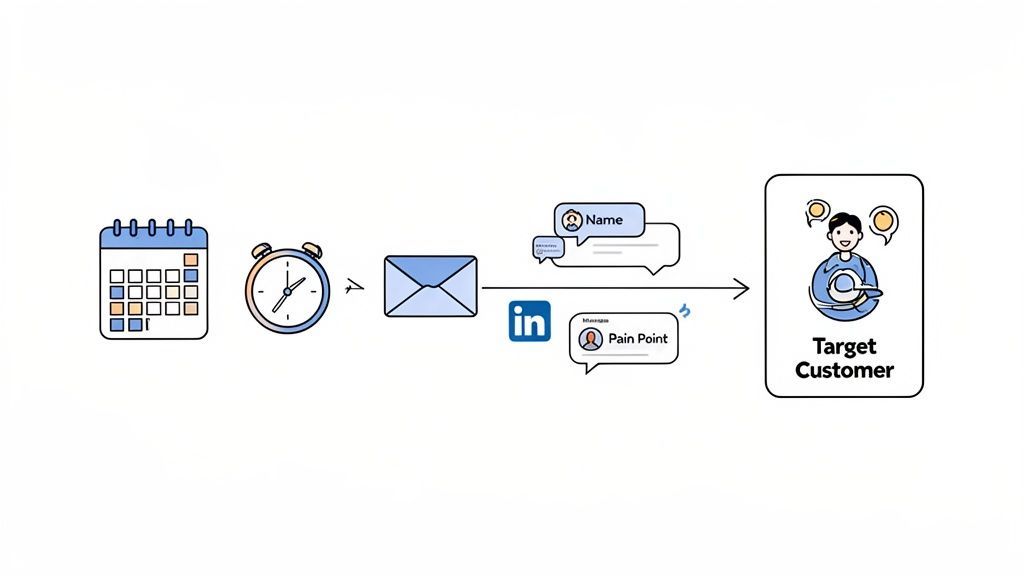
A solid outreach sequence blends multiple touchpoints into one cohesive campaign.
- Email: This is usually the backbone. Use your rich data to personalize everything—reference their job title, industry, or a known pain point.
- LinkedIn: The perfect spot for a professional, low-friction touchpoint. A good flow might start with a profile view, move to a personalized connection request, and then an InMail message.
- Other Touchpoints: Get creative. Depending on your ICP, this could mean targeted social ads, a thoughtful comment on a post, or a well-timed phone call for high-value targets.
Automating these initial steps frees up your sales team to focus on warm conversations with prospects who have already heard from you.
Personalizing Messages At Scale
Automation without personalization is just sophisticated spam. The data you collected during discovery and enrichment is your secret weapon for making a message sent to hundreds feel like it was written for one.
Use custom fields in your outreach tool for the basics:
{{FirstName}}{{Company}}{{JobTitle}}{{Industry}}
But go a layer deeper. Mention a recent company award, reference a shared connection, or comment on an article they published. It shows you’ve done your homework. For a closer look at how these systems work, check out these marketing automation workflow examples.
The whole point is to make the prospect feel seen. Your message has to instantly answer their unspoken question: "Why me, and what's in it for me?"
Nailing The Cadence And Follow-Up
How often should you reach out? Too little, and you’re forgotten. Too much, and you’re blocked. The sweet spot is a cadence that adds value without becoming noise.
A classic, effective sequence might look like this:
- Day 1: Personalized email + a LinkedIn profile view.
- Day 3: LinkedIn connection request (with a short, relevant note).
- Day 5: A follow-up email that references the first and offers something new, like a case study.
- Day 8: Quick, helpful message on LinkedIn.
- Day 12: A final "break-up" email to close the loop gracefully.
This value-driven persistence works. A sustained nurture series can deliver 4 to 10 times higher response rates than a single email. An automated workflow that handles follow-up ensures no lead slips through the cracks.
Bringing It All Together: Integrating Your Workflow and Measuring What Matters
A sophisticated B2B lead generation workflow is only as strong as its weakest link. After defining your ICP, finding leads, and warming them up, the final phase ensures every action is connected and measurable. Without a closed-loop system, you're just creating busy work, not predictable revenue.
This is where your Customer Relationship Management (CRM) system becomes the central nervous system of your operation—the single source of truth tracking every touchpoint.
Routing Clean Data Into Your CRM
The handoff from prospecting to sales must be seamless. Messy data transfer leads to lost leads, delayed follow-ups, and frustrated sales teams. The solution is clean, structured data that can be easily imported into any system.
Modern extraction tools are a game-changer here. When you use a tool like ProfileSpider to pull leads, you're getting neatly structured data—names, titles, emails, company info—all organized and ready to go.
With a single click, you can download these curated lead lists as a CSV file. That universal format allows for a frictionless import into virtually any CRM, including:
This step connects your prospecting to your sales pipeline, creating a unified view of the customer journey. No more manual data entry, fewer human errors, and immediate access to fresh, high-quality leads for the sales team.
Defining The KPIs You Absolutely Must Track
You can't fix what you don't measure. To build a lead generation engine that works, you must focus on the Key Performance Indicators (KPIs) that directly link your efforts to business results. Tracking these numbers tells you which parts of your machine are working and which need a tune-up.
Don’t get lost in a sea of data. Focus on a handful of core metrics that paint a clear picture of your pipeline health and efficiency. This is how you prove the value of your marketing and sales efforts.
Here are the essential metrics for every B2B team's dashboard:
Lead-to-Opportunity Conversion Rate: The percentage of your leads that become real sales opportunities. This is a direct reflection of your lead quality. A low rate might indicate your ICP is too broad or your qualification process isn't tight enough.
Cost Per Lead (CPL): Divide your total campaign spend by the number of leads generated. CPL helps you determine the efficiency of different channels, showing you where to double down and where to pull back.
Customer Acquisition Cost (CAC): The total cost to land a new customer. It includes all sales and marketing expenses over a set period, divided by the number of new customers signed. For a healthy business, your CAC needs to be significantly lower than your customer lifetime value (LTV).
Aiming For The Right Benchmarks
Knowing what to track is only half the battle; you also need to know what "good" looks like. Industry benchmarks provide a reality check. Average B2B conversion rates hover around 2.9% and can dip to 1.7% for some tech companies.
While 89% of B2B marketers use LinkedIn for prospecting, the 14.6% close rate for SEO-sourced leads highlights the power of a well-measured, multi-channel strategy. With 52% of marketers prioritizing lead quality over quantity, getting clean data into a CRM for precise tracking is essential. You can dig deeper into these numbers with these lead generation statistics and benchmarks.
Tying your workflow together and meticulously measuring KPIs is what turns lead generation from a series of disconnected tactics into a cohesive, data-driven system for predictable growth.