


A solid lead list validation workflow is the engine of any successful outreach campaign. It’s the strategic process of cleaning, verifying, and enriching raw contact data before it reaches your sales or recruiting teams. Think of it as a quality control system that filters out inaccurate information, saving you countless wasted hours and dramatically boosting your connection rates.
Why Bad Leads Are Silently Killing Your Sales Pipeline
We’ve all been there. You get a fresh list of leads and your team dives in, ready to hit their numbers. They spend hours personalizing outreach, only to be met with a wall of bounced emails, disconnected phone numbers, and contacts who left the company six months ago.
This isn’t just frustrating; it’s a direct hit to your resources and your team's morale. Every minute spent chasing a ghost lead is a minute not spent building a relationship with a real prospect. This hidden cost quietly eats away at your pipeline, leading to missed quotas and a widening gap between marketing and sales efforts.
The real culprit here is poor data quality. Without a systematic workflow for cleaning your lists, you're essentially flying blind.
The Widespread Problem of Unvetted Data
This is a bigger issue than most businesses realize. Industry research highlights a major operational gap: a shocking 56% of companies don't verify or validate leads before handing them to their sales teams.
That means over half of all leads being worked are complete unknowns. Pipelines get clogged with duds, and the entire outreach process grinds to a halt. Invalid emails, for instance, are a massive problem, accounting for up to 40% of bounced outreach attempts in some markets.
This lack of vetting has very real consequences that ripple through your entire outreach operation.
A lead list isn't a static document; it’s a living database that starts decaying the moment you create it. Treating it like a one-and-done asset is the fastest route to torching your ROI and burning out your team.
The Hidden Costs of an Unverified Lead List
Let's break down what happens when you skip the validation step. The issues go way beyond a few bounced emails—they compound and affect everything from your domain's sender reputation to your team's overall productivity.
| Problem | Direct Impact on Sales and Marketing |
|---|---|
| Damaged Sender Reputation | High bounce rates signal to email providers like Google and Outlook that you're a spammer, tanking your future deliverability. |
| Wasted Sales & Recruiting Hours | Your team's most valuable asset is time. Chasing bad leads means less time building relationships with qualified prospects. |
| Inaccurate Analytics & Forecasting | A list full of junk data completely skews your metrics, making it impossible to forecast revenue or measure campaign ROI. |
| Lower Team Morale | Constantly hitting dead ends is demoralizing and leads to burnout, making it harder for your team to stay motivated. |
Ultimately, the freshness of your lead data has a direct line to your campaign's success.
Putting a structured lead list validation workflow in place is the only strategic fix. It turns a messy, unreliable spreadsheet into a high-octane asset that actually fuels growth instead of holding it back.
Kicking Off Your Workflow with Clean Data Extraction
Your entire lead validation process lives and dies by the quality of your initial data extraction. It’s the single most critical step, and if you get it wrong, you’re just creating problems for yourself down the line. Starting with messy, incomplete, or just plain wrong data means you'll burn countless hours trying to clean up a mess that could have been avoided from the start.
The Traditional Method: Manual Grind vs. Brittle Code
Anyone who’s built a lead list the old-fashioned way knows the pain. For sales reps and recruiters, it was usually hours of mind-numbing copy-pasting from LinkedIn or company websites into a spreadsheet. The more technical folks might have tried writing web scraping scripts, but those are notoriously brittle—they break the second a website's layout changes, turning into a constant maintenance headache. Both paths are slow, inefficient, and impossible to scale.
The Modern, One-Click Alternative with ProfileSpider
Thankfully, modern tools have completely changed the game. Instead of fighting with broken code or losing an afternoon to copy-paste, you can now grab structured, accurate data with a single click.
Picture this: you've run a search on LinkedIn and have a page of 25 perfect prospects. Or maybe you're on a company's "About Us" page, looking at their entire leadership team. With a no-code tool like the ProfileSpider Chrome extension, you can pull all that information, perfectly formatted, in one go.
The guiding principle is simple: begin with the cleanest, most complete data possible. When you automate extraction, you're not just saving time—you're laying a high-quality foundation for every validation step that follows.
This simple shift turns the most labor-intensive part of list building into a non-issue. It frees you up to focus on what actually moves the needle: verification, enrichment, and outreach.
What to Look for in a Reliable Data Capture Tool
So, how does this work? The best tools use AI-powered field detection to intelligently identify and pull key data points from any webpage. It’s not just grabbing random text; it understands the context of the information.
That means it can accurately pinpoint and extract:
- Full Names for proper personalization.
- Job Titles and Company Names to qualify leads.
- Contact Info like emails and phone numbers, when they're available.
- Social and Professional Profile Links for deeper research.
A powerful extraction tool can process up to 200 profiles from a single page, collapsing what used to be a full day's work into a few seconds. To ensure your extraction process is robust at scale, it's also worth looking into the best proxies for web scraping, as this is a critical piece of the puzzle for building high-quality lists consistently.
By starting your workflow with a clean, scalable, and automated extraction method, you're setting a new standard for your data quality from day one. You stop reacting to bad data and start proactively building a valuable asset.
To see this one-click extraction in action, check out our deep-dive into ProfileSpider's features.
Getting Your Hands Dirty: Core Data Cleaning and Verification
Alright, you've got your raw data. Now the real fun begins. This next part is the heart and soul of any solid lead list validation workflow. We're about to turn that messy, raw collection of contacts into a polished, high-quality asset that your sales or recruiting teams can actually trust and use.
Think of this as the quality control checkpoint. Every single lead has to pass through here before it even gets a whiff of your pipeline.
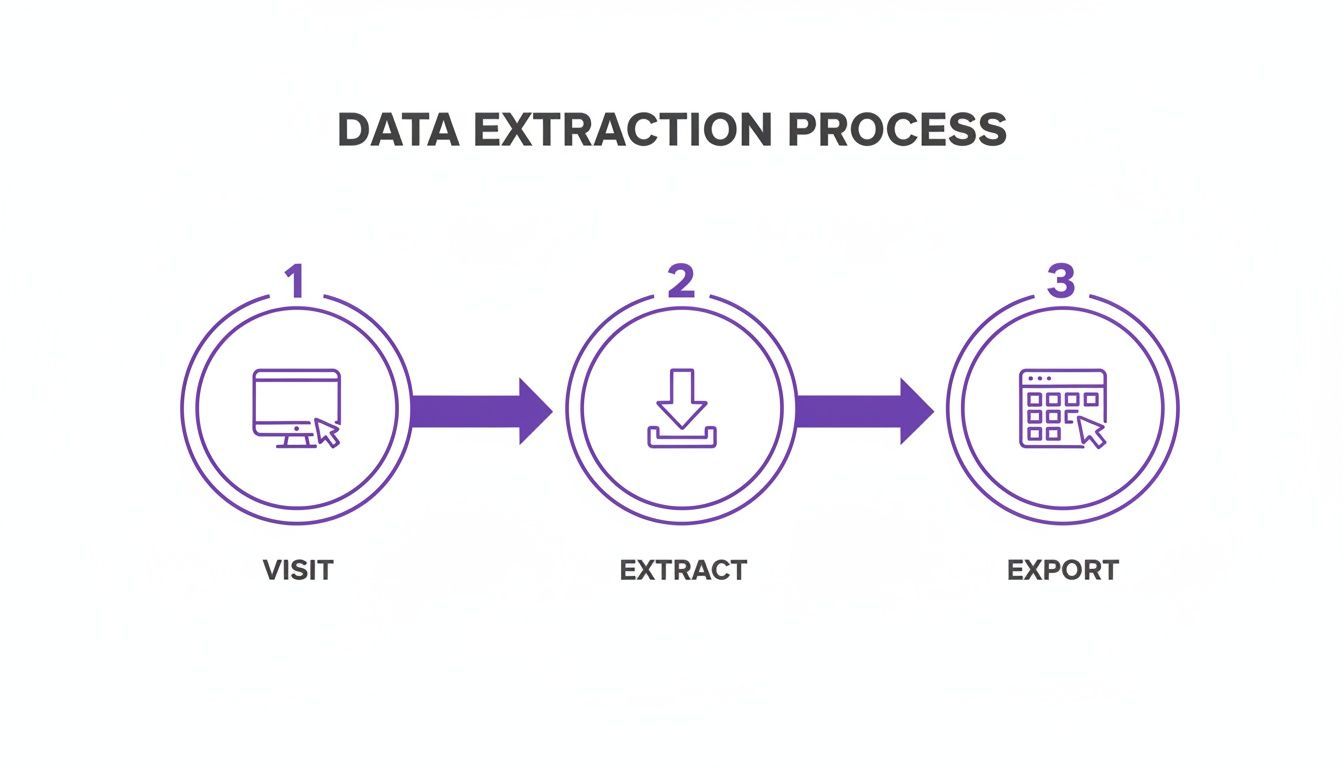
First, you've got to get the data out. The modern approach is pretty straightforward: you visit a source, extract the profiles with a click, and export the results. That's your starting point.
With that raw export in hand, it's time to clean it up.
Chasing Out the Clones: Eliminating Duplicates
First things first: deduplication. Duplicate contacts are an absolute nightmare, especially when you're pulling data from multiple places. They cause confusion, lead to those cringe-worthy moments when you reach out to the same person twice, and just generally bloat your CRM with junk.
Your goal is a single, unified record for each person. Trying to sift through a spreadsheet to find and merge duplicates manually is a fast track to mistakes and wasted hours. A modern contact tool, like the one built into ProfileSpider, usually includes a merge duplicates feature that can sniff out contacts with the same name or email and automatically combine them. It’s a massive time-saver.
Speaking the Same Language: Normalizing Your Data
Next up, you've got to normalize all the data formats. This is about making sure everything follows a consistent pattern, which is a game-changer for personalization and getting your list into a CRM without errors. Inconsistent data just looks sloppy and can completely break your automation rules.
Here are a few of the usual suspects you'll need to tackle:
- Name Formatting: Get all names into a standard case. You'll want to change "john smith" to "John Smith" across the board.
- Job Title Cleanup: This one's big. Simplify and standardize titles so you can actually segment your lists properly. For instance, "VP of Sales, North America" and "Sales Vice President" should both just become "VP of Sales."
- Company Names: Ditch the legal fluff. Get rid of suffixes like "LLC," "Inc.," or "Ltd." unless they're genuinely part of the brand name. This keeps you from having multiple records for what is essentially the same company.
These small tweaks make a world of difference in how clean your final list is and how easily it plays with your other systems. We go way deeper on these techniques in our full guide on how to clean lead lists.
The Make-or-Break Step: Email Verification
This is it. If you get one thing right, make it this one. Blasting emails to invalid addresses craters your deliverability, hurts your sender reputation, and can even get your domain blacklisted. You don't want that heat.
The standard here is high. You should be aiming for a 95%+ valid rate after cleaning. It sounds ambitious, but when you realize that invalid addresses can make up 40% of raw B2B lists, you see why it's non-negotiable. The process is simple: export your list to a verification service, and then be ruthless. Only keep contacts with a 'Valid' status.
And this isn't a one-and-done task. B2B email data decays by over 22% every year, so get in the habit of re-verifying your lists every quarter.
When you run a list through a verifier, you’ll get back a few different statuses:
- Valid: Gold. The email exists and can receive mail. These are your keepers.
- Invalid: Trash. The address is fake or has a typo. Delete these immediately to protect your sender score.
- Catch-All (Risky): These are tricky. The domain is set up to accept all mail, so it won't hard bounce. But there's no telling if a real person is on the other end. It’s a gamble. Many teams either toss these or put them in a super low-priority, experimental sequence.
My rule is simple and has never failed me: only engage with contacts that come back as 'Valid.' Everything else is a liability you can't afford.
By running through this methodical process—dedupe, normalize, verify—you're transforming a chaotic spreadsheet into a powerful asset. This is how you ensure every lead you hand over to your team is clean, accurate, and actually ready for a real conversation.
Enriching and Scoring Leads for Smarter Outreach
Once your list is clean, the real strategic work begins. A validated list stops you from chasing ghosts, but an enriched and scored list points you directly to your next win. This is how you turn a simple contact sheet into a prioritized action plan, making sure your team’s energy is spent on the leads most likely to actually convert.
This means adding layers of valuable intelligence to the data you already have.
Filling in the Gaps with Data Enrichment
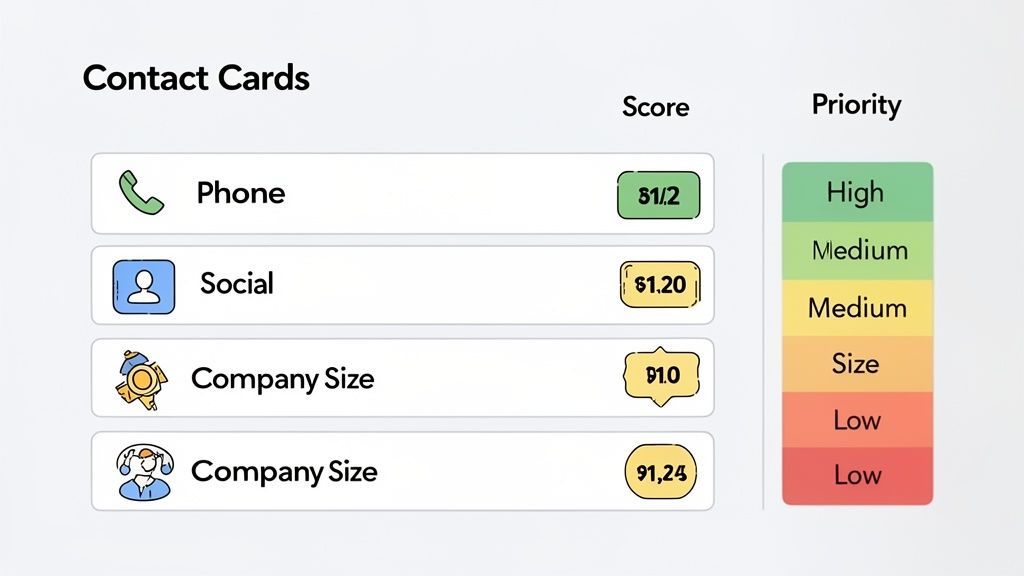
Data enrichment is all about appending crucial, missing information to your records. Your initial scrape might grab a name, title, and company. But what about a direct-dial phone number? A link to their active social profiles? What about key firmographics like company size and industry?
These are the details that fuel deep personalization and make multi-channel outreach effective.
Manually hunting down this info is a soul-crushing task that kills productivity. Thankfully, modern tools build this right into the workflow. For instance, if you've extracted a list of profiles but are missing those key details, a feature like ProfileSpider’s ‘Enrich’ can revisit the source URLs and automatically pull that missing data for you. When direct emails are not available, the ProfileSpider Email Pattern Generator can help you infer likely company email formats from names and domains before you run final verification.
This one-click action fills in the blanks, turning a basic contact record into a comprehensive profile. Leveraging powerful Data Enrichment Services is the key to transforming raw data into actionable intelligence.
Prioritizing Your Best Bets with Lead Scoring
With fully enriched profiles, you can now start lead scoring—a system for ranking prospects to see how ready they are to buy. Instead of treating every lead as equal, you assign points based on how well they match your ideal customer profile (ICP). This lets your team instantly spot and prioritize the high-value opportunities.
It's a surprisingly powerful technique that many companies still overlook. As of 2025, research shows that just 44% of companies had a systematic scoring system in place, with most still relying on gut feelings. That’s a huge missed opportunity, especially when qualified leads can convert at 40%, blowing past the 11% rate for unvetted contacts.
Even a simple scoring model is all it takes to get started.
A lead score isn't just a number; it's a clear signal that tells your sales team, "Start here." It’s the most direct way to align your outreach efforts with your highest-potential opportunities, and it’s a cornerstone of an effective lead list validation workflow.
A Simple Lead Scoring Model You Can Use Today
You don't need a complex algorithm to get going. A straightforward, points-based system built on key attributes is incredibly effective. Here’s a customizable model that combines demographic data (who the person is) with firmographic data (what their company is like).
| Attribute | Criteria | Points |
|---|---|---|
| Job Title | C-Level/VP (Decision-Maker) | +25 |
| Director/Head Of (Influencer) | +15 | |
| Manager (Influencer/User) | +10 | |
| Other | +5 | |
| Company Size | 501 - 5,000 Employees | +20 |
| 51 - 500 Employees | +10 | |
| 1 - 50 Employees | +5 | |
| Industry | Matches Top 3 Target Industries | +15 |
| Matches Secondary Industries | +5 | |
| Does Not Match | 0 | |
| Data Completeness | Has a Verified Email & Phone | +10 |
| Has a Verified Email Only | +5 |
Feel free to tweak this model to perfectly fit your own ICP. Once you apply the scores, just sort your lead list. This creates a clear hierarchy for outreach, putting your most valuable prospects right at the top, ready for immediate and personalized attention. It's a simple step that shifts your sales strategy from reactive to proactive and data-driven.
Preparing Your List for CRM and Sales Handoff
This is it. The final checkpoint. Your list has been scraped, cleaned up, verified, beefed up with extra data, and scored. Now comes the most critical handoff in the entire lead list validation workflow: getting this goldmine of data into the hands of your sales or recruiting team.
If you fumble this last part, all that hard work could go to waste. Precision here isn't just nice to have; it's everything. The goal is to move your data from its temporary home into your CRM without a single hiccup, making sure every field lands exactly where it should so your team can get to work immediately.
The Final Quality Assurance Check
Hold on. Before you even think about hitting that export button, it's time for a quick but essential manual review. Automated tools are incredible, but they don’t have human intuition. They can miss the subtle, context-specific weirdness that a quick human glance will catch instantly.
Think of it as your pre-flight checklist. You're not re-validating every single lead, just spot-checking for any glaring red flags.
- Scan for Odd Formatting: Are there any weird characters, funky capitalization, or data that’s clearly in the wrong column? These are the little things that can slip through automated normalization.
- Check Key Fields: Take a quick look at the names, job titles, and company names for your highest-scoring leads. Does anything seem off? A title like "Chief Innovation Guru" might be legit, but it could just as easily be a copy-paste mistake.
- Confirm Consistency: Double-check that your standardized job titles or industry categories have been applied evenly across the board.
This manual QA should only take a few minutes, but it's a priceless safety net against embarrassing mistakes and a messy CRM import.
The final handoff is where data integrity meets operational readiness. A perfectly validated list is useless if it's imported incorrectly. Take the time to get this last step right—it's what separates a good workflow from a great one.
Exporting Your Data for a Perfect Import
Once you're confident in the list's quality, the next move is to get it into a format your CRM can actually use. Flexibility is your friend here. Any solid data tool should let you export to universal formats like CSV or Excel, which are the bread and butter for pretty much every sales and marketing platform out there.
But the file format is only half the story. The real magic is in custom column selection. Your CRM is picky; it expects data in specific fields like "First Name," "Last Name," "Company," and so on. Your export file needs to be a perfect mirror of that structure.
Don't just dump every piece of data you collected. Select only the columns you need, and arrange them in the exact order your CRM wants them. This bit of prep work saves you a world of hurt during the import process. For a deeper dive, our guide on web scraping for your CRM shows you how to automate this and feed your pipeline with perfectly formatted data.
Privacy and Data Security During the Handoff
There's one more crucial piece to this puzzle that often gets overlooked: data privacy. When you're using cloud-based tools for scraping or validation, your lead lists—full of sensitive personal and company info—are often flying around on third-party servers. That's a security risk waiting to happen.
This is exactly where local-first tools like ProfileSpider really shine. Because all the data you pull is stored right inside your browser, it never leaves your machine. Your lead list stays securely on your computer until the moment you're ready to export it.
This approach gives you total control and ownership of your data through the entire process, keeping you compliant and your data secure from start to finish. Once you've done your final QA and are ready for the import, you can push that clean, validated list to your CRM, knowing it’s been handled safely every step of the way.