


Most sales teams don't lose time on outreach. They lose it before outreach starts.
The drag shows up in the same place every week. Someone opens an industry directory, finds a promising company, copies a name into a spreadsheet, pastes a title into the next column, opens another tab to find the company site, then repeats that sequence until the list is barely usable. By the time the sheet is clean enough to import, the rep is already behind on follow-up.
That old workflow still survives because directories look simple on the surface. They're just lists of companies, members, speakers, consultants, distributors, partners, or professionals. In practice, they're one of the richest sources of intent and relevance in B2B prospecting, especially when you stop treating them like webpages and start treating them like structured lead sources.
The Untapped Goldmine of Online Directories
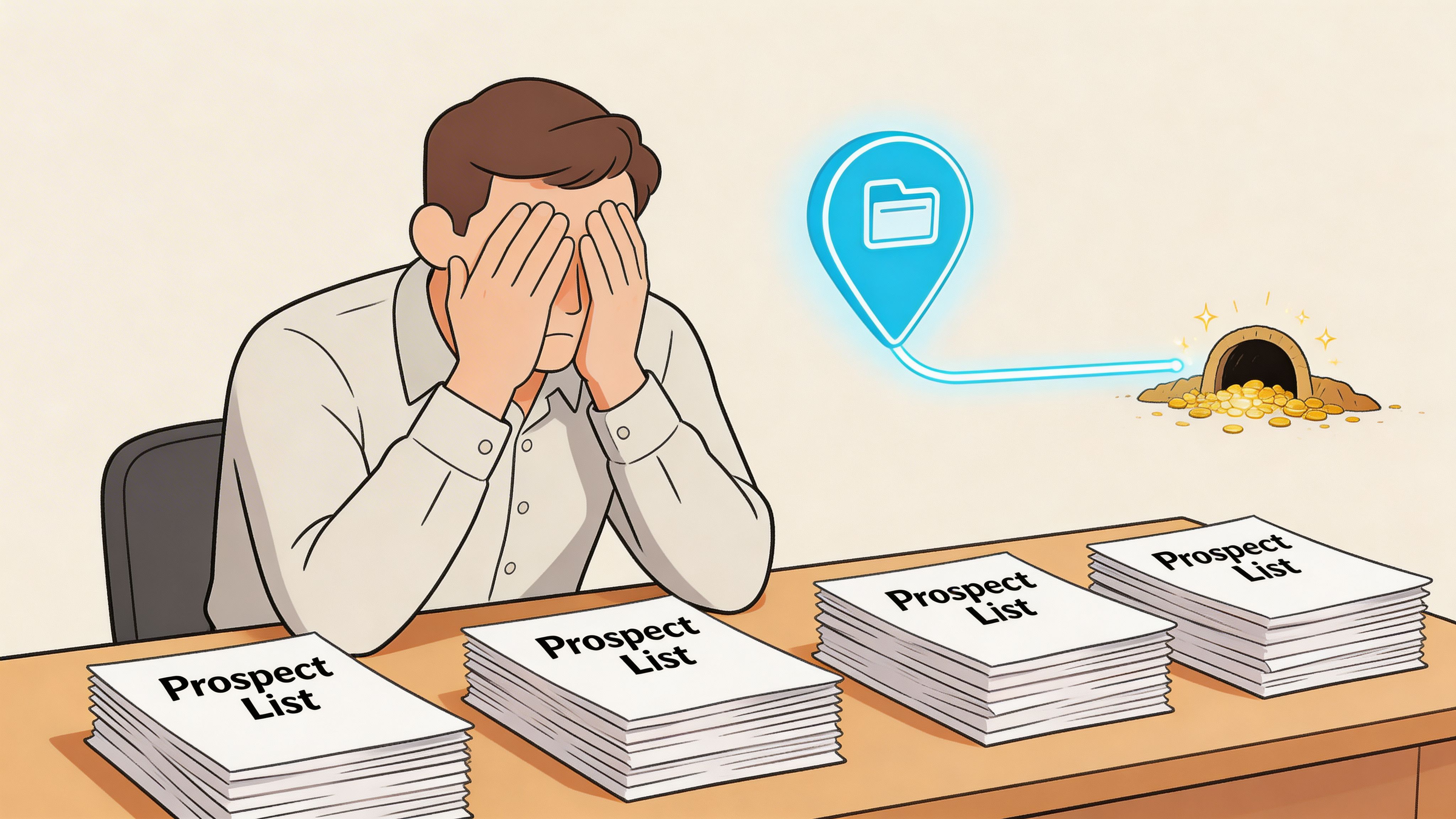
Directory prospecting works because directories do part of the qualification for you.
A trade association member directory usually tells you the company belongs in the market you care about. A conference speaker page signals subject-matter relevance. A partner listing tells you who already sells into a specific ecosystem. A niche professional directory often exposes role, geography, specialization, and company context in one place.
That matters more now because buyers do more of their own research before they ever reply. The teams that handle this well don't just gather contacts. They build sequences around higher-fit lists. Companies that excel at lead nurturing as part of their sales prospecting processes generate 50% more sales-ready leads at a 33% lower cost, according to Forrester Research cited by Salesgenie (sales prospecting statistics).
Why directories beat random list building
Manual list building from broad databases often creates volume without context. You get names, but you don't know why those names belong in your campaign.
Directories usually give you that reason upfront:
- Membership context: Industry associations, chambers, and vendor networks show who participates in a market.
- Role context: Speaker pages, advisory boards, and expert communities identify visible decision-makers.
- Commercial context: Distributor directories, solution partner pages, and certified provider lists point to organizations with active buying or selling motions.
- Geographic context: Local business directories help field sales, regional recruiting, and territory-based campaigns.
If you are starting from company-heavy sources like partner directories, supplier lists, or regional business hubs, the ProfileSpider Company Finder can help you find relevant companies before you extract, enrich, and move them into your prospecting workflow.
Directories are useful when the list itself tells you why the prospect should care.
If someone on your team needs a refresher on the bigger process around lead sourcing, qualification, and outreach, this explanation of What is sales prospecting gives the right baseline without overcomplicating it.
Why the old workflow wastes the opportunity
The manual method turns a strong source into a weak system.
Reps skim pages, copy incomplete fields, miss duplicate records, and postpone follow-up because the data still needs cleanup. The source is valuable, but the handling kills speed. Directory prospecting only pays off when collection, organization, and activation happen fast enough that the rep can act while the segment is still fresh.
That shift is the primary divide in 2026. Not whether directories matter. They do. The divide is whether your team still mines them by hand or treats them like an operational input that can move straight into enrichment, validation, and outreach.
Finding and Evaluating High-Value Prospecting Directories
Most bad directory prospecting starts with a lazy source choice.
Teams go after the biggest directory they can find, then wonder why the list converts poorly. Size isn't the deciding factor. Relevance, freshness, and extractable detail matter more.
Where strong directories usually hide
The obvious places are LinkedIn-style profile hubs and large business directories. Those can work, but the better lists often sit in narrower corners of the web.
Start with sources that already segment your market:
- Trade associations: Member directories often sort by specialization, certification, or region.
- Event websites: Speaker, sponsor, exhibitor, and attendee-community pages reveal active companies in a category.
- Partner ecosystems: Technology vendors and platforms often publish agency, reseller, implementation, or consulting partner lists.
- Professional communities: Advisory boards, contributor directories, expert marketplaces, and alumni communities can surface senior operators.
- Industry marketplaces: Supplier directories, manufacturing catalogs, and service provider listings help when you're targeting verticals with clear subcategories.
- Local and regional business hubs: Chambers, startup ecosystems, and city business directories are useful when territory matters.
A practical search pattern is to combine your niche with words like member directory, exhibitors, speakers, partners, certified providers, consultants, or regional chapter.
What to check before you extract anything
I use a simple screening standard. If a directory fails two or three of these checks, it usually isn't worth operationalizing.
Signs the directory is worth your time
- Recent activity: Look for current events, recent member updates, fresh dates, or active listings.
- Visible segmentation: Filters by industry, title, location, company type, or service category make targeting cleaner.
- Profile depth: Strong directories include names, titles, company names, locations, websites, and profile detail pages.
- Clear business relevance: The directory should reflect a real buying, hiring, partnership, or membership signal.
- Consistent formatting: Structured pages are easier to turn into usable records and easier to review for quality.
Red flags that usually lead to junk lists
Some directories look useful until you inspect the page structure and record quality.
- Thin entries: If every listing is just a company name and no person, you'll need another source to identify decision-makers.
- Stale pages: Dead links, old branding, or archived events often indicate neglected data.
- Weak fit: A broad directory with thousands of unrelated listings creates cleanup work that swamps any value.
- No detail pages: If the page doesn't open to richer profile information, enrichment later becomes harder.
- Poor search behavior: If filters are broken or category labels are vague, targeting becomes guesswork.
Practical rule: If you can't explain in one sentence why everyone on the page belongs in the same campaign, don't build the list yet.
Match the directory to the motion
Different motions need different directory types.
For outbound sales, partner ecosystems, association directories, and speaker lists often produce better context than generic business databases. For recruiting, member directories and community rosters can reveal people with niche backgrounds. For marketing partnerships, conference speakers and association boards are often stronger than broad influencer searches.
The point isn't to find every directory. It's to find the directories that pre-qualify the audience before your team spends a minute on outreach.
Manual Grind vs One-Click Automated Extraction
The gap between manual prospecting and automated extraction isn't theoretical. It's operational.
When teams say directory prospecting doesn't scale, what they usually mean is their manual workflow doesn't scale.
What the manual workflow actually looks like
On paper, manual extraction sounds manageable. Open the directory. Search the category. Copy the names. Build a sheet.
In reality, it breaks down into a chain of repetitive tasks:
- Open a directory and apply filters.
- Scroll through the page to identify profile blocks.
- Copy name, title, company, location, and website one record at a time.
- Paste each field into the right spreadsheet column.
- Fix formatting because one person copied a title into the company field.
- Open profile detail pages for missing information.
- Remove duplicates after different reps hit overlapping pages.
- Reformat the list again before import.
That process creates three problems.
First, it's slow. Second, people make avoidable errors. Third, no one wants to repeat it consistently enough to build a pipeline.
What changes when extraction is automated
An AI-powered browser workflow treats the page like a set of records instead of a visual list.
With a tool like ProfileSpider, the user visits any directory or profile page, opens the extension, and clicks extract. The system scans the page, identifies profile blocks, and returns structured data such as names, titles, companies, contact details, and links. It can process up to 200 profiles from a page, store the results locally in the browser, organize them into lists, and export them to CSV, Excel, or JSON. For teams comparing simpler browser scrapers against more structured extraction workflows, this overview of an instant data scraper is a useful reference point.
The main improvement isn't just speed. It's consistency.
The output lands in a repeatable format. That means less cleanup, easier deduplication, and faster handoff into validation or CRM import.
Side-by-side view of the workflow
| Metric | Manual Prospecting | ProfileSpider (Automated) |
|---|---|---|
| Setup | Open directory and spreadsheet separately | Open directory and run extraction inside browser |
| Data capture | Copy and paste fields by hand | Detects profile blocks and structures fields automatically |
| Missing details | Open each profile page manually | Can be followed by built-in enrichment on detail pages |
| Error risk | High due to manual entry and formatting mistakes | Lower because records are captured in a consistent structure |
| List organization | Manual tabs, folders, and sheet cleanup | Lists, tags, notes, and local contact organization |
| Export | Spreadsheet cleanup before import | Direct export to CSV, Excel, or JSON |
| Scalability | Limited by rep time and patience | Suited to repeated extraction across many directories |
The best workflow isn't the one with the most features. It's the one reps will actually run every week without creating cleanup debt for sales ops.
What still doesn't get solved by automation alone
Automation doesn't rescue a bad source.
If the directory is outdated, irrelevant, or missing profile depth, extraction just turns weak data into a faster weak-data workflow. That's why source evaluation matters before the click. Automation is an execution upgrade, not a strategy substitute.
It also doesn't replace judgment. A rep still has to decide whether a directory supports an account-based campaign, a territory build, a partner motion, or a recruiting pipeline. The machine gathers records. The operator defines the target.
Where one-click workflows pay off fastest
The biggest gains usually show up in repeatable list-building environments:
- Association directories with category filters
- Conference pages with speakers, sponsors, and exhibitors
- Partner directories that list agencies, consultants, or resellers
- Company team pages where titles and functions are visible
- Regional business directories for localized prospecting
Manual prospecting can still work for tiny one-off searches. It falls apart when the team needs a system.
Enriching and Validating Your Prospect Data
Extraction gives you a list. It doesn't give you a campaign-ready asset.
Most directory pages only expose part of the record. You might get a name and company, but no direct contact path. Or you get a company listing with a generic role and no useful context. If you push that raw data into outreach, reps burn touches on bad records.
What enrichment should accomplish
Good enrichment fills operational gaps, not vanity fields.
You're trying to answer basic outreach questions. Is this still the right person? Is the company real and active? Do we have enough context to write a relevant first message? If not, the record needs work.
If you want a plain-language primer on the broader concept, this explanation of data enrichment is a solid baseline.
Useful enrichment targets
- Role clarity: Confirm the actual function and level of responsibility.
- Company context: Standardize company names and connect them to the right website.
- Additional contact paths: Capture public emails, phones, and social links when available. If you specifically need to find public social profiles for a person or company before outreach, the ProfileSpider Social Link Finder can help fill that gap.
- Location and market fit: Verify territory alignment and relevance to the campaign.
- Detail-page fields: Pull information that summary listings leave out.
The manual version is where teams lose momentum
Without a structured workflow, someone has to click into each profile, scan for missing fields, copy details into a sheet, standardize formatting, and then verify whether the record is still usable.
That sounds manageable until the list grows.
Then you get familiar failure modes. Titles are inconsistent. Company names appear in three different formats. Duplicate records slip through. Reps hold off on outreach because they don't trust the sheet.
A cleaner post-extraction process
A practical enrichment workflow looks like this:
- Extract the directory page into a working list.
- Review which fields are missing across the whole batch.
- Visit detail pages for records that likely contain additional information.
- Standardize naming, roles, and company formatting.
- Validate before CRM import.
ProfileSpider includes an Enrich action that visits linked profile detail pages to capture additional public information such as emails, phones, and social links when available. The key advantage isn't just convenience. It keeps the research motion attached to the original record instead of scattering data across tabs and side sheets. For teams building a stricter review step before import, this lead list validation workflow maps well to sales ops handoff.
A raw scrape is a draft. Outreach starts after cleanup, not before.
Validation checks that matter
You don't need a perfect record. You need a trusted record.
Use a short validation pass before the data reaches reps:
- Deduplicate: Merge repeated contacts and companies from overlapping pages.
- Normalize fields: Standardize capitalization, title formatting, and company naming.
- Check basic accuracy: Make sure profile links resolve and the business still exists.
- Flag uncertain records: If a person or company looks mismatched, quarantine it instead of forcing it into the campaign.
Teams that skip validation usually think they're saving time. They aren't. They just move the cleanup burden into the outreach stage, where it costs more.
Crafting Outreach Sequences and Integrating with Your CRM
A directory list becomes pipeline only when it enters a follow-up system.
Too many teams stop at export. They build a clean CSV, feel productive, then let the file sit in a shared folder while reps cherry-pick a few names. That's not a process. That's a graveyard for decent data.
Move the list into a system fast
The handoff should be boring.
Export the structured list to CSV or Excel. Map the fields to your CRM. Tag the source as directory prospecting. Assign owner, campaign, region, or segment before the first touch goes out. If your team waits until after outreach begins to clean up source labels and ownership rules, reporting gets messy fast.
This walkthrough on feeding your sales pipeline automatically from web scraping into a CRM is useful if you want the operational side documented.
Minimum fields to carry into the CRM
- Contact identity: Name, title, company
- Source context: Directory name or page type
- Profile links: Original listing URL and any detail-page URL
- Segmentation: Industry, region, campaign, or use case
- Notes for personalization: Why the prospect appeared in this list
Why persistence matters more than list size
Directory-sourced leads are often context-rich but not immediately responsive.
That means your follow-up system has to do the heavy lifting. Research analyzing 10 million calls found that 93% of leads that eventually convert are contacted on the sixth attempt or later (cold calling statistics). Teams typically don't have a lead problem in this situation. They have a sequencing problem.
If the list is good and the first message gets ignored, the answer usually isn't to abandon the segment. It's to run the next touch on schedule.
A simple multi-touch sequence for directory prospecting
This is the kind of cadence that works better than one email followed by silence.
Touch 1
Send a short email tied to the reason the person appeared in the directory.
Example:
Subject: Reached out after seeing your profile in [directory name]
Hi [First Name], I came across your profile while reviewing [directory or member category]. Reaching out because your role at [Company] looks closely aligned with [specific problem or initiative]. If this is relevant, I can send a brief note on how teams handle [pain point]. Interested?
Touch 2
Send a LinkedIn connection request or equivalent social message.
Keep it light. Mention the shared context from the directory. Don't paste the full pitch.
Touch 3
Send a follow-up email with one sharper observation.
Example:
Hi [First Name], following up because I noticed [relevant company, market, or role detail]. We usually see teams in that position run into friction around [problem]. If that's on your radar, happy to share a practical approach.
Touch 4 and beyond
Call, email again, and vary the angle. Use role context, company context, or timing context. Don't keep resending the same message.
What doesn't work
Several habits sink directory outreach even when the list is strong:
- Generic openers: If the message ignores why the lead was in the directory, you waste the source advantage.
- No source tagging: Reps lose context and write shallow outreach.
- One-touch behavior: Teams stop too early and misjudge list quality.
- Poor ownership rules: Contacts sit unworked because no one knows who owns the segment.
A usable system doesn't need to be complicated. It needs clean source data, CRM discipline, and a cadence the team will complete.
Efficiency Tips and Legal Considerations
Efficiency comes from reducing repeated decisions.
Create separate lists for each campaign instead of dumping every extracted contact into one pool. Use tags for market, role, and source type. Keep notes short and useful, such as why the contact was selected or what page they came from. Run deduplication before export, not after import.
A few operating habits help:
- Batch by source: Process one directory type at a time so field patterns stay consistent.
- Segment early: Split lists by campaign intent before reps start outreach.
- Keep a source label: Preserve the original directory context for personalization and reporting.
- Review local storage regularly: Delete stale records and keep active lists clean.
Legal and privacy considerations matter in directory prospecting because you're handling personal and company data. The practical standard is simple. Only collect what you need, keep records organized, respect applicable outreach rules, and maintain control over where the data lives.
ProfileSpider's local-first model helps here because extracted data stays in the browser rather than being stored as a cloud-based contact repository by the tool vendor. That gives ops teams tighter control over retention, deletion, and handling. For a broader operational checklist, use this lead scraping compliance checklist.
Directory prospecting isn't hard because directories are weak. It's hard when the workflow is old.
The teams that get value from directories don't spend their week copying rows into spreadsheets. They choose better sources, extract in bulk, clean the records, and push them into a real follow-up system quickly. That's what turns a directory from a webpage into a revenue input.