

You open a directory, click into a profile, copy a name, paste it into a sheet, go back, grab a title, paste again, then hunt for an email that may or may not still work. After an hour, you’ve built a list that looks productive on paper but still needs checking, cleaning, and sorting.
Most bad prospecting starts there. Not with weak outreach, but with a weak list.
The better approach is to treat public niche directories as curated pools of likely buyers, candidates, partners, or researchers, then use a quality-first workflow to extract and refine the right records. That’s how to build niche prospect lists from public directories without drowning in manual work or collecting junk data.
The Hidden Value in Niche Prospecting
The hard way feels responsible because it’s manual. You can see every row getting added. But manual effort doesn’t guarantee a better list. It usually creates a slow one.

A recruiter looking for healthcare administrators, a sales rep targeting Shopify agencies, and a marketer building a list of conference speakers all face the same problem. The public data exists, but it’s scattered. Team pages, association member lists, exhibitor directories, local business listings, and event sites all hold useful information, yet many collect it one profile at a time.
That’s inefficient, and it also misses the core advantage of niche sources. Niche directories significantly outperform general directories in lead conversion rates, with businesses maintaining synchronized profiles across multiple niche platforms achieving 3x higher lead quality according to Jasmine Directory’s 2025 research on niche directories. The reason is practical. A niche source usually reflects intent, specialization, or market fit before you ever send a message.
Why niche beats broad
General databases give you volume. Niche directories give you context.
A directory of legal tech vendors, a list of speakers at a cybersecurity event, or a member roster from an industry association tells you something useful immediately:
- They belong to a specific market
- They’ve self-identified publicly
- They’re easier to segment by relevance
- They often reveal timing signals
That’s where disciplined prospect research matters. Before collecting anything, define what counts as a good record, what signals show likely need, and which decision-makers matter.
Practical rule: Don’t start with websites. Start with the kind of prospect you want, then work backward to the directories where those people already gather publicly.
A niche list built this way is smaller than a generic export. It’s also far more usable.
How to Find High-Value Public Directories
The easiest mistake is searching for “top companies in X” and calling it research. Strong list building starts with source discovery, not just contact discovery.
Strategic use of public directories like industry lists enables teams to build lists of 50 verified contacts in under an hour by prioritizing intent data and Ideal Customer Profile alignment, according to Prospeo’s prospect list framework. That only works when you choose the right directories first.
Start with source types, not brand names
Think in categories. Good public directories usually fall into a few patterns:
- Industry association member pages. Useful when you want companies that actively belong to a trade group.
- Conference exhibitor and speaker lists. Good for finding visible operators, budget holders, and active vendors.
- Certification and licensing boards. Useful in healthcare, finance, legal, education, and technical trades.
- Award lists and rankings. Helpful when you need shortlists of notable firms in a specific niche.
- Job boards and company career pages. Strong for intent signals, especially when hiring reflects a need your offer solves.
- Marketplace vendor pages. Good for finding agencies, consultants, developers, and specialized service providers.
If you are starting with company-focused sources like vendor directories, marketplaces, local listings, or exhibitor pages, the ProfileSpider Company Finder can help you find relevant companies before you extract, clean, and segment the records into a usable prospect list.
Search like a researcher
Generic searches return generic results. Use operators that force Google to surface structured pages.
A few adaptable examples:
inurl:members "cybersecurity" site:.orgintitle:"exhibitors" SaaS conferenceinurl:directory "financial advisor" "New York"site:.gov "license lookup" therapistintitle:"speaker" "healthcare summit"inurl:partners Shopify agency
These queries work because they target the architecture of directories. You’re not looking for articles. You’re looking for pages built to list people or companies.
Judge the directory before you extract
Not every public source deserves your time. Use three filters:
| Check | What to look for | Why it matters |
|---|---|---|
| Relevance | Does the directory align with your ICP? | Avoid broad lists with weak fit |
| Freshness | Are dates, events, or profiles current? | Old directories create stale outreach |
| Depth | Does it include titles, company names, profile links, or contact clues? | Better source pages reduce cleanup later |
If the directory only gives names and no context, it may still help. But if it gives role, company, and a profile path, it becomes much more valuable.
For a hands-on walkthrough of extracting records once you’ve found a directory, this step-by-step guide to scrape online directories to CSV is a useful companion.
Good source selection fixes list quality earlier than any cleanup step ever will.
The Traditional Method of Manual List Building
Manual list building still has a place. It teaches pattern recognition. You learn which titles matter, which directories are noisy, and which pages hide useful detail one click deeper.
It also breaks down fast.
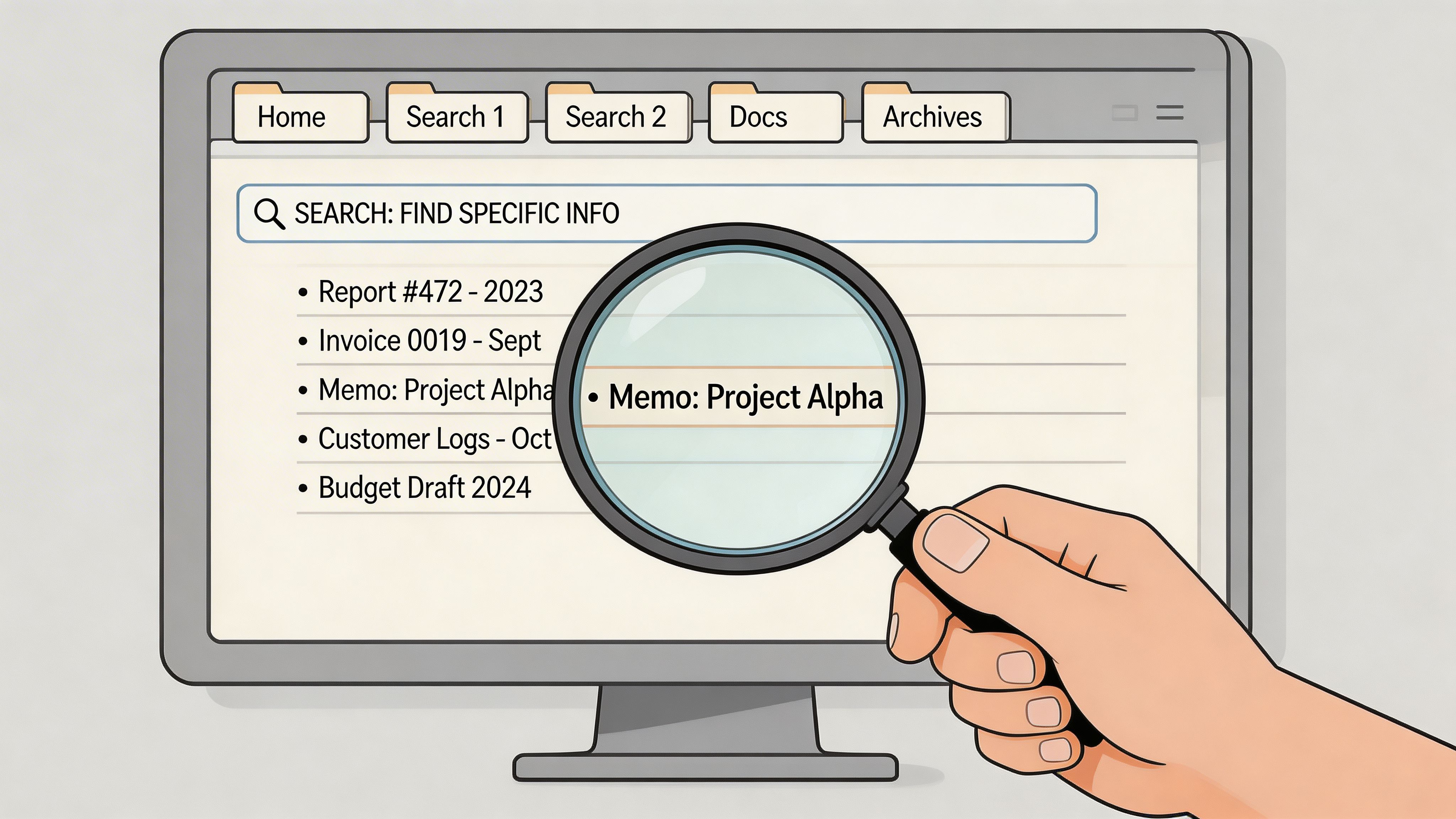
Expert guidance from Sparkle on prospect list building states that achieving 85-95% data accuracy in niche prospect lists requires a rigorous 7-step process, and that many teams fail because they chase volume over relevance, leading to reply rates below 5%. That gap between “we have a list” and “we have a usable list” is where manual workflows usually fall apart.
What the manual workflow looks like
On paper, it seems simple. In practice, it’s a chain of tiny tasks:
Define the target
You decide on a niche, geography, company size, or job title.
Find source pages
You search manually, test queries, and open likely directories.
Review profiles one by one
You check whether each person or company fits.
Copy fields into a spreadsheet
Name, title, company, location, website, source URL, and notes.
Open subpages for missing details
You click into detail pages to hunt for contact info or context.
Cross-check records
You compare LinkedIn, company pages, speaker bios, or team pages. When social profiles are missing or scattered across company pages, the ProfileSpider Social Link Finder can help you identify relevant public social links before you finalize the record.
Clean the list
You remove duplicate rows, standardize titles, and mark weak records.
None of these steps is difficult. The problem is accumulation. Every extra click compounds friction.
Where manual workflows fail
The first failure is inconsistency. Different people on the team interpret fit differently. One person includes founders only. Another adds directors. A third grabs anyone with a public page.
The second failure is field quality. Titles get abbreviated. Company names get entered in multiple formats. Notes stay vague.
The third failure is scale. Once the task grows beyond a small batch, people rush. That’s when duplicates, missing fields, and bad prioritization creep in.
A few trade-offs are unavoidable with manual collection:
- You get strong context early, because a human reviews each page
- You lose speed quickly, because every useful field requires another action
- You can verify nuance well, but only for a limited volume
- You end up maintaining spreadsheets, which become messy the moment multiple sources overlap
What still works in the old method
Manual review is still useful for narrow, high-value list building. If you’re assembling a short account list for enterprise outreach or executive recruiting, hand-checking records can be worth it.
Use manual work where judgment matters most:
- ICP definition
- Source selection
- Early pattern spotting
- Final review of top-priority contacts
“Go to original sources first, enrich after.”
That advice holds up because original public directories often contain cleaner intent signals than recycled databases. The problem isn't the principle. It's trying to do every downstream task by hand.
Accelerate Extraction with AI Profile Scraping
Once you’ve identified the right directories, the bottleneck shifts from research to extraction. That’s where the smart method starts to separate itself from the hard one.
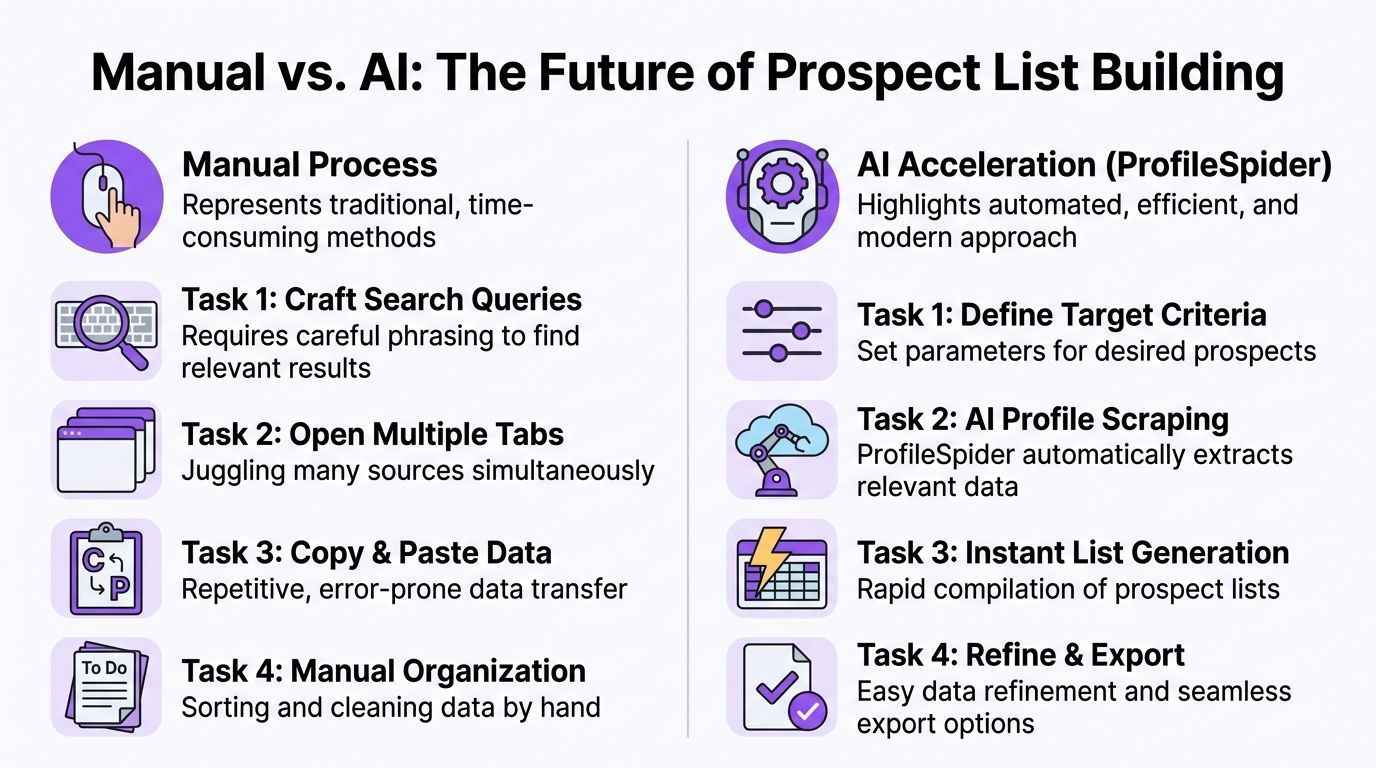
A no-code AI profile scraper doesn’t replace targeting judgment. It replaces the repetitive extraction work after that judgment is already made.
Manual work versus AI-assisted extraction
Here’s the practical difference:
| Manual approach | AI-assisted approach |
|---|---|
| Open profiles one at a time | Scan the current page for all profiles |
| Copy names and titles manually | Extract structured fields automatically |
| Click subpages selectively | Enrich from linked detail pages when needed |
| Build lists in a spreadsheet | Save records into organized lists as you collect |
| Clean duplicates later | Detect overlap earlier in the workflow |
That shift matters because the valuable part of prospecting isn't copying text. It’s deciding who belongs in the list and how to prioritize them.
What modern extraction tools should handle
If you’re evaluating tools, look for capability, not buzzwords. A useful setup should help with:
- Profile detection on directory pages so you can capture multiple records from one results page
- Dual profile handling when both a person and a company are present
- Subpage enrichment for missing fields that only appear after a click
- Local organization so records don’t vanish into random CSVs
- Flexible export into Excel, CSV, or your CRM workflow
This matters beyond web directories too. Teams that work with messy public files often face the same cleanup challenge in other formats. If you also process unstructured documents, this guide on how to convert PDF data into Excel using AI shows the same core principle: remove manual transcription, keep human review.
A practical no-code workflow
One workable example is ProfileSpider, a Chrome extension that extracts people and company profiles from public pages, stores the data locally in the browser, and exports it to CSV, Excel, or JSON. In practice, that means you can open an exhibitor directory, a speaker page, a Google Maps results page, or a team directory, run extraction, review the structured records, and then enrich missing details from linked pages without building a custom scraper. This walkthrough on using AI scraper tools to generate sales leads shows the broader lead-gen workflow around that approach.
Field test note: AI extraction helps most when the source is structurally repetitive but not perfectly uniform. That’s exactly what niche public directories tend to be.
The right mental model is simple. Humans should choose the market, define fit, and review important records. AI should handle page scanning, data capture, and the repetitive movement of structured information.
Refine Your Data for Maximum Impact
A raw export isn’t a prospect list. It’s source material.
Many teams spend so much energy collecting records that they underinvest in the part that determines whether the list can support outreach, recruiting, or research.
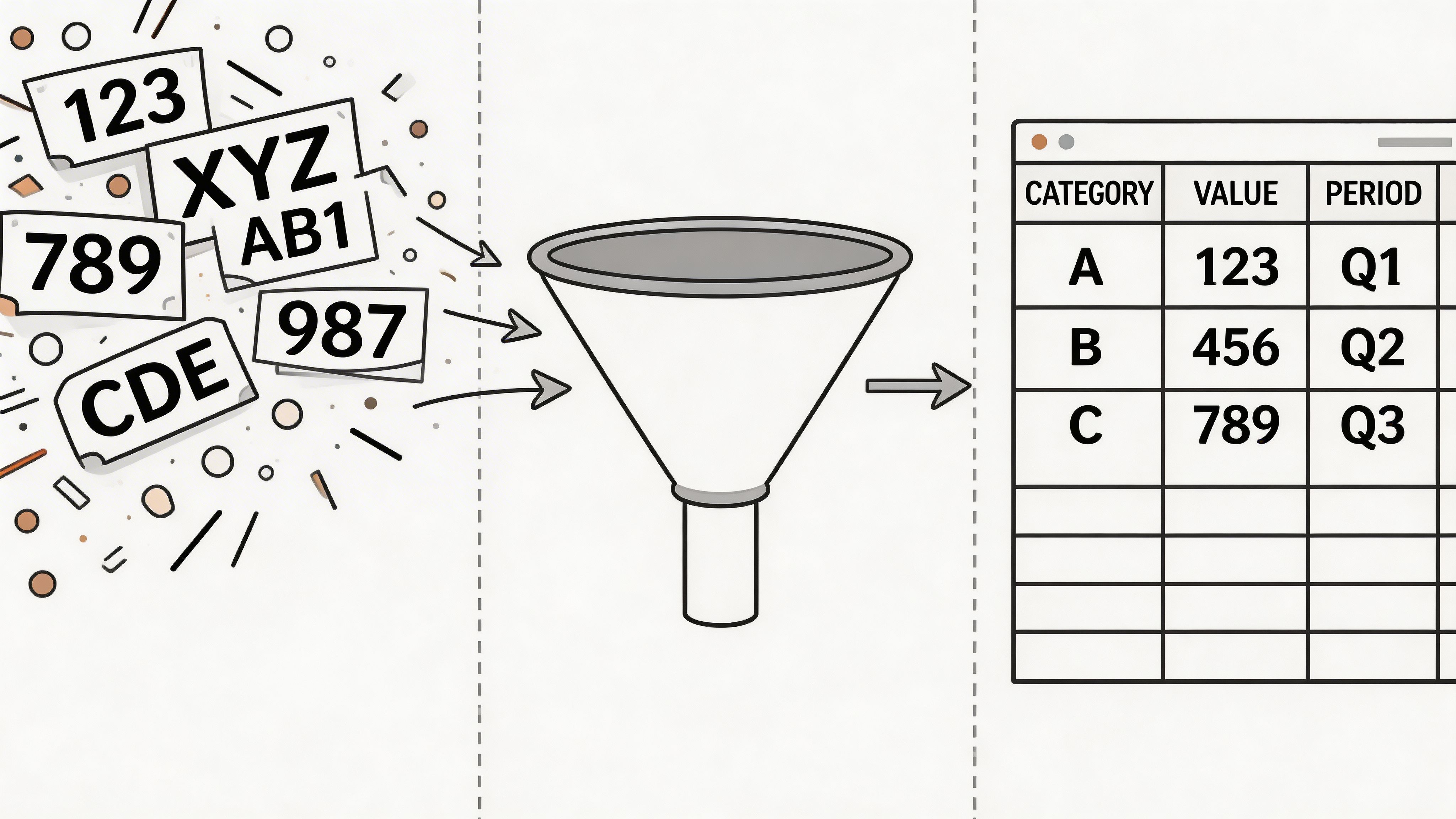
According to Egrabber’s discussion of prospecting list workflows, enriching partial profiles from obscure directories while managing duplicates is a common unaddressed challenge, and manual handling can create 30-50% list waste from errors. That’s why post-extraction hygiene deserves its own workflow.
First clean, then enrich
Don’t enrich a messy list. Clean it first.
Start by standardizing the obvious fields:
- Normalize names so you don’t keep “John A. Smith” and “John Smith” as separate people without checking
- Standardize company names when one source says “Acme Inc.” and another says “Acme”
- Separate person and company fields if your directory blends them
- Keep the source URL because it helps review questionable records later
Once the base records are clean, enrichment becomes more useful. You can add missing role detail, company context, or public contact fields without creating duplicate clutter.
Handle duplicates early
Duplicate management gets harder the longer you wait.
A niche list often pulls the same prospect from several places: a speaker page, a member directory, and a company team page. If you merge only at the end, your notes, tags, and source history become harder to preserve.
Use a practical duplicate review order:
- Exact email match
- Exact profile URL match
- Name plus company match
- Close variations with same title or website
That sequence catches the obvious cases first and leaves the fuzzy ones for quick human review.
Segment for action, not for decoration
Segmentation should help someone decide what to do next.
Useful segments usually answer one of these questions:
| Segment type | Example | Why it helps |
|---|---|---|
| Fit | Matches niche, location, and role | Filters for baseline relevance |
| Signal | Hiring, speaking, exhibiting, publishing | Identifies likely timing |
| Reachability | Has public email, phone, or profile link | Helps choose outreach path |
| Priority | Decision-maker versus influencer | Guides sequencing |
Here, list tools start acting like a lightweight personal CRM. Notes, tags, list membership, and merge history are often more valuable than one extra enrichment field. If your team needs a process for checking what’s usable before outreach, this lead list validation workflow is a solid reference.
Clean data saves time twice. First during outreach, then again when you revisit the list weeks later and can still trust what you collected.
Decide what “good enough” means
Not every record needs every field.
For recruiting, a profile link and current title may be enough. For outbound sales, you may want role, company, source context, and at least one practical path to contact. For research, you may care more about category accuracy than individual contact detail.
Set that threshold before you export anywhere else. Otherwise, teams keep polishing the list without moving it into use.
Ensure Legal and Ethical Compliance
Public doesn’t mean unrestricted. That’s the part many scraping guides skip.
A frequent question in sales communities is how to collect data from niche directories without crossing legal or platform lines. According to Nimble’s review of prospect list challenges, 68% of B2B scrapers have faced blocks or legal issues due to unaddressed niche-specific rules and a lack of privacy-first tooling.
What to check before you collect
The basic checklist is operational, not abstract:
- Read the site terms if you plan to collect at scale
- Check whether the directory contains professional or sensitive data
- Review applicable privacy obligations, especially for EU and California contacts
- Limit collection to fields you can justify using
- Respect site load and access patterns rather than hammering pages aggressively
- Document why the source is relevant to your business purpose
Regulated industries need extra care. Healthcare, legal, education, and finance directories often contain information that is public yet still sensitive in context.
Why privacy-first workflows matter
Cloud-based scraping stacks can create unnecessary exposure because extracted records pass through third-party servers before you’ve reviewed what was collected. A local-first workflow reduces that surface area.
That’s one reason browser-stored collection is often easier to defend operationally. You keep tighter control over what gets extracted, reviewed, exported, or deleted. For a fuller discussion of the boundaries, this piece on website scraping legal considerations is worth reading.
Ethical prospecting is simpler than people make it sound. Collect relevant professional data, use it for a clear business purpose, avoid overcollection, and make it easy to stop contacting someone who doesn’t want outreach.
Frequently Asked Questions
What should I do with directories behind a login or paywall
Treat those separately from open public directories. Review the terms carefully before collecting anything. If access is restricted, don’t assume normal public-list rules apply.
The safer move is to use allowed export options if the platform offers them, or gather only what you’re permitted to access and use.
How should I approach international prospecting
Start with the strictest applicable standard for your target region, then narrow from there. In the EU, be especially careful about lawful basis, relevance, transparency, and data minimization.
For global teams, that usually means collecting less, documenting more, and being disciplined about how lists are stored and used.
Can I use these lists for cold outreach
Sometimes, yes. But the list itself isn’t the compliance check.
Your intended channel matters. Email, phone, and LinkedIn outreach each carry different practical and legal considerations. Use the list only after checking local rules, internal policy, and whether the contact context makes your outreach relevant.
How do I keep niche lists updated over time
Don’t treat list building as a one-time project. Niche directories change, event pages roll over, and team pages get updated.
A workable maintenance rhythm looks like this:
- Revisit your highest-value sources regularly
- Append new records into existing lists instead of starting over
- Tag by source and collection date
- Recheck top-priority contacts before outreach
- Merge duplicates whenever new sources overlap older ones
What if the directory only shows partial profiles
That’s common with speaker lists, vendor pages, and association rosters. Capture the structured basics first, then enrich from linked subpages, company sites, or other public references.
The key is not to discard a strong record just because the first page is incomplete. In niche prospecting, the first page often tells you fit, and the second page tells you reachability.
If you want the shortest version of this workflow, it’s this: choose narrower sources, define fit before collecting, extract systematically, clean aggressively, and stay within clear compliance boundaries. That’s how to build niche prospect lists from public directories that people can use.