

To scrape Google Maps leads, you need a way to extract all the public business data from search results—names, phone numbers, websites, and more. The most efficient way to do this is with a no-code scraping tool, often a browser extension, which automates the entire process. This approach transforms hours of tedious copy-pasting into a one-click workflow, allowing you to build targeted lead lists from a massive, free, and constantly updated business directory.
Why Google Maps Is a Lead Generation Goldmine
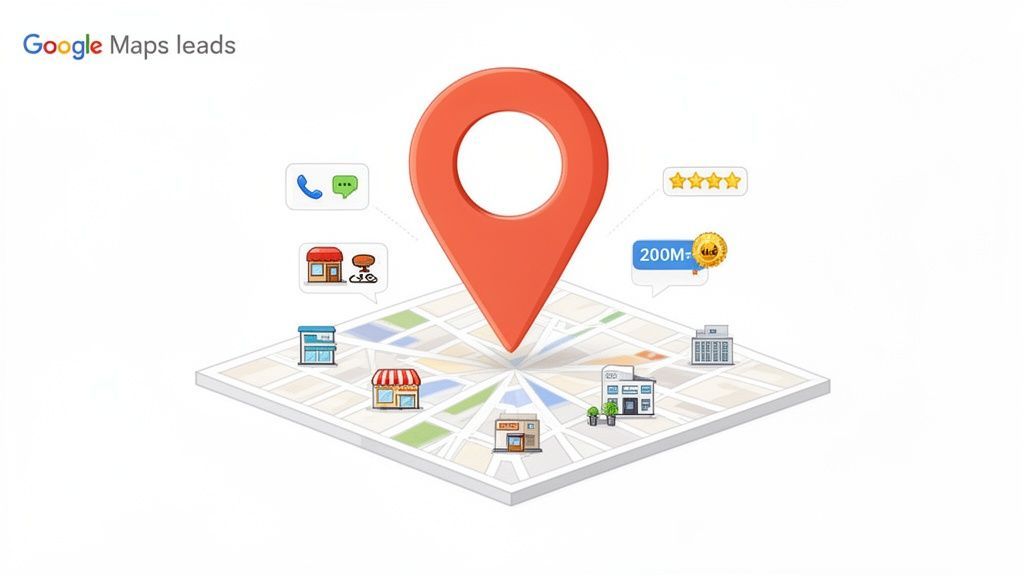
Most sales professionals, marketers, and recruiters view Google Maps as a tool for navigation. That’s a missed opportunity. It's time to see it for what it truly is: a dynamic, free-to-access database of millions of businesses, packed with rich data perfect for lead generation.
Unlike professional networks where key information is often locked behind paywalls, Google Maps provides open access. Every business listing is a potential lead, filled with the exact details needed for an outreach campaign. This data exists because businesses want to be found by local customers, making it an incredibly reliable source for B2B prospecting.
The Untapped Data Within Every Listing
When you run a simple search like "plumbers in Miami," you unlock more than just a pin on a map. Each business profile contains a goldmine of actionable data that can directly fuel your sales and marketing efforts. This is the information you'll be extracting to build your lead lists.
Here’s a breakdown of what you can collect from each profile:
- Business Name: The official name of the company.
- Phone Number: A direct line for cold calls or follow-up texts.
- Website URL: The gateway to finding more detailed contacts, such as employee emails or contact forms.
- Customer Reviews & Ratings: A crucial indicator of how active a business is and how much it values its reputation.
- Physical Address: Essential for building geographically targeted campaigns.
- Business Category: Allows you to segment your lists into hyper-specific niches (e.g., "HVAC contractors," "dental clinics," "boutique hotels").
If you want to start with broader company discovery before extracting business listings, the ProfileSpider Company Finder can help you find relevant companies and then turn those sources into a more targeted lead-building workflow.
This immediate access to data is what makes scraping Google Maps so powerful. The scale is difficult to ignore. Google Maps hosts over 200 million businesses worldwide, neatly organized into more than 4,000 distinct categories.
Google Maps Leads vs. Traditional B2B Platforms
When you compare Google Maps to conventional B2B platforms, the advantages are clear.
| Attribute | Google Maps Scraping | Traditional B2B Platforms (e.g., LinkedIn) |
|---|---|---|
| Data Accessibility | Publicly available, no access requests needed | Often gated, requires connections or premium plans |
| Lead Intent | High intent—businesses want to be found by customers | Mixed intent, primarily for professional networking |
| Data Freshness | Constantly updated by businesses and Google | Relies on users updating their own profiles |
| Cost | Extremely low; primarily the cost of the scraping tool | High subscription fees for sales-focused plans |
| Targeting | Hyper-local and category-specific targeting | Based on job titles, industries, and company size |
| Scale | 200 million+ business listings globally | Varies, but often requires paid tiers for full access |
This comparison shows why so many sales and marketing professionals are turning to Google Maps—it's direct, cost-effective, and built on a foundation of businesses actively seeking customers.
Connecting Data to Business Value
Collecting data is just the first step. The real value comes from how you use it. The information you scrape is directly tied to a business’s local marketing efforts, a topic covered in detail in this guide to Google Maps and marketing. A business with a polished, well-maintained profile is actively seeking customers, which makes them a perfect prospect for your services.
For a sales team, a list of 500 local restaurants with 4.5+ star ratings isn't just data—it's a pipeline of high-potential clients who clearly care about their online reputation. For a digital marketer, it’s a direct path to businesses that are prime candidates for a new website or better SEO.
By learning to scrape Google Maps, you can sidestep expensive data brokers and build custom-fit lists on demand. This isn't just about saving money; it's about gaining a significant competitive advantage. This guide will explore the best lead generation channels for B2B, starting with the one that's right at your fingertips.
The Traditional Method: Manual Data Collection
For anyone who has built a lead list from Google Maps by hand, the process is painfully familiar. Before the rise of modern scraping tools, gathering leads was a time-consuming cycle of copying and pasting that drained productivity and tested the patience of even the most dedicated sales reps and marketers.
Let's walk through the traditional workflow. Imagine you need to build a list of 100 potential clients—say, "HVAC contractors in Denver." You open Google Maps, run the search, and a list of local businesses appears. So far, so good.
But this is where the real work begins—the slow, tedious, and error-prone manual grind.
The Endless Copy-Paste Cycle
For every single business on that list, you are forced into a repetitive loop:
- Click on the first business profile.
- Highlight and copy the company name.
- Switch to your spreadsheet and paste it into a cell.
- Tab back to Google Maps.
- Find the phone number, copy it, switch back, and paste it again.
- Repeat the entire process for the website and the address.
You have now successfully logged one lead. Only 99 more to go. This isn't just an inefficient use of time; it's a massive productivity killer that prevents you from focusing on high-value activities like outreach and closing deals.
The Inevitable Human Error
As the hours of manual data entry drag on, focus begins to wane, and mistakes become inevitable. You might accidentally paste a phone number into the address column or copy the same business twice without realizing it.
Every error compromises the quality of your list, setting the stage for ineffective or embarrassing outreach mistakes down the line.
This manual method isn't just slow—it's unreliable. Building a list of just 100 leads could easily consume a full day, and by the end, data entry fatigue ensures that the list will almost certainly be riddled with errors.
The bigger problem is scalability. What happens when your manager asks for 500 leads by tomorrow? Or wants to expand the search to five different cities? The manual approach completely breaks down. It's simply not a viable strategy for any serious lead generation effort. This painful reality is why tools to scrape Google Maps leads were created—to reclaim lost time and deliver accurate data you can trust.
The Modern, One-Click Scraping Workflow
The traditional way of gathering leads is a productivity killer. Manually copying and pasting data from Google Maps is a tedious grind. Fortunately, modern tools have completely transformed this process, turning hours of manual labor into a few seconds of automated work. The goal is to automate repetitive tasks and reclaim your time for what matters most: connecting with prospects.
Instead of getting bogged down in an endless copy-paste cycle, you can use a simple browser extension to do all the heavy lifting. This is where a no-code tool like ProfileSpider excels. It was designed specifically for sales professionals, recruiters, and marketers who need fast, accurate data without the technical complexity of coding.
From Manual Grind to Instant Results with ProfileSpider
Let's revisit our search for "HVAC contractors in Denver." With a modern, one-click workflow, the process is radically simplified. After installing a browser extension like ProfileSpider, you run your search on Google Maps as you normally would.
Once the results are on your screen, you open the extension and click a single button—"Extract Profiles." The tool’s AI instantly scans the entire page, identifies every business listing, and extracts the key data—company name, phone number, website, rating, and address—into a clean, organized table right in your browser.
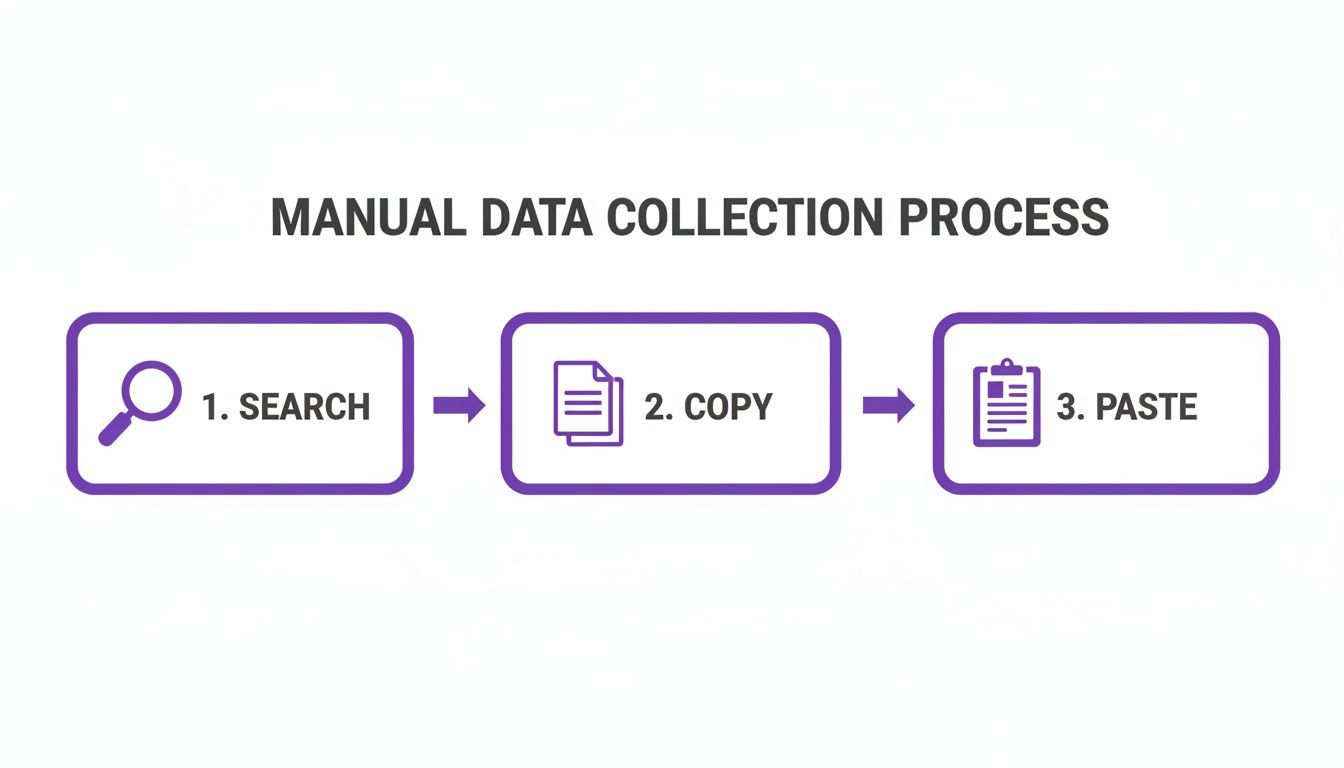
What used to be a tedious, multi-step slog for every single lead now becomes one click for the entire results page. This not only saves an immense amount of time but also eliminates the human errors and inconsistencies that plague manually built lists.
How ProfileSpider Simplifies Scraping
When you click the extract button, ProfileSpider's AI does more than just grab text. It intelligently parses the page's structure to recognize and correctly categorize each piece of information for every business.
- It identifies the company name.
- It locates and verifies the phone number.
- It finds the website URL.
- It captures the star rating and review count.
- It logs the full address.
This all happens in seconds. For sales and recruiting professionals, ProfileSpider is a perfect fit. Its AI can extract up to 200 profiles per page in a single click. It even enriches the data by crawling business websites to find missing emails and phone numbers. Crucially, all data is stored locally on your machine, ensuring complete privacy and control.
The Business Value: A modern workflow makes lead generation feel almost effortless. Instead of you working for the data, the tool works for you. This frees you up to focus on what you’re best at—building relationships and closing deals.
The Immediate Payoff for Your Team
Adopting a one-click solution like ProfileSpider offers significant business advantages that go far beyond saving time.
- Massive Time Savings: Build a targeted list of hundreds of leads in the time it used to take to manually scrape a handful.
- Drastically Improved Data Accuracy: Automation eliminates typos, formatting mistakes, and duplicate entries, ensuring your data is clean from the start.
- Effortless Scalability: Need to target a new city or industry? Generate a fresh, targeted list in minutes, not days.
This level of efficiency is what modern sales and marketing operations are built on. To learn more about how this can transform your own processes, read our guide on lead scraping automation. By replacing manual data entry with a smart, automated system, you unlock a new level of productivity for your entire team.
How to Organize and Enrich Your New Leads
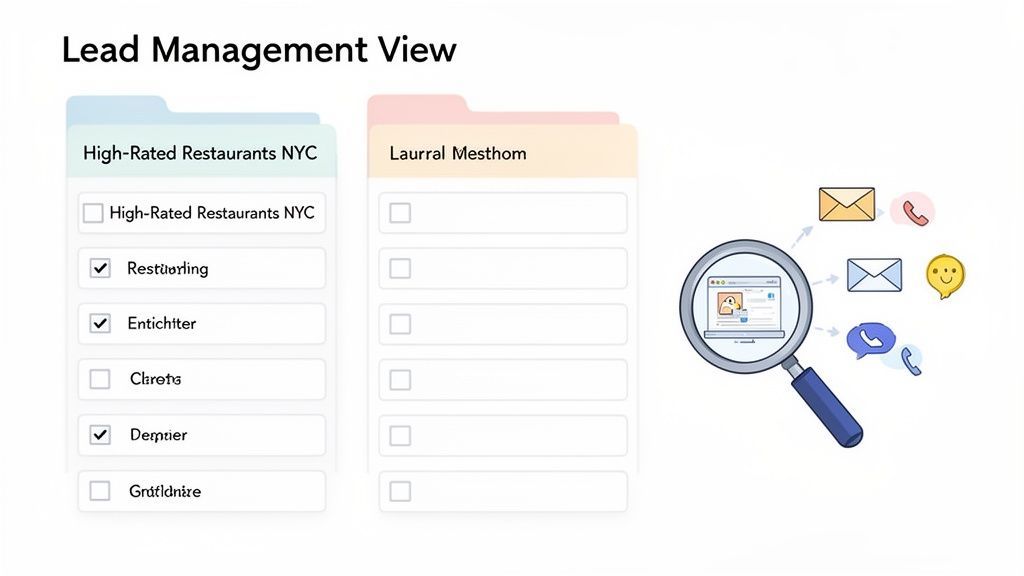
You've just extracted a fresh batch of leads from Google Maps. Now, the real work begins: turning that raw data into an actionable asset for your sales or marketing team.
A messy spreadsheet filled with random businesses is more of a liability than a help. To make your scraping efforts worthwhile, you need a system to clean, segment, and enrich the profiles you've collected. Modern tools like ProfileSpider build these features directly into the workflow, so you aren't juggling multiple applications.
Create Targeted Lead Lists
First, you must segment. A single, massive list of "businesses in NYC" is too broad to be effective. The goal is to create smaller, focused lists that align with specific outreach campaigns.
For instance, your sales team could create lists like:
- "High-Rated Restaurants NYC": Ideal for pitching a reputation management service to businesses with 4.5+ star ratings.
- "Brooklyn Plumbers": A targeted campaign for a new scheduling software aimed at trade professionals.
- "New Jersey Dental Clinics": For marketing a new line of dental supplies directly to the right audience.
Inside a tool like ProfileSpider, this is simple. You just highlight a group of extracted profiles and move them to a new, custom-named list. This keeps your workspace organized and your outreach campaigns precise. You can also add notes to each profile for reminders ("Follow up next Tuesday") or personalization ("Mention their great review on Yelp"), turning a cold lead into a warmer prospect.
Clean Your Data with Duplicate Merging
A common pitfall of lead generation is creating duplicate entries. Running similar searches, like "HVAC in Brooklyn" and "air conditioning repair Brooklyn," will inevitably result in overlapping data. Sending the same pitch to a business twice is unprofessional and wastes everyone's time.
A clean, de-duplicated list is the foundation of any effective outreach campaign. It demonstrates professionalism, sharpens your analytics, and prevents your team from chasing the same lead.
This is where automated duplicate management is a lifesaver. Instead of manually scanning spreadsheets for repeats, a good scraping tool handles it for you. ProfileSpider, for example, includes a feature that finds and merges duplicates based on unique identifiers like a phone number or address. With one click, it combines entries into a single record while preserving any unique notes you’ve made.
The Power of Data Enrichment
Now for the step that truly multiplies the value of your scraped leads. Google Maps provides a business name, phone number, and website, but it rarely includes the most valuable asset for B2B outreach: a direct email address.
Data enrichment is the process of taking that basic information and using it to find more. This is how you transform a generic business listing into a complete, actionable lead profile.
The workflow is powerful yet straightforward:
- Scrape the Basics: Start with the company name and website URL from your Google Maps extraction.
- Automate Website Crawling: An enrichment feature, like the one in ProfileSpider, then automatically visits each website in your list.
- Find Hidden Contacts: The tool scans key pages—like "Contact Us," "About," or "Team"—to find any available email addresses, such as
contact@company.com,info@company.com, or even specific employee emails.
This two-step process is a game-changer. Suddenly, a list of 200 local businesses becomes a list of 200 businesses with a direct line for your email marketing or personalized sales pitches. If you want to explore this topic further, it's worth checking out some of the best data enrichment tools available.
Finally, once your list is segmented, cleaned, and enriched, you simply export it. A tool like ProfileSpider allows you to download your polished lists as a CSV or Excel file, ready to be imported into your CRM, email marketing platform, or autodialer. This seamless workflow from data gathering to action is what makes modern scraping so effective.
Best Practices for Effective and Ethical Scraping
Extracting data from Google Maps is one thing; doing it effectively and ethically is another. A smart, respectful approach not only keeps you on the right side of platform policies but also yields higher-quality data and ensures your tools remain effective long-term.
A brute-force approach might generate a massive list, but it’s often filled with low-quality leads and can get your IP address blocked. A thoughtful strategy, on the other hand, builds a targeted list of prospects who are far more likely to engage.
Respect the Platform and Its Users
First and foremost, you must respect Google's platform. Its top priority is user experience, and aggressive, high-volume scraping can be flagged as malicious activity, leading to CAPTCHAs or temporary blocks. The key is to mimic human behavior.
Remember, you're collecting information that businesses have intentionally made public to attract customers. Stick to that publicly available business data—names, addresses, phone numbers—and never attempt to access private information or data behind a login.
A simple way to avoid being flagged is to pace your extractions. Instead of overwhelming the server with thousands of requests in minutes, allow for natural intervals. Modern, in-browser tools like ProfileSpider are designed to operate at a human-like pace, which dramatically reduces this risk.
Vary Your Searches to Mimic Natural Behavior
Here's a pro-tip: vary your search terms. Running the exact same query repeatedly is a clear signal to Google that automation is at play. A little variety makes your activity appear much more natural.
For example, instead of searching "restaurants in Chicago" ten times, try a few variations:
- "Italian restaurants downtown Chicago"
- "Best pizza places Lincoln Park"
- "Taco spots in Wicker Park"
This approach helps you fly under the radar while also producing more specific and relevant lead lists—a clear win-win.
Do's and Don'ts of Scraping Google Maps
| Do | Don't |
|---|---|
| Pace your extractions to mimic human browsing speed. | Scrape aggressively with thousands of requests in a short time. |
| Vary your search queries to appear more natural. | Use the exact same search term repeatedly. |
| Focus on public business data like name, address, and phone. | Attempt to access private information or data behind a login. |
| Target high-quality profiles with good reviews and complete info. | Collect every single profile without filtering for quality. |
| Store data locally on your own machine for security and control. | Rely on cloud services that store your sensitive lead lists. |
Following these simple guidelines will not only keep you out of trouble but will also significantly improve the quality of the data you collect.
Prioritize Data Quality for Better Leads
Scraping may feel like a numbers game, but quality always trumps quantity. Not every business on Google Maps is a good lead. To maximize ROI, focus on signals that indicate an active, engaged, and responsive business.
Look for these indicators when extracting leads:
- High Star Ratings: Businesses with a 4.0-star rating or higher clearly care about their online reputation and are often more receptive to services that can help them improve.
- Recent Reviews: A steady stream of new reviews is a strong sign that the business is active and attracting customers.
- Complete Profiles: A listing that includes a website, photos, and detailed information shows a business that is invested in its digital presence.
By focusing on these higher-quality profiles, you’re not just building a big list—you’re building a smart one, packed with prospects who are far more likely to become customers.
Maintain Control with Local Data Storage
In an era of increasing privacy concerns, where you store your data matters. The moment you scrape business information, that data becomes your responsibility. Using a cloud-based scraper means your lead lists are stored on someone else's server, which can be a security risk and a compliance headache.
This is where a local, browser-based tool like ProfileSpider offers a major advantage. All the data you extract is saved directly to your own computer. You have 100% control over it at all times.
This local-first approach is crucial for several reasons:
- Privacy: Your valuable lead lists are never uploaded to a third-party server where they could be accessed or breached.
- Compliance: Keeping data on your own machine makes it far easier to adhere to regulations like GDPR.
- Control: You can delete, export, or manage your data whenever you want, without needing to log into another platform.
Keeping your data local protects both your business and the businesses whose information you’ve collected. For a deeper dive into compliance, I highly recommend our complete lead scraping compliance checklist to ensure your entire process is sound.