


If you're in sales, recruiting, or marketing, you know the feeling. You're stuck scrolling through the same crowded talent pools on LinkedIn, fighting the same limited filters as everyone else. It feels like you're missing out on a whole world of potential leads just beyond the platform's walls.
But what if you could use the raw power of Google to slice through the noise and find exactly who you need, no matter where their profile is hiding online?
That's the whole idea behind Google X-Ray searching. It’s a powerful technique for using advanced search commands to pinpoint public profiles—on sites like LinkedIn or GitHub—and then extracting that data into a clean, structured list. For anyone building targeted lead lists, it’s a game-changer.
Unlocking Hidden Profiles With Google X-Ray Search
Think of Google's search operators as special instructions you feed the search engine to get hyper-specific results. They let you peer inside a specific website and pull out exactly what you're looking for, bypassing a site's native search bar entirely.
What Are Google Search Operators?
For our purposes, there are really only a few key operators you need to master.
site:This is the most important one. It tells Google to only look within a single website. For example,site:linkedin.com/in/restricts your entire search to just LinkedIn user profiles.""(Quotes): Putting a phrase in quotes, like"software engineer", forces Google to look for that exact match. No more results for "software" or "engineer" separately—just the full title.OR: Lets you search for multiple terms at once. For instance,("VP of Sales" OR "Head of Sales")finds profiles with either title.-(Minus Sign): Excludes a term from your search. Using-jobsis a great way to filter out job postings and focus on people's profiles.
When you combine these, you can build powerful queries. A recruiter hunting for product managers in Boston could craft a query that targets LinkedIn profiles matching those exact criteria. A sales leader could just as easily find VPs of Marketing in the SaaS space. If you want help turning titles, skills, locations, and exclusions into cleaner search strings, the ProfileSpider LinkedIn Search Builder can speed up the query-building step before you start scraping results.
The real magic of X-Ray searching is that it uncovers public profiles that Google has indexed but are often buried or hard to find using a platform’s own search tools. You're suddenly tapping into a much wider, unfiltered pool of candidates and leads.
But here's the catch. Building a query that unearths hundreds of perfect profiles is one thing. Actually doing something with those results is another.
The process of manually clicking each link, copying the person's name, title, and company, and then pasting it all into a spreadsheet is a soul-crushing bottleneck. It’s slow, tedious, and incredibly prone to human error. This manual grind is where the promise of X-Ray searching falls apart, and it's exactly why you need a modern, automated way to scrape Google X-Ray search results at scale.
The Manual Grind: Why Copy-Pasting Results Is Obsolete
You’ve done the hard part. You've built the perfect Google X-Ray query, and the search results page is a goldmine, packed with links to dozens of ideal profiles. So, what’s next?
For too many sales pros and recruiters, this is where the real work—and the real headache—kicks in.
The old-school method is a soul-crushing exercise in manual labor. You know the drill: open the first link in a new tab, wait for the page to load, and then start the tedious dance of highlighting, copying, and pasting. Name, title, company—each piece of data is a separate, mind-numbing action.
Then you switch back to your spreadsheet, paste everything in, and pray the formatting doesn't completely break. Now, just repeat that for the next 50, 100, or even 200 links on the page.

The High Cost of Manual Data Entry
This manual grind isn't just slow; it's a surefire way to end up with inconsistent and incomplete data. One profile might have a full name, but the next uses a middle initial. You might accidentally copy a previous job title or miss a company name altogether. Every little mistake pollutes your list and weakens your outreach efforts.
The amount of time this eats up is staggering. A task that feels like it should take a few minutes can easily stretch across your entire afternoon. To get past the busywork of manual data collection, using an instant data scraper is pretty much a necessity for any modern team.
Let's be clear: the manual copy-paste method is a recipe for disaster. You’re not just losing time; you're actively creating a messy, unreliable dataset. This approach brings several major headaches:
- High Error Rate: Typos, formatting quirks, and simple copy-paste mistakes are guaranteed to happen.
- Inconsistent Data: Profiles have different layouts, which leads to a jumbled and hard-to-use spreadsheet.
- Monotony and Burnout: Repetitive tasks are a major drain on motivation, pulling you away from high-value work like building relationships or closing deals.
Ultimately, the manual grind is obsolete because it fails to deliver clean, actionable data at the speed your business demands.
The One-Click Fix: How ProfileSpider Automates X-Ray Scraping
If you've ever spent an afternoon manually copying and pasting profile data from Google into a spreadsheet, you know the pain. It's an error-prone grind that kills your momentum. All that time you could be spending on actual outreach or talking to leads gets burned on tedious data entry.
That’s where a smarter, no-code approach comes in. Forget the spreadsheets and the endless copy-pasting.
What if you could scrape Google X-Ray search results with a single click? That's exactly what ProfileSpider was built for. It's a no-code profile scraper designed for sales pros, recruiters, and marketers who just need clean data without getting bogged down in technical details.
From Search to Spreadsheet in Seconds
The whole process is incredibly straightforward. It completely automates the most time-consuming part of building lead or candidate lists.
First, you just run your X-Ray query in Google like you normally would. Once the results are up, open the ProfileSpider browser extension and click ‘Extract Profiles’.
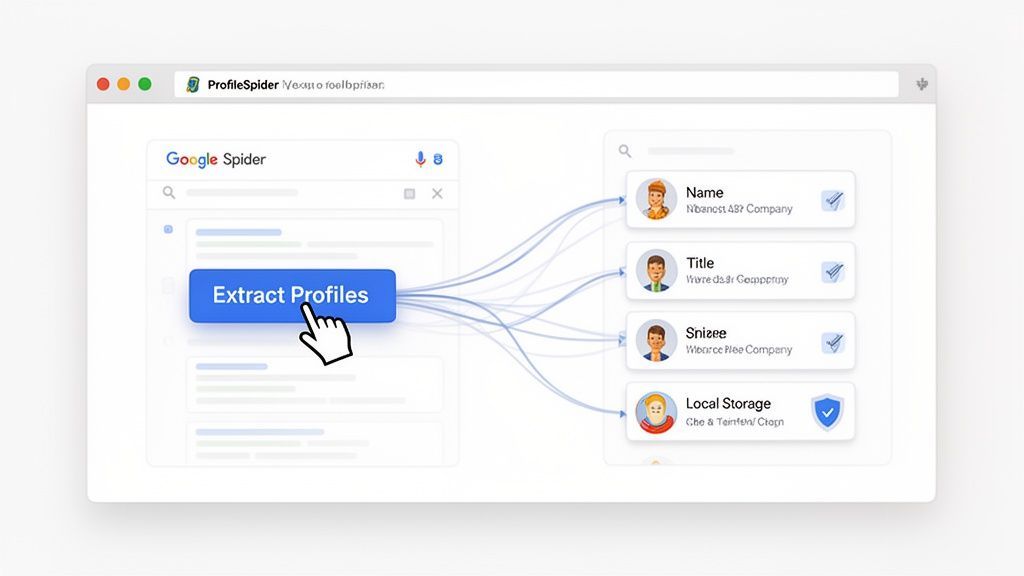
That’s it. ProfileSpider’s AI scans the page, identifies every profile link, and pulls all the key data like names, titles, and company info into a clean list right in the extension. No more opening a dozen tabs just to grab a few details.
Manual Scraping vs. Automated Extraction: A Time and Accuracy Comparison
| Metric | Manual Copy-Paste | Automated with ProfileSpider |
|---|---|---|
| Time per 100 Profiles | 2–4 hours | < 1 minute |
| Data Accuracy | 80–90% (best case) | 99%+ |
| Scalability | Very Low | Very High |
| Data Richness | Limited to what's copied | Extracts all available fields |
| Consistency | Low (prone to human error) | High (standardized output) |
The numbers don't lie. Automation isn't just a marginal improvement; it fundamentally changes what's possible in terms of speed and quality. This efficiency frees you up to focus on strategy and outreach—the high-value work that actually drives revenue and fills roles.
This one-click workflow is the missing link between finding great profiles with X-Ray searches and actually turning that information into an asset. To see everything the tool can do, check out our in-depth guide on ProfileSpider.
Crafting Powerful Google X-Ray Queries That Deliver Results
The real trick to a killer X-Ray search isn't just memorizing the operators. It's about knowing how to string them together to ask Google precisely the right questions. Think of it less like writing code and more like giving a hyper-specific brief to a research assistant.
With the right query, you can stop casting a wide, generic net and start building laser-focused lists of leads, candidates, or any professional you need to find.
Building Your First Practical Queries
Let's get practical. The aim is to build queries that are specific enough to find who you're looking for, but not so narrow that you miss great profiles. It all starts with having a crystal-clear goal.
Here are a few copy-paste-ready strings for different professional objectives:
For Recruiting: Finding Java developers with public LinkedIn profiles in a specific city.
site:linkedin.com/in/ "Java Developer" ("New York" OR "NYC") -inurl:dir -jobsFor Sales Prospecting: Locating Vice Presidents of Marketing in the SaaS space.
site:linkedin.com/in/ ("VP of Marketing" OR "Vice President of Marketing") "SaaS" -jobs -examplesFor Research: Digging up resumes of data scientists published in PDF format.
intitle:resume "Data Scientist" filetype:pdf
You'll notice the use of negative keywords like -jobs and -inurl:dir. These are absolutely essential for cutting through the noise and getting to the good stuff.
This quick visual breaks down the workflow: a targeted Google search leads you to LinkedIn profiles, which then get organized into a clean spreadsheet.
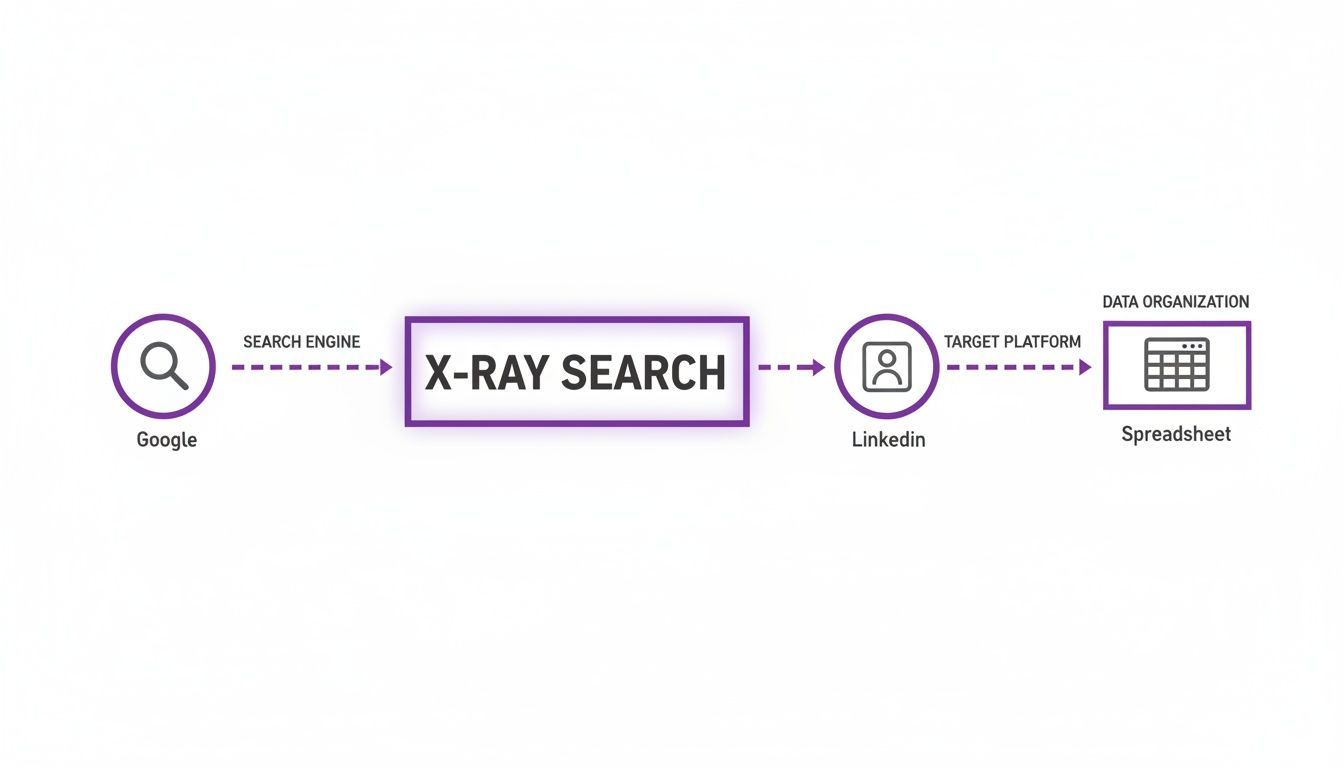
It really shows how a well-crafted query is the foundation for creating an actionable list of contacts.
Avoiding Common Pitfalls and Refining Your Search
The most common mistake is creating queries that are way too broad. A simple search for "manager" on LinkedIn will flood you with millions of useless results. Precision is the name of the game.
Over 70% of recruiters in the US and EU now lean on X-Ray searching to find hidden talent outside their immediate networks, tapping into Google's vast index instead of being limited by a single platform's search function. You can explore more advanced Boolean string examples to really master your lead generation.
For example, using ("5..10 years") in your search string can act as a brilliant filter for seniority, telling Google to look for profiles mentioning that range of experience. Combining these multi-layered queries is how you get highly relevant results from the start.
From Raw Data to Actionable Leads: Managing Your Lists with ProfileSpider
Snagging a list of profiles with a single click feels like a major win. But raw data from a Google X-Ray search is really just a messy starting point. The real magic happens when you turn that jumble of names and links into an organized, actionable asset you can actually use for recruiting or sales.
Think of ProfileSpider as more than just an extractor. It’s a lightweight contact management hub designed to take you from discovery to action, all without leaving your browser.
Organizing Your Contacts with Tags and Notes
Alright, you've extracted a list. Now what? If you just dump leads from different searches into one big pile, you’ll have an unusable mess in no time. This is where tags become your best friend.
You can slap specific labels on individual contacts or entire lists, which makes filtering and finding them later a breeze. For example:
- Recruiters: You might use tags like
senior-dev-candidates,sf-java-q3, orcontacted-oct22to keep your talent pipelines straight. - Sales Teams: Tags such as
saas-leads-q4,vp-marketing-prospects, orfollow-up-neededare perfect for managing your funnel.
Don’t sleep on the notes feature, either. It’s perfect for jotting down a quick reminder about a candidate's standout project or a lead's recent company news. That little bit of context is priceless when you come back to the list weeks later.
The goal here is to get out of a basic spreadsheet mindset. By adding tags and notes directly in ProfileSpider, you’re creating a dynamic, searchable mini-CRM for your sourced contacts.
Exporting Your Lists for Seamless Integration
Once your list is organized, you need to get it into the platforms where you do your real work. ProfileSpider makes this dead simple. You can export your curated lists as a CSV or Excel file in just a few clicks.
This means you can easily import your freshly built lead lists straight into your main CRM, Applicant Tracking System (ATS), or email marketing platform. It's the final step that connects the dots—moving your prospects from discovery on Google to active engagement in your core systems, all without the headache of manual data entry.
This automated workflow is essential when you need to save contacts and build lists that drive results.
Best Practices for Scaling and Staying Compliant
Once you get the hang of scraping Google X-Ray searches, you've got a seriously powerful tool at your disposal. But going from scraping a few dozen profiles to thousands is a whole different ballgame. It's not about mindlessly grabbing as much data as you can; it's about being smart, strategic, and most importantly, responsible.
Navigating Legal and Ethical Waters
The rules around web scraping can seem like a legal maze, but the core idea is pretty simple: only collect publicly available information. You should only be targeting data that people have chosen to share on their public profiles. It's also just good practice to respect a website's terms of service and not hammer their servers with a ton of rapid-fire requests.
The most important thing to remember is that there's a person behind every profile. Make sure you're collecting data for legitimate business reasons, like highly targeted recruiting or relevant sales outreach, not just to blast out spam.
Ethical scraping isn't just about taking data—it's about being respectful and transparent. If you want to dig deeper into the compliance side of things, this guide on data scraping LinkedIn for safe lead generation has some excellent pointers.
Maintaining Data Control and Privacy
With data breaches making headlines all the time, you absolutely have to stay in control of the information you collect. A lot of cloud-based scraping tools store your lists on their servers, which can open up a can of worms from a security standpoint.
This is exactly why we built ProfileSpider with a privacy-first mindset. It uses a local-first design, meaning all the data you extract is saved directly in your browser on your own machine. You're not handing your valuable lead lists over to some third-party company. You—and only you—have control.
This approach doesn't just protect your hard-won data; it shows you're serious about handling data ethically. For a full rundown, take a look at our lead scraping compliance checklist.
A Few Common Questions
Is It Legal to Scrape Google X-Ray Search Results?
This is a question I get all the time. Generally speaking, scraping data that’s already public on Google search results is fair game. The gray area appears when you start considering the terms of service for the websites you're pulling data from—think LinkedIn or GitHub.
The key is to play nice. Don't hammer their servers with requests, don't try to access private information, and obviously, don't use the data for anything malicious. A tool like ProfileSpider helps here because it keeps all the data you collect on your own machine, giving you total control and keeping you aligned with ethical data practices.
Will Google Block Me for Making Too Many Searches?
Absolutely. If Google’s algorithm sniffs out what looks like a bot making hundreds of queries in a few seconds, it’ll throw up a CAPTCHA or even temporarily block your IP address. It’s just their way of protecting their service.
That’s why you should always run your X-Ray searches manually, at a natural pace. Once you’ve got a page of results you like, then you can use a no-code scraping tool like ProfileSpider to extract the data from that one page. It’s an efficient workflow that doesn’t involve bombarding Google with automated requests.
The secret is to blend smart, manual searching with efficient, one-click extraction. You get the data you need without raising red flags.
How Is This Different from LinkedIn Sales Navigator?
Think of it this way: tools like LinkedIn Sales Navigator are incredibly powerful, but they keep you inside LinkedIn’s "walled garden." You're limited to their ecosystem and paying a premium for the privilege.
Google X-Ray searching, on the other hand, blows the doors wide open. You can find profiles on LinkedIn, sure, but you can also uncover leads on countless other public sites—think speaker pages, professional directories, or niche forums. ProfileSpider is what lets you scrape Google X-Ray search results from any of those sources, giving you a much wider net and a far more cost-effective way to gather leads.