


You find a search results page packed with exactly the people you want to reach. It might be a LinkedIn search, a Google result page for local businesses, a company team directory, a conference speaker list, or a niche industry database.
That should feel like progress. Most of the time, it feels like work.
Anyone who has built outbound lists manually knows the pattern. Open a result. Copy a name. Paste it into a sheet. Go back. Copy the title. Paste again. Open another tab to verify the company. Chase an email. Notice you pasted the wrong row. Fix the formatting. Repeat until your brain goes numb.
The problem usually isn’t finding leads. It’s turning messy, public search results into something your team can readily use. That’s the bottleneck. If you can fix that step, you can move from “I found potential prospects” to “I have a usable lead list” fast.
The Hidden Cost of Free Leads from Search Results
There’s a reason manual list building drains good reps.
The page in front of you looks free. The leads are sitting there. But the work needed to convert that page into a structured list is expensive in all the ways that matter. It costs time, attention, accuracy, and follow-up speed.

What manual copying really does to a pipeline
When reps build lists by hand, they don’t just lose hours. They create friction at every later step.
A weak spreadsheet causes bad segmentation. Missing job titles lead to bad messaging. Duplicate rows create embarrassing outreach. Half-filled records get ignored because nobody trusts them enough to use them.
If you want a useful outside perspective on that downstream damage, Truelist’s write-up on the real cost of poor data quality is worth reading. It connects a problem sales teams feel every day with the operational mess that follows.
Practical rule: If a lead list takes too long to build, teams lower their standards just to finish it.
That’s when things go sideways. Reps stop verifying fields. Recruiters skip notes. Marketers import rough data and hope they’ll clean it later. Later usually never comes.
The opportunity cost is worse than the typing
The worst part of manual prospecting isn’t the boredom. It’s what you don’t do while you’re buried in tabs.
You’re not writing better outreach. You’re not testing messaging. You’re not prioritizing accounts. You’re not following up with warm prospects because you’re still building the list.
I’ve seen teams treat this as normal because “that’s just prospecting.” It isn’t. It’s a process problem.
One reason bought databases disappoint is that they seem faster until you need relevance, freshness, and context. ProfileSpider has a useful perspective on that trade-off in its article on the cost of buying lead lists: https://profilespider.com/blog/cost-of-buying-lead-lists
The practical lesson is simple. Search pages are often full of good raw material. The key challenge is converting that raw material into a clean list before the window of opportunity passes.
The Traditional Way of Building Lead Lists
Organizations often don’t start with automation. They start with the classic workflow and then slowly realize how much effort it burns.
LinkedIn Sales Navigator is the clearest example because it formalized a process many B2B teams already wanted. According to McMillion Consulting, the workflow became foundational after Sales Navigator launched in 2014. By 2022, this approach had shown a 35% increase in outreach efficiency over purely manual methods, with some teams processing hundreds of profiles daily and reducing CRM entry by up to 70% when using the platform’s search, selection, and list workflow (McMillion Consulting).
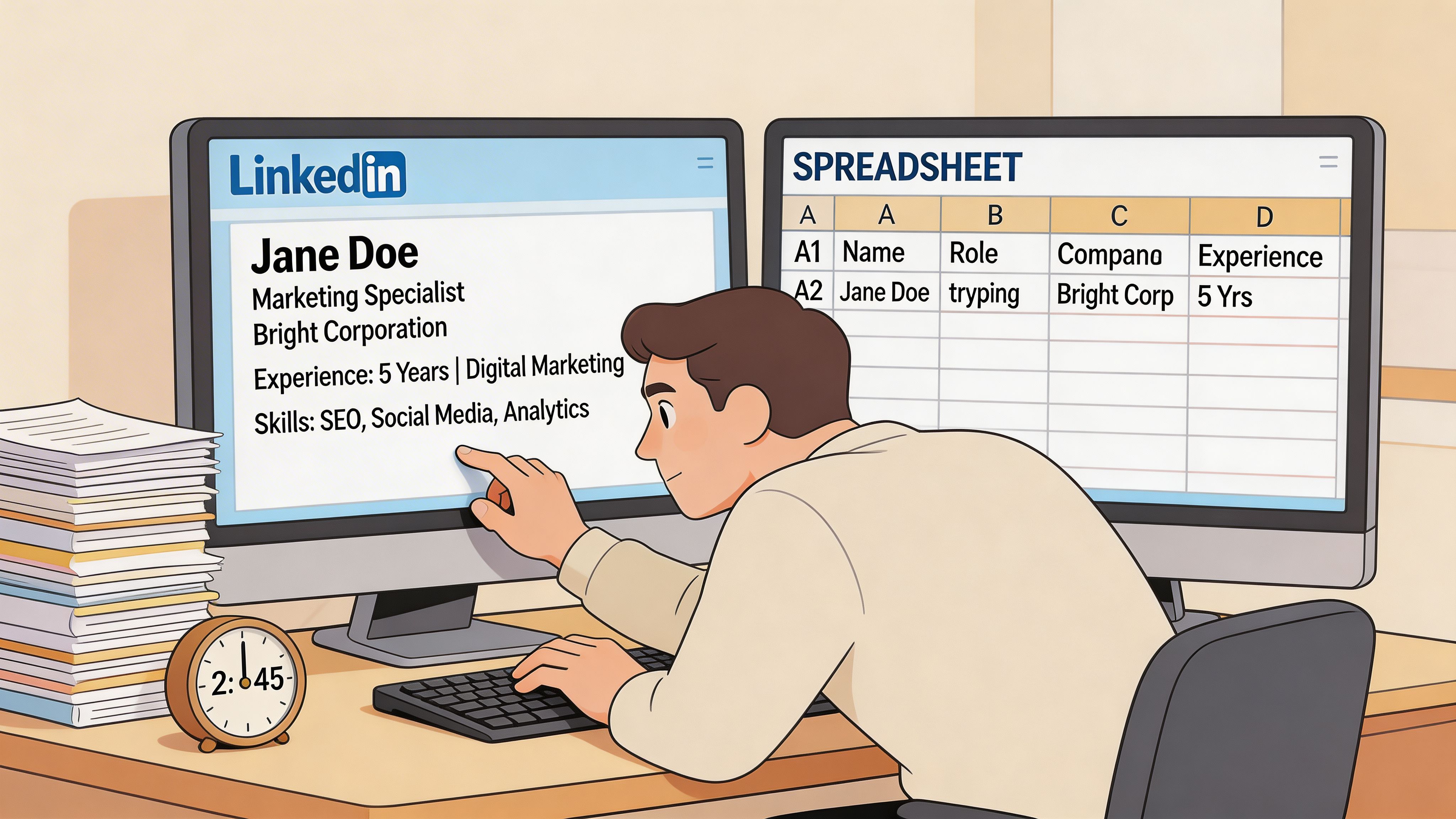
What the old workflow looks like in practice
In a traditional setup, the sequence usually looks like this:
- Run a search and narrow by title, company size, geography, industry, or seniority.
- Review individual profiles one by one to decide who belongs in the campaign.
- Save leads inside the platform.
- Create a list and move selected leads into it.
- Track activity manually or semi-manually with notes, reminders, and spreadsheet updates.
- Export or re-enter data elsewhere if the outreach or CRM work happens outside that system.
This works. It’s much better than pure copy-paste. That’s why so many teams still rely on it.
Where the friction shows up
The trouble starts when your prospecting doesn’t live on one platform.
A recruiter may source from LinkedIn, GitHub, portfolio sites, conference pages, and company team pages in the same afternoon. A seller may use Sales Nav for some accounts, Google search for local business discovery, and event attendee pages for niche markets. The traditional method starts to feel narrow because the workflow is tied to where the tool works, not where the lead is found.
Here’s a quick comparison:
| Approach | Works well for | Main limitation |
|---|---|---|
| Manual copy-paste | Small, one-off list building | Slow, error-prone, hard to scale |
| Sales Navigator list workflow | LinkedIn-centric prospecting | Locked to one ecosystem |
| Custom scraping scripts | Technical teams with maintenance time | Fragile, harder for non-developers |
A lot of teams confuse “better than manual” with “good enough for the way we prospect now.”
That’s the gap. The traditional workflow improved lead collection inside a walled garden. It didn’t solve the broader problem of how to turn search result pages into lead lists across the whole web.
The Modern Workflow A One-Click Solution
The biggest shift isn’t that list building got slightly faster. It’s that the job changed shape.
Instead of reviewing a page and planning an hour of extraction work, you can use a no-code workflow that treats the page itself as the source of structured data. That matters because prospecting now happens everywhere. LinkedIn is one source. So are company directories, event pages, local search results, membership lists, portfolio sites, and niche databases.
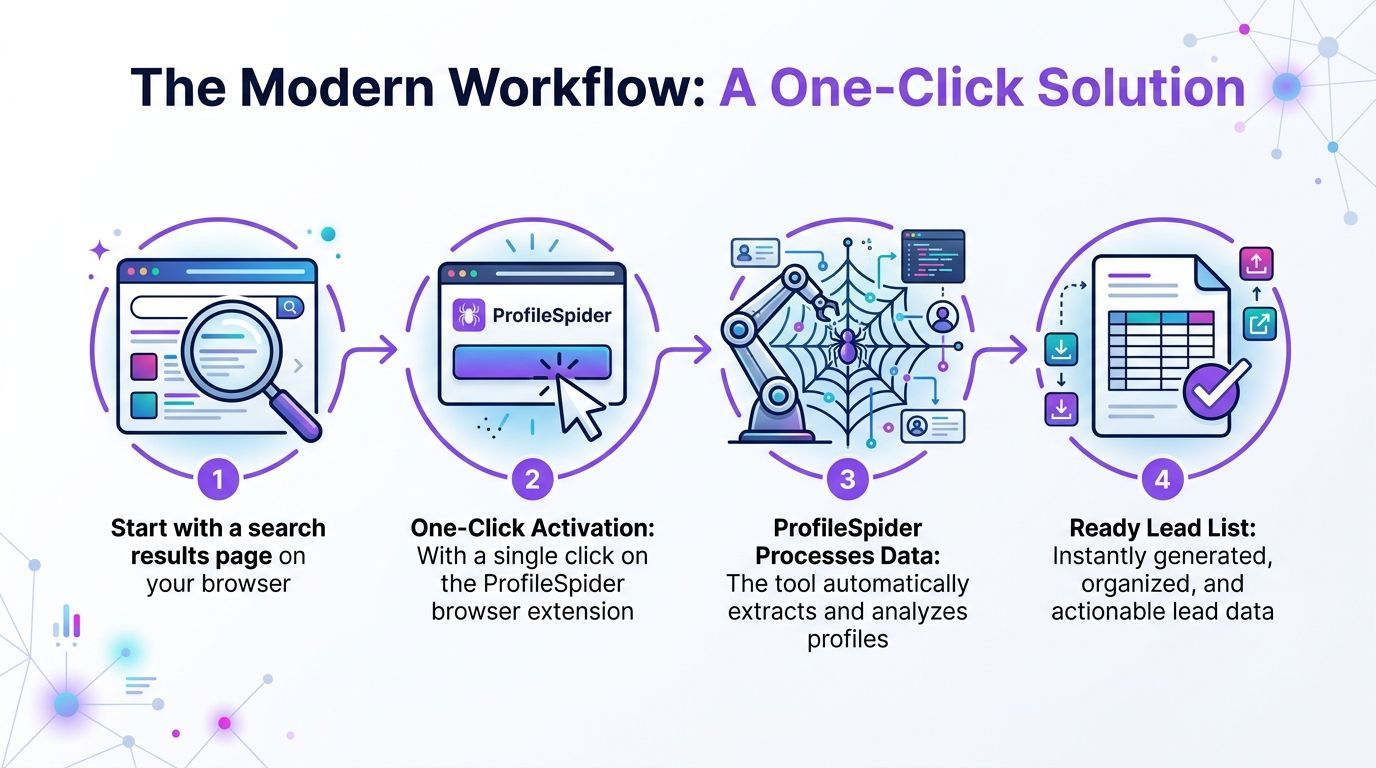
What one-click extraction changes
Modern scraping tools can pull structured data from a search page without asking the user to write selectors or maintain code. ProfileSpider is one example of that model. Its documentation says the tool can extract up to 200 profiles per page, and that its AI can analyze a webpage and return structured data in about 10 seconds, a task that could take an hour manually, with data stored locally in the browser for privacy (ProfileSpider).
That changes the workflow from labor to review.
Instead of collecting every field by hand, the user does this:
- Open the page with the profiles or companies you want
- Launch the extension
- Run extraction
- Review the structured output
- Save or export the records you need
The output provides essential data for teams: names, titles, companies, links, and when available, contact details or profile URLs that can be enriched later.
Where this works better than platform-specific tools
This model is more practical when your lead sources are fragmented.
A sales rep can extract decision-makers from a company team page in the morning, pull local businesses from search results at lunch, and save conference speakers in the afternoon. A recruiter can work from public directories without rebuilding the same spreadsheet by hand every time.
That universality is a significant advantage. It removes the “can I prospect here?” question and replaces it with “is this page structured enough to extract useful contacts?”
If you still rely heavily on LinkedIn as one channel, RedactAI’s guide to Lead Generation With LinkedIn is a useful complement because it focuses on outreach thinking, while one-click extraction solves the list-building step.
A practical workflow that doesn’t require code
The cleanest way to work is:
- Start broad: search by market, role, location, or event
- Extract the page: don’t waste time hand-copying before you know what’s there
- Qualify after extraction: remove weak fits once the data is visible in one place
- Enrich only the keepers: save effort for leads you’ll contact
- Export to your CRM or sheet: move fast once the list is usable
That’s the operational difference. Manual prospecting gathers one person at a time. Modern extraction captures the page first, then lets you decide what to do with the records.
If you want a closer look at the feature set behind that workflow, this product deep dive is the most direct reference: https://profilespider.com/blog/profilespider-deepdive
The best extraction workflow doesn’t replace judgment. It moves judgment to the right step, after collection, not during copy-paste.
Organizing and Enriching Your New Lead List
A raw export isn’t a lead list yet. It’s just captured data.
The value shows up when you organize records in a way that supports outreach, recruiting, or research without forcing yourself to re-read every row later.
Build lists that match real campaigns
Don’t dump every extracted contact into one giant file.
Create smaller working lists based on an actual use case. A few examples:
- Outbound campaign lists for a specific segment, such as founders in a region or heads of operations in a vertical
- Recruiting pipelines split by role, seniority, or source page
- Partner and channel targets pulled from directories, marketplaces, or association sites
- Event follow-up lists from speakers, exhibitors, or attendee pages
That structure matters because your next action depends on context. A candidate sourced from a portfolio page needs different notes than a prospect found through local search.
Add fields that help with follow-up
The most useful lists aren’t the biggest. They’re the easiest to act on.
After extraction, clean and organize around fields like these:
| Field | Why it matters |
|---|---|
| Name | Basic identity and personalization |
| Title or role | Helps qualify fit fast |
| Company | Useful for account matching |
| Source page | Preserves context |
| Notes | Captures why this person matters |
| Tags | Makes filtering easier later |
| Profile URL | Supports review and enrichment |
Use notes for specifics, not filler. “Met criteria” tells you nothing. “Owns revops at target account” is useful. “Speaker on AI compliance panel” is useful. “Likely hiring manager” is useful.
Enrich only what’s missing
Enrichment is where a lot of teams waste time.
If the page already gives you enough to segment and start outreach, don’t chase every missing field immediately. Save deeper enrichment for records that survive your first pass.
A practical approach:
- First pass: remove obvious mismatches
- Second pass: tag by priority
- Third pass: enrich the high-priority records with missing contact details or social links
That keeps the work proportional to list quality.
For teams trying to tighten the handoff between extraction and outreach, this validation workflow is useful as a checkpoint before importing anything into a CRM: https://profilespider.com/blog/lead-list-validation-workflow
Clean lists create momentum. Messy lists create “I’ll deal with it later,” which usually means nobody touches them.
Staying Compliant and Respecting Privacy
A lot of guides on how to turn search result pages into lead lists treat compliance like a footnote. That’s a mistake.
The extraction step is only useful if your process is defensible. If your tool stores sensitive profile data on someone else’s servers by default, you’ve created risk before outreach even begins.
The common assumption that causes trouble
A common perception is that the main risk is whether a page can be scraped technically.
That’s the wrong question. The better question is what happens to the data after extraction, who controls it, where it’s stored, and whether your process respects privacy rules that apply to your market and use case.
One verified point worth keeping in view is that legal compliance with GDPR and CCPA is a major challenge in turning SERPs into lead lists, and that many guides ignore it. The same source also notes lawsuits against scrapers and AI Act amendments as part of the broader risk picture, while describing privacy-first tools that keep extracted data locally in the browser to avoid server-side exposure (reference).
What responsible extraction looks like
A practical compliance mindset is less dramatic than people think. It usually comes down to process discipline.
Use this checklist:
- Know your purpose: only collect data tied to a recruiting, sales, or research workflow
- Minimize collection: don’t grab fields you won’t use
- Preserve source context: keep the page URL or source label
- Review outreach rules: your email, calling, and storage practices matter after extraction too
- Prefer local control: tools that keep records in your browser reduce exposure compared with cloud-first storage
- Delete what you don’t need: stale records create unnecessary liability
Local-first is more than a feature
People often treat local storage as a technical detail. Operationally, it’s a policy choice.
When extracted data stays in your browser, you control retention, export timing, and deletion. That doesn’t remove your obligations, but it does reduce how many systems touch the data before your team reviews it.
If your team wants a practical starting point for policy and workflow review, this checklist is a useful reference: https://profilespider.com/blog/lead-scraping-compliance-checklist
Scraping without a data handling policy is just fast collection followed by slow risk.
Optimizing and Scaling Your Extraction Process
Once you stop building lists by hand, a different set of problems shows up.
You’re no longer asking, “How do I capture these profiles?” You’re asking, “How do I keep yields high, avoid wasting credits, and handle pages that don’t behave the same way every time?”
Why scale breaks simple workflows
Search pages are less stable than they used to be. Layouts change. Pagination changes. Some pages lazy-load profiles. Others mix company records, ads, and irrelevant blocks in the same result set.
Verified data on this point is useful. Modern SERPs can use AI in ways that reduce static scraping yields by 60%, and tools built for scale respond with bulk operations, AI detection for up to 200 profiles per page, and credit-efficient processing models (reference).
What helps at higher volume
The practical habits are straightforward:
- Work page by page: don’t assume one template will behave the same across an entire site
- Check extraction quality early: validate the first batch before running through many pages
- Separate collection from enrichment: bulk capture first, enrich selectively later
- Use pagination deliberately: process complete sections instead of jumping randomly through results
- Watch dynamic pages closely: infinite scroll and AI-driven result mixing can affect consistency
Here’s the main trade-off:
| Goal | What to do |
|---|---|
| Maximum speed | Extract broad result pages first |
| Higher precision | Narrow the search before extraction |
| Lower waste | Review sample pages before bulk runs |
For large list-building projects, the winning approach is usually iterative. Extract, review, tighten criteria, then continue. That’s more reliable than trying to brute-force every page in one pass.
The teams that get the most out of automation don’t treat extraction like magic. They treat it like a repeatable operation with quality checks built in.
Search result pages have always been a lead source. What changed is the workflow. You no longer need to accept hours of copy-paste just because the right prospects are sitting on a public page.
The practical path is simple. Capture the page, organize the records, enrich selectively, and keep compliance in the process from the start. That’s how to turn search result pages into lead lists fast without turning your day into spreadsheet cleanup.