

Yes, you can absolutely scrape a website without coding. Modern no-code scraping tools make it possible to extract structured data like names, job titles, company names, profile links, and contact details directly from a webpage without writing scripts or dealing with HTML selectors manually.
If your goal is to collect data faster for sales, recruiting, lead generation, or research, a no-code workflow is usually the easiest place to start. Instead of copy-pasting information into spreadsheets one row at a time, you can use a browser-based tool like ProfileSpider to capture profiles and organize the results in seconds.
Why Scraping a Website Without Coding Matters
Manual data collection may seem manageable at first, but it breaks down quickly once you need volume, consistency, or speed. For teams working in outreach, hiring, or market research, repetitive copy-paste work creates delays, introduces errors, and drains time that should be spent on higher-value tasks.
The Manual Approach Slows Everything Down
Here’s what the traditional workflow usually looks like:
- Find a source: You identify a site with useful data, such as a directory, search results page, company team page, or event website.
- Create a spreadsheet: You open Excel, Google Sheets, or a CSV template and set up columns like Name, Job Title, Company, Website, and Location.
- Copy and paste each field: You manually open profiles, highlight text, and paste the information into the correct cells.
- Repeat until the list is complete: The larger the list, the more time you lose to repetition and cleanup.
This process is not only slow, it is also difficult to scale. The more data you need, the more likely you are to run into typos, missing fields, duplicates, and formatting problems.
The No-Code Alternative
When you scrape a website without coding, you replace repetitive manual collection with a faster workflow. Instead of building scripts or scraping rules yourself, you use a browser-based tool to identify the data on the page, extract it, and organize it into a clean list.
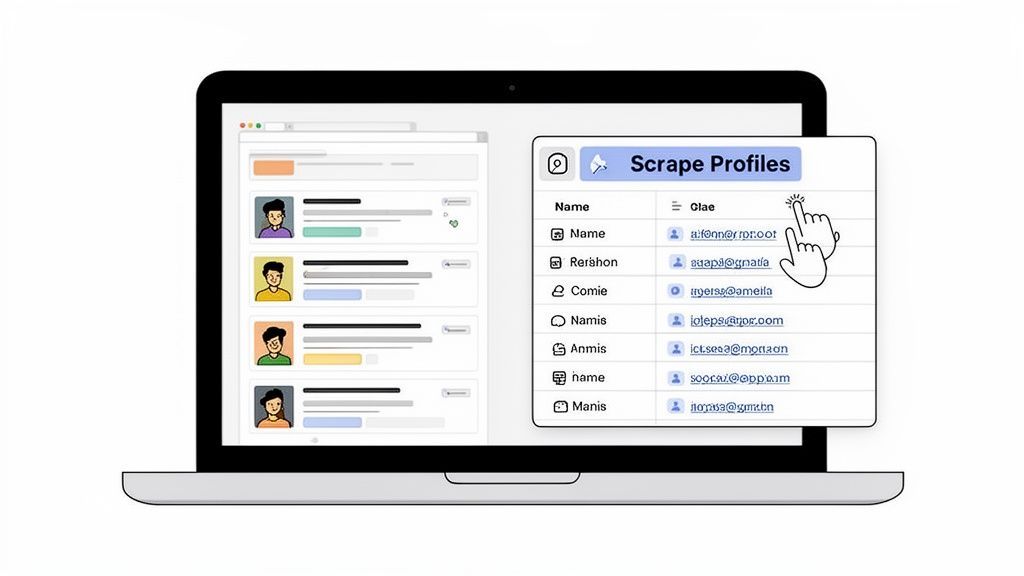
With ProfileSpider, the workflow is simple:
- Open the page you want to extract from, such as a search results page, team page, or profile list.
- Launch the ProfileSpider extension from your browser.
- Click the extraction button and let the tool identify and collect the profile data automatically.
Instead of spending hours on manual entry, you get a structured result in seconds and can move on to organizing, exporting, or enriching the data.
Here’s a look at how that workflow appears directly in the browser.
The main benefit is accessibility. You do not need to code, configure a crawler, or learn scraping logic before getting results. That makes no-code scraping especially useful for recruiters, SDRs, marketers, founders, and researchers who want speed without technical complexity.
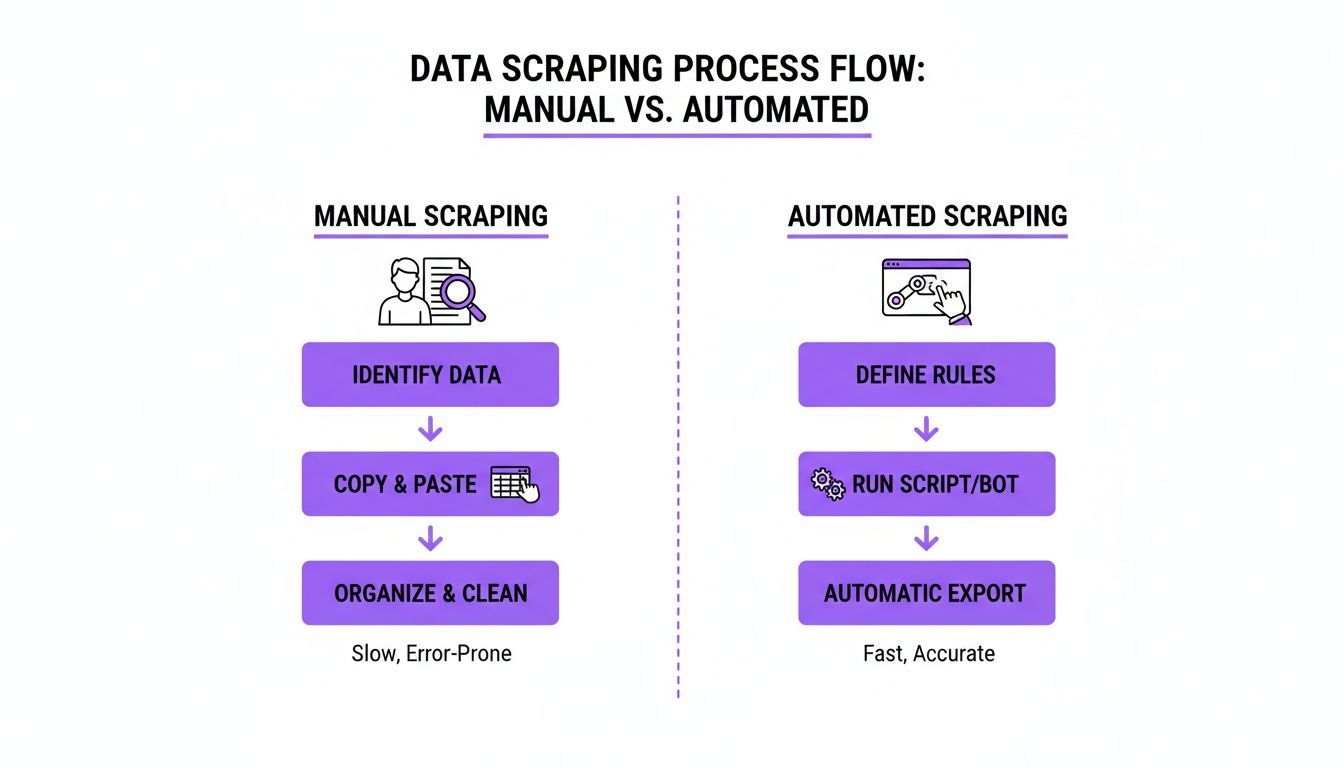
Manual Collection vs No-Code Scraping
The difference between manual collection and no-code automation becomes obvious once you compare them side by side.
| Metric | Manual Copy & Paste | No-Code Scraping |
|---|---|---|
| Time | Slow and repetitive | Fast, often completed in seconds |
| Accuracy | Prone to typos and missed fields | More consistent structured output |
| Scalability | Low; effort rises with every row | High; can extract many profiles at once |
| Workflow | Fragmented across tabs and spreadsheets | More streamlined and browser-based |
| Team efficiency | Time lost on admin work | More time for outreach, research, and follow-up |
The real advantage of no-code scraping is not just speed. It is the ability to turn website data into a repeatable workflow that supports recruiting, lead generation, research, and outreach.
If you are comparing methods for gathering information online, it also helps to understand the broader landscape of research data collection methods and where automation fits best.
How to Scrape a Website Without Coding Step by Step
The easiest way to understand no-code scraping is to see the workflow in action. The process is straightforward: install the tool, open the page you want to extract from, run the scraper, and review the results.
This makes no-code scraping especially practical for people who want a fast result without having to learn programming first.
Step 1: Install a No-Code Scraper
Start by installing a browser-based scraping tool. In ProfileSpider’s case, that means adding the Chrome extension and pinning it to your toolbar so it is always available while you browse.
No-code tools are designed to reduce technical barriers. Instead of building a scraper from scratch, you use a visual interface to extract data from the page you are already viewing. That is one of the main reasons no-code workflows have become popular with non-technical teams.
If you want a broader view of how accessibility changed software workflows, it is worth understanding the rise of no-code development and how those same principles apply to web scraping.
Tip: Pin your scraper extension in Chrome so you can launch it quickly whenever you open a results page, directory, or list of profiles.
Step 2: Open the Page You Want to Extract
Once the extension is installed, navigate to a website that contains structured information. This could be:
- A LinkedIn search results page
- A company team or about page
- A conference speaker list
- A business directory
- A marketplace or portfolio platform
The best pages for no-code scraping usually contain repeatable items such as people, companies, products, or listings.
Step 3: Launch the Extraction
With the page loaded, open the extension and start the extraction. The tool scans the page, identifies the relevant profiles or records, and organizes the data into a structured result.
Depending on the source, that may include fields such as:
- Name
- Job title
- Company name
- Profile URL
- Website
- Location
- Contact details, when available
This is the moment where no-code scraping removes the need for manual selection and copy-paste work.
For a more detailed look at the product workflow, see our ProfileSpider deepdive.
Step 4: Review the Results
After extraction, review the output and check whether the data is clean, complete, and organized the way you need it. A good no-code scraper should make it easy to scan the results, identify duplicates, and prepare the list for export or follow-up.
How AI Improves No-Code Web Scraping
Modern no-code scraping is more effective when it uses AI to understand page structure and identify relevant information. Older scraping tools often depended on rigid selectors and broke whenever a site changed its layout. AI-based tools are more flexible because they can interpret patterns on the page rather than relying on a brittle rule set.
That matters when you want to scrape a website without coding on modern, dynamic websites that use complex layouts, lazy loading, and inconsistent formatting.
Where AI Helps Most
- Dynamic content: Better handling of pages that load content while scrolling or after interaction.
- Complex layouts: Improved separation of useful data from navigation, ads, or surrounding clutter.
- Field recognition: Smarter identification of names, job titles, company names, and links.
- Profile understanding: Better distinction between a person, a business, and a page that contains both.
This is one reason AI-assisted scraping is useful for profile extraction. The tool is not just collecting random text. It is attempting to identify meaningful records and return them in a more usable structure.
If you want to explore this in more detail, read our guide on the advantages of an AI scraper.
The best no-code scraping tools do more than copy page text. They help convert messy web pages into structured, usable records that need less cleanup afterward.
What You Can Do After You Scrape the Data
Extracting data is only the first stage. Once you have a structured list, the next step is turning it into something operational: a sales list, recruiting shortlist, outreach database, or research dataset.
This is where organization and export matter. A no-code scraper becomes much more useful when it helps you move smoothly from extraction to action.
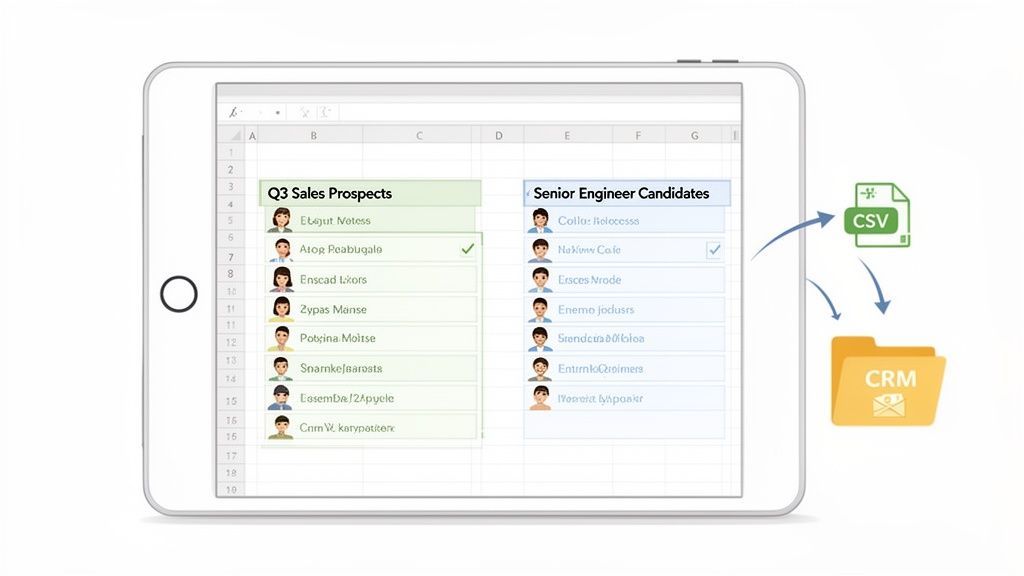
Organize Your Data into Lists
Instead of keeping all extracted profiles in one generic file, separate them by project or goal. That makes follow-up much easier later.
Examples of useful lists include:
- Q2 SaaS Prospects
- Senior DevOps Candidates
- Agencies in Barcelona
- Conference Speakers for Outreach
Segmenting the data early makes it easier to search, filter, and export only what you need.
Clean Up Duplicates and Add Context
When you scrape multiple pages or collect data from several sources, duplicates are common. Cleaning those records before export helps avoid cluttered CRM entries, repeated outreach, and confusion across your workflow.
It is also useful to add notes or tags that explain why a contact was collected, such as:
- Found via team page
- Potential buyer
- Speaker at event
- Relevant for SaaS campaign
That context becomes valuable later when you begin outreach or hand the list off to other team members.
Export to the Tools You Already Use
Once the data is organized and reviewed, export it into a format that fits your workflow, such as CSV or Excel. From there, you can move it into:
- CRM platforms
- ATS tools
- Email outreach systems
- Internal prospecting or research databases
That handoff is what turns scraping into a repeatable business process. If your focus is sales, our guide on web scraping CRM: how to feed your sales pipeline automatically shows how to connect extracted data with pipeline-building workflows.
Real Use Cases for Scraping a Website Without Coding
No-code scraping is useful because it applies to everyday business tasks, not just technical projects. Here are some common ways teams use it in practice.
Recruiting: Build Candidate Lists Faster
Recruiters can extract candidate data from search results pages, portfolio platforms, event pages, and professional directories. Instead of opening and copying each profile manually, they can capture the list quickly and organize it into a hiring pipeline.
Sales: Create Targeted Lead Lists
Sales teams can use no-code scraping to gather company names, websites, locations, and contact information from directories, search results, and local business pages. This is especially helpful when building niche prospect lists for outreach.
Marketing: Find Partners, Creators, or Relevant Brands
Marketers can use no-code scraping to collect profile and company data for influencer outreach, campaign research, partner discovery, or competitor monitoring. Structured extraction helps turn scattered web pages into workable campaign lists.
Research: Turn Public Web Pages into Usable Datasets
Researchers, founders, and operators can scrape public data from directories, marketplaces, and organizational websites to support market mapping, competitor analysis, or data-driven planning.
Is It Legal to Scrape a Website Without Coding?
This is one of the first questions people ask, and for good reason. In general, whether you scrape manually or with a no-code tool, the legal and ethical considerations are the same. The safest approach is to focus on public data, review the website’s terms, and handle any personal information responsibly.
Before scraping, keep these principles in mind:
- Check the site’s terms of service for restrictions on automated collection.
- Focus on publicly accessible information rather than data behind logins or paywalls unless you have permission.
- Respect privacy laws such as GDPR or CCPA where applicable.
- Use the data responsibly within legitimate business or research workflows.
Why Data Control Matters
Another important factor is where the scraped data is stored. Some cloud-based scraping tools route extracted information through external servers. Others use a more local workflow that gives you direct control over the data you collect.
That matters for privacy, security, and operational control. If your workflow involves sensitive lead or candidate lists, understanding how your tool stores data should be part of your evaluation process.
Responsible scraping is not just about extraction. It is also about respecting website rules, handling data carefully, and using tools that align with your privacy requirements.
Final Thoughts on Scraping a Website Without Coding
If you want a practical way to collect website data without learning code, no-code scraping is one of the most efficient options available. It helps you move from scattered public information to structured, usable records much faster than manual collection.
Whether you work in recruiting, sales, marketing, or research, the core benefit is the same: less time spent on repetitive data entry and more time spent acting on the data.
And if you want a browser-based workflow built specifically for extracting profiles and organizing them into lists, ProfileSpider is designed to make that process faster and easier.