

The smartest way to get employee lists from a company’s website is with a modern, no-code tool that does the heavy lifting for you. Forget about manually copying and pasting or messing with complicated scripts. A good profile scraper can instantly grab names, titles, and other details from any 'About Us' or 'Team' page in a single click.
Why Your Internal Data Is Falling Short
If you’re in sales or recruiting, you know the pain of relying on internal directories like your CRM or Microsoft 365. It often feels like you’re working with one hand tied behind your back. These systems are famous for being incomplete, leaving you with huge data gaps that sabotage your outreach and hiring pipelines.
The reality is that top-performing teams are looking outside their own four walls for data. Your internal records just aren't cutting it anymore—they're often out-of-date or missing the very information you need to make a connection.
The Problem With Incomplete Profiles
The latest industry benchmarks paint a pretty bleak picture. OneDirectory's 2026 Employee Directory Benchmark found that employee profiles in systems like Microsoft 365 are, on average, only 30.8% complete. Think about that. Nearly seven out of ten fields—like job titles, managers, and phone numbers—are just empty. You can dig into the full analysis in the 2026 benchmark report on employee data completeness.
This information gap absolutely cripples key business activities:
- Sales Outreach: Your personalized emails fall flat without accurate job titles or department info.
- Recruiting Pipelines: You can't effectively map out a competitor's org chart or spot top talent if your data is full of holes.
- Marketing Campaigns: Account-based marketing (ABM) is dead in the water when you can't even identify the key decision-makers.
The core issue here is that your internal lead data is often unreliable. If this sounds familiar, you might also want to check out our post on why your lead enrichment is failing and what to do about it.
The Public Data Goldmine
In response to this, savvy professionals have found a goldmine of accurate, fresh information: public-facing company websites. The 'About Us' or 'Team' pages on these sites are curated by the companies themselves, making them one of the most trustworthy sources for employee data you can find.
Just look at the difference between a sparse internal directory and a rich, public-facing team page.
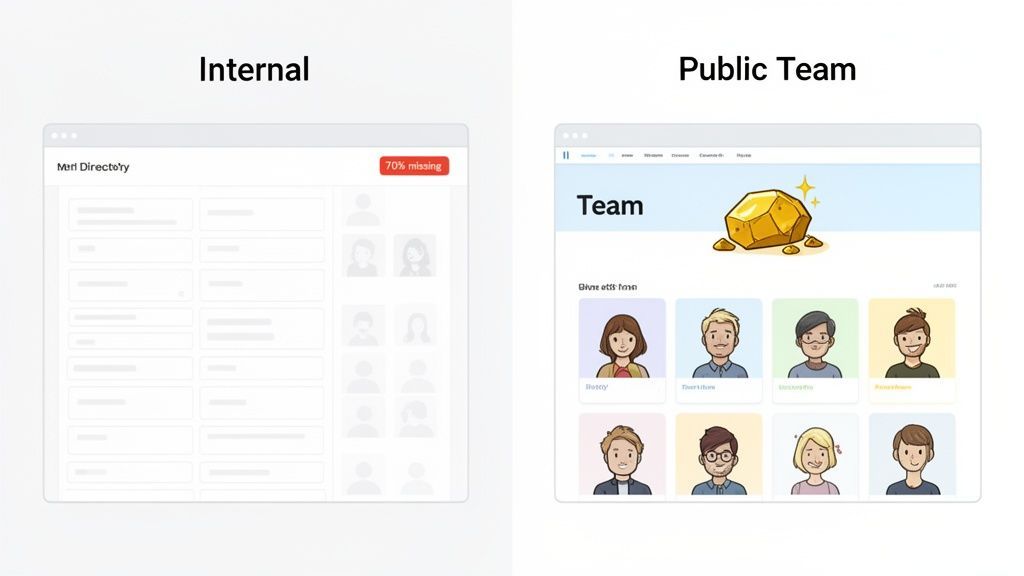
The contrast is night and day. The public page gives you the names, photos, and titles you need for real outreach, while the internal system is a sea of blank fields. This reframes web extraction from some technical hack into what it really is: an essential business strategy for anyone who needs dependable data to compete.
The Old Way: Manual Copy-Pasting and Clunky Scripts
Before we show you the modern, one-click solution, let's look at the traditional methods for building employee lists. If you’ve ever had a company’s “About Us” page open in one window and a sprawling spreadsheet in the other, you know the painful, manual grind we're talking about. It’s a mind-numbing task that most of us in sales, marketing, and recruiting are all too familiar with.

This classic approach means painstakingly copying names, titles, and social media links one by one. It’s not just the hours you lose; it’s how easy it is to make mistakes. One typo or missed profile can throw your entire outreach campaign off track.
The Problem with Manual Data Entry
Going at it by hand is the most direct route, but it’s also the most inefficient. Say you’re targeting a company with 50 employees listed on their site. You're looking at hundreds of individual copy-paste actions just to get a basic list. For a bigger company? Forget about it. It's simply not scalable.
The biggest cost of manual data entry isn’t just the time you lose; it’s the opportunity cost. Every hour spent copying and pasting is an hour you could have spent building relationships, closing deals, or sourcing top-tier candidates.
And let’s be honest, this manual work rarely gives you the full picture. You might grab a name and title, but what about their LinkedIn profile or other crucial contact info? Finding those details means even more manual searching, digging through profiles, and piling on the hours.
If you're looking to level up your people-finding skills, our guide on how to search for employees on LinkedIn is a great place to start.
The Headaches of Using Code and Scripts
For the more technically inclined, writing a custom web scraping script might seem like a smart shortcut. In reality, it often introduces a different kind of headache. Websites change their code and layouts all the time, and when they do, your script instantly breaks, sending you right back to square one.
Worse, many sites now use anti-scraping tools designed to block basic scripts, rendering your efforts useless. The bottom line is that these home-brewed solutions demand constant maintenance and, more often than not, a developer to fix things—a luxury most sales and recruiting teams don't have.
Comparing Traditional Data Extraction Methods
| Method | Time Investment | Accuracy | Technical Skill | Scalability |
|---|---|---|---|---|
| Manual Copy-Paste | Extremely High | Low to Medium | None | Very Poor |
| Basic Scripting | Medium (Initial) / High (Maintenance) | Medium | High | Poor |
As you can see, both traditional approaches fall short. They’re slow, prone to errors, and impossible to scale for the demands of a modern business. This is why teams are turning to a faster, more reliable solution.
The New Way: One-Click Extraction with ProfileSpider
Instead of wrestling with spreadsheets or broken code, imagine this workflow: you land on a company's "About Us" page, click a button, and instantly get a perfectly structured list of every employee.
This is exactly what a modern, no-code tool like ProfileSpider does. It turns a tedious, multi-hour chore into a simple, one-click process. It’s not about being a tech expert; it’s about having the right tool to get the job done fast. If you are still deciding which people or team pages to start from, the ProfileSpider People Finder can help you find relevant people before extracting and organizing them into lists. This lets you focus on using the data, not fighting to get it.
How to Extract Employee Lists (Step-by-Step)
The entire process is designed to be intuitive for business users—no coding or technical background required. It breaks down what used to be a complex task into three simple stages: Identify, Extract, and Organize.
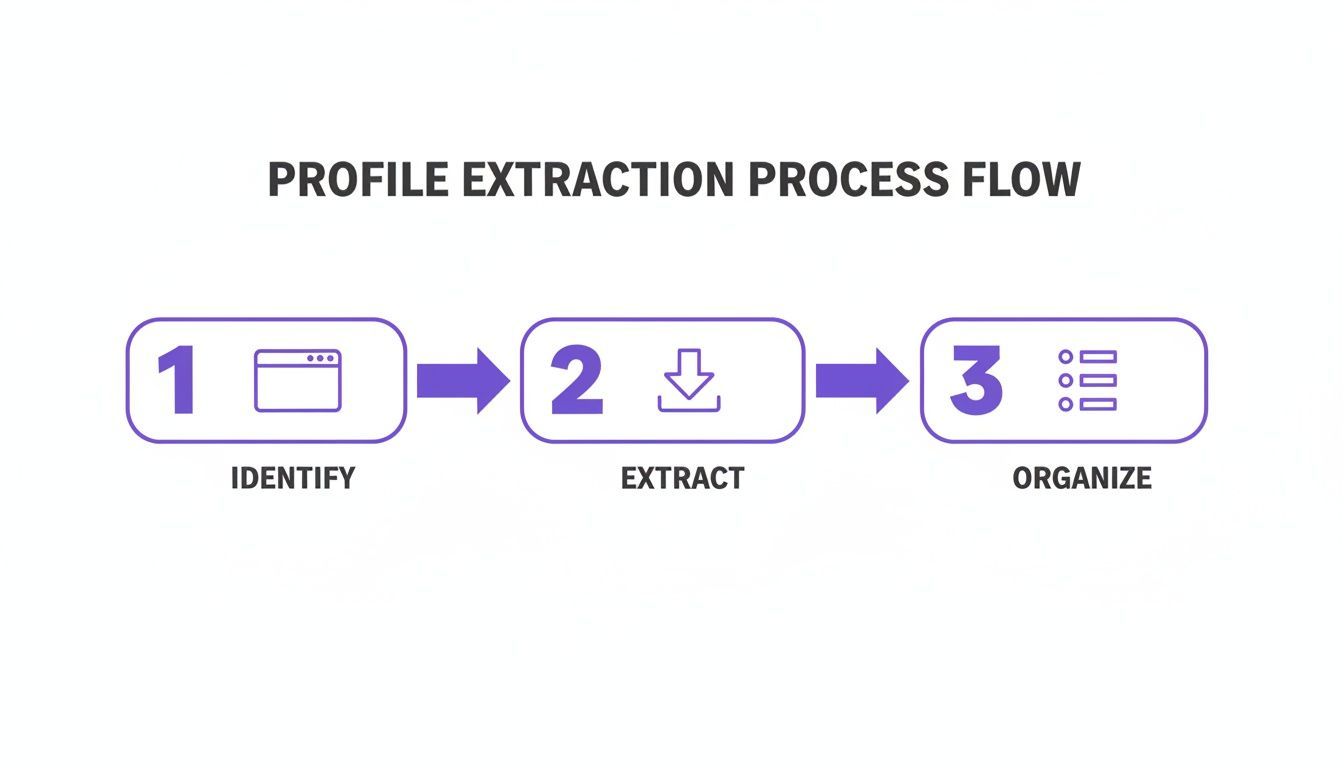
Here’s how you can turn any company team page into an actionable list of prospects or candidates in just a few minutes.
Step 1: Install the Chrome Extension
First, add the ProfileSpider extension to your Chrome browser. The setup is straightforward, with no complicated configurations to worry about. Once it's installed, you’re ready to start extracting.
Step 2: Navigate to a Team Page and Extract
Go to any company's "About Us," "Team," or "Leadership" page. Once there, click the ProfileSpider icon in your browser toolbar. You’ll see one large, clear button: "Extract Profiles."
Click it. That’s it.
The tool’s AI immediately scans the page, identifies every individual profile, and pulls all the available structured data—names, titles, social links, and locations. The results appear neatly organized right inside the extension's window.
A task that would have taken 30 minutes of mind-numbing copy-pasting is now done in less than 30 seconds. This is the core benefit: giving you back time to actually sell, recruit, or build partnerships.
Step 3: Organize and Export Your List
Raw data is just the beginning. Real productivity comes from putting that data in order. ProfileSpider has built-in features to help you manage the profiles you've collected.
You can create custom lists for different projects, such as "Target Account - Acme Corp" or "Senior Engineer Candidates." As you extract profiles, you can add them directly to the appropriate list. You can also add tags (e.g., "Decision-Maker," "Tier 1 Prospect") and notes to each contact, creating a lightweight CRM right in your browser.
For a deeper dive on this, check out our guide on how to organize profiles into lists.
Once your list is organized, you can export the whole thing to a CSV or Excel file with a single click. The file is perfectly formatted for a direct upload to your CRM, Applicant Tracking System (ATS), or email marketing platform. No cleanup needed.
Beyond the Basics: Business-Focused Features
The best tools are built for how professionals actually work. ProfileSpider was designed from the ground up to solve real-world business challenges for sales, recruiting, and marketing teams.
- Scale Your Efforts: Extract up to 200 profiles from a single page in one go. A task that could take a full day manually is now done in seconds. This allows you to build comprehensive target account maps or candidate pools from dozens of sources in the time it used to take to research just one.
- Works Everywhere: Whether the employee list is on a polished corporate site, a clunky old directory, or even a complex platform like LinkedIn, the process remains the same simple click. You can get a deeper look at the technology behind this in our guide on AI data extraction.
- Privacy-First Design: Many cloud-based tools upload your data to their servers, creating potential security risks. ProfileSpider uses a local-first privacy model, saving all extracted information directly to your computer. You own and control your lists—a smarter, safer way to manage valuable data.
Of course, before you can pull any data, you need a target. Knowing how to research companies like an expert is a crucial first step to finding promising team pages.
Advanced Strategies for Power Users
Once you've mastered basic extractions, you can solve more complex data challenges. Imagine you’re a recruiter trying to map a competitor's entire engineering department, but their staff bios are spread across a dozen different pages. Or you're a sales rep needing to build an account list from a multi-page conference attendee directory.
Tackling Multi-Page Directories: When a directory is split across multiple pages, the process is simple:
- Extract Page One: Run the extraction and save the profiles to a new list (e.g., "Competitor X - Engineering").
- Move to the Next Page: Navigate to page two and run the extraction again.
- Merge and Append: Add the new profiles to the same list. ProfileSpider automatically handles duplicates, creating one clean, comprehensive roster. Repeat for all pages.
Enriching Profiles with Contact Info: Often, a team page only provides a name and title. The ‘Enrich’ function turns this basic data into a full contact profile. After your initial extraction, select any profiles missing key info like an email or LinkedIn URL, and run the enrichment. The tool automatically finds and adds publicly available data, giving you the context needed for meaningful outreach.
This aligns with a major trend in HR, where data-driven recruiting is now standard. People analytics adoption has jumped by 60%, and data-informed strategies produce talent outcomes that are 2.3 times better. You can discover more insights about HR statistics from Yomly.com.