


You already know the pain if you have ever built a lead list from a member directory, conference speaker page, alumni database, or company team page. You open one tab, copy a name, switch to a spreadsheet, paste it, go back for the title, then the company, then the profile URL. By the time you finish one page, you still have ten more pages to go.
That work feels harmless because each copy-paste takes only a few seconds. In practice, it wrecks throughput, introduces errors, and leaves your outreach list half-finished. The useful question is not whether you can do it manually. It is whether you should.
For recruiters, sales teams, marketers, and researchers, how to scrape people directories is really a workflow question. How do you move from scattered public profiles to a clean, usable list without writing code, breaking your process, or creating privacy risk you cannot defend later?
The Hidden Cost of Manual Prospecting
Manual prospecting burns time in ways many teams do not track. A recruiter sourcing from an association directory might spend the morning collecting names and role titles, then lose the afternoon opening detail pages one by one to find contact context. A sales rep doing account research often repeats the same pattern across LinkedIn-like directories, speaker lists, and team pages.
That hidden labor is why resources on the real cost of manual account research resonate with anyone who has had to build lists by hand. The work is repetitive, easy to delay, and hard to scale.
What manual work costs
The immediate problem is speed. The deeper problem is inconsistency.
When people build lists manually, they usually run into these issues:
- Missed profiles: Someone stops at page two because the list is already taking too long.
- Messy records: Names get pasted without titles, titles without companies, and URLs without context.
- No follow-up structure: Prospects end up in one flat spreadsheet instead of segmented lists for hiring, outreach, or partnerships.
- Bad handoffs: One teammate understands the sheet. Nobody else does.
Buying prebuilt lists seems like a shortcut, but it comes with its own problems around freshness, relevance, and fit. If you want a grounded comparison of that trade-off, this piece on https://profilespider.com/blog/cost-of-buying-lead-lists is useful because it frames the choice around workflow costs, not just list price.
Practical takeaway: Manual prospecting does not only waste hours. It also lowers list quality, which hurts outreach results later.
Why scraping matters to non-developers
A lot of people hear “scraping” and assume Python scripts, proxies, and browser automation. That was the old reality for a long time. Today, scraping a directory often means using a browser-based workflow that captures repeating profile data into a structured list.
That distinction matters. If you are in recruiting or growth, your job is not to maintain scripts. Your job is to build usable pipelines of candidates, prospects, or contacts. Scraping is just the faster collection layer.
Two Paths to Automated Directory Scraping
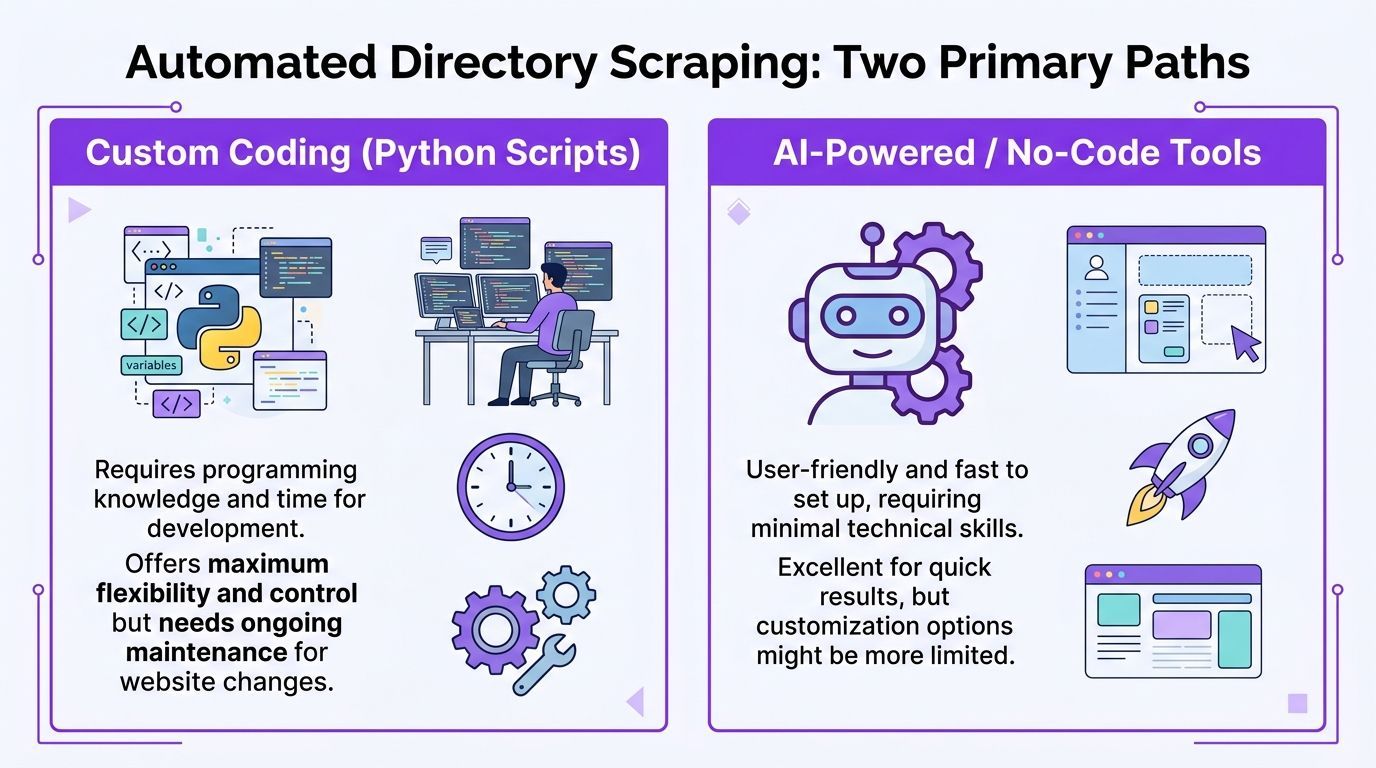
There are still two broad ways to do this. One is the traditional route. The other is the modern no-code route.
The hard way
The traditional path usually means custom code or visual scraper tools that still behave like developer tools. You identify selectors, define repeating elements, configure pagination, and often create separate extraction logic for list pages and detail pages.
That approach can work. It also creates overhead.
ParseHub-style visual selector workflows are a good example. They often require training list detectors, creating new templates for detail pages, and manually setting up pagination. ParseHub’s own documentation notes a 40% failure rate from unhandled AJAX and a 20 to 30% block rate from CAPTCHAs in that traditional setup path (ParseHub guide).
If you are comparing source sites before you scrape them, a curated list of best people finder websites can help you judge which directories are rich enough to justify the effort.
The smart way
The modern route removes selector training from the workflow. Instead of teaching a scraper what a profile row looks like, you use a browser tool that reads the page, detects repeating profile patterns, and structures the data for you.
The key shift is accessibility. According to Botscraper’s overview of no-code scraping, setup that used to take hours of coding can now be reduced to under 5 minutes for setup and initial extraction (Botscraper).
That changes who can do the work. A recruiter can scrape a member directory without asking ops for help. A marketer can pull conference speaker lists without waiting for engineering. A sales rep can collect target accounts from niche directories and organize them the same day.
A side-by-side breakdown of this shift is useful in this comparison of https://profilespider.com/blog/ai-scraping-vs-traditional-scraping, especially if you are deciding between script-heavy workflows and browser-based extraction.
What matters in practice
For non-developers, the decision usually comes down to this table:
| Approach | What it gives you | What slows you down |
|---|---|---|
| Custom coding | Flexibility and deep control | Maintenance, setup, breakage when sites change |
| Visual selector tools | Less code than scripting | Template setup, pagination logic, brittle runs |
| AI-powered browser tools | Faster extraction from live pages | Less low-level customization |
Rule of thumb: If your goal is list building for outreach, hiring, or research, speed to usable data matters more than perfect technical control.
A Step-by-Step Guide to AI Profile Extraction
The cleanest workflow starts in the browser on the page you already use for research. That might be a speaker list, a staff directory, a trade association member page, a GitHub results page, or a company team section.
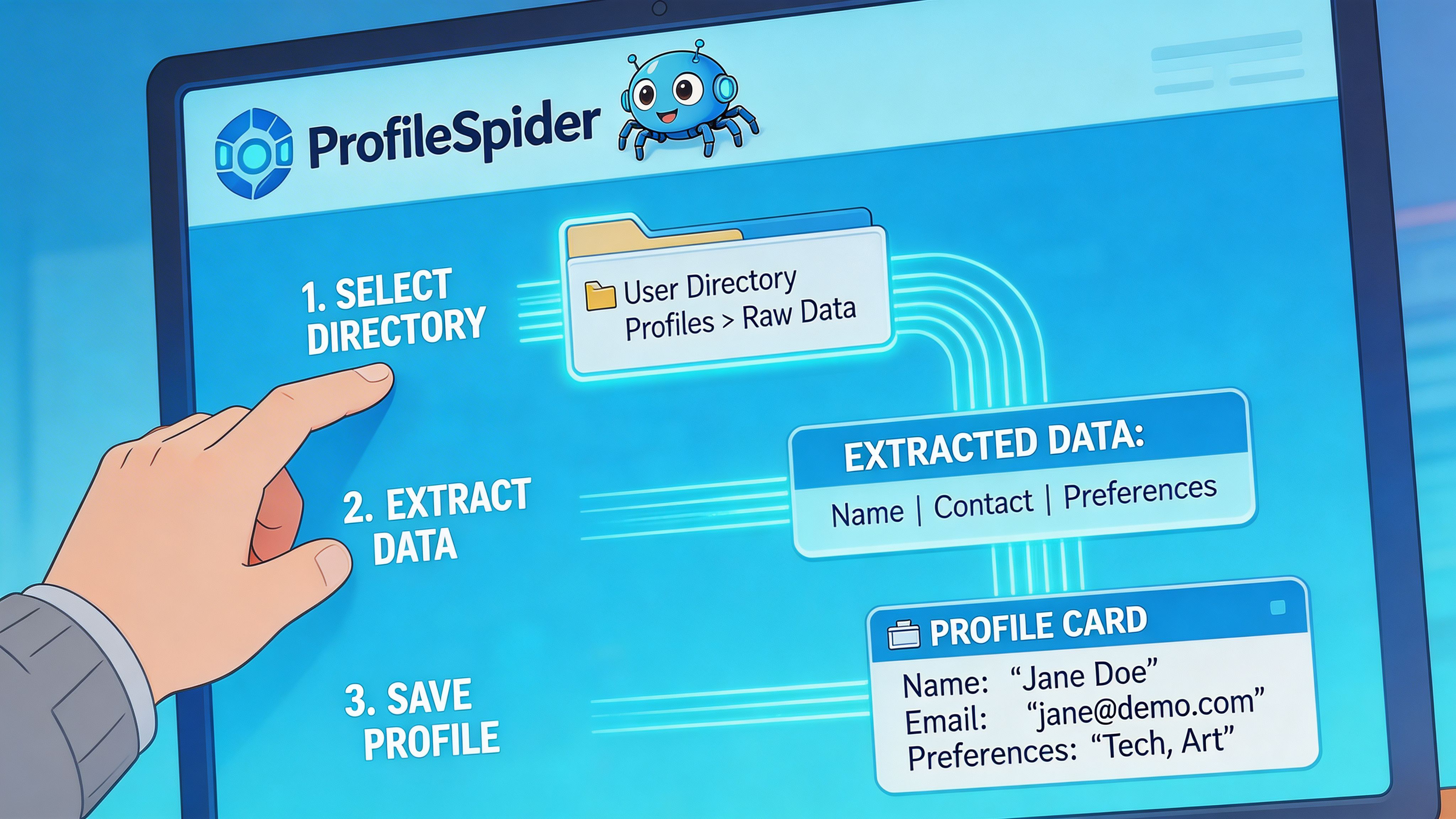
Step 1. Open a directory page with repeatable profiles
The best pages have a clear structure. Think cards, rows, or search results where each entry includes a name, role, company, location, or profile link.
Avoid starting on a page with only one person. Start where the pattern repeats.
Step 2. Run a no-code extractor
A modern browser extension such as ProfileSpider scans the page, detects repeating people or company profiles, and extracts structured fields such as names, titles, companies, locations, profile URLs, emails, phones, and social links. The extension works on Chrome 114+ browsers, stores data locally in the browser, and can handle up to 200 profiles per page depending on plan limits (ProfileSpider methodology).
This is the point where modern tooling changes the experience. Instead of selecting fields one by one, you click once and review a ready-made list.
If you want the broader concept behind this workflow, https://profilespider.com/blog/ai-data-extraction gives a useful plain-language explanation of AI-based extraction versus manual field mapping.
Step 3. Review what came back
Do not export immediately. First, inspect the extracted list in the browser.
Look for:
- Obvious duplicates
- Misread fields
- Useful profile URLs
- Missing contact details that may live on subpages
At this point, your goal is not perfection. It is to confirm the page pattern was recognized correctly and that the list is worth expanding.
Step 4. Move through pagination
People directories often do not live on a single page. They live across paginated results, category pages, or filtered search sets.
The simple workflow is:
- Extract profiles from page one.
- Click to the next page.
- Run extraction again.
- Append the new results to the same list.
This is much easier than coding pagination rules by hand. It also keeps the operator in control. You can stop when the page quality drops, when the niche changes, or when you have enough for the campaign.
Step 5. Export only after the list is usable
Once you have a coherent collection, export it to the format your workflow needs. CSV is still the easiest handoff for CRMs, ATS tools, and enrichment checks. Excel works if a hiring manager or SDR manager wants to review the list before upload. JSON is useful for more technical workflows.
Tip: Name exports for the campaign, not the source site. “Fintech founders London” is easier to act on later than “directory_export_final_v2”.
Where this approach fits best
This method is strongest when the page already reflects your targeting criteria. That includes:
- Recruiting: Alumni pages, faculty directories, portfolio communities, speaker lists
- Sales: Membership directories, software partner pages, niche associations, exhibitor lists
- Marketing: Influencer rosters, podcast guest lists, community member pages
- Research: Public databases with visible profile rows and detail pages
The business value is simple. You spend less time collecting and more time qualifying.
Enriching and Organizing Your Scraped Data
Initial extraction is only half the job. A raw list is helpful, but it is rarely complete enough for outreach or sourcing.
Why your first pass is usually incomplete
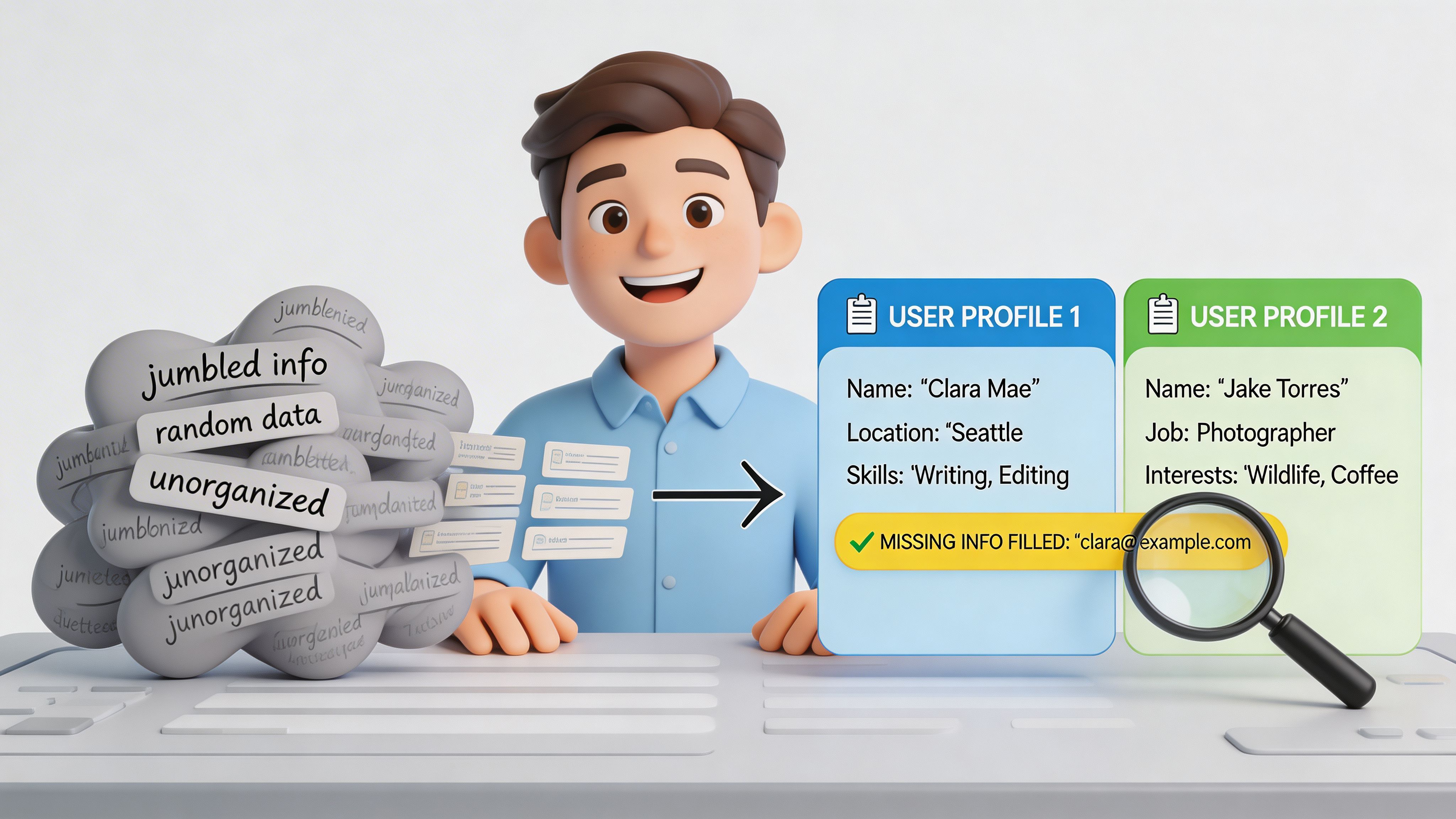
A common mistake is assuming the list page contains everything important. In reality, list pages usually show surface fields only. Names, titles, companies, and locations are easy to display publicly. Contact details often sit deeper in profile pages or behind expanded sections.
ProfileSpider reports that freshly scraped lead lists from directories often lack contact details for 80% of prospects, which is why a second enrichment pass matters so much (ProfileSpider directory scraping guide).
That gap explains why many scraped exports disappoint people. The extraction worked. The dataset is just not finished.
A practical enrichment workflow
A usable post-extraction routine looks like this:
- Select the incomplete records: Filter for entries missing email, phone, or social links.
- Visit profile URLs automatically: Use an enrichment action that opens the detail pages and captures the missing fields available there.
- Append new data to the same record: Keep one clean row per person whenever possible.
- Review edge cases manually: Some profiles will still need human judgment, especially if fields are inconsistent.
The value of enrichment is not only more contact data. It is more context. A subpage often includes specialty, biography, geography, certifications, or links that help you segment outreach properly.
Organize before export
Many teams lose discipline here. They scrape, export, and promise to clean the file later. Later rarely happens.
Before exporting, organize the list:
- Create campaign-based lists: “Healthcare RevOps prospects” is better than one giant master dump.
- Add notes: Record why the person is relevant.
- Use tags: Mark by region, hiring priority, outreach angle, or source type.
- Merge duplicates: Especially important if the same person appears across multiple directory pages.
Key takeaway: A scraped list becomes valuable when it is enriched, segmented, and easy to hand off. Raw rows are not a pipeline.
Scraping Safely and Ethically
Most scraping guides spend their time on extraction and almost none on responsibility. That is a mistake, especially when you are working with personal data.

The legal risk is not theoretical
Scrape.do notes that many guides ignore legal and ethical risk, even though GDPR-related scraping enforcement included over 250 violations and €500M+ in fines in a 2025 EU report (Scrape.do).
You do not need to be a lawyer to understand the practical implication. If you collect personal data, your process matters. Why you collected it matters. What you keep matters. How long you keep it matters.
Simple rules that keep you out of trouble
For recruiters, sales teams, and researchers, the safest habits are boring and disciplined:
- Minimize collection: Capture only what you need for the use case.
- Keep purpose clear: Know why a person belongs on the list.
- Respect opt-outs: If someone should not remain in your workflow, remove them.
- Control access: Do not pass spreadsheets around casually.
- Delete stale data: Old lists become risk faster than they create value.
A practical legal overview lives at https://profilespider.com/blog/website-scraping-legal if you want a business-focused explanation of what website scraping legality depends on.
Why local-first handling matters
There is also a tooling issue here. When a cloud scraper stores your extracted profiles on someone else’s servers, you create another layer of exposure. Your team now has to trust the vendor’s storage, retention, access controls, and breach response.
A local-first workflow is easier to reason about. The extracted data stays in your browser, under your control, and you export only what you intend to use. That does not solve compliance by itself, but it reduces unnecessary data sprawl.
Practical rule: Treat scraped profile data like any other sensitive business dataset. Collect less, store less, and keep tighter control over where it lives.
Troubleshooting Common Scraping Roadblocks
Even good workflows hit friction. People directories are not built for your convenience, and some of the hardest targets actively try to block automated collection.
Datablist notes that naive scrapers on platforms like LinkedIn or GitHub can face a 90% block rate, and free proxies can fail at a 70% rate in high-volume directory scraping scenarios (Datablist).
Why runs fail
The most common causes are not mysterious:
- The page is still loading: JavaScript-heavy directories often render profile data after the visible shell appears.
- The site detects automation patterns: Fast, repetitive requests can trigger defenses.
- Pagination behaves oddly: The next page button may change state, disappear, or load content dynamically.
- The directory structure shifts: Filters, popups, or login prompts can interrupt the pattern.
What usually works
When a scrape misfires, start with simple fixes before changing tools.
- Let the page settle: Wait until the visible profile list is fully rendered.
- Work page by page: Sequential extraction is often more stable than trying to force aggressive automation.
- Slow down: Spacing actions reduces the chance of rate-limit problems.
- Check for hidden interruptions: Cookie banners, modals, and sign-in prompts can break extraction.
- Prefer browser-based tools for interactive sites: They handle rendered pages better than brittle request-only setups.
The practical lesson is that reliability matters more than theoretical speed. For recruiters and sales teams, a tool that extracts consistently from the live page is usually more useful than a script that works brilliantly until the site changes next week.
If you need to learn how to scrape people directories without turning it into a side job in debugging, keep the workflow simple. Start on a directory page with repeatable profiles. Extract the visible data. Enrich what matters. Organize it before export. Keep the data local when possible, and stay disciplined about privacy.
That process gets you what you want. More usable leads, candidate lists, or research contacts in less time.